Recent Searches

Multilingual Events Accessibility for Better Attendance, Engagement, and Audience Experience

Multilingual events accessibility makes meetings, conferences, presentations, and conventions welcoming to global and multicultural audiences, with full access to information in their language preference. This is the definition of communication accessibility—delivering information in an accessible way. However, communication gaps remain for mixed audiences (including Deaf and hard-of-hearing individuals) at public events such as:
  • Conferences
  • Conventions
  • Seminars
  • Open houses
  • Townhall meetings
  • Orientations
  • Performances and festivals
Today, more than ever before, we need multilingual communication accessibility to ensure that we can effectively communicate with audiences, regardless of their language preference, as our communities and workplaces reflect a range of backgrounds.

Why communication accessibility must include a multilingual focus

More than 1 in 5 people living in the U.S. speak a language other than English.1 As you might expect, Spanish is the most common of those languages, making up 62% of those households. However, the other 38% speak a variety of foreign languages, demonstrating that merely presenting information in only English and Spanish is not adequate for full event accessibility2. By embracing and welcoming, multilingual audiences at events, you promote equality, respect, and a sense of belonging for everyone regardless of language preference and ability.

Multilingual event accessibility benefits

The benefits of accessible multilingual events are manifold:
  • Increased participation: With language accessibility, attendees can grasp information faster and actively engage.
  • Revenue growth: Broad accessibility can increase attendance, leading to higher ticket sales and sponsorships. Attracting a more expansive audience can also lead to a positive brand reputation.
  • Better communication: Attendees with access to effective communication can start a conversation with anyone and build relationships.
  • Improved user experience: real-time captioning and audio for all attendees in their preferred spoken language ensures equitable access to information.
While the benefits of real-time speech translation are obvious for participants whose primary language differs from the speaker, even same language captioning can be immensely helpful to your audience. Roughly 14% of Americans have some degree of hearing loss and can use captions to avoid missing statements they don’t hear.3 Neurodivergent individuals — including people with autism, ADHD, and dyslexia — may also benefit from captioning. To better meet the language needs of event audiences, Sorenson offers Sorenson Forum.

Multilingual events accessibility real-time solutions

Multilingual communication accessibility can transform the event experience, allowing full participation and enjoyment by people of diverse backgrounds and languages. By using technology to bridge the language gap, you offer attendees a satisfying experience and access to all aspects of an event without obstacles. The technology now available includes multilingual interpreting, real-time translation, and live captioning.

Sorenson Forum

Sorenson Forum is an AI speech translation service that provides real-time captioning in 25 languages and 45 dialects to facilitate communication during events. Each person in the audience can access captions and audio in their preferred language on their own laptop or mobile device. It’s ideal for enabling effective communication with groups for meetings, classes, speeches, and presentations. Sorenson Forum provides solutions for event planners before problems have a chance to arise:
  • Attendance and engagement: Instant access to a language they know encourages a wider audience and allows participants to understand and engage.
  • Budget-minded accessibility: Provide accessibility for dozens of languages at a fraction of what it would cost to staff multiple qualified interpreters.
  • Streamlined to avoid technical difficulties: No need for special equipment, and users access translations and captions on their own devices — they don’t even have to download anything.
  • Single solution compatible with in-person, remote, and hybrid events: Give guests the same great experience however and wherever they’re joining.
Unlike traditional captioning and translation services with few language choices and cumbersome equipment requirements, Sorenson Forum is a next-generation Communication Access Realtime Translation (CART) solution that delivers instant access to captioning in 25+ languages and two-way communication for a personalized experience.

ASL Interpreting for Inclusive Access

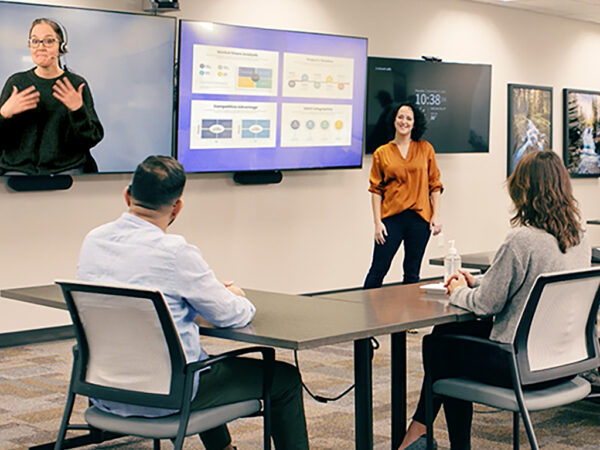
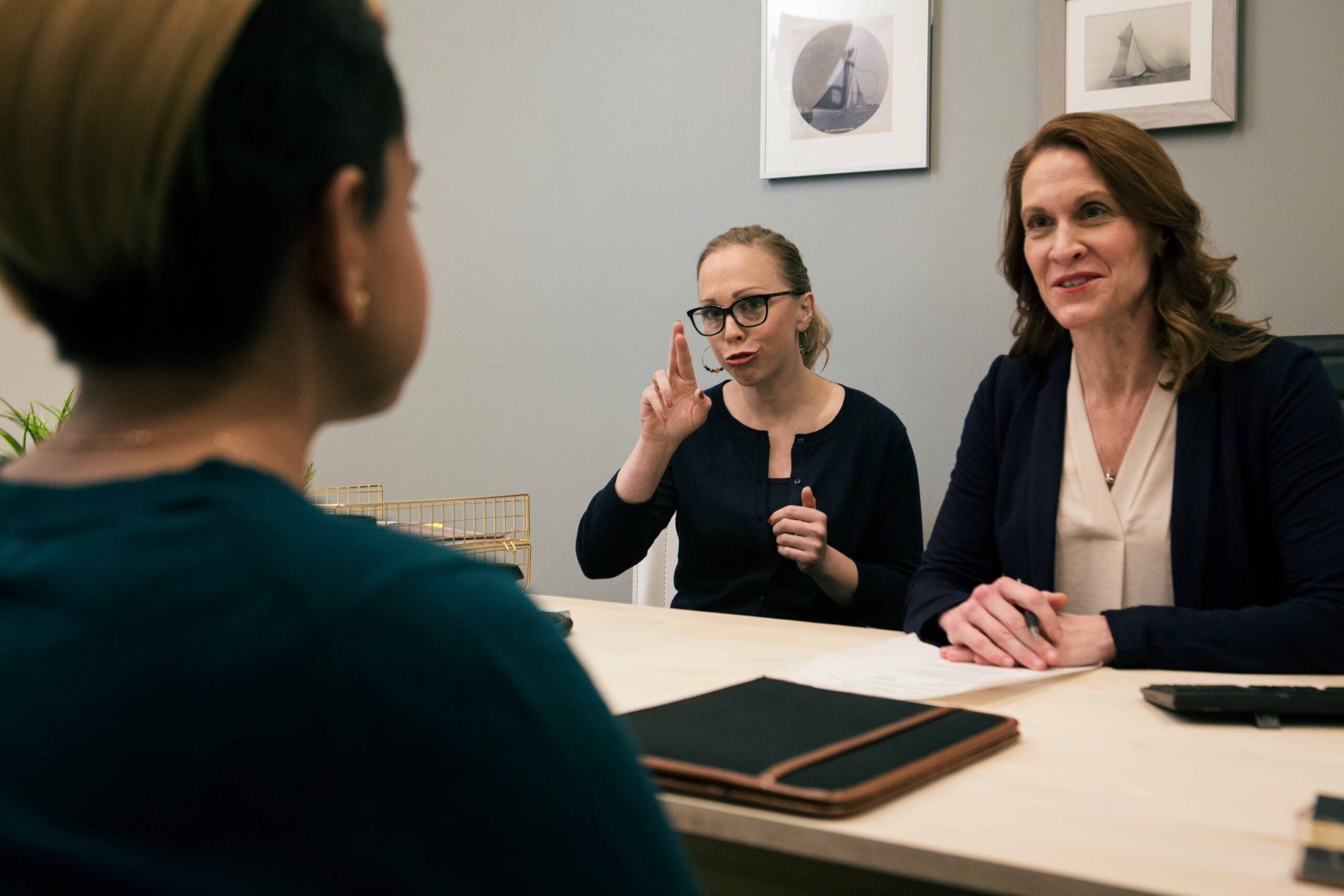
In addition to real-time captions and spoken-language translation, providing American Sign Language (ASL) interpreting is essential for ensuring full access for Deaf and hard-of-hearing participants. Depending on your event format and audience needs, ASL interpreting can be delivered either onsite or via video remote interpreting (VRI). ASL interpreters enable real-time visual communication, allowing Deaf attendees to fully engage with presentations, discussions, and Q&A sessions. Whether you're hosting a virtual town hall, hybrid conference, or in-person seminar, integrating ASL interpreting into your accessibility plan demonstrates a commitment to equity and inclusion—and helps meet ADA compliance standards.

How to integrate multilingual communication accessibility into your event planning

To provide a fully accessible event experience for multilingual guests, consider a variety of accommodations from registration through post-event follow-up.

Before the event

  • Include a question about accessibility needs in event sign-up forms. Support multilingual registration with an event website allowing registrants to select their preferred language. Gathering this information in advance allows time to prepare event materials and line up appropriate services.
  • Provide pre-event materials and instructions in attendees’ preferred language, including the accessibility services they can anticipate prior to the event.
  • Provide details on where to go on the day of the event and how to access interpreting, translation, and captioning.
If you’re providing on-site interpreters or Video Remote Interpreting services for your event, consult your interpreting provider well in advance to secure adequate staffing.

Training and support

Prepare any technology you will use to deliver accessibility services, including microphones, monitors or projectors for displaying media, and setting up accounts and apps. Do test runs for all equipment to detect potential technical problems.

Multilingual events accessibility best practices

To provide a seamless experience for your multilingual guests, provide information before and during the event:
  • Promote accessibility options on the event webpage and program book.
  • Use visual signage on the event grounds to help everyone find their way even before they take advantage of accessibility services.
  • Use visual aids and gestures to guide guests to where they need to go and to draw attention to interpreting, translation, or captioning availability.
If you’ve scheduled interpreters, prepare them with all related event information and subject matter details. Well-prepared interpreters can most efficiently deliver the presenter’s message and enhance the experience for attendees.

Take the next step today

To learn more about how multilingual accessibility services can elevate your events, reach out to our team to discuss your communication needs and the most fitting solutions to help you create an inclusive and engaging environment.

Sources

  1. American Community Survey
  2. What Languages Do We Speak in the United States? (census.gov)
  3. Hearing loss statistics and demographics

How to Use AI for Good: Everyday Connection through Real-Time AI Speech Translation

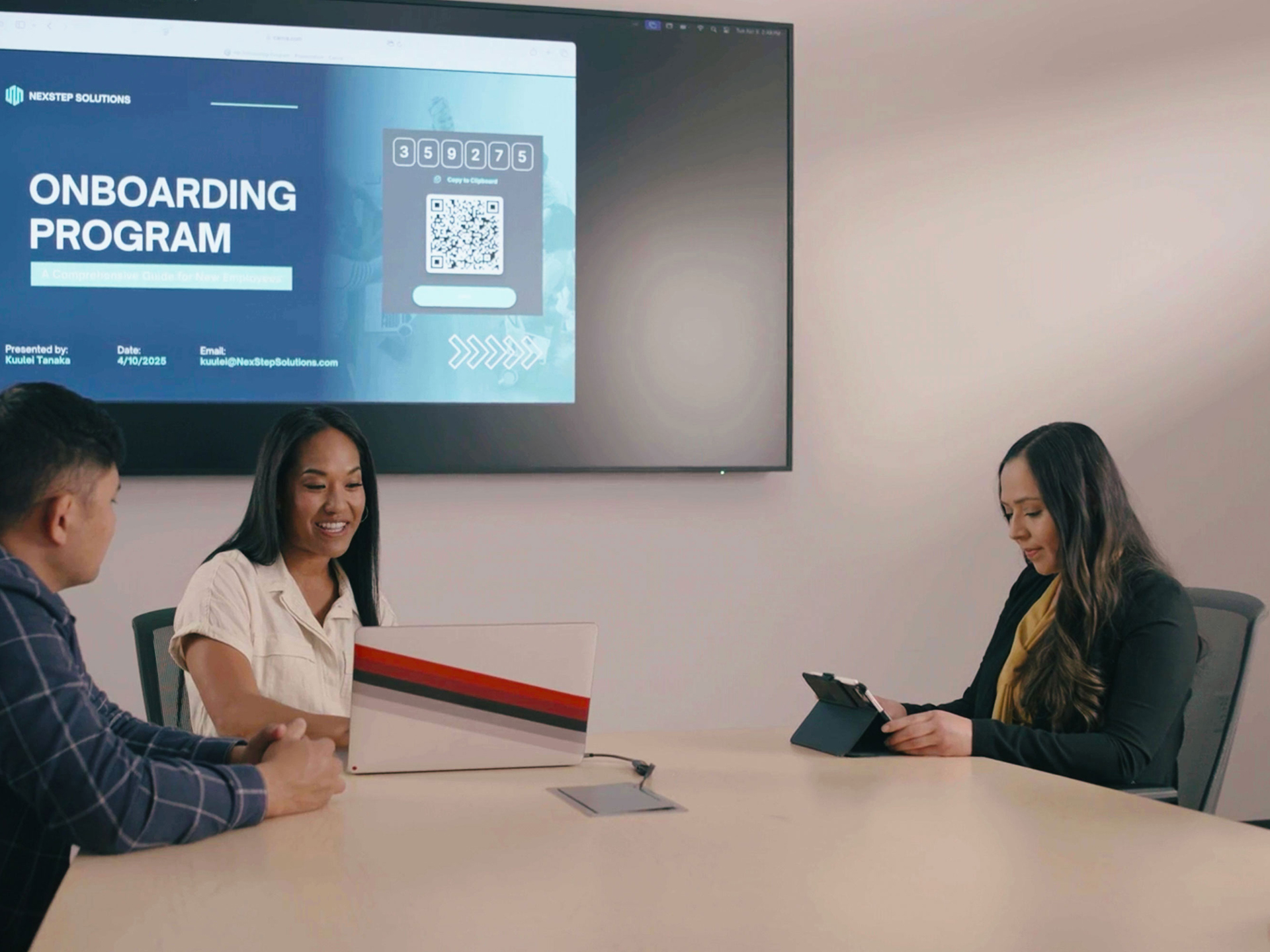
Three people in office conference room with meeting presentation on large screen behind them. Current slide shows QR code for live speech translation.

Any way you look at it, the rapid integration of artificial intelligence (AI) technology is transforming daily life. Whether you’ve leaned into AI tools to do your grunt work — from processing data and writing emails to generating your grocery list — or you’re skeptical about allowing machines to do your thinking, there’s no denying the world has flexed its creative muscles over the past few years in finding inventive ways for how to use AI.

An ethical AI use case

One of the most wholesome ideas for how to use AI stems from its ability to learn languages. Machine learning — a category of AI — taps into computers’ ability to quickly process and organize vast amounts of linguistic data. 

That capacity to master vocabulary, pronunciation, and language structure enables AI to convert speech-to-text or text-to-speech in practically any language instantaneously…and simultaneously: a multilingual human translator may be able to convert Japanese to English and English to Spanish, but AI can do both at the same time, making everyday connection across languages possible without planning or expertise.

We’re going to discuss how — and when — you can effectively leverage that power to generate connection, engagement, and understanding with all kinds of people:

Why you need interpreting, translation, and captioning

The need for fast and reliable language services is no longer a niche demand. Economic and social shifts that drive globalization and multiculturalism have made interpreting and translation services an essential part of doing business and serving the public:

  • More than 90% of the world’s population uses languages other than English as a primary language.1
  • Countries that are largely English-speaking also have sizeable numbers of people with different primary languages.
  • In the U.S., more than 20% of the population uses a language other than English at home.2
  • Roughly 8% of people in the U.K. say their main language is not English.3
  • Only about 57% of Canadians list English as their first language. About 20% speak French primarily. The remaining 23% use other languages at home.4

Even if you share the same language as the people you’re talking to, captioning is now a mainstream need. Worldwide, 20% of people are Deaf or hard-of-hearing and 15–20% are neurodivergent;5,6 captions can help them access and process information. Among hearing and neurotypical people, too, numerous studies support the benefits of captioning for comprehension and retention.

The benefits of providing services like interpreting, translation, and captioning come into focus when we view language access as more than transactional. Making it easy for customers, employees, and communities to communicate effectively signals to them that you value their perspectives and engagement.

When the people you work with and serve feel welcome, valued, and respected because you prioritize their access and inclusion, the impact snowballs:

  • Productivity and efficiency rise when all parties can communicate quickly and effectively.
  • It feeds a culture of belonging that spurs organic engagement.
  • Word of mouth generates referrals and positive brand reputation.

Use cases for real-time translation and captioning

The need for captioning and translation services reaches into every sector, easing friction points on both sides of the equation when solutions put people on even footing:
Business: Companies that provide adequate service to linguistically varied and hard-of-hearing populations can tap into a double-digit boost to their customer base. For industries like financial services, retail, and hospitality that cast a wide net, expanding their reach to even half of those people makes an enormous impact.

  • Customer support: Instead of hiring multilingual support staff, businesses can integrate real-time captioning and translation into their customer service to support hard-of-hearing and linguistically varied customers.

Beyond customers, supporting employees with captioning and translation expands your talent pool for recruiting and sets teams up for greater productivity.

  • Multilingual meetings: It’s not far-fetched, or even unusual, nowadays for an enterprise to collaborate in multinational teams. Employees working together may speak English, Spanish, and Mandarin. Real-time translation makes it possible for companies to pair top talent across borders and cultures, ensuring everyone understands and contributes effectively.
  • Training and onboarding employees: Companies with global workforces can use AI translation to provide training materials and live instruction in multiple languages, ensuring consistent knowledge transfer.

Education: In primary and secondary education settings, it’s critical to communicate effectively not only with students but also their families. For post-secondary educational institutions, the overlap of linguistically varied and hard-of-hearing students makes captioning and translation service an indispensable educational tool.

  • Supporting international students: Real-time captioning in their primary language can dramatically improve international students’ ability to comprehend and engage with lectures, class discussions, and communicate with professors.
  • Providing language access for parents and families: Translate and caption orientations and open houses, parent–teacher conferences, and community events and graduation ceremonies with parents and grandparents.
  • Encouraging global collaboration: Open doors to international research partnerships, guest speakers, and prestigious global opportunities for faculty and students.

For a deeper dive, read our blog specifically about the benefits of multilingual captioning in education.

Healthcare: Patients and healthcare providers alike know the frustrations of trying to communicate symptoms, diagnoses, and treatment when they don’t know what each other is saying, not to mention administrative challenges. Captioning in their preferred language can help with some of those challenges, allowing patients and staff to communicate more quickly and accurately for better outcomes.

  • Patient consultations and diagnoses: Translation and captioning allows doctors and nurses to communicate more effectively with patients who are hard-of-hearing and/or speak different languages, supporting accurate diagnoses and treatment.
  • Communicating medical records and instructions: Hospital and clinic staff using translation and captioning are better equipped to accurately communicate about medical history, patient instructions, and follow-up.

Find more details on the impact of communication accessibility in healthcare in our blog post, Language Accessibility in Breast Cancer Awareness and Treatment.

Event planning: The success of an event rides wholly on participant experience. By providing — and promoting — real-time captioning and translation services for events, organizers can create an inviting experience starting at registration. Event planners can attract more participants by offering accessible communication solutions and follow through with conditions that allow multilingual and hard-of-hearing attendees to fully engage.

  • Presentations and panel discussions: Give audiences full access to speeches and discussions by thought leaders with simultaneous translation and captions. Even participants with basic command of the speaker’s language benefit from subtitles for technical or niche subject matter.
  • Q&A sessions: Give and take improves events for both attendees and presenters. With simultaneous translation and captioning, your audience can feel more comfortable actively participating and asking questions.

There’s no limit to the examples of everyday communication that can benefit from real-time translation. However, the delivery of translation services must reflect the circumstances for a satisfactory experience; knowing when to use human interpreters versus AI translation makes all the difference in effective communication.

Choosing the right multilingual solution: when to use AI speech translation vs human interpreters

For years, real-time multilingual communication required scheduling an in-person spoken language interpreter. High-speed internet made it possible to receive remote interpreting service via audio/video streaming. Further technological advancement gave rise to the newest option on the scene: AI speech translation. Each of these is a valuable tool when you know how and when to use them.

Interpreter vs translator: what’s the difference?
Real quick, let’s address this common area of confusion. The difference between an interpreter and a translator — or the difference between translation and interpreting — is that

  • an interpreter converts one spoken or signed language directly to another spoken or signed language.
  • a translator works with written language, converting one written language to another or going from a spoken/signed language to written language (or vice versa).

You might use a human translator for document translation. When you want real-time language support for a conversation, you probably want an interpreter…or the new option, AI speech translation.

When to use an interpreter

Professional interpreters are an irreplaceable communication resource, able to bridge language and culture so people of different backgrounds can connect and understand each other. Sorenson is a global leader in sign language interpreting with more than 20 years of experience providing these services, so we will always advocate the benefits of using qualified interpreters.

Highly skilled interpreters come with an appropriate price tag. When you hire an interpreter, you’re paying for bilingual (or even multilingual) fluency, cultural competence, extensive training, and professional conduct — confidentiality, ethics standards, and reliability.

Some communication warrants, even demands, the cost of interpreting service:

  • High stakes communication, including sensitive legal and medical situations
  • Technical or jargon-heavy discussions where details are critical
  • Emotional interactions
  • Performances with verbal elements

The unique ability of professional interpreters to convey nuance — in the form of tone, context, emotion, body language, etc. — and their complex understanding of language gives their service a level of accuracy beyond word-for-word translation that technology cannot imitate.

That human element is most potent in person, and thus the tendency to prioritize onsite interpreting for important conversations: doctor appointments and legal proceedings, for example.

However, remote interpreting — via internet or phone connection — can provide a similar level of nuance with the flexibility and lower cost of virtual access. For example, Sorenson’s scheduled and on-demand sign language Video Remote Interpreting (VRI) services work for face-to-face, virtual, and hybrid conversations and require less planning ahead than onsite interpreting services.

When to use AI speech translation

AI speech translation services, like Sorenson Forum, elevate convenience and affordability to make multilingual communication accessibility an everyday solution rather than an occasional one.

How well can AI translate languages? Well, language processing is one of the areas where AI’s speed and consistency shine.

  • AI can learn an entire language in a day, compared to the years it takes humans to become fluent.
  • A single AI speech translation product can instantaneously translate dozens of languages, reducing costs and streamlining logistics.
  • An AI language translator doesn’t sleep, expect weekends off, or observe holidays; it’s available 24 hours a day, 365 days a year with no need to schedule service.

Sorenson Forum is an AI translation service that is making multilingual accessibility affordable and scalable. It uses the most advanced speech recognition software and AI language models to convert speech to text and translate languages in real time, displaying captions in dozens of languages — even simultaneously. With AI text-to-speech functionality, users can listen to the translation as well as read the captions. Bonus: the transcript is available for distribution afterward in every language users used during the session.

The benefits of AI translation services make it possible for businesses and organizations to connect with people regardless of their language at a fraction of the cost of using human interpreters. That makes it practical and affordable to be accessible not only for critical communications, but the everyday interactions that build community and affinity. However, the technology isn’t an ideal fit for every situation.

AI language translators lack the human touch: the ability to convey nuance like tone, inflection, emphasis, emotion, body language — the elements of communication that add context to what we say. That requires a qualified interpreter.

Still, there are many applications for real-time AI speech translation that lean into the technology’s strengths to amplify engagement and inclusion at a fraction of the cost of interpreting services:

  • Conferences and events
  • Meetings
  • Classes, training, and information sessions

An AI language translator will provide the best user experience when the value is in what you’re saying rather than how you’re saying it.

Interpreting vs AI translation use case comparison

Now that we’ve reviewed the strengths and ideal uses of professional interpreters and AI speech translation, let’s look at examples of how and when each might be useful across different settings.

Business 

Invest in interpreting for:

  • formal presentations to key decision-makers
  • negotiating terms of contracts and agreements
  • communication with Deaf clients or colleagues who use sign language

Leverage AI speech translation for:

  • team meetings and planning sessions
  • routine customer service
  • public announcements

Education

Invest in interpreting for:

  • serious disciplinary discussions
  • Individual Education Program (IEP) conferences
  • communication with Deaf students or parents who use sign language

Leverage AI speech translation for:

  • classes and lectures, including transcripts
  • assemblies and community events
  • routine parent–teacher conferences

Healthcare 

Invest in interpreting for:

  • patient exams and consultations
  • discussing diagnoses and treatment
  • communication with Deaf patients who use sign language

Leverage AI speech translation for:

  • administrative communication
  • educating patients or the public about preventative health measures

Event planning 

Invest in interpreting for:

  • emotional presentations or performances
  • communication with Deaf participants who use sign language

Leverage AI speech translation for:

  • opening/closing remarks and orientation
  • informational presentations and panel discussions
  • Q&A sessions

Why to use interpreters with Deaf people who use sign language 

We always recommend offering sign language interpreting to communicate with Deaf individuals who are native sign language users. While some deaf people can get by with captioning — and some deaf people do not use sign language at all and may prefer captioning — for native sign language users, those captions are in a second language rather than their preferred one.

American Sign Language (ASL), for example, has an entirely different linguistic structure than English. Providing an equitable experience for ASL users requires offering communication in ASL, which real-time speech translation does not accommodate…yet.

Sorenson is the global leader in sign language interpreting services and can provide scheduled or on-demand ASL interpreters anywhere in the U.S.

Now that you know how to use AI for language access, are you ready to try it?

If you’ve made it this far, chances are you see the potential to leverage real-time AI speech translation to transform how you engage with your community — locally and globally — without breaking the bank or adding logistical challenges. And that’s the idea: language accessibility that’s seamless and affordable.

Put real-time AI speech translation to work in meetings and events

The Best Apps for Deaf People in 2025

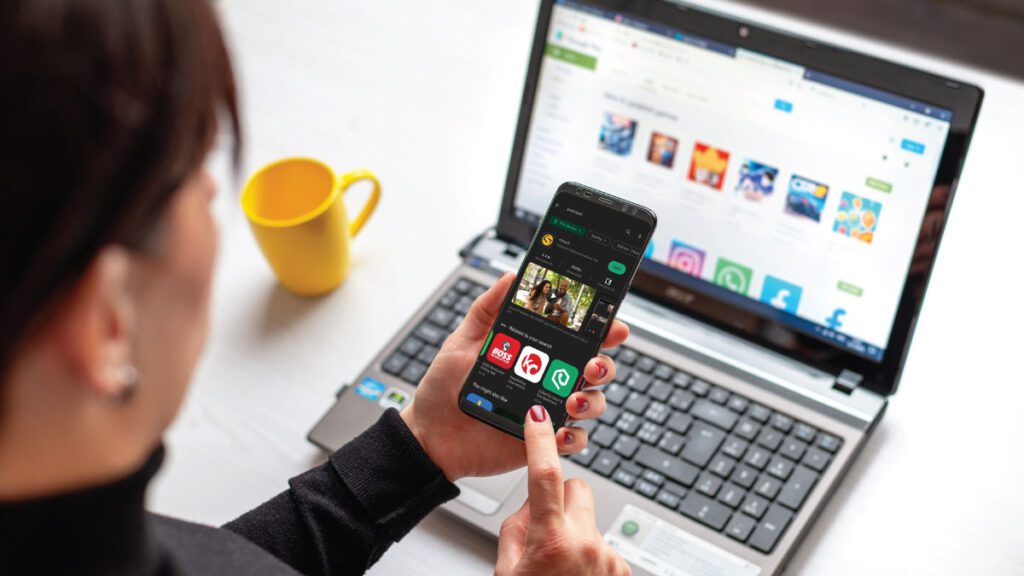
Woman at desk with open laptop in front of her scrolls through an app store on her smartphone.

Ever heard the phrase, “There’s an app for that”? That’s true for apps for Deaf people as well.

Here, we share 12 of the best apps for Deaf people. This includes a video chat app for the Deaf, communication and alarm clock apps, as well as apps to help hearing people communicate in — and learn — sign language. Many are great for hard-of-hearing individuals too. (For other hearing loss apps, including captioning apps, read The Best Hearing Loss Apps of 2025.)

Included here:

ntouch | Sorenson VRS for Zoom | Hand Talk | Cardzilla | Make It Big (iOS) | Make it Big (Android) | Marco Polo |  Ava | Microsoft Translator | ASL Dictionary | Lingvano | Sorenson Wavello

1. ntouch® by Sorenson

Cost: $0

If you’re Deaf or hard-of-hearing and use sign language to communicate, you can register for VRS from Sorenson and use ntouch on your mobile phone. Federal funding covers the cost of the service, which is available only to qualified individuals.

While videophones are great solutions for at-home use, the world is increasingly mobile today.

ntouch solves that by turning your smartphone or laptop into a videophone, so you can make video relay calls anytime, anywhere.

All you need to make calls at home, work, school, or on the go is a Sorenson VRS account and smartphone, videophone, or computer. You can even make 911 calls in ASL. Every call is encrypted, so your privacy is protected.

Rating from Google Play


4.4 out of 5 stars

Rating from Apple App Store


4.1 out of 5 stars

2. Sorenson VRS for Zoom

Cost: $0

If you’re Deaf or hard-of-hearing and use sign language to communicate, you can register for a no-cost VRS account with Sorenson.

Sorenson VRS for Zoom makes it easier than ever for a Deaf individual to attend a Zoom meeting and communicate in a group conversation with people who don’t know ASL.

Sorenson VRS for Zoom is not a traditional smartphone app. There are two ways to access it:

  1. Download the app in Zoom via the Zoom Marketplace on a desktop running MacOS or Windows. It requires that the host have a Sorenson VRS account and a paid Zoom account.
  2. Use the web app on any device that can access the internet and has a browser, such as a smartphone.

Both options let you dial in to Sorenson VRS directly through Zoom when the meeting is hosted on a paid account.

Note that Sorenson VRS for Zoom cannot be used for webinars.

Learn more about Sorenson VRS for Zoom and/or the web app.

3. Hand Talk Translator

Cost: $0 with ads; in-app purchases available

Originally built to translate between Portuguese and Brazilian Sign Language (Libras), Hand Talk Translator is now expanding into American Sign Language (ASL) with a beta version. It can automatically translate text and audio into a 3D avatar signing in ASL.

Because the ASL version is still in beta, the translations aren’t always perfect — for example, some words may be fingerspelled more often than signed. The app is actively improving, and user feedback is helping shape its growth.

Hand Talk can be a handy option for quick, basic communication when no interpreter is available. In some situations, it can also work as an alternative to a captioning app. It’s also a creative tool for anyone learning sign language, or for mixed Deaf-hearing households looking for another way to connect.

Rating from Google Play

3.6 out of 5 stars

Rating from Apple App Store

3.8 out of 5 stars

4. Cardzilla

Cost: $0

Cardzilla by Tim Kettering for iOS or Randall Noriega for Android lets you easily convert messages into large text. No scrolling needed — your words resize automatically to fill the screen as you type. The app also saves your messages, and you can clear them with a simple shake. Navigation is easy with quick swipes.

Cardzilla supports Dark Mode, lets you customize colors, and even works with an attached keyboard. Best of all, the app is Deaf-owned and designed.

A Sorenson staffer shared, “I use Cardzilla more frequently for conversations than Make it Big. It’s more convenient in that I can shake off text and keep typing. It makes for a more dynamic conversation.”

Rating from Google Play

4 out of 5 stars

Rating from Apple App Store

4.6 out of 5 stars

5. Make It Big for iPhone

Cost: $0

Make It Big by An Trinh turns typed text into large words that fill the entire screen. If you’re Deaf and need to talk with someone who doesn’t know ASL, you can type your message and show it to them without handing over your phone. They can also type back, making it easy to have a two-way conversation.

The app works in portrait and landscape mode. If you shake your phone, the background color and text change to create a flashing effect — perfect for when you need to get someone’s attention.

You can also customize the app with options like font size, text and background colors, flash on/off, and flash speed.

Rating from Apple App Store

4.8 out of 5 stars

6. Make It Big for Android

Cost: $0 with ads; in-app purchases available 

Make it Big for Android by Cazimir Roman is different from the Make It Big app for iPhone.  

This app turns written text into large words on your screen. Think of it as an easy alternative to paper/pen or a captioning app when you just need to show short messages.  

Make it big for Android automatically resizes what you type to fill the screen, which means it’s limited to shorter sentences. 

You can customize the background and font, save text, and search saved texts. It supports offline use, dark mode, emojis, and multiple languages.  

Rating from Google Play

4.4 out of 5 stars

Note: A newer version of the app does enable deleting entire text selections. 

7. Marco Polo

Cost: $0 with in-app purchases available

Marco Polo from Joya Communications is not a live-call app, but a video messaging app that allows you to send and receive videos in group chats or one-on-one chats.

You can customize your messages with video filters, emoji reactions, voice effects, and drawing tools.

The app lets you send unlimited video messages for free. Paid plans are also available in-app for premium features like speed control and custom emojis.

Rating from Google Play

4.6 out of 5 stars

Rating from the App Store

4.8 out of 5 stars

8. Ava Live Captions

Cost: $0 with in-app purchases available

Ava Live Captions from Ava Accessibility is a speech-to-text transcribing app. It “breaks down communication barriers between Deaf and hearing worlds with total access to real-time conversations, ensuring 24/7 accessibility.”

The app is free, but sessions are limited to 40 minutes. Ava offers longer sessions with paid plans available in the app.

Rating from Google Play

4.3 out of 5 stars

Rating from the App Store

4.4 out of 5 stars

9. Microsoft Translator

Cost: $0

Microsoft Translator from Microsoft Corporation is an app that allows you to communicate with someone who uses a different language. This app translates not just speech, but also text, images, and group conversations in over 100 languages.

This means that it will translate not just speech, but also, for example, menus or road signs in a foreign language.

Rating from Google Play

4.4 out of 5 stars

Rating from Apple App Store

4.8 out of 5 stars

10. ASL Dictionary

Cost: $4.99 - $9.99

ASL Dictionary by Software Studios isn’t designed for Deaf users — it’s built for the hearing people in their lives. The app includes 5,000 words and videos that demonstrate how to sign them. When a word has more than one sign or meaning, the app shows the different options.

Learners can test themselves with quizzes and play videos in slow motion or on a loop to practice at their own pace. The app has no sound, keeping the focus fully on ASL. The developer is also responsive to feedback, showing a commitment to improving the app over time.

There are two versions on each store: non-HD and HD. Both non-HD versions are $4.99. The HD version on Google Play is $7.99 and the HD version on iOS is $9.99.

The ratings below are for the HD versions.

Rating from Google Play

4.5 out of 5 stars

Rating from Apple App Store

4.7 out of 5 stars

11. Lingvano

Cost: $0 with in-app purchases available

Lingvano by Lingvano GmbH is an app for learning American Sign Language (ASL). It is “the perfect starting point for beginners, with video lessons made by Deaf teachers that can be done anywhere, anytime. You’ll start signing in your very first lesson and can become conversational with just 10 minutes/day of practice!”

Lingvano also has lessons for British Sign Language (BSL) and Austrian Sign Language/Österreichische Gebärdensprache (ÖGS).

It is subscription-based, with monthly, quarterly, and yearly options for both ASL and BSL, and a quarterly option for ÖGS.

Rating from Google Play

4.8 out of 5 stars

Rating from Apple App Store

4.9 out of 5 stars

12. Sorenson Wavello 

Cost: $0

The Sorenson Wavello app is for your hearing friends and family. With Wavello installed on their cell phones — and built into Sorenson ntouch apps and Lumina VP — you can call them for a video chat using a VRS interpreter. Once the Wavello call is established, you can see the interpreter AND the person you are talking to on the screen at the same time.

Note that hearing friends and family can’t place Wavello calls. The Deaf VRS account holder must initiate the call.

Rating from Google Play

4.4 out of 5 stars

Rating from Apple App Store

4.4 out of 5 stars

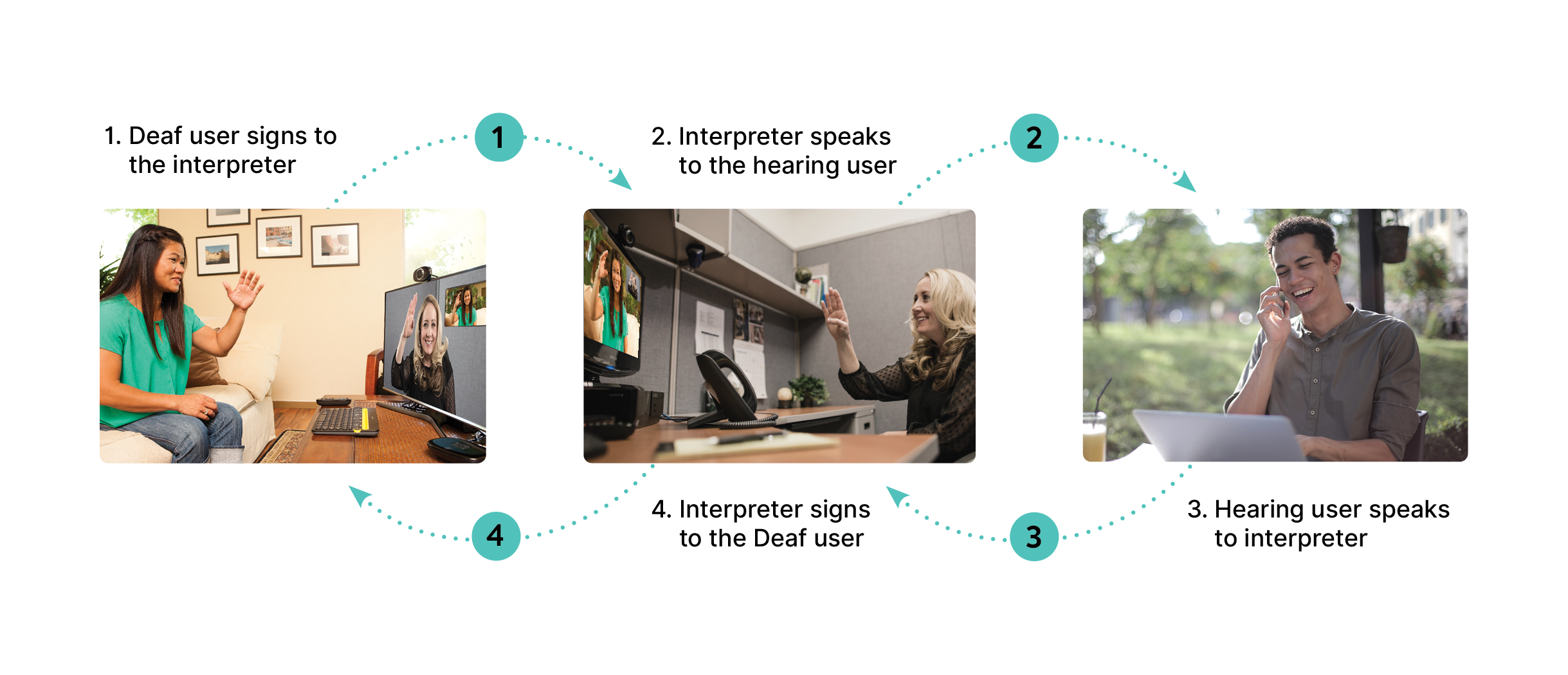
A Guide to VRS Best Practices

Video Relay Service (VRS) is a powerful tool for equitable communication between deaf and hearing people, allowing connection between signed and spoken languages over the phone. The convenience of communication by phone remains an essential aspect of life and society, and — used correctly — VRS makes it easy for deaf and hearing people to have a conversation.

Understanding VRS

VRS is part of the federally funded Telecommunications Relay Service (TRS) that enables phone calls between Deaf and hard-of-hearing American Sign Language (ASL) users and hearing English- or Spanish-speakers through an ASL interpreter.

Want to know more about VRS? Check out our blog explaining the service: What is VRS

Using Video Relay Service for phone calls requires an account through a federally approved provider. Sorenson is the leading VRS provider in the U.S. Only Deaf and hard-of-hearing individuals who communicate with ASL can register for VRS accounts.

However, anyone can make VRS calls — outgoing from deaf account-holders or incoming to VRS numbers from hearing individuals. Everyone involved in a VRS call has a part to play in making it go smoothly.

Best practices for using VRS

Every conversation is a two-way street, and in the case of a VRS call there’s one more person — the interpreter — in the middle. You each share the responsibility for effective communication.

Basic conversation etiquette counts for more when using VRS:

  • Interruptions break the flow of conversation. We all interrupt sometimes, but with an interpreter in the middle interruptions can cause confusion and frustration because the other person doesn’t know how much of their comment you received before interjecting.
  • Express yourself clearly for better understanding. In addition to choice of words, speaking or signing so it’s easy for the interpreter to see or hear will help get your message across effectively to the other person.
  • Patience is critical. While your VRS interpreter typically relays your messages simultaneously, there may be pauses while you wait for them to finish and the other person to respond. The most accurate way to interpret your statements may take longer in the other language.

There are additional guidelines to improve your calls specific to which end of the call you’re on.

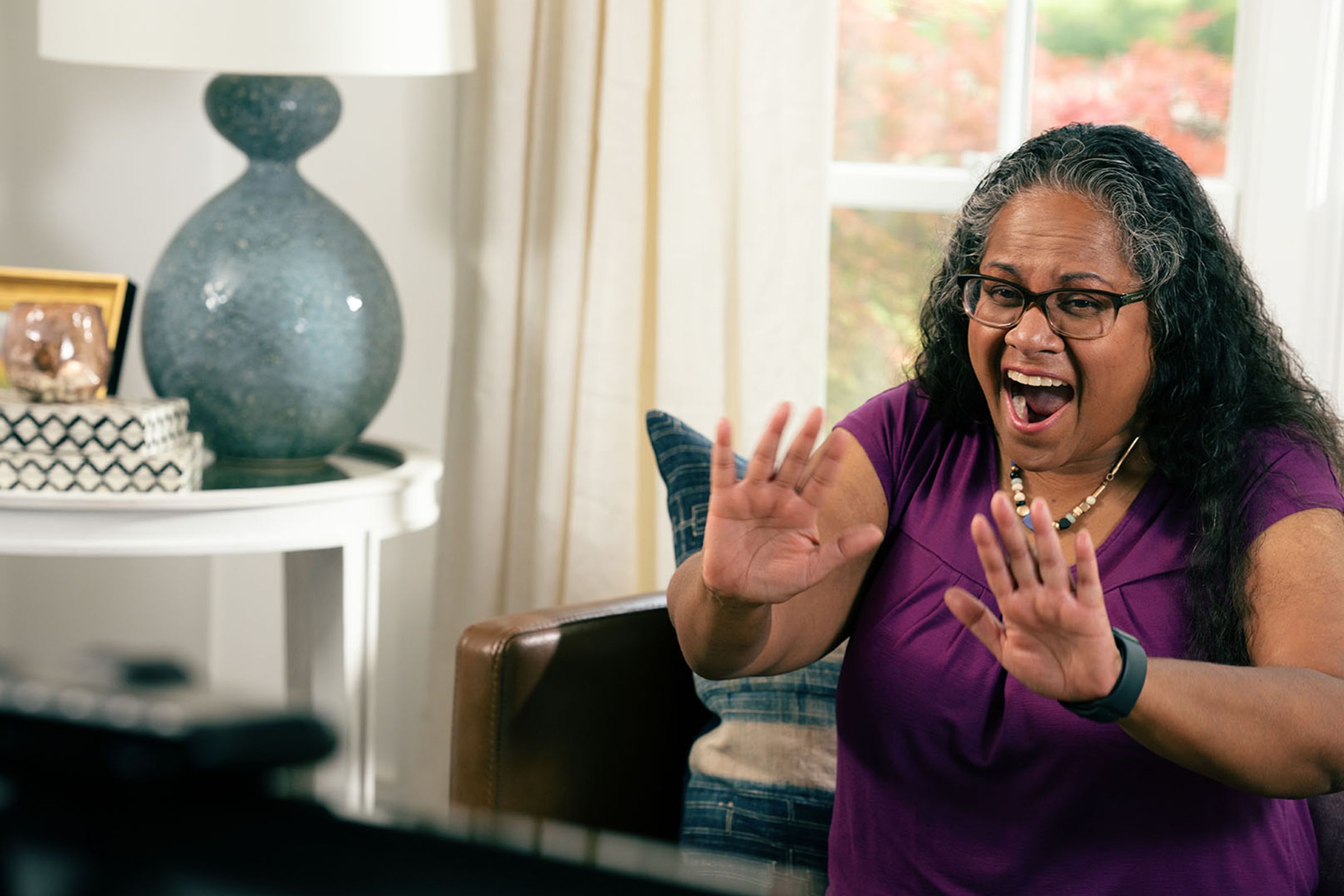
Woman at home signs a greeting to a video chat on her TV screen.

How deaf callers can have better VRS calls

Deaf individuals bear the most responsibility for VRS — registering for a VRS number, connecting a videophone, and initiating many of the calls — but in most cases no one teaches you tricks to have the best VRS experience.

Using the following guidelines will help you work as a team with your VRS interpreter for the most effective communication.

Before a VRS call:

  • Choosing an area without distractions, and not while driving, is ideal.
  • Confirm your equipment and internet are working correctly to avoid delays.
  • Use a high quality videophone or camera with good lighting (without a window behind you) so the interpreter can see you clearly.
  • Make sure your hands and face are visible in the frame so the interpreter can see the highest sign (dad) to the lowest sign (baby).

These tips can make a big difference when you dial your VRS provider or answer incoming VRS calls.

When you’re making a call, before the interpreter connects you it’s helpful to share information to prepare them for your conversation:

  • the contact person’s name and relationship or job, if applicable
  • specialized terms and language you use
  • context: is the call personal, medical, legal? Is the call to an automated system?
  • let the interpreter know if you don’t want the call announced.
  • have details ready you might need in the call, like account numbers or prescription names.

During your VRS call:

You and the interpreter are a team. Sometimes, you may get an interpreter who doesn’t match your interpreting preferences or style. You have options when this happens. You can continue with the interpreter and give constructive feedback or you can ask to switch to another interpreter for a better fit.

When your call is over, if you have suggestions that would improve future calls Sorenson welcomes feedback about your VRS experience using our online form.

Need a VRS account? Sign up for Sorenson VRS ®

Woman in her home office sitting at a desk looking at her computer screen and talking on her smartphone.

How hearing callers can have better VRS calls

On the hearing end of a VRS call, the steps you can take for effective communication are similar to what you’d do on any other phone call, starting with the basic guidelines above.

You may not even know there’s anything unusual about the call if the deaf person on the other end asks the interpreter not to announce it’s a VRS call. Typically, however, the VRS interpreter will make a quick statement that they’ll be interpreting your conversation. That shouldn’t affect how you communicate.

  • Talk directly to the person on the other side of the call as if there was no interpreter in the middle. [e.g. “Can you come in on Tuesday?” instead of, “Ask them if they can come in on Tuesday.”]
  • Remember the interpreter is serving both of you on the call equally. Be prepared to clarify your statements if necessary so the interpreter can represent them accurately, just as you can ask for clarification.
  • It’s especially important to make/take calls in a quiet location — preferably not on speakerphone — so you and the interpreter can hear each other. Remember, every time you ask them to repeat something, you’re asking two people to repeat themselves.

Also, if a mismatch between you and the interpreter is affecting your communication with the other person, you can request to switch to a different one. The interpreter will let the other person know and initiate a transfer to a colleague.

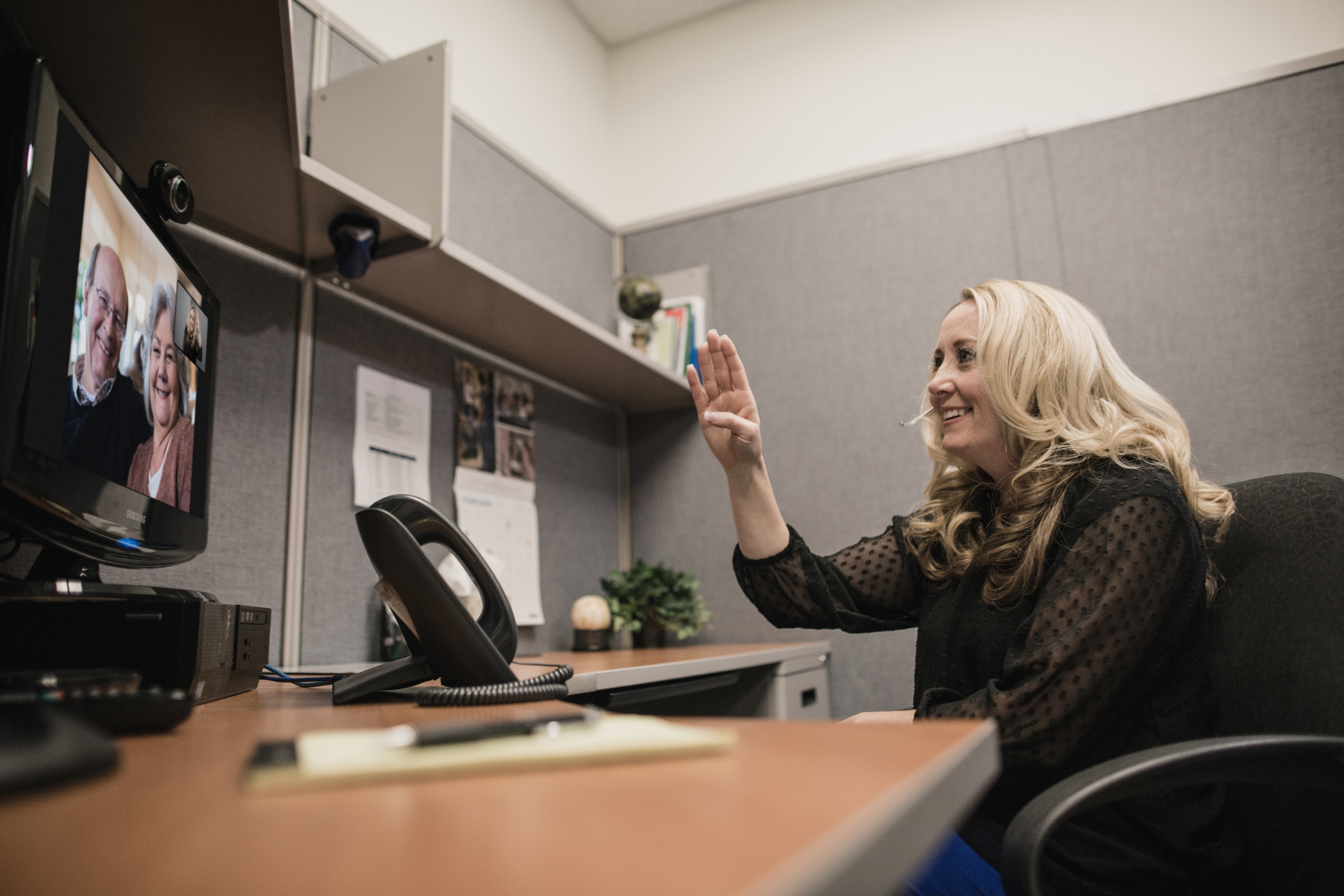
Woman in cubicle signs to a video call with her parents on her computer monitor.

The role of the VRS interpreter

Your ASL interpreter is an integral part of a successful VRS call. To interpret well requires not only proficiency in both languages, but experience and skill. Sorenson hires only interpreters who meet a high standard of interpreting skill and offers extensive professional development and interpreter training programs — all to provide optimal interpreting service on VRS calls.

The interpreter will relay everything you say on the call — not only your words, but your tone, emphasis, and emotion. Those details make a big difference in understanding each other and are a key element of why communicating through an interpreter is usually more effective than written exchanges.

While the interpreter plays a critical role in your VRS call, they are not a participant in the call. Interpreters follow strict professional protocol for every conversation:

  • Confidentiality: Interpreters do not share details of the conversations they interpret outside of the interpreting setting. Your VRS calls stay private.
  • Impartiality: The interpreter must remain neutral and avoid expressing opinions or insights during the call.
  • Accuracy: The interpreter conveys precisely what each person is saying without changing the meaning of any statements.

When a VRS call is running smoothly, the interpreter is practically unnoticeable, and the conversation plays out as if there were no difference in language between the people on either side.

Best practices for VRS calls are the key to better calls — period

When everyone does their part to make a VRS call run like a well-oiled machine, it plays out like a call with no one in the middle:

  • The deaf person receives responses to their questions and comments in ASL as if the person they’re talking to shares their language.
  • The hearing person speaks with the person on the other end of the line in English or Spanish like they would on a typical phone call.

Making this work depends on each person following basic conversation best practices — express yourself clearly, be patient, and take turns. In short, treat others the way you want them to treat you.

Finding Job Opportunities for Deaf Graduates

Woman shaking older man's hand in greeting. Introducing herself to him and another woman.

Congratulations on graduating! Ready to start your career but aren’t sure of everything you may need or want to do? Looking for guidance to excel in a workplace with hearing or multilingual colleagues? Here are some tips for wherever you are in. We’ve separated them out so you can easily find them:

We also asked successful Deaf professionals what tips they would give young people starting their careers. Here’s the first one (from Lance Pickett, Sorenson Chief Relationship Officer). You’ll see more throughout the article.

Finding jobs for Deaf and hard-of-hearing

This is often the first place people get stuck post-graduation. Do you find yourself saying, “I’ve graduated. Now what?” There are lots of “now what”-s out there. Here are some ideas to assist you in finding job opportunities for Deaf people.

University/community career centers

Most universities, including Gallaudet1 and NTID/RIT2, have career centers with staff to answer all your career-related questions. These are places where you can ask about:

  • where and how to look for jobs
  • how to write a resume
  • how to apply for jobs
  • mock interviews
  • internships

Career center staff also hold job fairs several times a year for companies that are hiring to set up booths on campus. This is not only a good way to find out who is hiring in your field but also who is open to hiring Deaf and hard-of-hearing people. Current students and recent graduates aren’t the only people who can go to career centers. Alumni can also tap into this resource.

The federal government has the Department of Workforce Services, an agency that provides similar services. There are also agencies in some communities that provide similar assistance specifically to Deaf people, such as Bridges Oregon or the Sanderson Community Center of the Deaf and Hard of Hearing in Utah. Talk to people in your community to find out if there is one in your area.

Recruiting websites

There are many websites to help employers and employees find each other. You should look for a job board that displays national, state, and local listings and allows you to filter job opportunities by variables such as field, pay, hours, and benefits3.

Some websites are general, for jobs of all kinds such as:

They have large populations with high traffic and have lots of listings, making them a great place to start your job search.

Other websites focus on particular fields/types of work, or niches.4 Some examples of niche sites are:

Don’t see your field there? No problem. There are niche job sites for nearly every profession that you can find with a quick search online4,5.

Networking

Ever heard the saying, “It’s not what you know, it’s who you know”? Right now, someone you know is probably saying, “Uncle Bob told me his friend has a job opening at his company”.

That’s networking. Or, to be more formal about it, networking is making connections and relationships that can provide advice, let you know about opportunities, and connect you with other people to help make good career decisions6.

You can start networking with people you know such as6:

  • Professors and staff members at your college/university
  • Parents’ friends
  • Former bosses or co-workers, especially if you already had a job in your field, such as an internship
  • Classmates
  • Club/organization members
  • Recent alumni

Social media platforms like LinkedIn formalize the connection process and are one way to grow your network by seeing who those people are connected to.

Accessibility research

Something that is likely important to you is to see how accessible a company is. Career centers, especially those at Deaf-centric universities like Gallaudet and RIT/NTID, and your network are excellent ways for you to find companies who are open to hiring Deaf employees.

One other thing that is very helpful these days is now you can find out how a potential employer addresses accessibility. There are various third-party organizations that survey companies and their employees to see how they are doing with accessibility and then share those results with the public.

For example, Disability:IN is a nonprofit organization that measures a company’s Disability Equality Index — the benchmark score a participating company such as Sorenson has received.

These are usually voluntary on the company’s part and participation can be a clue to see if the company takes accessibility seriously.

Communication services for Deaf and hard-of-hearing workplace success

When preparing for your job search and looking for jobs as a Deaf or hard-of-hearing person, communication options will be important for you to know. Throughout your education, you have likely been accustomed to having in-person American Sign Language (ASL) interpreters, using FM systems (the speaker wearing a microphone and transmitter unit and the Deaf/hard-of-hearing student using a receiver), or even CART captioning in the classroom.

Those are certainly still options in the workplace, but you have, and likely will need to use, other tools.

Communication technologies

Communication technologies have changed a lot in the last 20 years. In the last decade alone:

Those options are available for you to use not just for interviews and jobs, but also during your job search such as when talking to staff at your university’s career center or people in your network.

The pace of these technological additions means that you need to continually pay attention to what is changing in the world of communication technology. You may have options available in the near future that are unimagined or not yet feasible today.

Interview tips for Deaf and hard-of-hearing

You’ve applied to some jobs you like. Great! Now to prepare for the next step: interviewing. Did your palms just get sweaty at the thought? You’re not the only one!

Interviewing makes many people nervous. If you’re a recent graduate it’s possible you’ve never interviewed for a “big job” before. If that’s the case, take advantage of your career center — go ask them to do a mock interview with you. If you found the job through someone in your network, ask them what the company looks for when they interview. Here are some other tips for job interviews:

Communication needs

Let your potential employer know of any communication needs you have, like an ASL interpreter or captioning. Worrying about how well you can communicate with them can be a huge source of nerves.

When should you tell a potential employer that you’re Deaf? That is a huge question with many possible answers that we can’t choose for you7.

Disclosing hearing loss is difficult for many Deaf and hard-of-hearing job applicants. They worry that companies will filter them out. That concern is, unfortunately, sometimes valid8.

My personal attitude is I’d rather work for a company that knew up front of my communication needs from the moment I applied and was willing to work with me. But I can’t decide this for you.

Letting the recruiter or hiring manager know of your needs at some point is necessary, however, if you want to have the best experience in the interview. If you express yourself best through American Sign Language (ASL), for example, having an ASL interpreter in the interview could make a big difference. Potential employers that won’t meet your communication needs in the hiring stage aren’t likely to be a good fit. Confidently let them know of your needs for effective two-way communication.

Research

Hopefully you’ve already learned about the company before you applied to see if it’s a fit for you, but more research is good to have for an interview. Interviewers often ask what you know about their company and why you want to work for them to determine which candidates are sincerely interested in the position9.

Study the job listing and write down different skills and strengths you have related to the position10. Be aware that employers will likely ask you how you would perform specific tasks with your disability. Be prepared with answers. Don’t rely on remembering everything off the top of your head; you might risk forgetting key points on the spot.

Are you unclear about anything in the job listing? Do you have questions about the company itself that aren’t answered on their website or by other sources? Write down your questions and take opportunities to ask throughout the interview or at the end10.

Appearance and promptness

A common phrase applies here: You never get a second chance to make a first impression. Whether you think it is fair or not, interviewers do pay attention to how you look and if you’re on time. It may not be the key factor they look for, but if there are several equally qualified candidates, this could be the tiebreaker11.

When you feel good about how you look, you naturally show confidence and a positive attitude. You can find great tips on what to wear and not wear at websites such as Dresstoachieve.com.

Being on time is important as well. Showing up five to ten minutes early for an in-person interview is ideal. Make sure you know how to get to the interview location and how long it will take you.

For an online interview, entering the meeting five minutes early is sufficient. Make sure you have the correct software downloaded and installed well before the interview. You should also experiment with the software beforehand so you are familiar with the controls such as video/audio. Decide where you will be during the interview and verify your background is clean. If you will be using ASL, make sure your camera is placed to catch all your signs.

This preparation lets you, without words, tell the interviewer you are excited about the opportunity and it gives them the impression that you are dependable and considerate12.

Starting a job as a Deaf/hard-of-hearing employee

If you just got hired, congratulations — you’re on your way! Here are some tips for the first day of a new job13:

  • Don’t worry about “proving yourself” on the first day: be there to learn.
  • Choose your clothing wisely: wear something appropriate that you’re comfortable wearing all day.
  • Plan your commute: you may not have driven to your interview during rush hour so it’s a good idea to drive there before your first day as if you were driving to work to determine how long it will take.
  • Bring a notebook: you’ll likely be taking a lot of notes.
  • Keep lunch plans open: your new boss or co-workers may want to treat you to lunch.
  • Observe your surroundings: notice the layout and where things are in relation to your work space such as the restroom and break room.

That reference also has useful tips on the first week and the first few months.

Setting up communication strategies

You should have already shared your communication needs, if any, with your new employer during the interview or hire process, including for the first day. Remember that the first day will include meeting many new people as well as Human Resources meetings to fill out paperwork and other details involved with starting a new job.

If you will be mobile and communicating a lot during the day – moving from office to office talking throughout the day— then an in-person interpreter may be your best solution. If you are going to be staying in one place most of the time or having long periods of time where you are not communicating with anyone (such as when you are watching training videos), then on-demand Video Relay Interpreting (VRI) may be an ideal solution.

In addition, you may have specific communication needs for your regular work, so now is the opportunity to make sure things are set up or in progress. Some things may take time to set up so if they aren’t ready yet, discuss it with your boss and anyone else necessary.

Some examples to consider:

  • Do you make phone calls as part of your job and need a videophone at your desk?
    • Your boss or your IT department will need to set up an account with a Video Relay Service (VRS). If it is a standalone videophone such as Lumina then your desk may need a second network socket.
    • If you want the ntouch app on your computer, your IT department may need to give you permission to install it and you may need your boss to order a webcam if one isn’t already provided.
  • Will you have regular or impromptu meetings where you need ASL interpreting?
    You and your boss may want to set up an account with Sorenson Interpreting and investigate/agree on options for those meetings.
  • Would you like to have a call captioning option instead of — or in addition to — VRS?
    CaptionCall has both desk and mobile no-cost call captioning solutions.
  • Will you encounter other situations such as workshops or continuing training?
    Agree on what communication strategies you will use for those. A combination of the above solutions

Long-term career success for Deaf and hard-of-hearing

You didn’t get your degree overnight; you took it one step at a time. Long-term success in your career is the same. Keep up with and grow your network. If you have a boss or co-workers that have already proven to be “on your team” when it comes to accessibility, stay in touch with them if they move on to another job or company.

Find professional organizations in your area, especially those for Deaf professionals. Many cities have Deaf Professional Happy Hours. A quick web search can help you find if there is one in your area.

This can be important especially if you are the only Deaf/hard-of-hearing employee at your company.

If you are not the only one, there may be an employee resource group at your company for Deaf/hard-of-hearing employees. Ask your HR department about it.

This may seem like a lot of information. Don’t be overwhelmed!

And don’t forget those tips don’t apply just to your first job. They apply to any job throughout your career. After all, compared to our parents’ or grandparents’ generations, most people don’t stay at one job for the rest of their life. The average time employees spend at a job is roughly four years14.

This means that between the age of 22, a common age for finishing a four-year degree, and the current retirement age of 67 for people born after 196015 — 45 years — you may have as many as 10 or 11 jobs. These tips are useful whether you are looking for your first job or your tenth.

Good luck!

Sources

  1. Gallaudet University Office for Career Success
  2. RIT Office of Career Services
  3. Best job site of 2025
  4. The 17 Best Niche Job Search Websites to Help You Cut Through All the Clutter
  5. Best website for hiring niche employees of 2025
  6. What is Networking, and Why Do You Need to Do It?
  7. When to tell? Applying for jobs when you are deaf or hard of hearing
  8. Deaf Employees and Workplace Discrimination
  9. ADA Requirements: Effective Communication
  10. The Top 15 Interview Questions to Ask Job Candidates
  11. Does Look Matter in Interviews?
  12. Q&A: How Early Should You Arrive for a Job Interview?
  13. 18 Tips for Starting a New Job the Right Way
  14. 21 Crucial Career Change Statistics [2023]: How Often Do People Change Jobs?
  15. Social Security Administration Retirement Planner

Driving Communication Innovation at the NYC Tenement Museum

Exterior of NYC Tenement museum seen from the street.

In New York City’s Lower East Side, a historic institution is redefining how it connects with visitors from every background. The NYC Tenement Museum, known for its historic depictions of immigrant life, uses language accessibility to ensure every visitor can fully experience its tours and exhibits.

How is it doing this? Through Sorenson Forum, an AI-powered language platform that delivers real-time translation and captioning. The museum uses these tools to expand access, foster engagement and set new standards for inclusivity in cultural spaces. With multilingual tours, captions and a commitment to accessibility, the Tenement Museum is building a more connected, inclusive world.

A museum with a unique perspective

The Tenement Museum offers an intimate window into the lives of immigrants, migrants, and refugees who shaped New York City. Its guided tours bring to life the stories of working-class residents who lived between the 1860s and 1980s, inside restored tenement apartments and throughout the Lower East Side neighborhood where they built new beginnings.

Founded in 1988 by historian Ruth Abram and social activist Anita Jacobson, the museum began with a remarkable discovery: an abandoned tenement at 97 Orchard St., untouched for more than 50 years. Inside were the belongings of families who once lived there — hairpins, toys, business cards and more — each telling a personal story of resilience and hope.

While textbooks often overlook the lives of ordinary people, the Tenement Museum celebrates them. Its commitment to inclusion ensures that everyone, regardless of language, can connect with these stories. From multilingual staff to translated materials, every effort reflects its mission to honor diverse cultural identities and make visitors feel welcome.

To further this mission, the museum adopted Sorenson Forum, an AI-powered accessibility tool that provides real-time captions in 25 languages and 43 dialects.  The museum’s Visitor Services Manager, shared why the museum wanted to use the technology:

“We wanted to provide translation services for our non-English-speaking visitors who otherwise can’t understand the content and history of the museum. We have some of our primary sources translated in other languages, but the tours are led in English, so the challenge was getting a translation for the entire program.”

By offering instant captions and translations, the museum helps visitors of all language backgrounds engage more deeply with its exhibits and guided tours. This inclusive approach extends to educational programs that explore how immigrants shaped the city’s identity, leaving guests inspired and informed.
The partnership’s success has even inspired the museum to explore Sorenson’s on-demand ASL interpreting service, expanding accessibility for Deaf and hard-of-hearing visitors. Together, these services help the museum reach a broader, global audience and ensure no story is left unheard.

The future of language access

The Tenement Museum shows how technology can transform cultural institutions. With real-time language services, it creates immersive experiences that explore identity, policy and community through the eyes of the people who lived them.
By continually expanding its language offerings and embracing innovation, the museum sets an example for others to follow — proving that technology can connect people and open doors to understanding.

Discover what’s possible

Want to make your institution more inclusive?

Connect with our team for a personalized accessibility consultation. Discover how advanced language solutions like Sorenson Forum can help you break down barriers and create a more connected future.

Evolution of Hearing Aid Technology

Various hearing assistance devices from throughout history next to an ear in front of a spectrogram

From stigma to smart devices: the evolution of hearing aid technology

Steve Demari Headshot

By Stephen DeMari

Stephen DeMari has more than 35 years of experience in the audiology and hearing aid industries and holds a master’s degree in audiology from Syracuse University. He is a member of the American Academy of Audiology and the American Speech-Language-Hearing Association. 

People have, in one form or another, used assistive hearing devices for hundreds of years. Hearing loss solutions have mirrored the technological resources of the time, and that means people with hearing loss today are far better off than in the times of our ancestors.

We’re going to revisit our hearing aid past, following major developments through history and the driving forces behind innovation in hearing aid technology:

Let’s start with a couple significant factors in the surge of assistive listening advancement in recent years: an era of rapid technological growth and a bump in demand as the number of people with hearing loss climbs.

Rising hearing loss driving demand for hearing assistive technology

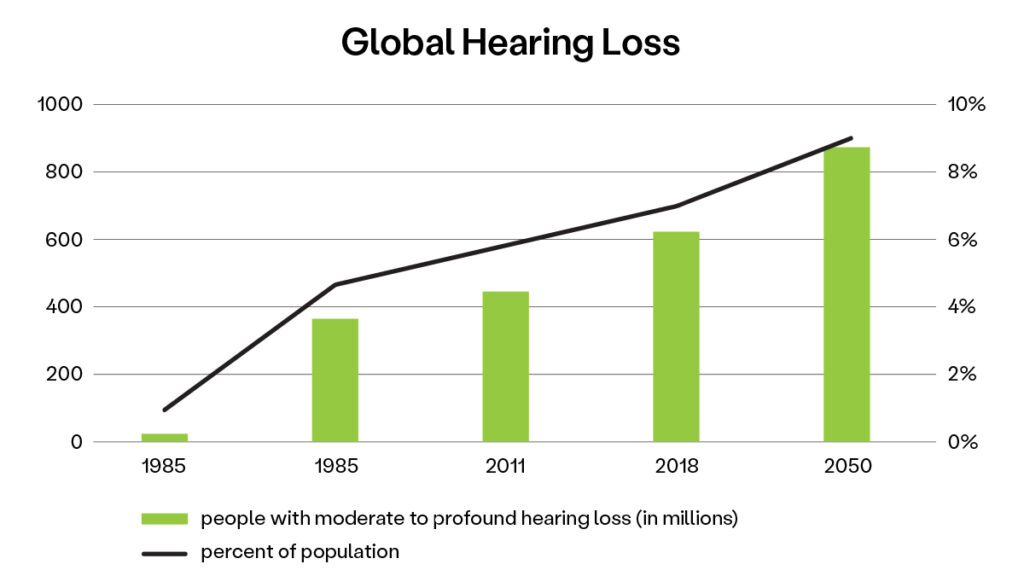
When the World Health Organization (WHO) first reported global hearing loss statistics in 1985, it estimated 42 million people around the world had moderate to profound hearing loss, which was about 1% of the population. By 2018, that number had risen to 466 million and more than 6% of the population.1

Researchers don’t see a reversal on the horizon in this rising hearing loss trend. Just the opposite, in fact. By 2050, the WHO predicts more than 900 million people will have moderate to profound hearing loss. By United Nations population projections, that will be about 9% of the world.2

Bar graph titled Global Hearing Loss. Bars labeled 1985, 1995, 2011, 2018, and 2050 show increasing numbers of people with hearing loss. Line chart overlaid shows the same in terms of percentage of population with hearing loss.

Younger generations embrace hearing aids

One of the standout findings of modern hearing loss statistics is how many young people are hard-of-hearing. In the U.S. alone, 17% of teenagers and almost 20% of people in their twenties have noise-induced hearing loss, based on data from the CDC’s National Health and Nutrition Examination Survey.

While those numbers are discouraging, the response is just the opposite:

  • Some hearing healthcare providers say they’re now seeing as many patients seeking hearing protection, like custom earplugs, as those needing treatment for hearing loss.
  • Young people are leaning into hearing aids, with people under 55 accounting for the biggest increase in hearing aid fittings over the past several years, especially since over-the-counter hearing aids became available.3

The eager uptake in hearing assistive technology isn’t an isolated anomaly. It’s part of the broader societal adoption of integrated wearable tech that enhances our lifestyles and wellbeing.

History of hearing aid technology

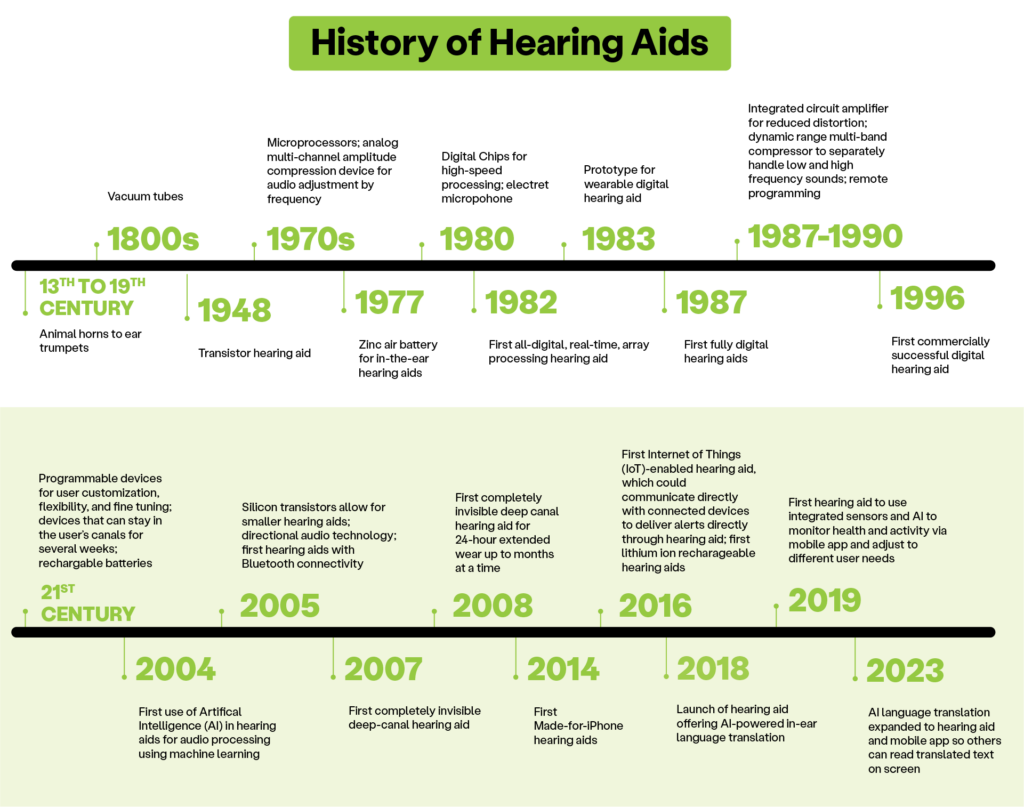
Text based graphic titled History of hearing aid technology. A timeline describing hearing assistive technologies available spanning from the 13th century to present day.

Hearing aid technology has come a long way in recent decades, offering people with hearing loss a chance to experience clearer and richer sound in everyday life. To understand how dramatically hearing aid options are improving, we’ll review where they started and show how we got to the latest hearing aid technology incorporating artificial intelligence (AI).

Early hearing aids: ear trumpets to vacuum tube hearing devices

The use of hearing aids goes back centuries. As far back as the 13th century, people began using hollowed out animal horns to amplify sounds, paving the way for the invention of manmade ear trumpets in the 17th century. These primitive solutions amplified all sound indiscriminately, so noises would seem louder but not necessarily clearer. This was the best option available through the 19th century.

Hearing trumpet

When telephones came along in the late 1800s, they paved the way for the invention of the first electronic hearing aids. Making use of telephone transmitters, vacuum tube hearing devices ushered in the age of amplifying sound as electrical signals in the early 1900s. While vacuum tube hearing aids were technically portable, the first models were too bulky and cumbersome for this to be practical.

It was the second half of the 20th century when the pace of hearing aid advancement quickened, starting with the first transistor hearing aid in 1948. It marked a milestone in the development of sophisticated hearing aid parts that made devices smaller, lighter, and more reliable.

Then, just as the invention of the telephone sparked a breakthrough in hearing aid technology a century earlier, the rise of computers initiated the start of the hearing aid revolution in the 1970s:

  • microprocessors allowed hearing aids to further shrink
  • amplitude compression enabled devices that emphasize specific frequencies
  • the first zinc air battery provided a compact power source for in-the-ear hearing aids

The digital age: laying the groundwork for modern hearing aid technology

The advent of digital processing in the 1980s was a turning point for hearing aids. The first digital hearing aids appeared in the early 80s, exciting the hearing health industry with the potential for great advantages over analog devices:

  • Better sound quality: Digital processing allows more precise amplification and digital noise reduction.
  • Programmability: Digital models enable programming for different listening environments along with tailoring amplification and filtering to specific needs.
  • Feedback cancellation: Digital hearing aids can eliminate the whistling sound that was common with analog hearing aids.
  • Directional microphones: The first modern twin microphone hearing aid in the early 90s could focus on sounds coming from in front of the wearer for clearer conversations, even in noisy surroundings.

Scientists continued to fine tune these features, introducing technology in the late 80s to reduce distortion and separately process high and low frequencies. In 1996, more than a decade after the introduction of the first fully digital hearing aid, the technology achieved its first commercial success.

That proof of viability in the hearing health market opened the flood gates to another surge of technological advances as we entered the 21st century.

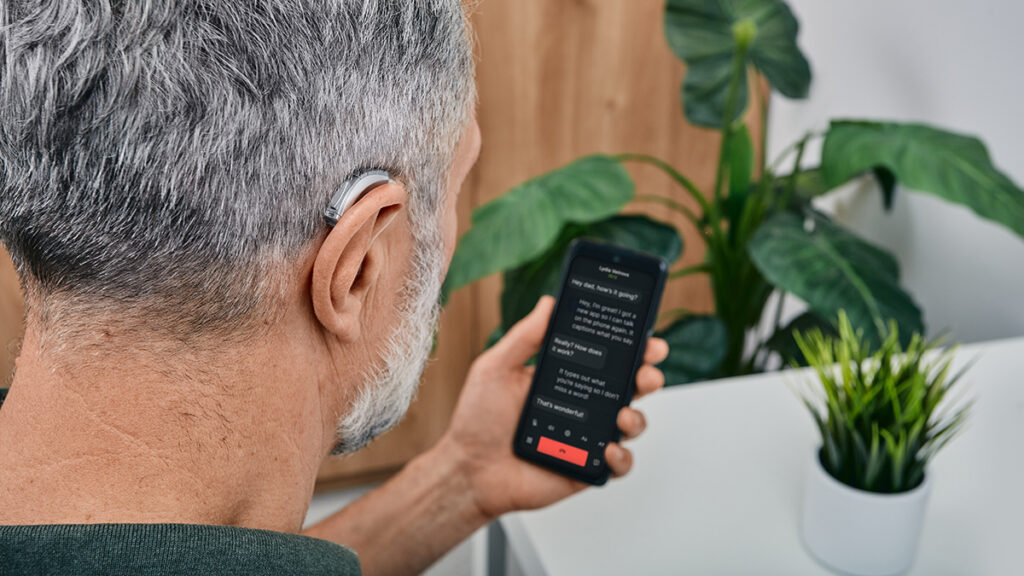
Man with a hearing aid using smartphone.

Modern hearing aids: accessories for active lifestyles and connectivity

In the early 2000s, we started seeing the developments that have transitioned hearing aids from strictly hearing loss treatment to integrated life-enhancing accessories for people with hearing loss. Technological leaps forward delivered significant hearing aid improvements on several fronts:

  • Size: Hearing aids became smaller and more discreet with silicon transistors, allowing them to fit (literally) a variety of lifestyles comfortably and safely. Some models even sit inside the ear (in-the-canal/ITC and invisible-in-the-canal/IIC) where they’re out of sight and out of the way.
  • Bluetooth connectivity: We also saw the first Bluetooth hearing aids in 2005. This technology makes it possible to pair hearing aids with electronic devices like smartphones or even CaptionCall home phone (see how to pair CaptionCall with your hearing aids) for hands-free phone calls, streaming music and audio, and managing hearing aids via a mobile app.
  • Rechargeable batteries: The introduction of rechargeable built-in lithium ion batteries eliminated the need to frequently replace these critical hearing aid parts.

While artificial intelligence (AI) has blown up in the past couple of years, it made its debut in the hearing aid industry 20 years ago with audio processing using machine learning. Like most applications of AI, hearing aid makers have since expanded on the potential uses of the technology.

The latest hearing aid technology: exploring the possibilities of AI

Today’s cutting edge hearing aid technology is further integrating artificial intelligence for an adaptive user experience. Now the most technologically advanced hearing aid is AI-powered and can analyze the surrounding audio in real-time and automatically adjust settings to the environment, even learning users’ preferences:

  • Personalized listening: AI can analyze how someone uses their hearing aids in different situations and automatically adjust settings for optimal performance.
  • Improved noise reduction: AI hearing aids dynamically suppress background noise in crowded and loud environments, allowing users to listen intentionally rather than feel overwhelmed by sound.
  • Speech focus: AI can identify and focus on specific voices, making it easier for the hearing aid wearer to follow conversations even in noisy surroundings.
  • Machine learning: AI hearing aids can learn and adapt to the user’s listening preferences and provide a custom hearing experience.
  • Language translation: The first AI-powered, in-ear language translation hearing aid feature launched in 2018, translating speech in 27 languages in real time. In 2023, that functionality expanded to a hearing aid companion mobile app, so others could also read translated text on a mobile device.

Where to get hearing aids: OTC vs. a hearing health professional

Another major development in the hearing aid industry was the U.S. Food and Drug Administration (FDA) decision to allow over-the-counter hearing aid sales, starting in 2022. The change caused significant debate about the impact on the hearing health landscape: the benefits of increased access and affordability compared to the risk of forgoing professional hearing aid fitting and treatment.

Is it better to get a hearing aids from an audiologist?

In short, yes, it’s best to get hearing aids from an hearing health professional. An audiologist or hearing aid specialist has the expertise to assess hearing loss and recommend a personalized treatment plan, which may include hearing aids. Getting hearing aids through a qualified healthcare professional allows them to customize the settings to specific hearing needs and make adjustments as needed.

A hearing health provider may also recommend complementary solutions — like no-cost captioned phone service, bimodal stimulation devices for tinnitus, or lifestyle changes to improve hearing naturally — as part of a comprehensive hearing loss treatment plan. Most people find out about CaptionCall from the roughly 17,000 hearing health professionals across the U.S. who recommend it.

Who’s a good fit for over-the-counter (OTC) hearing aids?

When the FDA approved the sale of over-the-counter hearing aids, the idea wasn’t to replace prescription hearing aids. OTC hearing aids aren’t for everyone. They may, however, be a solution for some people

  • with mild to moderate hearing loss.
  • without insurance coverage.
  • who cannot afford prescription hearing aids.

Generally speaking, OTC hearing aids offer more affordable options, making them a possibility for individuals who would otherwise go without hearing aids altogether because of cost. Keep in mind, the tradeoff for lower cost is often fewer features. Users looking for cutting edge hearing aid technology are less likely to find it in even the best over-the-counter hearing aids. The FDA offers further guidance on who might consider OTC hearing aids.4

Affordable hearing aids

Having read this much about the sophisticated technology powering hearing aids, it should be no surprise they can be expensive. However, it’s not impossible to find more affordable hearing aid options. Prices vary considerably based on features and technology, plus there are resources that may curb costs:

  • Explore different brands and models: Hearing aids with advanced features don’t always have a premium price tag. Researching several manufacturers and models  may uncover a device that blends functionality and affordability.
  • Don’t dismiss refurbished devices: Some retailers offer refurbished hearing aids at discounted prices. Reputable sellers will have professionally repaired and tested these devices to ensure they function like new.
  • Check for manufacturer discounts and promotions: Manufacturers may offer discounts for Veterans, seniors, and low-income individuals as well as financing programs.
  • Check with your insurance provider: Some insurance plans partially cover of the cost of hearing aids.
    Does Medicare Pay for Hearing Aids? 
  • Research financial assistance programs: There are several federal, state, and non-profit programs across the U.S. that may be able to provide financial assistance to help with the cost of hearing aids.

Conclusion: hearing aids among today’s wearable wellness accessories with advanced technology

Has hearing aid technology improved? Vastly. Is hearing aid technology improving still? Faster than ever. Modern hearing aid capabilities and their rapidly expanding functionality have earned the latest hearing aids a place among today’s trending wearable technology.

Equally important as the built-in features of advanced hearing aids is their readiness to integrate with a variety of assistive technology. AI hearing aids with Bluetooth capabilities can extend and enhance the technology many people already rely on in their daily lives, transforming attitudes about hearing aid use.

With or without hearing aids, people who struggle on the phone because of their hearing loss and need captions for their calls can sign up for federally funded call captioning service at no cost for home phone or mobile.

Sources

  1. Hearing loss: rising prevalence and impact
  2. Addressing the rising prevalence of hearing loss 
  3. Hearing Aids Are Changing. Their Users Are, Too.
  4. OTC Hearing Aids: What You Should Know

Business Incentives to Boost ESG Score with Accessibility

Woman in wheelchair at desk. Man stands next to her pointing at open laptop screen on desk in front of them as she takes notes.

As businesses evolve in a digital landscape, Environmental, Social, and Governance (ESG) has taken center stage in any well-formed enterprise strategy. ESG has become a standard measuring stick for evaluating potential investments and partnerships. Although typically the focus of traditional industries (manufacturing, transportation), ESG has become central due to the digital realm’s unique challenges—including accessibility.

Creating an accessible environment can not only improve a company’s ESG score, but also qualify them for tax incentives and provide additional financial and brand benefits that we’re going to explain:

Is accessibility part of ESG?

Accessibility falls under the Social aspect of ESG, which focuses on a company's practices related to inclusion and accessibility.

Accessibility and inclusion in business means everyone can use services and products regardless of ability. You might ask yourself, “What is accessibility for the Deaf and hard-of-hearing?” It could be sign language interpreters, captioning services, visual alerts, and text-based communications.

By embracing accessibility, businesses demonstrate a commitment to social responsibility and equity, enhancing their overall ESG profile.

ESG and accessibility

ESG initiatives marry company goals with purpose, emphasizing the importance of environmentally friendly, socially responsible, and ethical practices. The Social aspect of ESG benefits society, including Deaf and hard-of-hearing communities, by examining the impact of business actions on consumers, employees, and the wider public. Implementing accessibility is a major part of demonstrating a commitment to social responsibility by eradicating barriers for Deaf and hard-of-hearing individuals.

Group of people in conference room. Man leading the meeting gestures to computer screen displaying letters ESG.

Economic benefits of accessibility

Committing to a diverse and inclusive customer experience that includes people with disabilities has several economic benefits:

  1. An expanded market: People with disabilities have considerable purchasing power, with disposable income approaching half a trillion dollars. By making products and services accessible, businesses expand their customer base and drive revenue growth.
  2. Innovation and product development: Implementing accessibility fosters innovation and creativity. Companies leading the way in accessible design create user-friendly experiences that resonate with diverse audiences.
  3. Competitive edge and brand loyalty: Customers are demonstrating more loyalty to socially inclusive businesses that make online and in-person experiences user-friendly for everyone.
  4. Risk mitigation: Prioritizing accessibility helps to avoid potential legal issues, protects reputations, and prevents financial problems, ensuring that businesses thrive in the long run.

Furthermore, businesses that prioritize accessibility are eligible to receive considerable tax benefits. These tax benefits are offset costs of businesses adjusting physical spaces and installing telecommunication solutions to be more inclusive of Deaf and hard-of-hearing individuals and other people with disabilities.

An Accenture study showed that businesses that hired people with disabilities saw increased revenue and profit. Behind the profits, the public can see an enterprise’s implementation of accessibility as a demonstration of its values and a desire to reach a diverse customer base and talent.

Tax incentives for an accessible business

Tax incentives and benefits are designed to encourage more companies to remove barriers and create a more equitable society.

The IRS provides three tax credits for businesses that are deemed accessible. These tax credits are:

  1. Disabled Access Credit: To be eligible for this credit, you need to be a small business that earned $1 million or less and had 30 or fewer full-time employees. You need to have incurred expenses that year for providing equal access to people with disabilities.
  2. Architectural Barrier Removal Tax Deduction: A business of any size that has removed structural and transportation barriers for seniors and people with physical disabilities can claim this deduction of up to $15,000 per year for qualified expenses. If applicable, a business can claim both the Architectural Barrier Removal Tax Deduction and Disabled Access Credit.
  3. Work Opportunity Tax Credit: Employers who hire people with disabilities and veterans are eligible for a credit of up to $9,600.

Counter of small local coffee shop seen from seat in dining area.

Starbucks is a prime example of a corporation combining profit with social good. The company boosted its brand image by opening the first ASL store in Washington, D.C. and demonstrated a commitment to reaching the Deaf and hard-of-hearing communities.

A case study: NPR

National Public Radio (NPR) hosts This American Life, a weekly podcast. In 2011, NPR began providing transcripts for weekly podcast episodes in response to new FCC regulations. While NPR initially aimed to adhere to legal requirements, the case study showed that transcripts increased traffic and listeners to their podcast.

 Not only do transcripts benefit Deaf and hard-of-hearing people, but they also help ESL learners and people who prefer reading over listening.

Aligning accessibility with ESG initiatives can empower an enterprise to present as a positive influence in society that fosters continued innovation and inclusion.

Accessibility best practices

Implementing best practices for accessibility can boost customer satisfaction, extend market reach, and promote a positive company culture.

Infographic titled 4 Reasons to Follow Accessibility Best Practices. Reasons listed include "boosts customer satisfaction," "expands market research," "promotes brands as inclusive," and "enhanced user experience."

Here are some best practices to implement for an accessible business:

Include accessibility from the beginning:

Consider diverse perspectives in the planning stage for products, services, and your environment — a vital element of universal design. If you engage people with disabilities — including the Deaf and hard-of-hearing communities — through surveys, focus groups, and consultation with advocacy groups early on, you’ll be a step ahead of accessibility.

Leverage accessible communication technology:

  • Equip workrooms and meeting spaces with assistive listening devices (hearing loops). Include VRI interpreting services.
  • Provide real-time captioning for presentations and virtual meetings.
  • Ensure your website is accessible for the Deaf and hard-of-hearing by providing transcripts for audio content and closed captioning for videos. Use plain language for textual content and avoid jargon.

Make your physical environment accessible:

Install both audio and visual alert systems for alarms and doorbells to provide accessibility for hard-of-hearing and low-vision individuals.

Encourage an inclusive work culture:

Integrate disability into workplace training on accessibility and set expectations for respect. This training can also include guidance for effective collaboration with colleagues of different abilities and how to best use accessibility tools.

Be transparent:

Communicate your accessibility initiatives to your customers and the public. This will not only boost your brand image and reputation but also make accessibility more familiar to others.  By actively removing barriers for Deaf and hard-of-hearing individuals, a business can improve the experience for customers and employees. Achieving accessibility is a continual process that involves learning and adapting to create the ideal user experience.

A thorough accessibility plan spans every aspect of your business, both internally and externally. For example, let’s look at how accessible practices might play out in different departments.

Human resources

Creating an accessible and inclusive workplace for Deaf and hard-of-hearing individuals is not only a compliance matter but it is a crucial aspect of building a robust workforce. Here is how Human Resources can help create a stronger workforce:

  1. Recruitment and onboarding

  • Use plain language in job postings and encourage diverse applicants. Make it clear that you support accessibility in your company.
  • Ensure the application and interview processes are accessible by providing captioning services and sign language interpreters. Offer the same for the onboarding process.
  1. Workplace accommodations

  • Review employees’ specific needs and provide flexible solutions, including workplace adjustments, software, and communication technology.
  • Make assistive technology available for equitable communication:
  • For phone calls: Deaf and hard-of-hearing employees may use video relay services (VRS) or call captioning service, both of which are part of a federally funded program at no cost to eligible individuals or their employers.
  • For scheduled meetings, interviews, training, and seminars: on-site ASL interpreting or video remote interpreting (VRI) allow effective communication, while live captioning and transcription boosts comprehension and retention for all participants.
  • For impromptu meetings and spontaneous conversations, on-demand VRI and speech-to-text apps support daily communication with colleagues.
  1. A culture of belonging

  • Create equitable hiring practices by seeking potential Deaf and hard-of-hearing hires for all roles within a business, including leadership roles.
  • Support Deaf and hard-of-hearing staff by providing peer support and advice on accessibility.

Marketing and outreach

Your marketing and outreach strategies can be optimized to ensure full accessibility for Deaf and hard-of-hearing communities. Here’s how you can adapt your strategy to be more inclusive:

  1. Accessible media

  • Caption all video and audio content and provide transcripts for long-form content, like podcasts.
  • Include sign language interpreting for marketing campaigns and major company announcements.
  1. Accessible website design

  • Ensure your website complies with WCAG guidelines, which aim to facilitate navigation and comprehension for all users.
  • Incorporate accessibility into the design process. Test with diverse users, including Deaf and hard-of-hearing volunteers, to find and fix any barriers.
  1. Community engagement

  • Solicit feedback and testimonials from diverse communities, which will help you refine your marketing strategies.
  • Ensure your events are accessible by providing sign language interpreters, hearing loops, and captioning services.
  • Support events and projects of interest to disability communities to reinforce your commitment to accessibility and inclusion.

Overcoming accessibility challenges

Empty wheelchair in brightly sunlit room.

Implementing accessibility measures can present a set of challenges for any business. The following are some common challenges and accompanying solutions:

  1. Budget concerns

  • Take advantage of the tax incentives above if you have eligible expenses.
  • Employ a variety of solutions to choose the most cost-effective option for specific needs. For example, video remote interpreting (VRI) may be a better choice for an informal half-hour meeting than on-site interpreting that has a two-hour minimum and potential interpreter travel expenses.
  • Consider making changes in phases.
  1. Technological barriers

  • Invest in assistive technologies and provide platforms to make them accessible to all users.

  1. Resistance to change

  • Adopting a culture of inclusion can take some getting used to, so provide education about its role in company goals and the long-term benefits.
  • Assemble support from leadership to model inclusive behavior.

Conclusion

Creating an accessible environment for the Deaf and hard-of-hearing is a smart business decision: It puts you in compliance with legal regulations, contributes to a strong ESG profile, provides long-term financial benefits, and makes you eligible for tax incentives to offset up-front costs.

Implementing accessibility within the ESG framework positively impacts reputation, brand image, employee satisfaction, and customer loyalty. Such impacts extend beyond business and can effect societal changes.

It’s important to remember that accessibility isn’t a one-and-done process but a continual one that lays a path for growing, learning, and adapting.

Sorenson offers accessibility design consultants who can help you develop a tailored plan for your business that matches your specific needs to appropriate solutions. When you inquire about services, we pair you with a consultant who fits your industry’s needs.

Navigating Your Career as a Professional Sign Language Interpreter

Woman interviews job candidate. Interpreter behind her provides sign language interpretation.

Technology has transformed communication —  from the uptake of telegraphs in the 19th century to the ability of today’s machine learning software to instantly produce speech-to-text captioning in dozens of languages — and in many ways has brought people together across languages. At Sorenson, we’d argue that technology is a tool for interlingual communication, but it cannot yet match skilled interpreters for linguistic and expressive nuance.

Sign language interpreters are in high demand, and that’s great because:

  1. It’s a sign of greater communication accessibility between deaf and hearing people
  2. It means more job opportunities for sign language interpreters

Every certified sign language interpreter is part of a relatively small force trying to make a dent in an enormous need:

  • In the U.S., there are just over 10-thousand certified ASL interpreters¹ compared to roughly one million Deaf and hard-of-hearing adults who use sign language.²
  • While approximately 87-thousand Deaf people in the UK use sign language,³ the country has only 1,500 registered sign language interpreters.⁴
  • The Canadian Association of Sign Language Interpreters has about 830 members,⁵ to support 357-thousand Deaf Canadians.⁶

If you’re exploring your options in a career as a sign language interpreter or looking for interpreting jobs, you can be choosy about where you take your skills. Here are some considerations to guide the next steps in your sign language interpreting career.

Key factors to consider in choosing the next steps in your sign language interpreting career

When planning any career move, some factors are obvious — like compensation and schedule — but those essential considerations are a fraction of the impact on your career and job satisfaction.

For interpreters in particular, professional development and continuing education are essential to keeping your skills sharp and opening doors to additional opportunities, whether you want to compare VRS and community interpreting or gain skills and knowledge in specialty areas like medical, legal, or educational settings.
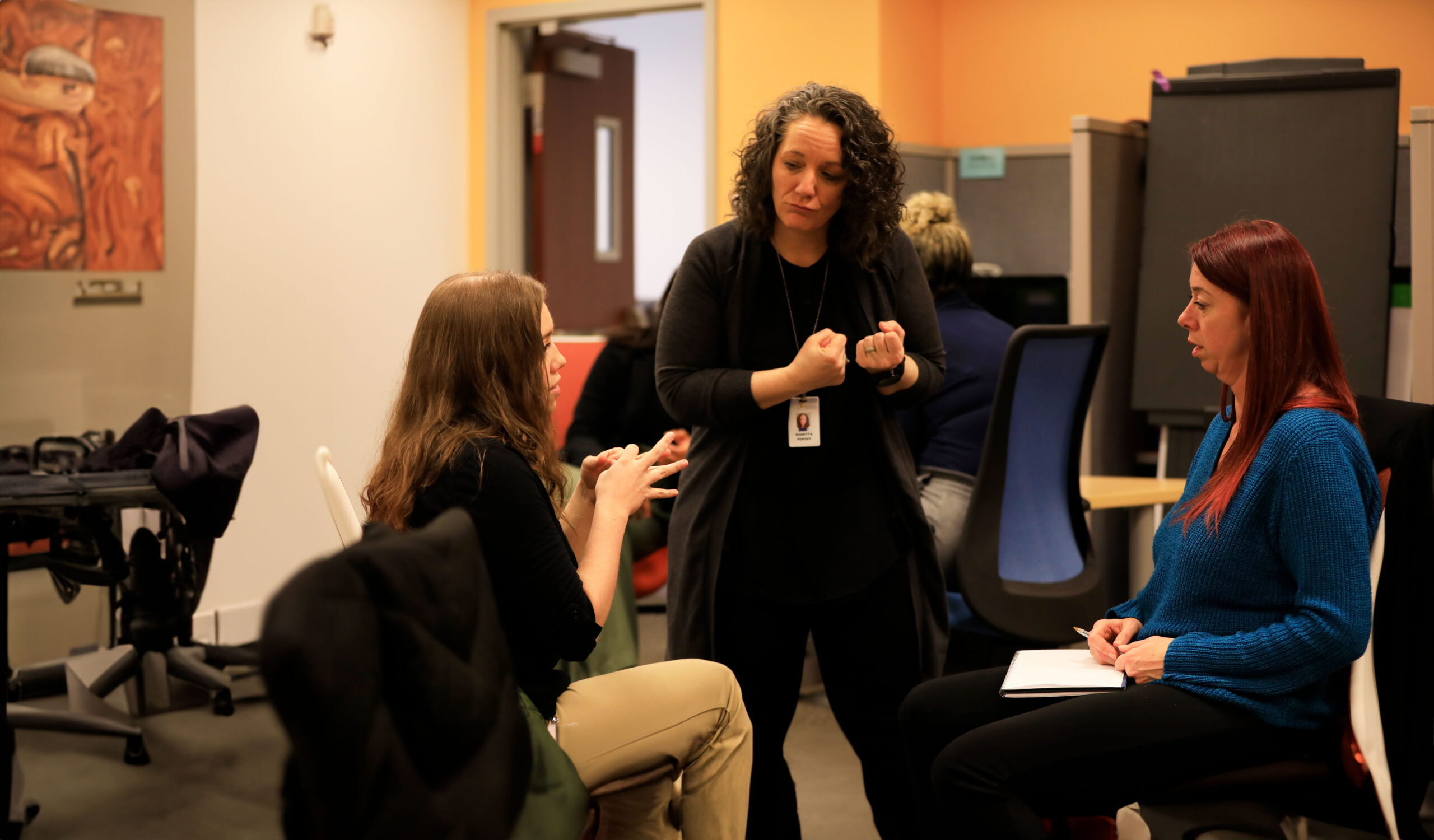
Three women practice sign language interpreting in a classroom workshop setting.

Professional development

In the interpreting world, “knowledge is power” applies to both what you know (continuing education) and whom you know (networking). When plotting a course in your career, think about what kind of access each of your options will provide to training and connections for professional growth.

Continuing education 

The most seasoned and skilled sign language interpreters never stop learning — about techniques, dialects, and evolution of the living languages they work with. It is a professional necessity for interpreters to further their education long beyond completion of their initial interpreter education courses by way of advanced degrees, continuing education courses, and training.

How you approach ongoing professional learning roughly breaks down into two options:

  1. You can independently pursue degree programs or enroll in interpreter CEU courses like those available through Registry of Interpreters for the Deaf (RID) or a number of companies specializing in language services and education. You’ll find a wide variety of interpreting CEUs (continuing education units), many of which you can complete fully online. You’ll be responsible for the registration costs.
  2. If you’re an employee/staff interpreter, your company or organization may offer its own educational or training opportunities, contract with a third party to provide training, or cover the costs for interpreters to enroll in external continuing education courses.

Interpreter education and training opportunities are arguably Sorenson’s biggest impact in the global languages services realm because not only does the company offer complimentary professional development for its thousands of interpreting employees, its interpreter programs also train interpreters who aren’t Sorenson staff.

Sorenson Interpreting Academy provided more than 40-thousand hours of instruction in 2023 alone with 16-thousand participant registrations in its programs for every level from students through experienced professionals.

The mission of these programs is to enhance the skills of Sorenson’s own exceptional interpreters, of course, but also to enrich the sign language interpreting community as a whole through quality professional development opportunities:

  • Deaf Interpreter Academy is a no-cost program offering professional-level trainings for new and working Deaf interpreters in the industry and provide skill development opportunities to all interpreters in Deaf-hearing interpreter teaming techniques.
  • Compass is also a no-cost program that builds on the linguistic and cultural foundations of heritage language users to fast-track their sign language interpreting education.
  • Interpreters with strong potential who don’t yet meet Sorenson’s rigorous standards for employment enroll by the hundreds every year in the company’s Connections program to take their skills to the next level, and 98% say they would recommend the program to others.

The dozens of interpreter educators who comprise the Sorenson Interpreting Academy team include veteran sign language interpreters — many of whom are Deaf interpreters and Codas — sharing  expertise in language development, instructional design and content, as well as mentoring. 

Mentorship and networking 

Meeting and working with fellow interpreters is a chance to borrow skills, build confidence, and open doors to career advancement; sign language interpreting is a small world, after all.

  1. Working with more experienced interpreters can develop mentor relationships that allow you to benefit from years of practice and skill-building as well as constructive feedback.
  2. Meeting and mentoring younger interpreters can be fulfilling, and don’t overlook the potential to learn from them as well. As sign languages evolve, fresh interpreters may be current on the latest slang.
  3. Professional organizations and conferences are a networking goldmine. You may want to weigh how different employment scenarios would impact your ability to participate.

The size of your interpreting team plays a significant role in your mentoring and networking opportunities, whether you’re interpreting for a large language services provider, a small staff, or flying solo as a freelancer.

For example, Sorenson is the largest private employer of sign language interpreters in the world with a team of more than 5,000 interpreters globally. One of the benefits of being part of an interpreter workforce of that size is the potential to learn from peers with an astounding variety of expertise:

  • Deaf interpreters
  • Trilingual interpreters
  • Interpreters with specialized training for DeafBlind and low vision interpreting, medical, legal, and government settings
  • Every interpreting setting in the industry: VRS, on-site, scheduled and on-demand VRI

Your level of exposure to other interpreters — as mentors, mentees, and professional connections — may influence your decision to pursue interpreting work as an employee or freelance.

Freelance vs. employee

Are you going to be better off going solo as a freelance interpreter or finding a position with a company that offers sign language interpreting? There’s not a right or wrong answer; it comes down to what factors are most important to you. As with any industry, freelance vs. staff interpreting come with pros and cons, many of them relating to flexibility and support.

Freelance interpreting 

Pros: As a freelance sign language interpreter, you have the maximum level of control and flexibility; you can choose your hours and what kind of interpreting work you book. That flexibility allows you to customize your work schedule. You may also be able to negotiate your rates to reflect your experience, specialization, or other market factors.

Cons: The flip side of freelance interpreting can be additional responsibility and instability. You’re responsible not only  for securing interpreting work, but arranging your own insurance, training and certifications and licensure as required, and handling the administrative side of the business — invoicing, bookkeeping, and taxes.

There are a couple basic options to find freelance interpreting work: 

  • Independently, through self-marketing and networking: If you’re well-connected and establish relationships with organizations or individuals that regularly require interpreting, this approach may run smoothly. Without those relationships, marketing yourself can require a lot of leg work.
  • Work with a language services provider: The company fields interpreting requests and connects them with a pool of freelance interpreters. This setup removes the burden of marketing yourself, but opportunities may be inconsistent.

Staff interpreting

Pros: A major benefit of an employee interpreting position is the stability of consistent work and pay. As a staff interpreter, you may also have company-provided benefits like health insurance, retirement plans, and paid time off (though this is not guaranteed, particularly for part-time interpreting positions). Some employers who maintain interpreting staff will also offer professional development opportunities.

Cons: Some staff interpreting positions do offer more flexibility than a standard corporate environment, but do not always offer as much as freelancing. Being an employee means answering to management and operating within the confines of company expectations. Also, as an employee, your ability to negotiate your rates is likely limited to your hiring and potentially annual reviews.

Your experience as an employee will vary by your setting — whether you’re a staff interpreter for a private enterprise, a government agency or educational institution, or are an employee interpreter with a language services provider. While many language service providers operate exclusively with freelancers, there are few exceptions like Sorenson, which maintains a dedicated staff of thousands of interpreter employees.

Benefits and compensation

Interpreting is one of those coveted careers where you can make a real difference in people’s day and make the world a little better. That said, warm, fuzzy feelings don’t pay the bills. You can prioritize making an impact on your community and also care about your compensation.

To get a baseline for competitive pay, you can use online databases to look up the average sign language interpreter income nationally and in your area. For example, if you look up estimates of national average sign language interpreting salaries, you may find numbers like these:

  • Average ASL interpreter salary in the U.S. around $64,000/year (from ZipRecruiter.com)
  • Average BSL interpreter salary in the U.K. around £35,000 (from Talent.com)
  • Average sign language interpreter salary in Canada around $70,000 (from Talent.com)

Bear in mind, what you can expect for a sign language interpreter salary will vary considerably by experience, certifications, location, and specialization. There can also be significant differences in interpreter income between employee positions versus freelance work, and that’s partly due to additional factors like benefits and taxes.

When weighing compensation for different career options, you may want to think about what you’re likely to get in a week, in a year, and in the long run. This is particularly important when considering freelance vs. employee interpreting paths.

  • Negotiating rates: As we discussed above, freelance interpreting offers the most opportunity to negotiate your rates, which can significantly impact your earning potential, especially if you have in-demand specialization or experience (or if you’re in an area where the need for interpreting services exceeds availability).
    However, if you don’t have the credentials yet to command top tier rates, if the demand for interpreting doesn’t give you leverage in negotiations, or if you’re not consistently booking work independently you may want to compare the average rate for freelance interpreting to the total compensation you could earn in a staff position.
  • Health insurance: Health insurance can be expensive. If you’re responsible for your own insurance, you’ll want to price policies to factor that into your income calculations. Likewise, health insurance benefits can add thousands of dollars a year to the value of a compensation package from an employer.
  • Retirement savings: Retirement is where long-term compensation considerations really come into play. Much like insurance, if you opt to work freelance as an interpreter, you’ll need to look into independently setting up and contributing to a retirement savings account and planning for that money to come out of your earnings.
    If you choose an employee interpreting position, retirement benefits do increase the value of your compensation package, but the amount may vary greatly; compare employers’ retirement contributions and/or matching as part of your evaluation of offers.

Three women practice sign language interpreting in a classroom workshop setting, Woman giving presentation in front of conference room with virtual sign language interpreter on screen behind her, Woman at cubicle desk uses sign language to communicate on a video call.

Variety of interpreting opportunities

If you could only do one type of sign language interpreting for the rest of your career, what would it be? VRS, community interpreting, scheduled VRI, on-demand VRI? Would it be a specialized service like legal interpreting or DeafBlind interpreting? Can’t choose just one, or haven’t tried them all to know for sure? 

When plotting where to steer your career, factor in how important it is to you to have a variety of interpreting opportunities.

Video Remote Interpreting (VRI):

VRI has skyrocketed in popularity as an enterprise service. For interpreters, scheduled VRI combines the remote video interpreting aspect of VRS with the slower pace and greater potential for prep of community interpreting. The relatively recent introduction of on-demand VRI skews toward a quicker pace for short conversations in an enterprise environment.

Video Relay Service (VRS):

It’s tough, it’s rewarding, and it generates the biggest demand for sign language interpreters. VRS is fast-paced and unpredictable, allowing interpreters to connect sometimes dozens of conversations in a workday.

On-site/community interpreting:

On-site (or community) interpreting is often the option clients name as their favorite for the greater visibility, mobility, and elimination of technical difficulties. Those are equally beneficial for interpreters, though on-site work does require travel, which can include dealing with traffic, parking, and checking in at the location.

Specialized interpreting:

The term “specialized interpreting” casts a wide net and can refer to interpreting needs that require niche skills, additional training, or techniques to fit particular situations or content — like interpreting emergency government news conferences or theater performances. Most often, specialized interpreting falls into three high-demand categories:

  • Legal interpreting: Legal interpreting can encompass court proceedings, conversations between attorneys and clients, as well as law enforcement interviews and investigations. It’s another area of specialization that requires specific skills and terminology.
  • Medical interpreting: Medical settings are one of the highest needs for specialized interpreters, both in person and VRI. Medical interpreting requires additional knowledge of medical terminology as well as compliance with state and institutional policies relating to safety and privacy.
  • Educational interpreting: There’s steady demand for educational interpreters in primary, secondary, and higher education. With more deaf children attending mainstream schools and deaf college enrollment growing at a faster rate than that of hearing peers, the need for sign language interpreting at all levels of education has never been higher. In fact, in the U.S., the National Deaf Center points out that higher education is one of the sectors most keenly feeling the shortage of sign language interpreters as universities struggle to keep pace with the influx of deaf students.

Traditionally, educational interpreting has been largely on-site, but the increase in remote learning has created a need for VRI in education as well.

Those are only a few examples. Specialized interpreting can also include different approaches to interpreting to better meet the linguistic needs of clients, like low vision interpreting or interpreter teaming with a hearing interpreter and a Deaf interpreter.

  • Certified Deaf interpreters: If you’re a Deaf interpreter who’s gone through the necessary training to become certified (or plan to), you’re well-versed in interpreter teaming (or you will be). Even for interpreters with native language proficiency, teaming is a skill in itself, and it takes training and practice for Deaf and hearing interpreters to collaborate seamlessly. That’s one of the key elements of Sorenson’s Deaf Interpreter Academy, a no-cost program for Deaf interpreters to hone their skills and build a foundation for professional interpreting success.

To acquire the training required for specialized interpreting, you’ll need to enroll for continuing education programs/courses and training.

Some companies that employ interpreters will provide the necessary training for interpreters to maintain their certifications and licensure. Sorenson is unique in the size and scope of its interpreting and interpreter training teams that it offers wide range of professional development for its staff at no cost to boost the pool of qualified interpreters for any need. Interpreters may even get reimbursement for related costs like testing fees, registration for professional conferences, and interpreting organization membership.

Design your own sign language interpreter career

The biggest takeaway from this guide is that you have options as a professional sign language interpreter. Demand is high for your skill set, and a global shortage of interpreters means you have the power to be selective about your career moves.

There’s not a one-size-fits-all path to suit every interpreter. Weigh your priorities and preferences from the factors we’ve laid out here, talk to mentors and peers about their experiences, and research your options.

Sorenson is always hiring sign language interpreters to support connection and language equity on a global scale. We encourage you to browse our interpreting opportunities and interpreter training opportunities to advance your career.

Sources

  1. Dive into your exclusive access to RID publications and materials.
  2. How many people use Sign Language? A national health survey-based estimate
  3. Prevalence of British Sign Language
  4. Facts and statements on inclusion
  5. Casli directory of members
  6. Statistics on deaf Canadians
  7. The ASL interpreter shortage and its impact on accessibility in college settings

Ways to Maintain Independence as You Age

Senior couple sit on front porch smiling at their shared tablet.

An overwhelming majority — 92% — of older adults reported that they would prefer to live out their golden years in their current home.  In fact, the percentage of older adults checking in to assisted living or nursing homes has declined over the past 20 years.

As a culture, Americans place a high value on independence. The ability to be self-reliant and maintain control over one’s own life is a source of confidence, self-esteem, and (perhaps counterintuitively) a feeling of belonging for many.

Aging in place is clearly a popular dream, but achieving it is easier said than done. This article will cover:

  • Why independence is so beneficial as you age
  • Common issues that may get in the way
  • Actionable tips to help you prepare yourself or your loved ones to continue to enjoy an active and independent lifestyle for years to come

The impact of aging on independence 

Older age groups in the U.S. are growing faster than their younger counterparts, with the number of people over the age of 65 on track to rise from 56 million in 2020 to 95 million by 2060. By 2030, nearly 1 in 5 Americans will be in this age group. It’s a big demographic, and one that’s growing quickly. 

As you age, any number of health concerns can crop up that eat away at your independence. Chronic illnesses begin to become more apparent, loss of mobility can start a vicious cycle, hearing and sight can start to make it more difficult to take calls or handle paperwork, and a myriad of other issues begin to make themselves known. 

Common age-related issues 

Getting older impacts your independence in three broad ways: reduced hearing, reduced vision, and mobility issues. These are very common among seniors in the U.S.

  • 31.1% of people aged 65 and older experience hearing loss
  • 40.3% over the age of 75 experience hearing loss
  • 23.3% of people over 65 have vision loss
  • 40% of seniors reporting trouble with things like walking or climbing stairs

Why personal independence matters 

To be clear, when we talk about “independence,” we don’t mean “never needing or asking for help from anyone.” Everyone needs a hand every now and again. In fact, that kind of community support can help you achieve the type of independence we’re talking about — the ability to age in place without constant care.  

This kind of independence is an important part of mental health. It gives you a sense of autonomy, purpose, and control over your life. After living independently for decades, loss of independence can be a big blow to your self-esteem.   

Tips for staying independent as you age 

There is no shame in deciding to take advantage of assisted living options, and many of them have great programs in place to help their residents maintain a sense of independence. Still, 77% of Americans over the age of 50 say they prefer to age in place. 

So here are a few tips that can help you maintain your independence as you age:  

Physical activity 

Regular exercise is the best way to prevent mobility issues down the line. Whether you can go for bike rides, swim, do Pilates, hit the weights, or just go out for a nice walk, any level of activity can be beneficial. 

Depending on your age and health, it may be a good idea to talk with your doctor before starting a new exercise regimen. They can help you set reasonable goals and identify workouts that will work for you. 

Here are a few keys to keep in mind when developing your own exercise routine:

  • Start simple: Treadmills have lower settings for a reason. Walking can be an excellent aerobic exercise to start building endurance.

  • Never skip a warmup: Especially as you get up there in years, preparing your body for a workout will help you avoid injury and make the most of the workout. Hop on a stationary bike for a few minutes or go through some active stretches that get your body moving, bring your heart rate up gradually, and loosen up your muscles.
  • Everyone — even you — can benefit from strength training: The goal doesn’t have to be bulky muscle mass; training key muscle groups can help with your balance, posture, and even bone density.
  • Soreness is different than pain: If a joint or a muscle hurt for longer than a day or two, stop exercising that area and consult your doctor. They can diagnose whether you have a more serious problem or injury and may even be able to suggest alternative exercises to help you stay active while avoiding pain. 

The key to any workout routine is consistency. Find an activity that gets you moving and stick to it.

Cognitive health 

Keeping your body fit is great, but it’s just as important to break the occasional mental sweat. Daily crossword puzzles and similar brain games are a fun way to keep your mind sharp, but they’re only part of the picture. It’s also important to maintain other mentally stimulating habits, like reading, listening to or playing music, and most importantly, staying socially active. 

Studies have found a link between socializing and both mental flexibility and brain resilience. Similarly, research shows that maintaining close friendships delays mental decline. Face-to-face interactions with other people can activate parts of your nervous system that regulate stress and anxiety.  

Plus, social interaction presents critical learning experiences no matter how old you are. Everyone has something they can teach you, and everyone is capable of surprising you. 

Find opportunities to interact with your local community and get to know your neighbors. Enroll in group classes, get involved with some charity work, or find clubs centered around your interests.  

Home modifications  

There’s plenty you can do to prepare yourself, body and mind, to age in place. There’s also another factor to the equation — the place. An AARP survey found that nearly three quarters (71%) of adults said their homes and some accessibility issues.  

Fortunately, there’s an entire world of products designed to help you overcome home accessibility hurdles based on your particular needs. 

For example, if you’re worried about getting around your house, you can install grab bars in key locations, replace loose rugs with non-slip alternatives, swap corded vacuums with rechargeable cordless versions (or, better yet, autonomous robot vacuum cleaners). 
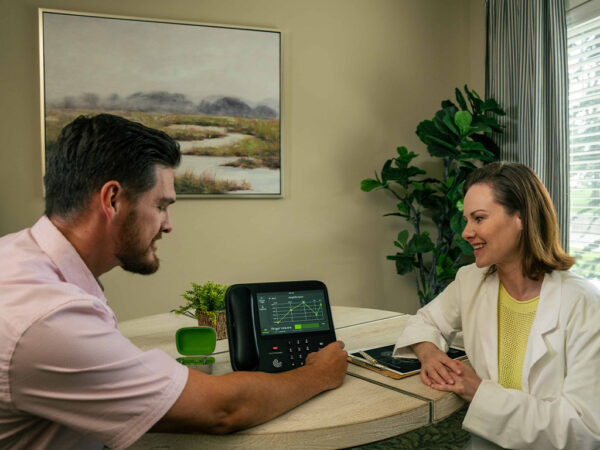

Improving your indoor lighting can help if you’ve noticed your vision is going, and it also makes a big difference in preventing falls. You can also get low-intensity non-prescription glasses from just about any pharmacy and even invest in some personal magnifying glasses to keep in high-use areas.  

There are also services like CaptionCall, which provide real-time captioning at no cost for people with hearing loss who need captions to understand phone calls. It even comes with a captioned landline phone included!

Embrace technology 

We’ve touched on this above, but it bears repeating — in the quest for self-reliance, technology can be your friend. Technology that makes it easier for you to stay connected with your family, your community, your doctors, repair or delivery services — basically anyone outside your home — is probably worth learning to use.  

Smartphones enable communication anywhere, offering reliable applications for everything from video calling to home grocery deliveries. They can even sync with smart home appliances, allowing you to control lights, air conditioning, televisions, and even window blinds with a few taps on your phone. Getting comfortable with a smartphone can go a long way toward ensuring greater independence as you get older. 

Another technology worth highlighting is telehealth portals — online communication systems that allow your doctor to share important medical information and updates with you. Doctors often use this as a follow-up to an appointment, sometimes even as an alternative to an otherwise unnecessary appointment. They can provide lab results, complete with your doctor’s notes for you to review at any time to ensure you have a better understanding of your own health. 

Ask for help when needed 

Independence doesn’t mean never asking for help. It means knowing how to proactively get the help you need when you need it. Nobody gets by entirely on their own; it always takes a village. 

When you start having trouble with health, mobility, or any other issue that might impact your ability to take care of yourself, it's best to address it immediately. Consult your friends, family, neighbors, doctors, and other professionals where appropriate to find a solution that will help you maintain your independence. Accepting help from home health aids or through regular check-ins from loved ones will help you extend your years of living independently. 

This site is registered on wpml.org as a development site. Switch to a production site key to remove this banner.