



















Recent Searches

8 Principles of Patient-Centered Care for Hearing Health

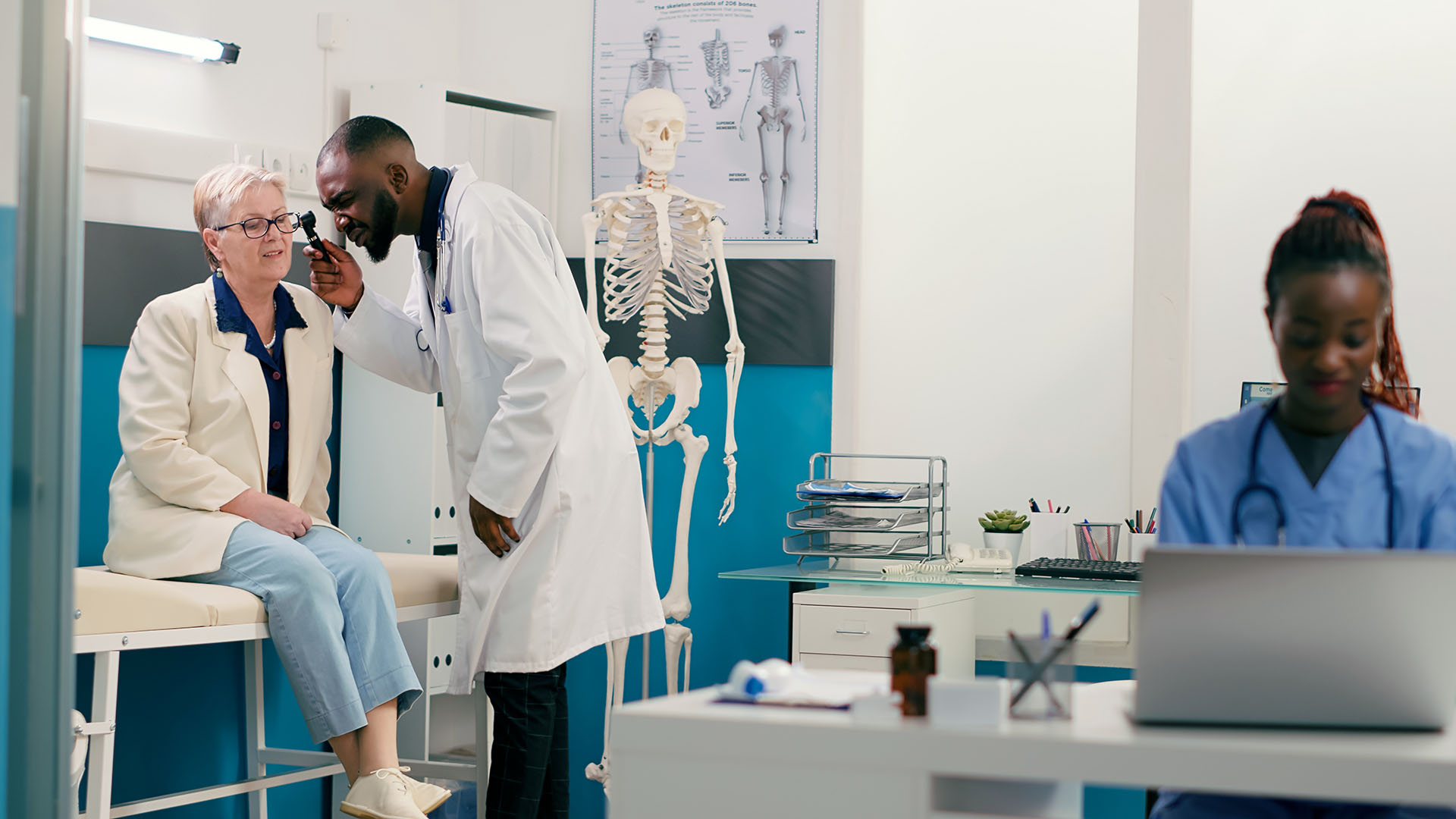
Doctor examines patient's ear with otoscope while nurse enters information into laptop.

by Rupa Balachandran, PhD, CCA-A

The key principles of patient-centered care for hearing health require understanding the emotional and physical needs of the patient while developing a solution that addresses their daily lifestyle. Best practices for patient-centered care go beyond excellence in diagnostic services. Understanding the attitudes, concerns, health literacy needs, and priorities of individuals with hearing loss are key to determining the right treatment options.

What is patient-centered care?

The Institute of Medicine (IOM) defines patient-centered care as “providing care that is respectful of, and responsive to, individual patient preferences, needs and values, and ensuring that patient’s values guide all clinical decisions,” (IOM, 2001). The Picker Institute further divided the principles of patient care into eight categories.

These principles, when applied to hearing health care, provide valuable insights into the areas where hearing health providers can develop and enhance our current practices. Applying these principles to hearing health care improves accountability and helps gather information on how well we’re serving the needs of  patients.

In this article, I dig deeper into these eight person-centered principles of health care as they apply to hearing health.

1. Respect for the patient’s values, preferences, and expressed needs

Patients value health care providers who create a positive and supportive environment. Acceptance and adjustment to a diagnosis of hearing loss only happens in an environment where a patient receives information in an empathetic manner.

Interviews with patients about the adoption and use of hearing aids indicated that patients were more likely to pursue the use of hearing aids and overcome challenges in adapting to hearing aids when they perceived consideration, warmth, and empathy from their health care provider (Blazer et al., 2016).

A review of first-time consultations with audiologists in Australia found that patients perceived a lack of empathy and a gap between their needs and the goals of the audiologists’. For example, when the audiologists delivered the diagnosis, two-thirds of them directly transitioned into a recommendation for hearing aids, without allowing the patient time to react or ask questions about the diagnosis and without discussing other available treatment options. For example, hearing assistive technologies, communication programs, and support groups (Ekberg et al., 2014).

When the encounter with the professional creates a negative perception, the individual often delays taking action, resulting in putting off opportunities to improve quality of life and well-being (Clements, 2015).

A patient-centered care model involves going beyond understanding the needs of the patients; it includes measuring if those needs were met. Requesting feedback from patients about whether they were treated respectfully, felt their values were taken into consideration, and whether they felt their needs were met during their encounter with the provider, provides information that can be used to improve on existing clinical services.

Patient satisfaction surveys sent to a patient after an appointment can help a practice hone its patient-centered care efforts. These surveys can be easily administered electronically with web-based survey tools.

2. Information and education

The first consultation with an audiologist or other hearing health care professional can have a long-term impact on decision-making and outcomes (Clements, 2015). In the hearing health care space, discussion of different treatment options and opportunities for social and emotional support lead to a comprehensive solution for patients.

In addition to a  recommendation for hearing aids, written information about the following resources can  help people with hearing loss.

Assistive-listening devices

Other options for treating hearing loss  include assistive listening devices and technologies that give situation-specific help to people with hearing loss. Technologies such as captioned phones, amplified phones, amplified wireless headsets for television, and other audio streaming can be part of an amplification strategy.

Smart phone applications also provide options for amplification and captioning speech in real-time.

Community support

Providers should include information on community-based education programs, such as speech-reading classes and aural rehab groups.

Patient-centered care can also include providing information on support groups for people with hearing loss, such as the Hearing Loss Association of America and hearing-impaired professionals groups that are available both locally and online. These groups not only provide additional support, they help people with hearing loss develop a sense of acceptance and shared community.

Ongoing device support

Health care providers need to offer patients regular updates on the use, operation, and maintenance of hearing aids and hearing assistive technologies after the initial fit. Links to videos and tutorials on care and maintenance of devices, along with a newsletter on what devices can do are a helpful reminder of how people with hearing loss can benefit from different technologies available in their devices.

These additional avenues of support help create an environment where individuals with hearing loss can understand and accept their hearing abilities and achieve positive outcomes with amplification. This in turn strengthens the provider-patient relationship.

3. Access to care

Improving access to care involves providing easy access to the hearing health care provider and addressing the national shortage of hearing health care providers.

With the expected increase in the aging population and market factors keeping the supply of audiologists fairly low, there’s an expectation that new avenues need exploring to improve access to hearing health care (Marquardt et al., 2017). Clinicians today have access to multiple technologies that reduce the need for in-person visits.

Online technologies and patient management portals

Web-based technologies make requesting appointments easy for clinicians and patients. The ability for patients to select the day and time of their appointment themselves; timely appointments; short waiting time in the office; and timely response to emails and telephone calls can be accomplished with the use of a customized patient management portal.

Tele-audiology

The global pandemic  forced practices to transition quickly to tele-audiology, which enables remote appointments that increase efficiency and productivity for the patient and provider. Remote appointments also increase access for patients who can’t get to — or from — the office without transportation assistance. Every provider has had instances where a patient waited in the clinic long after their appointment for a transport to pick them up.

Hearing health care doesn’t reach everyone who needs it. Residents of rural and low-income urban areas are at a particular disadvantage in accessing care.

Tele-audiology holds the key to increasing access for patients who also live several hundred miles away from their provider. Increasing the infrastructure to support a variety of tele-audiology appointments goes a long way toward alleviating the lack of providers in remote areas.

4. Emotional support to relieve fear and anxiety

Despite technological advances, the psychosocial concerns of adults with hearing loss continue to have impact on the decision to seek help for their hearing loss and rehabilitation. Patient attitudes towards amplification are critical influential factors driving consultations for hearing device adoption (Meyer, 2014). Patients experience a variety of emotions when adjusting to a diagnosis of a hearing loss. These include sadness, disappointment, fear, and worry.

Clinician response to patients during this time is an important aspect of patient-centered care. For a lot of patients, the recommendation of a hearing aid triggers an unpleasant association. They may equate hearing aids with old age and lack of independence (Claesen & Pryce, 2012).

When a patient raises these issues with the provider, it’s important that they feel their concerns are heard. A clinician’s interpersonal skills, along with active and empathetic listening, can facilitate more positive associations with hearing aids and foster a strong therapeutic relationship (Grennes et. al 2015). Setting aside time within the appointment to listen to the patient’s concerns and validate them is a critical step towards a strong patient-centered hearing health care model.

5. Involvement of family and caregivers

The National Quality Forum’s National Priorities Partnership characterizes patient-centered care as health care that “honors each individual patient and family, offering voice, control, choice, skills in self-care, and total transparency, and that can and does adapt readily to individual and family circumstances, and to differing cultures, languages, and social backgrounds” (NPP, 2010). For family, friends,  and other caregivers of adults with hearing loss, their contributions fall into two categories:

  1. Functional assessment: Family and caregivers can add their perspective on how the hearing loss affects the everyday activities for the person with hearing loss, including their ability to communicate with those around them.
  2. Treatment efficacy: They can weigh in on the benefits or challenges associated with the different treatment options for the patient. This information helps the provider make the most suitable recommendation for managing the hearing loss.

Patient-centered care is more than just agreeing to whatever the patient wants. It involves identifying issues that are meaningful in the patient’s life and tailoring a solution that works with the patient’s values. It involves respect for their feelings and emotions along with buy-in from their family, caregivers, and loved ones.

This provision of patient-centered care is complex and time-consuming, and requires broad involvement of the patient, the family, and the care team to consider all  issues that affect the patient’s care.

6. Continuity and secure transition between healthcare settings and coordination of care

Often hearing health professionals are required to share information with other key healthcare providers and work as a part of a team to provide appropriate care for their patient. Timely sharing of health information, appropriate referral to specialists, and keeping the primary care physician informed of the care plan are all key components of patient-centered hearing healthcare.

Working with a HIPAA-compliant electronic health record alongside secure transmission channels of health records is essential. Creating workflows within the administrative office that give patients easy access to their test results and nimble coordination between different providers and insurance go a long way toward building patient confidence and trust in the healthcare provider.

7. Physical comfort

In a hearing health care environment, care must be taken to ensure that the person is in a physical space that feels safe and secure and promotes participation. Ways create a safe and secure environment include:

  • Room lighting that reduces glare
  • Increasing visual contrast in walkways and doorways
  • Having furniture that’s solid and not prone to shifting when the person sits down or stands up
  • Signage that’s clear and easily understood
  • Providing marketing materials that reflect and respect the patient’s cultural beliefs
  • Making pocket talkers and amplifiers available for patients to use during appointments

These techniques help create an office where the patients feel that their values are respected and that the care they receive is comprehensive, competent, and delivered by professionals who care about their well-being.

8. Support for HCP in patient-centered care environments

A comprehensive discussion of patient-centered care needs to include support for those who provide the care. For most practices, patient-centered care requires a significant investment of time and resources.

Many providers are overwhelmed by decreasing reimbursements and encroaching threats to their scope of practice. With a healthcare industry undergoing significant transformations, there’s a need to identify mechanisms that support the provider in reaching the goals of patient-centered care.

Best practices in patient centered care are those that also take into account sustainability from a practice standpoint. Conversations around patient-centered care must include adequate reimbursement for the provider through appropriate billing codes and consideration of fee-for-service models.

Conclusion

Implementation of patient-centered care has very clear benefits for both the patient and the provider — better treatment outcomes, better health outcomes, stronger therapeutic relationships, and improved financial outcomes for the practice.

About the Author

Rupa Balchandra, PhD, CCA-A headshot.

Rupa Balachandran, PhD, CCA-A

Martinez VA Medical Center
150 Muir Road
Audiology Section 126
Martinez, CA 94553-4668

Email: [email protected]
LinkedIn: linkedin.com/in/rupa-balachandran

Sources

  1. Bureau of Labor Statistics, U.S. Department of Labor, Occupational Outlook Handbook, Audiologists, on the Internet at Audiologists
  2. Claesen, E., & Pryce, H. (2012). An exploration of the perspectives of help-seekers prescribed hearing aids. Primary Health Care Research & Development, 13, 279–284. doi:10.1017/ S1463423611000570
  3. Clements, C. (2015). Why do older adults delay in seeking help for hearing loss. Journal of Otolaryngology-ENT Research, 3(4), 00070.
  4. Ekberg, Katie, Caitlin Grenness, and Louise Hickson. “Addressing patients’ psychosocial concerns regarding hearing aids within audiology appointments for older adults.” American Journal of Audiology 23.3 (2014): 337-350.
  5. Gerteis, M. (1993). Through the patient’s eyes: understanding and promoting patient-centered care.
  6. Blazer DG, Domnitz S, Liverman CT, editors. Hearing Health Care for Adults: Priorities for Improving Access and Affordability. Committee on Accessible and Affordable Hearing Health Care for Adults; Board on Health Sciences Policy; Health and Medicine Division; National Academies of Sciences, Engineering, and Medicine; Washington (DC): National Academies Press (US); 2016 Sep 6. 3, Hearing Health Care Services: Improving Access and Quality. Available from: NCBI - WWW Error Blocked Diagnostic
  7. Grenness, C., Hickson, L., Laplante-Lévesque, A., Meyer, C., & Davidson, B. (2015). The nature of communication throughout diagnosis and management planning in initial audiologic rehabilitation consultations. Journal of the American Academy of Audiology, 26(1), 36-50
  8. Grenness, C., Hickson, L., Laplante-Lévesque, A., Meyer, C., & Davidson, B. (2015). Communication patterns in audiologic rehabilitation history-taking: Audiologists, patients, and their companions. Ear and Hearing, 36(2), 191-204.
  9. Institute of Medicine (US) Committee on Quality of Health Care in America. (2001). Crossing the Quality Chasm: A New Health System for the 21st Century. National Academies Press (US).
  10. Marquardt et al 2017. Supply and Demand of Audiologists in the US | Hearing Health & Technology Matters . Meyer, C., Hickson, L., Lovelock, K., Lampert, M., & Khan, A. (2014). An investigation of factors that influence help-seeking for hearing impairment in older adults. International Journal of Audiology, 53, S3–S17. doi:10.3109/14992027.2013.83
  11. NPP (National Priorities Partnership). Patient and family engagement. 2010. .
  12. Picker Institute: Principles of patient-centered care.

How to Easily Make Zoom Meetings Deaf-Inclusive: Two Ways to Get Zoom Interpreter Service

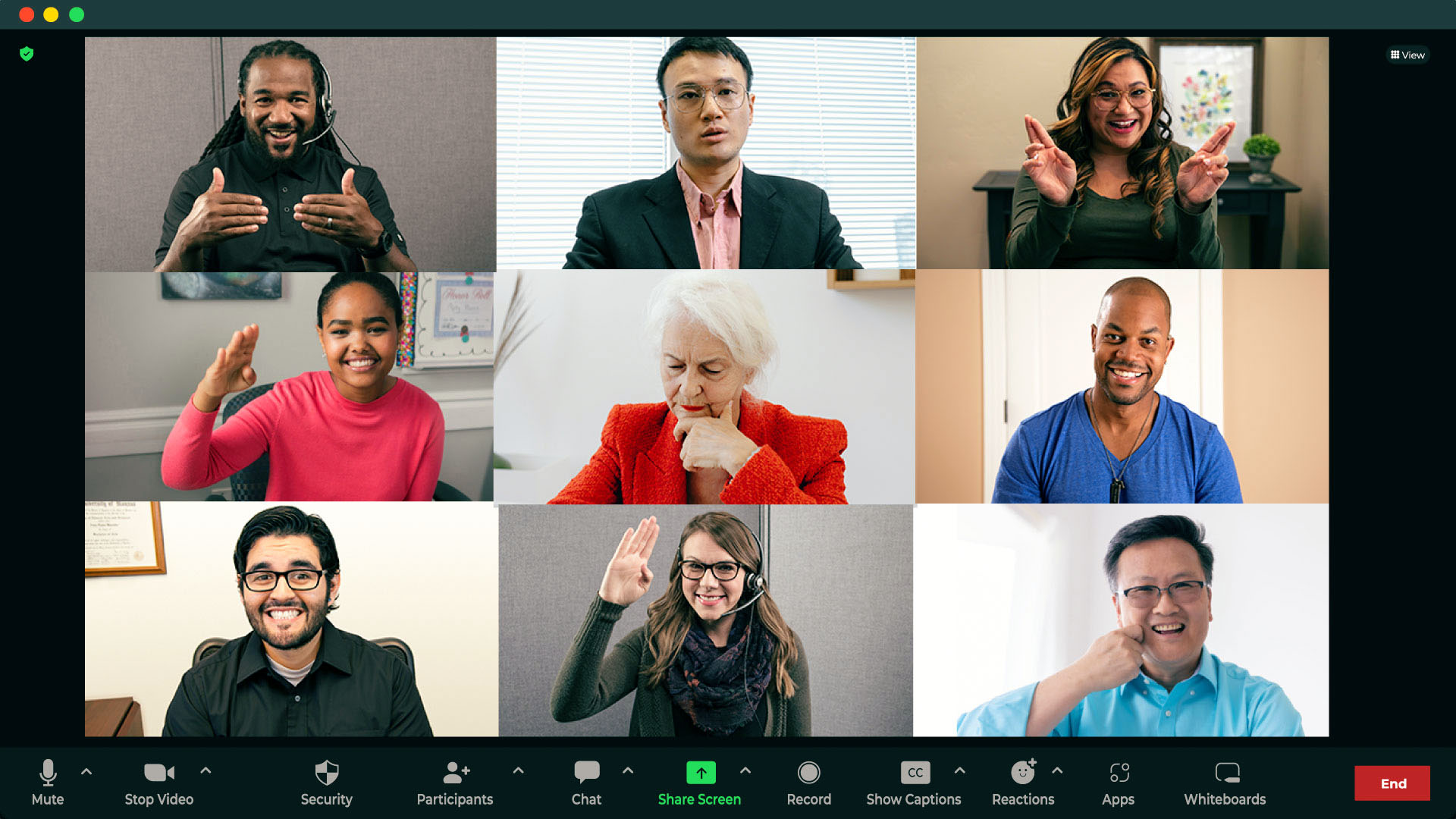
Computer screen showing Zoom video call with multiple live sign language interpreters.

The COVID-19 pandemic fueled a rapid rise in the use of tech in daily communication. And with a 55% share of the videoconferencing software market, Zoom® — from Zoom Video Communications, Inc. — is the go-to for many businesses having virtual meetings. But using video relay service (VRS) to make Zoom usable for deaf participants has lagged behind Zoom’s popularity — until now.

The history of Zoom for deaf participants: expanding access to interpreters and captions

Zoom has a history of making accessibility a priority for users. 

2013: The Zoom application became publicly available. 

2020: Zoom added features for deaf individuals who use American Sign Language (ASL) to more conveniently take part in Zoom meetings with non-ASL-fluent participants: the ability to pin more than one person’s video to the screen and rearranging attendees on the screen to give deaf participants better visibility of an interpreter. 

2021: Auto-generated Zoom captions for deaf and hearing participants became available to any Zoom user. Captions had previously been only for paid accounts and required the host to add on and pay for a third-party artificial intelligence (AI)-powered transcription service. 

2022: Zoom added a Sign Language Interpretation view for paid accounts using the desktop client. 

In the past few years, Zoom has made great strides in making meetings more deaf-inclusive, but newer features and updates have  restrictions and added steps for those wishing to use an ASL (American Sign Language) interpreter on Zoom. 

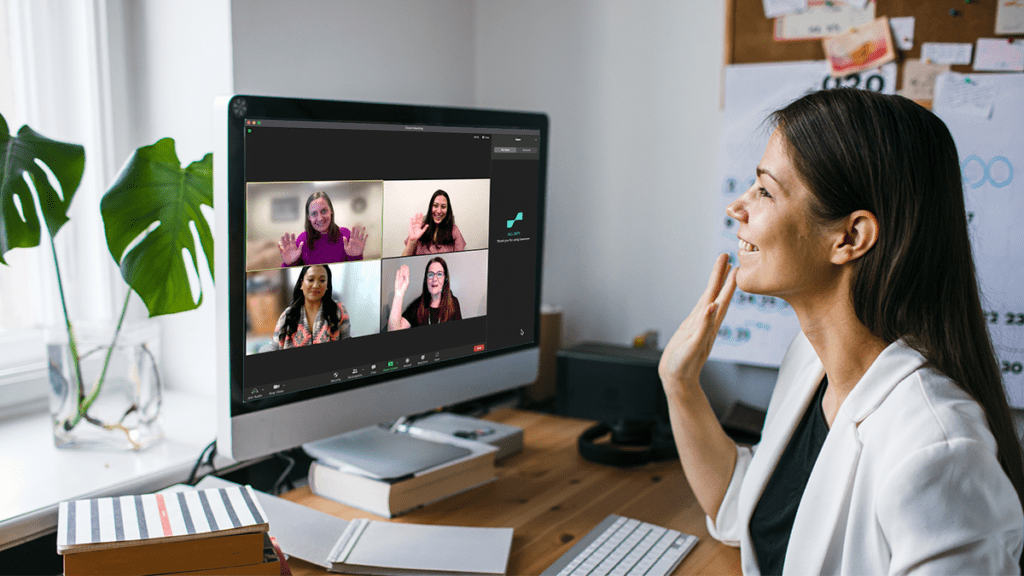
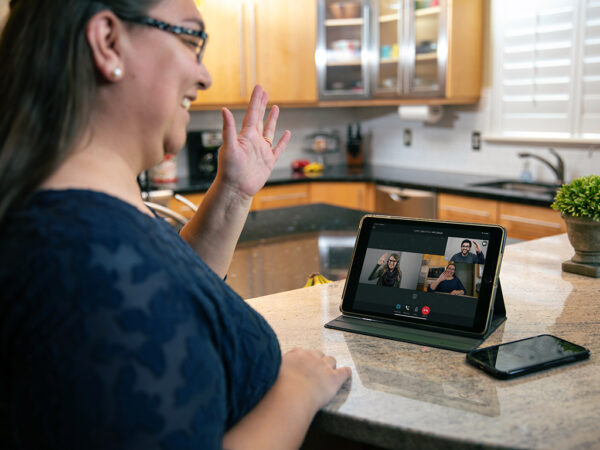
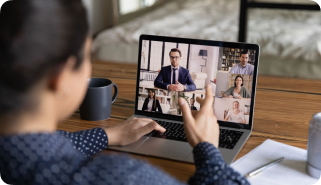
Woman in home office waves greeting to Zoom call with multiple sign language interpreters.

Using VRS with Zoom for sign language interpreting

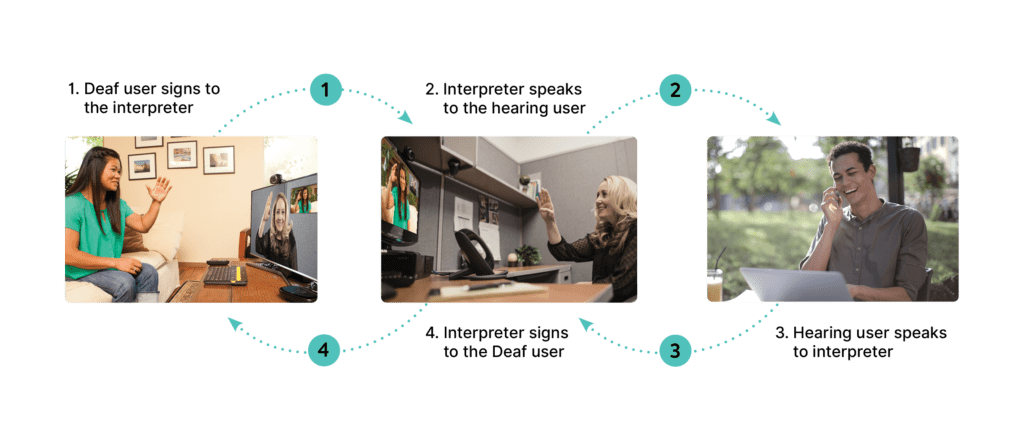
In most cases, Zoom meetings with deaf and hearing participants haven’t had interpreters present. Instead, many deaf individuals have used video relay service (VRS) to get interpreting for those calls. 

VRS is a no-cost interpreting service for deaf people who use American Sign Language (ASL) to communicate through video calls on videophones, smart phones, tablets, or computers.  

In Zoom meetings without an interpreter, deaf participants have used VRS as a workaround. They call the meeting’s dial-in number on their VRS videophone or app, so the interpreter can connect to only the audio of the Zoom meeting. 

Deaf individuals have used their VRS accounts this way for years for Zoom, but it’s not user- or deaf-friendly: 

  • Deaf participants have to look back and forth between the screen with the interpreter and the separate screen with the Zoom meeting: This means they can potentially miss words, expressions, and shared screens. And it can be exhausting!  
  • The interpreter can only hear the audio of the meeting: They can’t see the video side of the conversation. Without the visual and emotional cues essential to sign language, both the interpreter and deaf participant can’t get the full context of the meeting. 
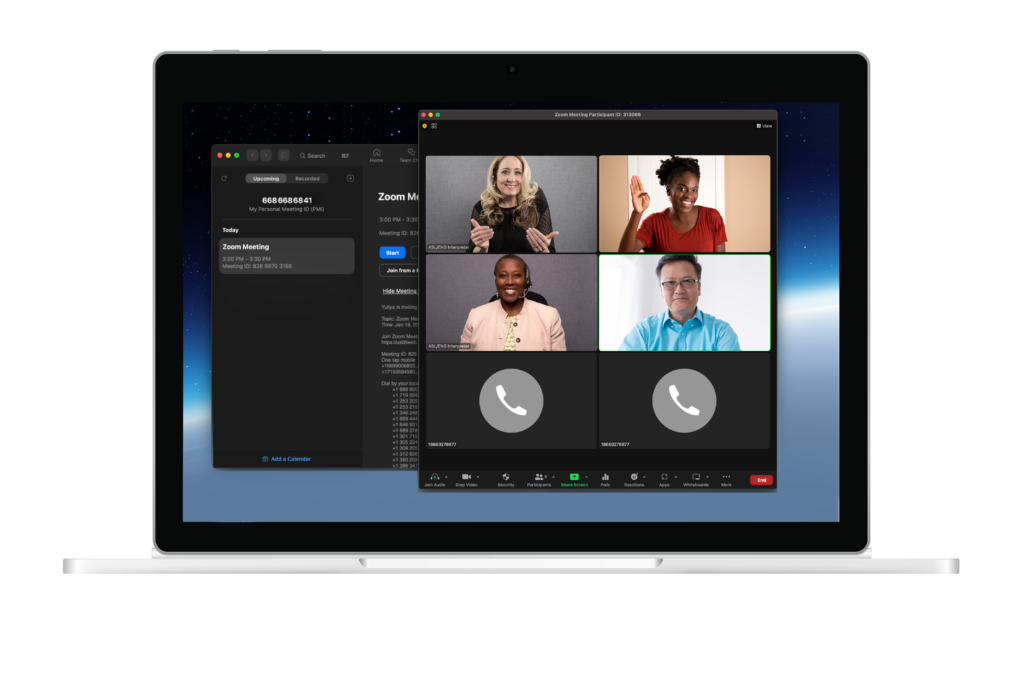
  • Laptop screen showing Zoom meeting featuring multiple live virtual sign language interpreters.

Integrated, on-demand interpreting through Zoom

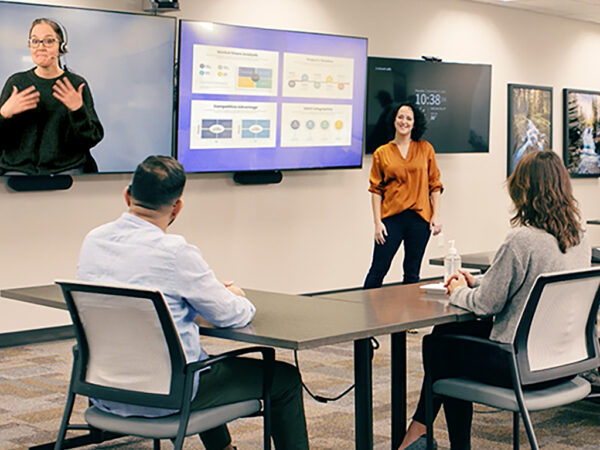
Finally, an end to the frustration came in 2023. Zoom users received a groundbreaking solution that solved for on-demand sign language interpreting in Zoom meetings. The update allows you to use a third-party app to pull an interpreter directly into your Zoom meeting as a participant with a couple clicks for a more convenient and inclusive experience. Everyone can see each other, the interpreter, and shared screens on one device in one window. Since hearing participants also see the interpreter, they can allow time for the interpreter to sign and see when a deaf participant has something to add. 

The interpreter can also see everyone on the call and access all Zoom features, including seeing a shared screen and speakers’ names. This helps them to easily identify speakers and convey unspoken context. 

The two options for accessing this integrated, on-demand interpreting both connect users to expert interpreters for English to ASL or Spanish to ASL interpretation: 

Sorenson VRS for Zoom is an option for deaf individuals to use their personal VRS accounts for school, business calls, or calling friends and family. 

Sorenson Express app for Zoom is an enterprise solution to access on-demand video remote interpreting (VRI) for impromptu meetings and last-minute interpreting needs. 

VRS and VRI both connect calls over a high-speed internet connection via a video conferencing platform, but they serve different purposes and users. You can read more about the differences here:  What is Video Relay Service (VRS) 

Sorenson VRS for Zoom: a simpler way to use an ASL interpreter on Zoom

In March 2023, Sorenson — the leading provider of VRS  — released two better ways of using Zoom with VRS: a web app and an integrated Zoom app. Sorenson is the first to deliver VRS-based solutions that remove the need for a cumbersome workaround for deaf and hearing attendees to communicate in Zoom meetings.

As long as the meeting host has a paid Zoom account, anyone who has a Sorenson Video Relay account — whether they are the host or a participant — can use the Sorenson Express web app for Zoom to add an on-demand ASL interpreter to their Zoom meeting. A meeting host can also add an interpreter during meetings with the integrated Zoom plug-in. Everyone can then see the interpreter right in the meeting with everyone else. There’s no need to use two devices for a single meeting.

If you’re a deaf business owner, Sorenson for Zoom is even available for calling your clients or taking appointments. However, this integration isn’t suitable for all workplace scenarios:

  • VRS isn’t available for webinars because of the need for deaf users to remain on camera.
  • It’s not ideal for meetings with multiple deaf attendees because if the person using their VRS account must leave the meeting, everyone loses the interpreter.

Sorenson Express app for Zoom: on-demand interpreting for businesses

Video Remote Interpreting (VRI) is a well-established interpreting solution for virtual and in person conversations. Scheduled VRI is an ideal solution when you know you’ll need an interpreter ahead of time because it allows for interpreter assignment to meet your specific needs. It’s not, however, appropriate for impromptu communication.

The introduction of Sorenson Express in May 2023 introduced flexible, on-demand VRI that gives account-holders access to a mobile device-based interpreting option for face-to-face interaction and videoconferencing app integrations for unplanned meetings.

Sorenson Express app for Zoom is a VRI integration that offers a business or organization on-demand, seamless communication between deaf and hearing employees or clients in virtual meetings.  Businesses with a Sorenson Express account can access interpreting through the Zoom integration as well as on a tablet for in-person conversations.

Users can access Sorenson Express app for Zoom through a built-in app from the Zoom marketplace or Sorenson’s web app.

When to choose the Zoom app vs the web app to request a Zoom interpreter

Whether using Sorenson’s VRS or VRI solutions for Zoom ASL interpretation, users can invite an interpreter from an app in Zoom or a web-based Sorenson app. Your situation and preferences will determine which to choose.

Sorenson VRS for Zoom

You can use the web app:

  • If you are a Zoom meeting host or an attendee.
  • If the meeting host has a paid Zoom license.
  • If you are eligible and registered for Sorenson VRS.
  • Without downloading anything to your device.

You can use the Zoom app in the Zoom marketplace if you:

  • Are the Zoom meeting host.
  • Have a paid Zoom license.
  • Use a Mac or PC and have permission to download and install apps.

Sorenson Express for Zoom on-demand VRI

You can use the web app:

  • If you are the Zoom meeting host or an attendee.
  • If you are registered for Sorenson VRI.
  • Without downloading anything to your device.

You can use the Zoom app in the Zoom marketplace if you:

  • Are the Zoom meeting host.
  • Are registered for Sorenson VRI.
  • Use a Mac or PC and have permission to download and install apps.

Try Sorenson solutions for multilingual communication and workplace inclusion on Zoom meetings

Effective communication and deaf accommodations in the workplace and beyond don’t need to be difficult. When you need an ASL interpreter on Zoom, Sorenson’s integrations for businesses and deaf individuals empower inclusive meetings for work, school, and everyday interaction. For true workplace inclusion, the range of accessible communication services available from Sorenson.  

Sources

  1. Videoconferencing software market share 2024 | Statista
  2. Zoom Communications

The Best Hearing Loss Apps of 2025

Smartphone screen displaying CaptionCall Mobile app welcome screen.

More than 60 million Americans over age 12 have some level of hearing loss.1 Losing your hearing can be inconvenient, and frustrating. It may even lead to isolation, which can contribute to cognitive decline.2 Luckily, as with most things, there’s an app for that — an app for living your best life with hearing loss, that is!

Let’s take a look at 9 of the best smartphone apps for hearing loss. Many are great for Deaf individuals too.

Included here:

CaptionCall Mobile  |  Live Transcribe  |  Live Transcribe and Notification  | Talk to Deaf  |  Sound Amplifier (iPhone)  |  Sound Amplifier (Android)  | Subtitles Viewer! (iPhone) AudioCardio Hearing & Tinnitus  |  Shazam: Music Discovery

1. CaptionCall Mobile call-captioning app

Cost: $0 if you self-certify that you have hearing loss and need captioned calls to effectively use the phone, the cost of captioning is covered by federal funds. The service is unavailable otherwise.

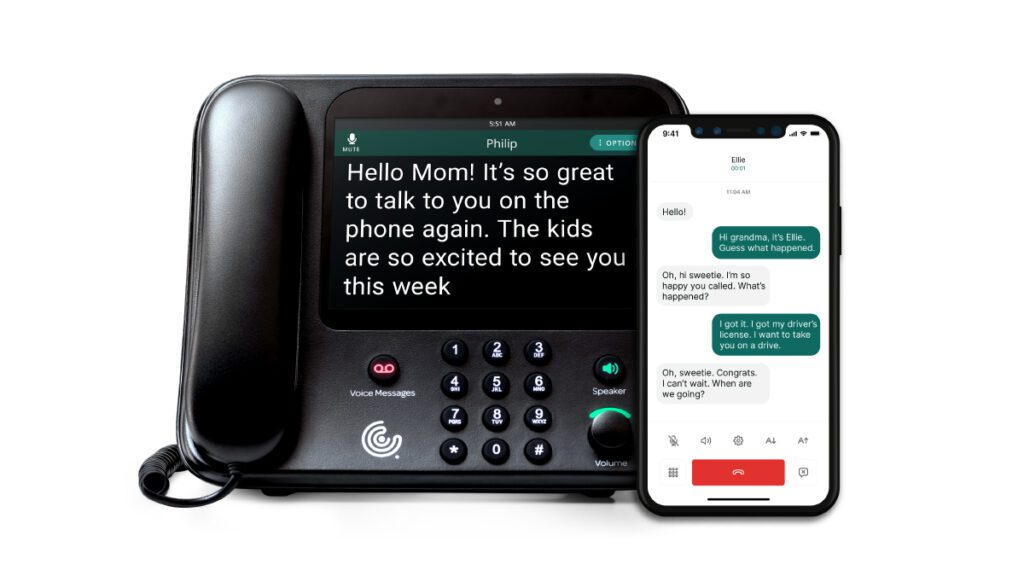
If you have hearing loss and need captions to understand phone calls,  CaptionCall offers two great options for connecting to our call-captioning service. One is a specially made home phone with a screen that shows captions. The other is a mobile app that turns your smartphone into a captioning screen.  CaptionCall offers both services at no cost and requires only that you self-certify you have hearing loss and need captions to effectively use the phone.

Captioned calls work like closed captions on your TV. A captioning service converts spoken words into captions or text that appear on your phone’s screen in real time, so you can read along and keep up with the conversation.

CaptionCall Mobile captions calls using speech-recognition technology. It displays the captions on your mobile phone screen instantly. This is different than using the built-in captioning on your phone. It gives you faster, more accurate captions.

Of the available mobile captioning apps, CaptionCall Mobile is our favorite, not because it’s a Sorenson product, but because it works in real-time. There’s no lag or delay between what your caller says and seeing the caption text on your phone screen

Rating on Google Play


4 out of 5 stars

Rating on Apple App Store


4.8 out of 5 stars

2. Live Transcribe

Cost: Free basic version, optional monthly subscription for more features

Live Transcribe from Mighty Fine Apps is one of the best apps available for Deaf and hard-of-hearing individuals. It transcribes voice to text for any speech in range of your phone’s microphone. You can even set it to start transcribing the moment you open the app.

One advantage compared to a standard transcription app is that it lets you make the text as big as you want. You can even have the text fill the entire screen. It also offers captions in more than 70 languages and even lets you filter out profanity.

You can also save transcripts of conversations to a messaging app or note-taking app on your phone.

A small disadvantage of Live Transcribe is that it’s only available for iOS.

Rating on Apple App Store


4.6 out of 5 stars

3. Live Transcribe and Notification

Cost: Free

Live Transcribe and Notification from Research at Google gives you both live transcriptions of spoken conversation and sound notifications.

Live Transcribe turns spoken conversation into fairly accurate written captions in real-time and supports more than 70 languages.

Unique features include the ability to add your own frequently used words, such as names and household items. You can also use it to set your smartphone to vibrate when someone says your name.

Unlike Live Transcribe above, Google’s version doesn’t automatically save transcripts, but it does give you the option to save them manually. It will also only save them for three days. To keep them longer, you can copy and paste them into another program.

The notifications part of Live Transcribe and Notifications lets you choose custom sounds, flashing lights, or vibration mode to alert you to stove timers, smoke alarms, baby monitors, sirens, and more.

Rating on Google Play


3.8 out of 5 stars

4. Talk to deaf for Android

Cost: $6.99 annually

If you don’t want or need notifications, Talk to deaf from Kickdata is a good option. It does come at an annual cost of $6.99 but has a solid 4.1 average rating.

Talk to Deaf quickly translates spoken language into text displayed on your phone screen. You can customize the font and size for easier reading. You also have the option to save your conversation history.

A disadvantage of this app — or maybe a benefit depending on your needs — is that you must press the microphone button to capture speech.

Rating from Google Play


4.1 out of 5 stars

5. Sound Amplifier

Cost: Free

Another app from Mighty Fine Apps, Sound Amplifier boosts the volume on your surroundings.

This app uses your phone’s microphone to pick up sounds and increase the volume up to 100x through your connected headphones, while also minimizing background noise and taking advantage of its voice isolation feature.

Use it to amplify conversations, TV shows, movies, lectures, and more. While this app packs a serious punch, its built-in loudness protect feature still protects your ears by preventing the volume from getting dangerously high.

One disadvantage: this Sound Amplifier app is available only for iOS.

Rating on Apple App Store


4.6 out of 5 stars

6. Sound Amplifier

Cost: Free

This is Google’s take on the Sound Amplifier app. Just like other sound amplification apps on this list, Sound Amplifier uses your device’s built-in microphone to pick up sounds in your environment, then filters, augments, and amplifies them through your connected headphones.

Sound Amplifier doesn’t just turn up the volume on all noises — you can personalize your listening experience by boosting low frequencies, low frequencies, or even quiet sounds. It can help you enjoy everything from conversations and lectures to movies, TV shows, and plays.

If you have a compatible device, the app’s Conversation Mode can focus in on a speaker’s voice for even clearer sound.

Sound Amplifier is only available for phones running Android 8.1 or later.

Rating on Google Play


3.7 out of 5 stars

7. Subtitles Viewer! for iPhone

Cost: 3 free subtitles, more than 3 requires credits acquired through in-app purchases

Subtitles Viewer! by Craig Grummitt turns your iPhone or iPad into a personal subtitles screen. The app loads subtitles from a large database of crowdsourced subtitles and syncs with the action on your TV screen or even at the movie theater.

Rating on Apple App Store


4.4 out of 5 stars

8. AudioCardio Hearing & Tinnitus

Cost: Free trial, basic plan for $9.99, or Pro+ plan for $14.99 a month, $64.99 every 6 months, or $99.99 annually.

AudioCardio Hearing and Tinnitus from AudioCardio is one of the apps we mention in our post on improving hearing loss naturally. It is a unique app that may help some users improve their hearing.

The app offers personalized sound therapy based on a hearing test you take when you open your account. AudioCardio then uses these results to develop daily one-hour sound therapy sessions for both of your ears. Sticking to the schedule and using it every day may help protect your hearing.

According to the app’s description, its technology is clinically proven by researchers — including Stanford University.

Rating on Google Play


3.2 out of 5 stars

Rating on Apple App Store


4.3 out of 5 stars

9.  Shazam: Find Music & Concerts

Cost: Free

Shazam is a popular music-discovery app designed to help you identify music you might hear in your everyday life. Whenever you hear a song that you’ve never heard before or can’t quite place, pull up Shazam and it’ll use your phone’s microphone to listen to the music and identify the song.

Not only is it great for finding and remembering new music, but it can help you enjoy your old favorites, too.  If hearing loss makes it hard to understand the lyrics of the music you love, this app displays the lyrics of all your favorite songs while you listen. You’ll never miss out on the joy of music — or singing along — again.

Rating on the Google Play


4.8 out of 5 stars

Rating on Apple App Store


4.9 out of 5 stars

Sources

  1. Hearing Loss Statistics 2025: More Common Than You Might Think
  2. https://www.ncoa.org/adviser/hearing-aids/hearing-loss-statistics/
  3. Hearing Loss and Cognition: What We Know and Where We Need to Go - PMC
  4. https://pmc.ncbi.nlm.nih.gov/articles/PMC8920093/

Want to Reverse Hearing Loss? Try These Tips to Improve Hearing Naturally

Older couple wearing backpacks enjoying an outdoor hiking trail.

Say what? If you find yourself asking, maybe you’re having trouble hearing. And you’re not alone — nearly 15% of people in the U.S. over 12 years old have hearing loss in both ears. If you’re among them and are wondering how to improve hearing loss naturally, there are things you can do.¹

In this post, we break down common types of hearing loss and natural remedies you can use to help protect and improve your hearing.  

Before we dive in, let’s talk about the basics of hearing loss. 

Types of hearing loss 

There are three main types of hearing loss that each affect different parts of the ear. 

Conductive hearing loss comes from an obstruction in, or damage to, the middle or outer ear. The damage or obstruction prevents sound from reaching the auditory nerve. Conductive hearing loss can be temporary or permanent. 

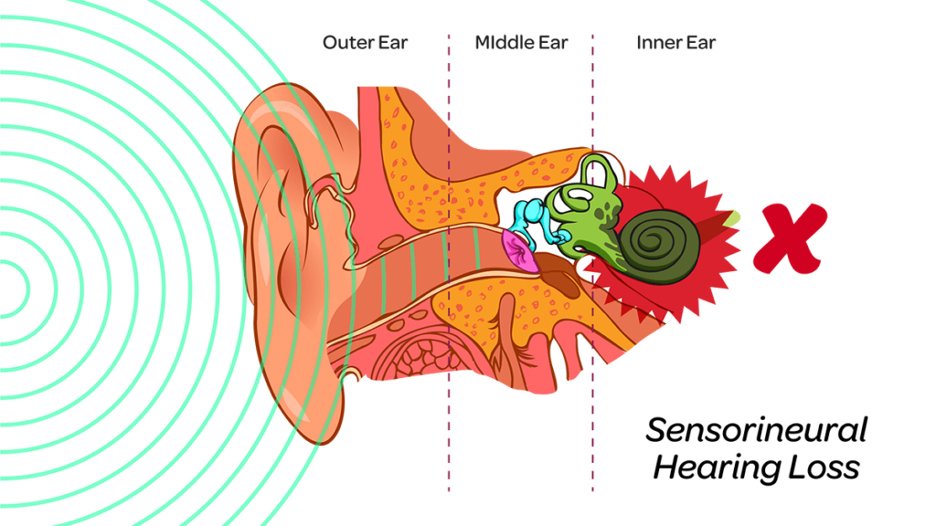
The most common type of hearing loss is sensorineural hearing loss. We hear when sound waves move the hair cells (cilia) in our inner ear, and that movement creates electrical impulses that travel to the auditory nerve in our brains. Damage to our auditory nerve or cilia results in sensorineural hearing loss. 

Diagram depicting parts of the ear: outer, middle, and inner.

Mixed hearing loss is a combination of sensorineural and conductive hearing loss. It happens when a blockage or damage in your middle or outer ear makes your sensorineural hearing loss worse. 

Causes of hearing loss 

Several things cause hearing loss.  

While age itself doesn’t cause hearing loss, 33% of people over 65 have hearing loss.² Age-related hearing loss, known as presbycusis, is a slow loss of hearing in both ears that results from changes in the inner ear as we age. 

A variety of factors can cause hearing loss, including:

  • Genetics: age-related hearing loss tends to run in families 
  • Exposure to loud noises:
    • Noises above 85 decibels (dB), the sound of a gas lawnmower, can damage your ears and hearing in a few hours³
    • Noises above 120 dB can immediately damage your ears and hearing³
  • Smoking: smokers are more prone to hearing loss than nonsmokers 
  • Medical conditions, including diabetes 
  • Some medications, including chemotherapy drugs for cancer treatment 

Knowing what type of hearing loss you have can help you determine if it’s possible to improve it at home, or if you need the help of a doctor or hearing specialist.    

Whether you have hearing loss now or want to avoid it in the future, there are things you can do to protect and improve hearing loss naturally.  

How to improve hearing naturally 

If you’re experiencing hearing loss, there are things you can try to improve it, including natural remedies for hearing loss.  

The best thing is to prevent hearing loss in the first place. And many of the ideas here can help. 

Note that the methods here are not intended as medical advice. Before trying anything at home, talk to your doctor. And if your hearing gets worse, we advise you to see a doctor about it. Know that some hearing loss is permanent and may require assistive devices. 

Clean out the wax 

Built-up earwax is one of the leading causes of conductive hearing loss. It prevents sound waves from reaching your inner ear.  

The good news is that you can safely remove earwax. If you do it regularly, you can help maintain hearing.  

When you clean your ears, keep in mind that they’re delicate. Don’t put cotton swabs, earwax candles, or sharp instruments in your ears. Instead, follow this home remedy for cleaning your ear canal naturally:

  1. Soften the wax: Put a few drops of baby oil, mineral oil, glycerin, or diluted hydrogen peroxide in the ear canal. 
  2. Flush with warm water: Once the wax softens (usually after a day or two), gently squirt warm water into your ear canal. The warm water should flush out the softened wax and clear the blockage. Tip: Tilt your head to the side, so the water drains out of your ear. 
  3. Dry your ear: After removing the wax, gently dry your outer ear with a soft, clean towel. 

Your doctor can also remove excess earwax for you or recommend an over-the-counter ear drop or removal kit. 

Woman stretched her earlobe.

Exercise your brain 

A study by the Perelman School of Medicine found a possible connection between hearing loss and grey matter atrophy. Grey matter is the part of the brain that handles sensory perception (including hearing).  

While the study suggested a link between hearing loss to grey matter loss, it may also work the other way: grey matter atrophy may also lead to hearing loss.   

Exercising your brain — and body — can protect your grey matter. Solving puzzles is a great mental workout to get the blood flowing in your brain and improve brain and hearing health. 

Consider the following games to keep your brain and hearing sharp:

  • Crossword puzzles 
  • Word searches 
  • Sudoku 
  • Jigsaw puzzles 
  • Card games 

Exercise your body 

Cardio exercise, like jogging, biking, hiking, and walking, can help improve your overall health, your brain health, and your hearing.⁴  

Just as working out your brain increases blood flow to it, working out your body increases blood flow to your brain and ears. And like the rest of your body, the tiny hairs in your ears responsible for most of your hearing are more likely to stay healthy and fully functional with good blood flow.

Do yoga 

Yoga won’t get your heart pumping as much as jogging, but it improves blood flow. Some studies show that it may improve sensorineural hearing loss too.⁵

Woman practices medication on yoga mat in front of lush greenery.

Nix the nicotine

A study in 2013 found that smokers have a higher risk for hearing loss, particularly sensioneural hearing loss.⁶ It also found that the more someone smokes, the higher their risk.⁶ That holds for the number of cigarettes smoked a day and the number of years someone smokes. The older a smoker gets, the greater the chance of hearing loss.⁶  

Smoking can also cause tinnitus.⁸ Tinnitus isn’t hearing loss. It’s a noise or ringing in your ear. And it’s a problem for 90% of people with hearing loss and a nuisance for anyone dealing with it.⁸ 

Bottom line: If you smoke, cut back, or quit altogether to protect and improve your hearing. 

Turn down the volume already 

Listening to loud sounds, such as music or power equipment, can damage your hearing. The longer you listen, the higher the risk of noise-induced hearing loss.   

Everyday noises, even at lower volumes, can lead to some form of hearing loss over time. 

To protect your hearing and prevent further damage, avoid loud, prolonged noises. And if you can’t avoid the noise, use hearing protection. 

Hearing protection devices won’t reverse existing damage but can protect and preserve the hearing you have left. 

Earplugs 

Loud noises contribute to roughly 15% of hearing loss cases.⁹ Using earplugs can reduce the volume of loud noise. Earplugs decrease the number of sound waves entering your ear canal.  

When using earplugs to preserve your hearing:

  • Find a pair that fits snugly in your outer ear canal. 
  • Consider custom-fit earplugs if you work in a job with regular exposure to loud noises.

Also, turn down the volume when using headphones to listen to music or the TV. 

Earmuffs 

Earmuffs function like earplugs, but protect the entire ear, not just the outer ear canal. You want earmuffs that form an airtight seal around your ear for the best results. You can also use earmuffs with earplugs for up to 15 dBs of added hearing protection. 

Young woman wearing protective earmuffs in machine shop.

Feed your nutritional needs with vitamins and minerals 

Studies aren’t conclusive, but vitamins and minerals may help hearing health.¹⁰,¹¹ They have other benefits too. 

Always talk to your doctor before adding any supplement to your diet. 

Person rinses fresh vegetables using collander in kitchen sink.

Folate 

Folate, or Folic acid, is one of the B vitamins. One study found that men over 60 who take more folate have a lower risk of hearing loss.¹² Other studies have also found correlations between low folate intake and hearing loss.¹³

Foods high in folate include:

  • Peanuts 
  • Beans 
  • Sunflower seeds
  • Dark green leafy vegetables 
  • Liver 
  • Seafood  

Many common foods are also fortified with folic acid, such as bread, flour, pasta, rice, and cereal. 

Potassium 

Potassium may help balance the natural fluid in the inner ear and in the part of the brain that translates noise into recognizable sounds. Research suggest higher potassium intake might lower the risk of hearing loss.¹⁴

The best way to add potassium to your diet is though foods. Potassium-rich foods include:

  • Potatoes 
  • Spinach
  • Lima beans
  • Tomatoes 
  • Raisins 
  • Bananas 
  • Oranges 
  • Yogurt 
  • Milk  

Remember to check with your doctor before taking supplements. Also follow their instructions if they’ve told you to restrict your potassium intake. 

Omega 3 

Omega 3s are known for their anti-inflammatory and anti-aging properties. They may also promote brain function and communication between the brain and the ear, which might improve your hearing.¹⁵ Studies have shown Omega 3s may reduce the risk of age-related hearing loss.¹⁶

Omega 3-rich foods include:

  • Mackerel 
  • Salmon 
  • Cod liver oil 
  • Herring 
  • Oysters 
  • Flaxseed 
  • Chia seeds 

Investigate herbal remedies 

Some herbal remedies show promise for treating hearing loss naturally. Traditional Oriental Medicine (TOM) has used herbs to treat hearing loss for centuries.  

Again, ask your doctor before adding any supplement to your diet. 

Promising herbal options as natural remedies for hearing loss 

One study found that 25 herbs and 40 compounds used in TOM might help with sensorineural hearing loss and tinnitus caused by noise, aging, ototoxic drugs, and diabetes.¹⁷ Ginkgo biloba, Panax ginseng, and Astragalus propinquus showed particular promise to improve hearing in patients with sensorineural hearing loss and to reduce symptoms of tinnitus.¹⁸ 

A year-long study found that 10 mg of Vinpocetine (VPC) three  times a day might improve acquired sensorineural hearing loss.¹⁹ Study participants reported their hearing loss not only stopped progressing but reversed. 

Another study found that Coenzyme Q10 (CoQ10) holds promise for treating sudden-onset sensorineural hearing loss.²⁰

There’s an app for your ears 

Technology isn’t necessarily natural, but it does offer helpful, do-it-yourself ways to improve hearing. Playing these apps and programs for just a few minutes a day might maintain or improve your hearing health. 

AudioCardio hearing & tinnitus 

AudioCardio is an app for hearing and sound therapy. After an initial test, the app creates a therapy session for each ear. You can complete daily sessions while you do other things. 

The app is clinically proven to “maintain, protect, and strengthen hearing.” Find AudioCardio in the app store. 

LACE (Listening & Communication Enhancement) auditory training and aural rehabilitation 

LACE is designed to train your hearing to keep up with conversations in noisy environments. The online trainings use artificial intelligence to adapt to your hearing level and keep you on track for improved comprehension.   

While LACE can’t improve your hearing as far as how your ears function, it may improve your brain’s ability to comprehend what you do hear. Find LACE online. 

Offline hearing exercises 

If you don’t want to use apps or computer programs, you can train your hearing at home, offline, with auditory training exercises. 

Start by enlisting a friend or family member to:

  • Have a conversation in a noisy environment (turn up the TV or radio) and focus on the conversation to train your brain to cut through the noise. 
  • Have someone move around you while your eyes are closed so you can practice identifying the direction and distance of the sound. 

When alone (or not), sing. One study found that singing helps people with age-related hearing loss better perceive speech in noisy environments.²¹

Don’t shun assistive devices 

If you find you still don’t hear as well as you’d like, talk to a doctor. Your doctor may suggest an assistive device, such as a hearing aid or a cochlear implant. You can also try captions on your TV or captioned calls on your own. 

Using assistive captioning improves perception, memory, and comprehension, which helps you and your brain.  

You may qualify for captioned calls at no cost if you have hearing loss that requires call captioning to effectively use the phone. Sorenson offers call captioning on a specially designed phone with a captioning screen and through the CaptionCall Mobile app for your cell phone.

Sources 

  1. Quick Statistics About Hearing, Balance, & Dizziness
  2. Age-Related Hearing Loss (Presbycusis)
  3. About Noise-Induced Hearing Loss
  4. Cardiorespiratory Fitness and Brain Volumes
  5. Improving Hearing Performance through Yoga
  6. The Effect of Smoking on the Hearing Status–A Hospital Based Study
  7. The Link Between Smoking and Hearing Loss
  8. Tinnitus — Symptoms and causes
  9. Noise-Induced Hearing Loss
  10. Interplay between Nutrition and Hearing Loss: State of Art
  11. A prospective study of vitamin intake and the risk of hearing loss in men
  12. A prospective study of vitamin intake and the risk of hearing loss in men
  13. Folic Acid for Hearing Loss
  14. Association between a High-Potassium Diet and Hearing Thresholds in the Korean Adult Population
  15. Consumption of omega-3 fatty acids and fish and risk of age-related hearing loss
  16. Fish and fatty acid consumption and the risk of hearing loss in women
  17. Traditional oriental medicine for sensorineural hearing loss: Can ethnopharmacology contribute to potential drug discovery?
  18. Traditional oriental medicine for sensorineural hearing loss: Can ethnopharmacology contribute to potential drug discovery?
  19. Evaluation of vinpocetine as a therapy in patients with sensorineural hearing loss: A phase II, open-label, single-center study
  20. Coenzyme Q10 in combination with steroid therapy for treatment of sudden sensorineural hearing loss: a controlled prospective study
  21. Short-Term Choir Singing Supports Speech-in-Noise Perception and Neural Pitch Strength in Older Adults With Age-Related Hearing Loss  

Can You Get Closed Captioned Phone Service without Internet Access?

Older man uses CaptionCall home phone in his kitchen.

More than 63% of the world’s population uses the internet every day. It’s the go-to tool for everything from banking and shopping to filling prescriptions and connecting with friends and family. Most captioning services and phones also use it. But you can get closed captioned telephone service without having home internet access. 

A captioned telephone uses the internet and Internet Protocol Captioned Telephone Service (IP CTS) instead of the traditional phone network to provide call captioning over the phone. IP CTS is a type of telecommunications relay service (TRS). But you don’t necessarily need home internet service to use call captioning. 

Before we dig into having call captioning with no home internet service, let’s review what call captioning is and when you want it. 

What is call captioning? 

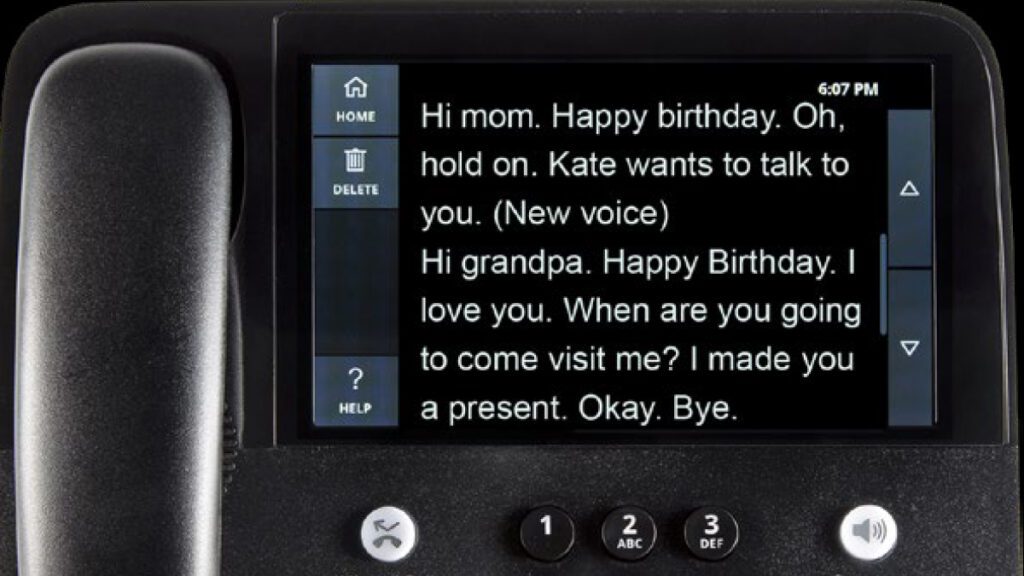
Call captioning transcribes one or both sides of a phone conversation into easy-to-read captions. The transcription is virtually real-time and uses a live captioning agent and/or automated speech recognition (ASR) or another voice recognition technology.  

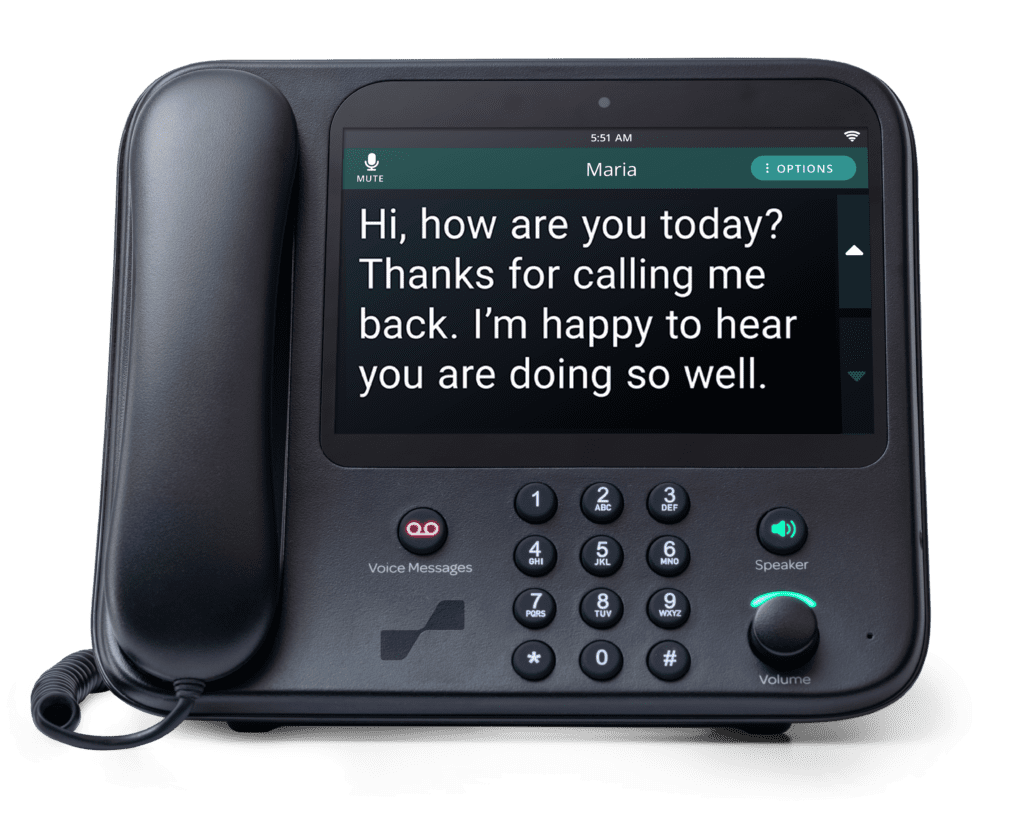
Close up of CaptionCall phone's screen displaying example text of a captioned phone call.

If you have a captioning app on a smartphone, you see captions on your phone’s screen. You can also use a captioning service at home with a specially designed captioning phone with a built-in screen. 

You can get call captioning service and a home phone with a captioning screen at no cost if you have hearing loss and need the service to effectively use the phone.  

Captioned calls over IP CTS are a critical tool if you’re hard of hearing. Its dependence on the internet can be a challenge, but newer phones and cellular data can help keep you connected. 

"It’s a marvelous invention. One of the best things that could happen to people with hearing loss."

— Lou

Not everyone has internet access

For people on a fixed income or living in a rural area, access to internet service with at least 25 Mbps download and 3 Mbps upload speeds continues to improve, but still falls behind access for other groups. In its last Annual Broadband Report, the FCC reports that 14.5 million Americans lack reliable high-speed internet access.  

Pew Research Center reported in 2021 that 43% of households with incomes below $30,000 annually lacked home broadband service.  

In another 2021 survey, the  Pew Research Center found that 7% of the general U.S. adult population doesn’t use the internet, but of the population over 65, 25% doesn’t use it. 

Even for people who have internet service, outages can knock out service for minutes, hours, or days. And Wi-Fi requires a power connection. So, if the power goes out, so does your internet. 

You don’t want to be in a situation where you need to make a call, especially during an emergency, and find that you can’t.  

Why a closed caption phone without internet is important

If you have hearing loss, call captioning empowers you to effectively use the phone. It’s a convenience and even a lifesaver. Especially when you’re in an isolated area or can’t reach out via online communication tools, a captioned phone or mobile phone with a captioning app keeps you connected.  

How to get captioned telephone service without internet access

Select call captioning phone services can give you closed caption phone access without an internet connection. Some use an analog-only connection, and some include a built-in access point, giving the phone the ability to create its own internet connection without the need for home internet service.

You can also get caption telephone service on your mobile phone. All you need is a captioning app and a smartphone with Wi-Fi or a cellular mobile data connection. 

Woman in bright home office sits in front of open laptop looking at her smartphone.

Note that Wi-Fi connections depend on having internet service, especially at home. Some merchants, public libraries, and government offices do offer free public Wi-Fi access.  

Almost all cell phones offer a mobile data connection. Just be aware that you might have a limited data plan that caps the amount you can use each month. If you go over your cap, you may pay extra. Ask your mobile phone provider for details about your plan or how to get a plan with unlimited data. 
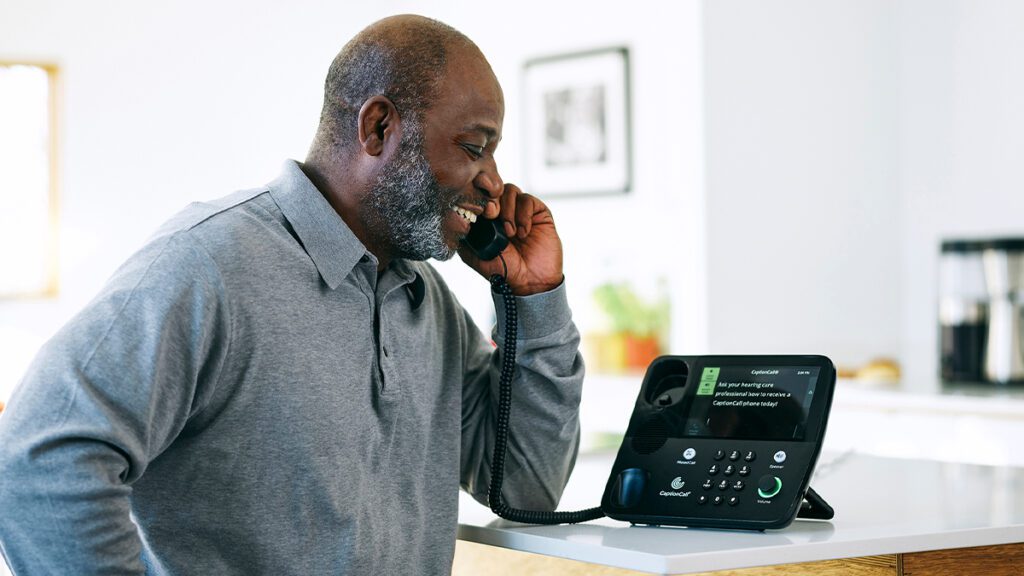
A mobile data connection also uses the internet over a cellular connection. If you’re in “dead zone,” you won’t be able to make a call. But 95% of the world’s population now has mobile broadband access. Chances are, you won’t hit dead zones too often. 

Whether your use a mobile phone or a landline home phone, you don’t need home internet service to make captioned calls.  

Here’s how to get a closed caption phone without internet 

Whether you have Internet service or not, you can get a closed caption phone at no charge to you, a family member, or friend.  

If the phone user has hearing loss that makes captions a necessity, they qualify for service and a phone from CaptionCall by Sorenson, the CaptionCall Mobile app, or similar products from other providers. As long as they qualify, there’s no cost for either service or the caption phone.  

Call captions without internet with CaptionCall by Sorenson 

If you, your family member, or friend live in a rural area, on a fixed income, or don’t have internet service, a CaptionCall captioning phone includes technology to create its own internet access point (that only the CaptionCall device can use) so you can connect without home internet service.    

Call 1 (833) 691-1600 to find out about no-internet call captioning solutions, or visit the CaptionCall page on the Sorenson website to learn more and sign up for an account.

Captioned calls without internet on your cell phone with CaptionCall Mobile  

You, your family member, or friend can also get captioned calls on a cell phone anywhere you have Wi-Fi or a mobile data connection. CaptionCall Mobile is a call captioning app available for phones with Android or IOS operating systems. 
Call +1 (800) 359-3186 or visit the web page to learn more about CaptionCall Mobile or download the app

Does CaptionCall Work on a Cell Phone? Is It Really No Cost?

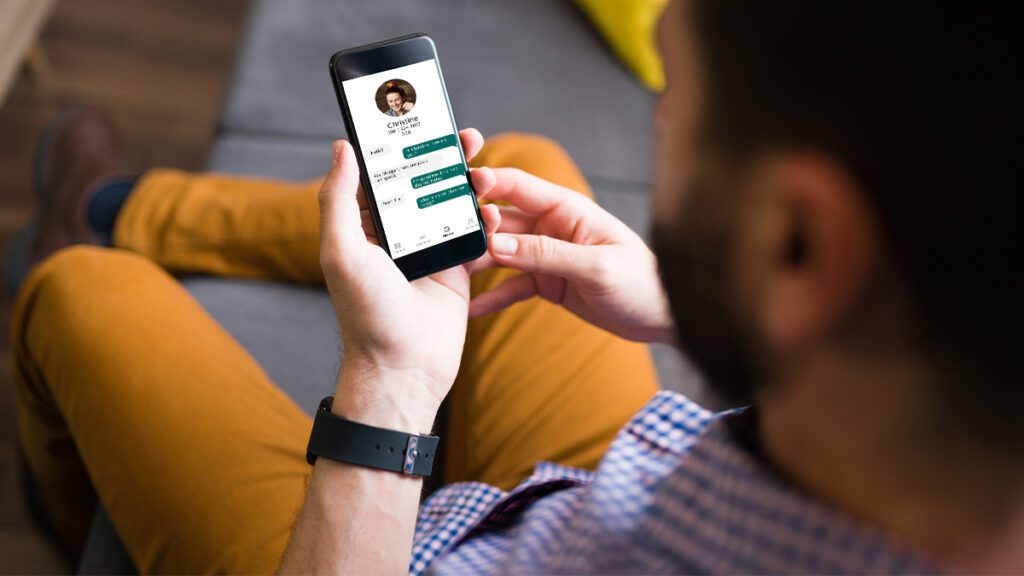
Man uses CaptionCall Mobile app on his smartphone while sitting on couch.

Call captioning is much like closed captions or subtitles on your TV or computer. It is also called assistive captioning. You can use it on a landline phone designed to support call captioning, and there are a variety of apps that give you the benefits of call captions on a mobile phone too.  

For example, you can get call captioning on your mobile device with the CaptionCall Mobile app. 

If you have hearing loss and require captions to use a phone effectively, you can get call captioning at no cost. That applies whether you use a landline phone, a cell phone, or both. 

What is call captioning? 

Call captioning is an internet-based relay service officially known as Internet Protocol Captioned Telephone Service (IP CTS). If you have hearing loss that that makes captions necessary to use the phone effectively, you can use it at no cost in the U.S through a Federal Communications Commission (FCC)-authorized IP CTS provider. 

How call captioning works 

Call captioning works by turning the spoken part of a phone conversation into easy-to-read captions that display on your cell phone screen or the screen on a specially designed landline phone. One or both sides of the conversation are captioned for the person using call captioning. The best captioning services and apps work in real time. That keeps conversations flowing at a natural pace.  

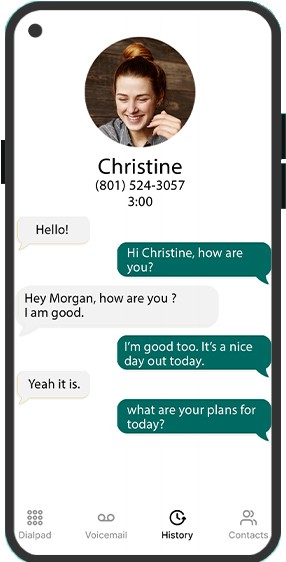
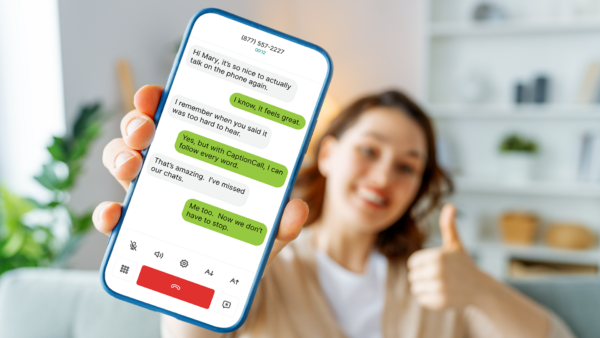
When using call captioning, you see a caption of what the person on the other side of the line says as they speak. Depending on the app or phone service you use, captions may be black text on a white screen, white text on a black screen, or look more like text messaging. If you use CaptionCall Mobile, each side of the conversation displays in a colored text bubble.  

Smartphone screen displaying example captioned call on CaptionCall Mobile app.Does call captioning work on any cell phone? 

There are a variety apps that provide call captioning on virtually any smartphone.  

Some cell phone operating systems let you turn on live captions and automatically see captions for calls, videos, and voice mails. Some enable captions only for video and other media.  

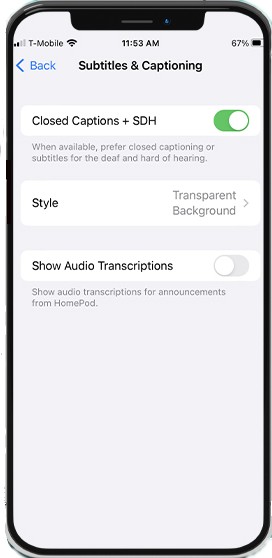
Try it for yourself, look for “Live Captions” your phone’s Accessibility settings.  

Note that live captions may not be as sensitive or accurate as an app specifically engineered for phone calls.  

Smartphone screen displaying example bill.Is Call Captioning no cost? 

If you have hearing loss that necessitates the use of telephone captions to talk on the phone, you can get call captioning at no cost through an FCC-authorized IP CTS provider. The U.S. federal government manages a fund to cover the cost for FCC-certified services.  

Before you can use an FCC-certified service on your home phone or cell phone, you need to create an account. When creating the account, you self-certify that you’re hard-of-hearing and need call captioning to reliably use the phone. 

Captioned calls bill to the FCC thanks to a provision of the Americans with Disabilities Act (ADA). As part of the ADA, the U.S. government established a fund to provide call captioning service at no cost to people who need it. 

The funds the FCC uses come from surcharges on all telephone bills. You contribute to this important service every time you pay a phone bill.  

Smartphone screen displaying settings page titled Subtitles & Captioning.What are the benefits of Call Captioning? 

If you have hearing loss, you can more easily have phone conversations with friends and family using call captioning. You don’t miss crucial parts of the conversation or have to ask the person you talk with to repeat themselves or speak up. You’re empowered to use the phone and can communicate with your friends and family, customer service, doctor’s office, and make appointments for yourself.  

When you use call captioning, you can also understand conversations more easily. Studies show assistive captioning increases comprehension for people with hearing loss.  

“I used to dread phone calls and now I'm so relieved.”

A CaptionCall Mobile customer review

The best services, like CaptionCall by Sorenson, include a live captioning agent to get the most accurate and near real-time captioning possible. And apps, such as CaptionCall Mobile, use automatic speech recognition (ASR) technology without an agent. Some people prefer the privacy of not having a live agent on the line. 

If you don’t have hearing loss, you can still benefit from closed captions, live captions, subtitles, and call captioning — though you aren’t eligible for FCC-funded call captioning services. If you work or play in loud environments where hearing a call is difficult and want to use captions, try your phone’s built-in accessibility options. There are also no cost apps and paid apps you can try.  

What is CaptionCall? 

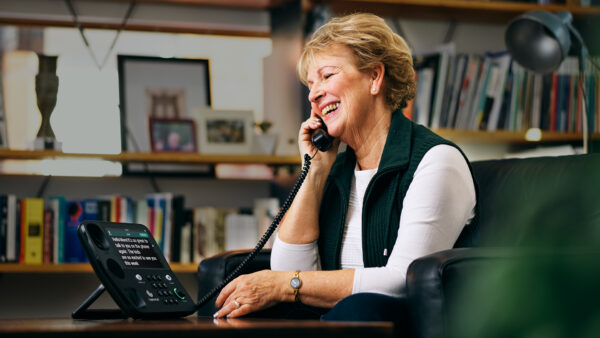
CaptionCall by Sorenson is an FCC-authorized captioned home telephone service. It uses a specific landline phone designed to support call captioning. You get the phone from Sorenson at no cost as part of your CaptionCall service. We even offer to install it and show you how to use it with our popular Red-Carpet Service. When you sign up — and certify you need call captioning to use the phone because of your hearing loss — you can schedule an install and demo of the CaptionCall service and phone.  

The CaptionCall service and phone allows you to read what your caller says and listen to your caller’s voice at the same time, so you don’t miss anything.  

Woman in bright home office sits in front of open laptop looking at her smartphone.

When you make or receive a call using CaptionCall, a live captioning agent automatically connects to your call. The agent uses voice-recognition technology and manual corrections to turn your phone conversation into captions. 

Combining technology and human transcription lets CaptionCall by Sorenson deliver the most accurate captions possible. Sorenson follows strict confidentiality regulations from the FCC.

What is CaptionCall Mobile? 

CaptionCall Mobile is a mobile app that brings call captioning to your cell phone in real-time. You use your cell phone to have natural conversations without any delays or lag. And you can have call captioning anywhere you have mobile data service — you don’t have to depend on Wi-Fi.     

“I'm deaf and can finally answer calls after 30 years of never answering.”

CaptionCall Mobile doesn’t use live agents. Instead, it uses the highest quality automatic speech recognition (ASR) technology available. Some people prefer conversations without a live agent—even though CaptionCall agents never record or share your calls. 

Just like with CaptionCall, CaptionCall Mobile also gives you access to full call transcripts in your phone’s history. Only you can access those transcripts.

Black Deaf History Claims Space at Gallaudet University’s Center for Black Deaf Studies

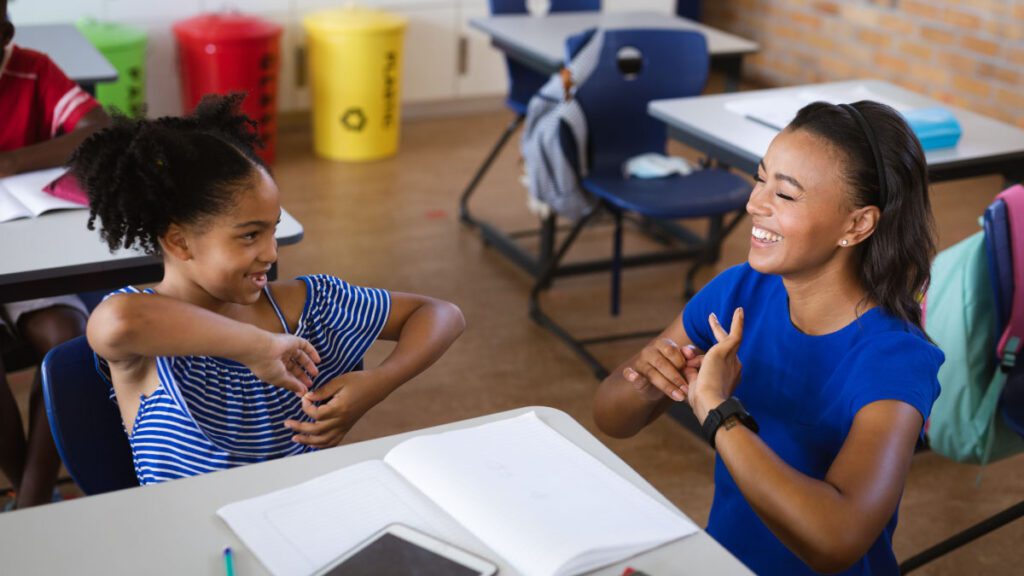
Black teacher and young black student use sign language to communicate in classroom.

Think fast: 

Name two influential or famous Black people. 

Now name two influential or famous Deaf people. 

Next, name two influential or famous Black Deaf people. 

That exercise gets more difficult with each step. Why is that? 

Representation for Black, Deaf, and Black Deaf culture

Decades of advocacy have slowly, but surely gained traction to give due credit to Black contributions and accomplishments. Black History Month is now widely celebrated, spotlighting the role of Black people — individually and collectively — in our social and cultural development, spanning the arts, sciences, and political spheres. Still, broad recognition wanes every year when Black History Month ends. 

Deaf history-makers receive less mainstream attention, but momentum is building for greater Deaf visibility in media. Through greater availability of interpreting and captioning services and more consistent consideration of accessibility and inclusion, more Deaf and hard-of-hearing people are staking their claim in shared public spaces. Sign language users are showing up in growing numbers in TV and movies, advertising, and social media. 

Black Deaf individuals exist at the intersection of these identities and live an experience that is unique, overlapping, and historically absent from discussions and movements involving marginalized groups. That’s more than a minor oversight; representation matters, and generations of Black Deaf people have gone without it. 

Spurring change with the Gallaudet Center for Black Deaf Studies

Dr. Carolyn McCaskill.

In 2020, Gallaudet University opened its Center for Black Deaf Studies, a turning point in documenting and sharing Black Deaf history and recognizing its significance in broader Deaf culture. The center was years in the making — a labor of love for national Black Deaf advocates like Dr. Carolyn McCaskill, a professor in the Deaf Studies program who serves as the center’s director.

An advocate for Black Deaf visibility

Three years after the Gallaudet Center for Black Deaf Studies opened, Dr. McCaskill talked to us about what it means for the Black Deaf community and our collective knowledge of the rich history of Black Deaf culture. She talked to Sorenson’s Vice President of Brand Marketing, Ryan Commerson — a Gallaudet alumnus and former student of Dr. McCaskill — about the importance of the Center for Black Deaf Studies, Black ASL, and her own experiences:

Ryan: So, I want to say thank you, Dr. McCaskill, for meeting with us. Your reputation precedes you. I’ve known about you for a long time, I used to be your student.

Carolyn: Yes, we have, and I do remember you well.

Ryan: (laughing) Yeah, because I remember you telling us a little bit of, if you don’t mind telling us a little bit about the Center of Deaf Black Studies?

Carolyn: Sure. So, the Center for Black Deaf Studies, CBDS, in brief, was founded in the year 2020. It feels like we’ve been largely overlooked. In general, people don’t know much about our very rich history.

People do know American History in general, White History, people know Black Hearing History, and people know White Deaf History, but what people don’t know about, is Black Deaf history. And there’s very little information out there. Not much has been documented about our experiences, and when you go into libraries, you just don’t see much.

And I wanted the Center for Black Deaf Studies to really spotlight our history, and who were the contributors, and who were the people who had very important roles in our history? And so the Center for Black Deaf Studies serves as a place where…It’s a clearinghouse. Where people can reach out to us and inquire about Black Deaf teachers, and we can give names, and we can provide backgrounds, and we can explain where they’re from.

People reach out to us about Black Deaf artists, and we’re more than happy to share with them Black Deaf artists or Black Deaf business owners. You know, sure, we’re we’re happy to help with that. And so, we are a contact place for information for all of those types of things where access to information is available.

And I wanted the Center for Black Deaf Studies to support different cultural events, whether they be on campus, maybe sometimes in partnership with other organizations in supporting their work.

And I really wanted the Center for Black Deaf Studies to also serve as a place of research. There’s so much. There’s so much research that needs to be done, and Black ASL, the book that was published, I have it here, The Hidden Treasure of Black ASL, is one of three — well, I’m one of four authors for that book, and basically this is just a scratch on the surface. There are a lot of more important works that need to be done, and have yet to be done.

And so my hope is that we can encourage others to continue in their curiosity. I’m hoping to inspire people to want to continue this legacy, and if they want to research, I want to support them.

Bringing Black ASL to the forefront

Ryan: I remember your work some time ago when you were…basically you’re the pioneer, the trailblazer, for Black ASL, and so if you could elaborate a little bit more on that?

Carolyn: When it was time to have the discussion about what my dissertation would be about, I honestly had no idea, Ryan, of what it would be about. And it just so happens that I was in a conversation with my professor, Dr. Roz.

Ryan: Yes.

Carolyn: So we had a discussion about Black Deaf Schools and how we signed differently, and Dr. Roz had never heard me talk about this. Dr. Roz said, “Wait, you went to a Black Deaf school?” and I said, “Oh, yes, absolutely.” And they said, “Well, you have to write about it.” And I said, “Really?”

And I realized that through my lifetime, I had really suppressed my experiences. And I was ashamed of my history, quite embarrassed. And I think I felt embarrassed because I was never encouraged and supported to talk about it. And I didn’t really feel that anyone would be interested in hearing about my history.

And so, I got into an explanation about my history and they said, “Go for it!” And I said, “Really? Me?” And I said, “Okay, so how can I do this?”

And so, my dissertation committee had a discussion, and I told them, I said, “I think that I would be able to contact people that I would be able to interview.” And they said, “Go, go, do it, do it!” And so I did, and the rest is history.

And then I was able to defend my dissertation, and this is Dr. Cecil…

Ryan: Yeah, I remember them.

Carolyn: He happened to watch and was fascinated. And they came up to me and said, “Let’s work together.” And so we partnered, which was nice. The interpreting department at Gallaudet, and Linguistics Department, and Deaf Studies collaborated.

And so we wrote a grant, Spencer’s Foundation money. And so that money, in fact, helped me travel to six different states in the South doing several interviews. And that’s how I collected the data, and then published the book in 2011.

And so it is quite interesting that this book, being published in 2011, you know, we’ve gotten a lot more recognition as of lately, 2020, 2022, you know, 2023, and I think people are learning more and more about it, and they’re quite fascinated.

The Black Deaf Community itself is experiencing a joy that they’ve previously been ashamed about. And, you know, they’re like, wow, my language is beautiful. I’m empowered to be myself and it’s okay. And it’s okay that I say this and I talk like this and “my girls” and “my man” and this and that, and it’s like, yes, do that, do that.

And then we did a film. We did a film based on the book. And this film is a documentary called Signing Black in America.

(music playing)

And it’s now available on YouTube, and again, it’s called Signing Black in America. So, it’s really nice that we have that in conjunction with the book about Black ASL.

And people often ask me, you know, “Where can I take a class and learn, are there classes to learn Black ASL?” And I have to tell them, “I’m sorry, there are no classes available.”

Look, never say never. I do believe that a class will come up in the future, someone who’s really motivated and passionate about establishing classes, but as of now, there are no classes available. And yeah, no classes available on Black ASL.

Ryan: You’ve created a legacy, and your legacy will continue on, expanding through the times.

And now with this CBDS, you have a physical location where people can contact, get resources,  go study various majors. The CBDS vision of what you can imagine, and seeing that an actual real life impact that this center has.

Carolyn: Yeah, what I will say first is that I’m really grateful. I’m extremely grateful to have had the opportunity because when I was a kid, I had no idea. I had no idea.

When I went to public school and my hearing began to worsen. I went to the School for the Deaf, Black Deaf School in Alabama, and I had no idea about what my future looked like.

I couldn’t think about going to Gallaudet. Are you kidding me? No way!

And so when I look back on this life that I’ve been on, this journey, I want this to be a place where parents, students, can feel inspired and moved to do something that they’ve always wanted. And so parents can support them in that. My mother, my mom, was a staunch supporter of me and my sisters, and my cousins, and I’m grateful for that.

And so getting back to what I envision for now, we’ve got a lot of work to do. But this March 28th, 29th and 30th, and April 2nd, we will be hosting our first ever Black Deaf Studies Symposium.

Ryan: Yes.

Carolyn: And this will be the first time that we’ve hosted this event.

Black Deaf scholars with advanced degrees

Ryan: How many Black Deaf people or individuals have a Ph.D.?

Carolyn: I would say back in 2005, I was number eight, but now when I think about Black Deaf individuals with PhDs, it’s about 30. So that number is increasing, more coming through the pipeline.

Ryan: It’s still small, but it’s still growing in comparison with the entirety of the rest of the world, but like you said, there is more work to do.

Carolyn: Absolutely.

What’s next for the Center for Black Deaf Studies

Ryan: And what are you hoping that the center is going to accomplish in the next, let’s say, two to three years?

Carolyn: My hope is that we continue to fundraise money that it takes to support the center.

We recently hired Lindsay, who is our first Black Deaf scholar researcher. And so we hired for that position, and so we continue to add more positions. And really, like I said earlier, there’s a lot more work that’s needing to be done. We need a videographer to document the oral history, and so we want to do that.

Ryan: So, the Center of Deaf Studies, and then there’s Black Deaf Studies. Could you elaborate a little bit more why there is value in having its own Center for Black Deaf Studies? You know, to follow that distinction from the other Deaf Studies.

Carolyn: Well, I’m happy you asked Ryan, because I didn’t mention it to you, but last year we finally founded, established a Black Deaf Studies minor at Gallaudet.

Ryan: Oh, I didn’t know that.

Carolyn: We did. We finally established that, and that was based on the student population expressing their interest and desire.

Many students said they come into Gallaudet, and Gallaudet is a predominantly white institution, and they felt, “Where in the curriculum can I learn about myself, as well as others learning about them as well?”

Ryan: Thank you so much, Dr. Carolyn McCaskill. You are leaving behind a huge legacy.

Carolyn: Thank you so much, and I couldn’t do it without support.

So thank you too, to everyone who has supported me, my department, the Center for Black Deaf Studies, for giving me the opportunity, really.

Why Black Deaf Studies matters: A defining moment

The creation of the Center for Black Deaf Studies and the launch of Gallaudet’s new minor in Black Deaf Studies set the stage for the center’s spring 2023 symposium, Why Black Deaf Studies Matters: A Defining Moment.

“Black Studies scholars will use a Historically Black Colleges and Universities (HBCU) lens to address the urgency for scholars to engage in the scholarly study of Black Deaf people to further advance the knowledge base of the field.

Deaf white scholars in the field of Deaf Studies to discuss the challenges that historically kept Black Deaf people on the fringes of academia.”

Sorenson is sponsoring the event, a continuation of its support for the Center of Black Deaf Studies. In 2022, Sorenson gifted a $3 million endowment to Gallaudet to support expansion of the center and its initiatives.

Louise B. Miller Pathways and Gardens: A legacy to Black Deaf Children

One of those initiatives is the creation of the Louise B. Miller Pathways and Gardens: A Legacy to Black Deaf Children, a memorial and walking path.

The project honors Louise B. Miller, a mother who sued the D.C. Board of Education in 1952 on behalf of her Black Deaf sons and other Black Deaf children whom existing law prevented from receiving an education in the District of Columbia, though white Deaf children could attend Kendall School on the campus of Gallaudet University. Her legal victory in U.S. District Court spurred the opening of Kendall School Division II at Gallaudet in 1953 for Black Deaf children and set the stage for Brown v. Board of Education, the landmark Supreme Court case in 1954 that ended racial segregation in schools.

Celebrate Black Deaf history

Just like with any other cultural appreciation, how you celebrate Black Deaf history is up to you. You could do some research and meet the challenge we presented at the top of this page: name two influential or famous Black Deaf people. For example, Dr. McCaskill pointed out she was the eighth Black Deaf person ever to earn a PhD in 2005; do you know who was the first? It was Dr. Glenn B. Anderson, who earned his doctoral degree from New York University in 1982. Seven more Black Deaf scholars followed in his footsteps over the next 23 years. However, as Dr. McCaskill mentioned, a dozen more achieved that accomplishment between 2005 and 2022.

Black hands fingerspelling "BASL."

Learn Black ASLWhile Gallaudet University — the first and most prominent institution in the world dedicated to Deaf higher education — does not offer courses in Black American Sign Language (yet!), there are resources out there to learn the intricacies of Black ASL vs ASL. Many are informal guides on social media from individuals who use Black ASL themselves.Black ASL is one of several dialects of ASL, just as there are multiple dialects of spoken English in the U.S. This isn’t unique to American Sign Language, either; for example, British and French Sign Language both have Black dialects as well.Diverse sign language interpretingBecause Sorenson serves people from every regional and cultural background in the U.S. — and around the world, for that matter — our powerhouse interpreting team reflects a diversity of ASL dialects.When scheduling Sorenson video remote interpreting or on-site interpreting services you can specifically request an interpreter to meet a variety of special needs, including race, gender, English/ASL or Spanish/ASL or trilingual, as well as specialized training for legal interpreting, Deafblind interpreting, language deprivation (Certified Deaf Interpreters), and STEM subjects.

Honoring Black Deaf History as Part of Black History Month

Black History Month

Each February is Black History Month in the U.S. But there’s another side of Black history in the U.S. that many don’t consider: Black Deaf history.

About Black History Month

The origin of Black History Month dates to 1926. It was then that Dr. Carter G. Woodsen, the founder of the Association for the Study of African American Life and History dubbed the second week of February “Black History Week.” He chose the second week of February to honor Abraham Lincoln’s and Frederick Douglass’ birthdays.

With time, the week evolved to a month that includes a unique Black History theme each year. U.S. presidents have recognized the month and theme since 1976.

Black History Month’s purpose is to recognize the achievements and contributions of Black Americans to the U.S. and its history and culture.

The intent of the theme is to examine and recognize a different aspect of Black history each year. The theme for 2023 is “Black Resistance.” It honors and explores Black Americans resistance to historic and ongoing oppression.

Black Deaf History

20% of the world’s population lives with hearing loss. And just as there’s a Deaf community and history, there’s a Black Deaf community and history too. Deaf Americans and Black Americans have been marginalized and oppressed, and Black Deaf people feel that even more so as members of two underrepresented communities.

Historically, Black Deaf students weren’t allowed to integrate with white Deaf students and white schools the U.S. That restriction led them to develop Black American Sign Language (BASL), a dialect of American Sign Language (ASL).

Recognizing diversity and inclusion for the Deaf and Black Deaf communities

Sorenson as a company is committed to diversity and inclusion for the Black Deaf, Deaf, and other underrepresented communities and cultures. We’re committed to expanding services to these communities. We’re also the largest private employer of sign language interpreters in the U.S. and made the Forbes’ list of Best Employers for Diversity 2022.

As long as Sorenson has been providing language services, we’ve worked closely with Gallaudet University — a private university for students who are Deaf and hard of hearing.

Sorenson’s first video relay service call center to serve the Deaf was on the Gallaudet campus. And in June 2022, Sorenson and Gallaudet created a strategic partnership. It includes initiatives to enhance the collaboration between the Deaf and businesses and institutions.

The first initiative is a $3 million endowment gift from Sorenson to support Gallaudet’s Center for Black Deaf Studies.

Sorenson staffers speak up to honor Black History

Sorenson wants to magnify the voices of past and present staffers who are members of both the Black, Deaf, and Black Deaf communities and/or provide services to these communities.

We share their voices to honor their pride in their history and for taking action to create a better future for marginalized communities during Black History Month and all year.

Kynesha Hicks headshot.Kynesha Hicks, PAH Video Interpreter/SCIS Interpreter

For some, Black History Month is a 28-day moment in our busy annual calendars. For others, it’s a daily celebration of our lives, our children, our ancestors, and the Black heroes alive today, and their immeasurable contributions to America.

It’s a time to respectfully salute, celebrate, and honor Black Americans who’ve led, taught, fought, and sacrificed to improve our country.

It’s also a call for us to be a part of history by consciously re-evaluating our individual mindsets, socially engaging in respectful discussions, and organizing through action to contribute to our own legacy.

We all need to join in the year-long journey to recognize the significant contributions Black Americans have made and continue to make — to our society, history, culture, and future.

It’s through our increased empathy, understanding, and open-mindedness within our inner circles that we can truly begin to honor Black History, and move our country forward together.

Pamela Smith headshot.Pamela Smith, Video Interpreter

Growing up, my mother told me stories about her grandfather, Isaac Dickson. He had a very remarkable life as a freed slave and had a direct impact on the City of Asheville, North Carolina, after the Civil War. There’s a school named after him in Asheville.

I always wanted to do a better job with the exact details of my heritage, but a parent from the school did the research in the archives and saved my family a lot of time and hard work.

I have a photocopy of the “safe passage” artifact, which is a very treasured item. It was signed by leaders of Cleveland County, North Carolina, to give my great-grandfather safe passage to Morganton.

I’m proud to have descended from such a wonderful legacy. I wondered where my “trailblazing” character came from. I believe it’s from this man.

Robert Feggins headshot.Robert Feggins, Video Interpreter

I celebrate Black History Month by doing research on different people who’ve inspired change and created opportunities for themselves and others.

Every day during the month of February, I learn about people past and present who’ve made or are making an impact for the Black and Black Deaf communities. When I can, I share what I learn with my family and on social media.

Valerie McMillan headshot.Valerie McMillan, Regional Trainer

For me, Black History Month means we take the opportunity to emphasize the importance of our trailblazers and the significant contributions they’ve made in hopes that we can have a brighter tomorrow.

I celebrate Black History Month to focus on all the positivity that’s come from our ancestors (past, present, and future). I incorporate not only Hearing Blacks but anyone in the Deaf/Deaf-Blind/Interpreter Communities. I also honor those that created any type of movies related to our communities by watching them more at that time.

Growing up being an OH CODA (Only Hearing Child of Deaf Adults), I had to interpret a lot for my family.  And I had not once seen a Black interpreter. At that point, I declared I would be the first Black Interpreter.

Now, we know I wasn’t the first, but in my world I was. Not only did I become one of the first Black Certified interpreters in North Carolina but I assisted with setting up North Carolina Black Deaf Advocates Chapter #30 (NCBDA in 2005 and National Alliance of Black Interpreters of North Carolina in 2006). This gives both communities a place to learn, feel accepted, and grow individually as well as collectively.

Ashly Drumwright headshot.Ashly Drumwright, Video Interpreter

As a CODA (Child of Deaf Adult), the way I celebrate Black History Month is by educating my daughter with daily projects. We look up different Black people who’ve impacted our lives in one way or another, outside of Martin Luther King Jr., Rosa Parks, Harriet Tubman, and so many others. We research which  local Blacks have made a difference here in the state of Maryland where we live.

But, Black History Month isn’t just in February. It’s all year round for my family.

Angela Littleton headshot.Angela Littleton, Video Interpreter

A moment that made me think of Black History Month differently is when I was doing a play about redlining and had to do research about it. It was something that I didn’t know about and it changed my perspective of the world.

I asked my parents about their experience when they settled in New York, and it further opened my eyes that there is so much that I still don’t know about our history. Now, I’m much more curious and actively seek out Black history.

Dr. Teela Davis-Umukoro headshot.Dr. Teela Davis-Umukoro, Video Interpreter

I celebrate Black History Month indefinitely!

I continue to learn more about who I am and where I come from. So much has been hidden from us as a people. Thus, I never wait for the “month”. I remain ever committed to peeling back the layers of our legacy.

How Assistive Captioning Benefits Adults with Age-Related Hearing Loss

Audiologist administers hearing test to older man.

Roughly 25% of Americans aged 65 to 74 have age-related hearing loss. After the age of 75 that number increases to 50%.1 Age is the strongest predictor of hearing loss in adults, and age-related hearing loss affects quality of life more than most people realize.2 One of the effects of hearing loss is that when people with hearing loss struggle try to hear, their ability to comprehend and remember speech decreases. The increased effort to understand is a hidden effect of hearing loss — one that’s critically important in understanding the challenges that anyone with hearing loss deals with.3 One way to help people with hearing loss is with assistive captioning.

What is assistive captioning and how does it help?

Assistive captioning, or closed captioning, is an assistive technology that transcribes speech or speech and sound into written text. Captioning includes:

  • Subtitles that translate spoken words to written content. Subtitles are common for translating one language into another.
  • Closed captions that translate spoken words and contextual sounds and actions into written content. Closed captions are ideal for viewers who have very limited hearing or are Deaf.
  • Call captioning that translates what a speaker says on a phone call into written content. Call captioning requires a phone designed to show captions on a screen or an app that can add captions to a call on a smart phone

Captioning benefits people with hearing loss by:

  • Improving perception, comprehension, and memory, even when there’s background noise.
  • Helping them interpret sounds and speech more clearly and quickly.
  • Helping them understand sounds and speech, sometimes even better than with the use of hearing aids.3

Studies have looked into how captions benefit adults with age-related hearing loss. Four of these studies showed how captions give adults with age-related hearing loss a way to overcome the challenges caused by struggling to hear.

Captions and comprehension

In the one study, researchers asked participants to listen to a list of numbers. The first half of the list was presented without distracting background sounds. The second half was presented with background noise. After participants listened to both halves of the list, they were asked to repeat the entire list of numbers.

Researchers found that listeners tried so hard to hear the numbers said with background noise that most forgot the beginning of the list.4

This study showed that adults with age-related hearing loss can have a harder time understanding sounds with background noise. The conclusion was that background noise interferes with comprehension and memory. The findings present a strong argument for ensuring aging adults with hearing loss have access to tools, such as assistive captioning, to help them struggle less and better understand sound and speech.

Seeing and hearing are key

Researchers in the second study had participants listen to sentences that varied in complexity. They found that older adults with hearing impairments struggled with comprehension and recall of sentences when spoken quickly, even though they accurately perceived what was said.5

The study shows that perception, comprehension, and memory of speech improve for adults with age-related hearing loss when they can see and hear what’s said.

Other studies show that even just a one decibel (dB) improvement in signal-to-noise ratio corresponds to a 10% increase comprehension and memory.3

The improvement in this second study equaled a speech-to-noise ratio improvement of as much as 15 dB, which led to a significant increase in comprehension and memory.

Words and sounds work together

In a third study, researchers showed participants two videos with captions and sounds. In the first video, the captions and sounds matched. In the second video, the captions and sounds didn’t.

The results of the study determined that sounds and words (such as captions in a conversation) complement each other to help listeners understand sounds better and to hear sounds more clearly and quickly.6
Series of hearing aids in white, grey, and various skin tones.

The benefits of captions versus hearing aids

In the last study, researchers determined that real-time closed captioning of speech in television improves comprehension for adults with hearing loss. The study also showed that the benefits of captions outweigh the benefits of hearing aids. In fact, hearing aids provided no benefit to recognizing words when captioning was available.7 This study shows just how important captions are for hearing loss.

Assistive captioning for phone conversations

Call captioning, like CaptionCall, transcribes phone calls in real time so users can read the conversation. Call captioning, such as that provided by CaptionCall, provides advanced call captioning for phone calls. Assistive captioning for phone calls lets anyone with hearing loss necessitating call captioning better comprehend, remember, and actively participate in conversations, even when there’s background noise. Call captioning is also available at no cost.
Series of hearing aids in white, grey, and various skin tones.

Learn more about how CaptionCall by Sorenson and CaptionCall Mobile can help anyone with hearing loss, including adults with age-related hearing loss.

Sources

  1. Quick Statistics About Hearing, Balance, & Dizziness
  2. Declining Prevalence of Hearing Loss in US Adults
  3. Text Captioning Buffers Against the Effects of Background Noise and Hearing Loss on Memory for Speech
  4. Rabbitt, P. M. (1968). Channel-capacity, intelligibility and immediate memory. Q J Exp Psychol, 20, 241–248.
  5. Wingfield, A., McCoy, S. L., Peelle, J. E., Tun, P. A., Cox, L. C. (2006). Effects of adult aging and hearing loss on comprehension of rapid speech varying in syntactic complexity. J Am Acad Audiol, 17, 487–497.
  6. Frost, R., & Katz, L. (1989). Orthographic depth and the interaction of visual and auditory processing in word recognition. Mem Cognit, 17,302–310.
  7. Gordon-Salant, S., & Callahan, J. S. (2009). The benefits of hearing aids and closed captioning for television viewing by older adults with hearing loss. Ear Hear, 30, 458–465.

How to Turn on Closed Captioning for Streaming Content

Woman in living room watches television with subtitles on.

Closed captions and subtitles show the dialogue and/or audio portion of a program as text on your TV, computer, or phone screen. They’re an important usability aid whether a viewer is hearing, hard-of-hearing, or Deaf. A 2022 survey found that 50% of Americans regularly use subtitles when watching content.1

The Federal Communications Commission (FCC) requires closed captioning on TV, but how do you turn on closed captioning for streaming services and devices?2 It’s not hard. And, if you’re in a typical American household, you watch 5.4 streaming services a month. So, you may need to set up captions multiple times.3

In this guide, we show you how to turn captions on across the most popular streaming services, Pay TV  providers, and streaming devices.

Once you get captions set up, you won’t miss a moment of dialogue even if you’re hard-of-hearing or Deaf, or when the dog barks, the kids holler, or you need to jump on a phone call.

Read on to find out how to turn captions on or jump straight to your provider or service.

Netflix | Amazon Prime Video | Hulu | Disney+ | HBO Max | Paramount+ | Peacock | Apple TV+ | YouTube | Xfinity | Spectrum | Cox | DirectTV | DISH | Amazon Firestick | Chromecast | Roku | Apple TV

What are closed captioning, subtitles for the Deaf and hard of hearing and subtitles?

Closed captions and subtitles are common terms. People often use them interchangeably, but they are not the same.

  • Closed captions show words on the screen for spoken dialogue, intention, and tone, as well as descriptions of unspoken sounds, which creates full context for the viewer.
  • Subtitles simply translate and show spoken dialogue and are targeted at users watching content in a language other than their native language. They are a good alternative when full closed captions are unavailable.
  • Subtitles for the deaf and hard of hearing (SDH) combine subtitles and closed captions. SDH is often available when closed captions aren’t.

Now let’s dive in to how to turn on closed captions on TV shows and streamed content.

How to get closed captions on TV video streaming services

Video streaming services are the most popular way to watch TV content today. 78% of U.S. households subscribe to Netflix alone.4 Whether you use Netflix or the next most-popular service, Amazon Prime Video — or both — here’s how to turn on closed captioning.

Keep your eyes open for this symbol or this one as you set up captions.

Woman in living room watches television with subtitles on.

Turn on captioning for Netflix

Getting started with Netflix closed captions or subtitles on any device is easy. Simply follow the steps below.

Hint: To turn captions on for all shows, start with an adult profile (not a kid’s profile) and pick a show with a maturity rating for teens and older. Then watch for at least 2 to 3 minutes to save your preferences for future shows.

For mobile phone, tablets, and Mac or PC computers:

  • Open Netflix.
  • Pick a show to watch.
  • Push play.
  • Tap or click on the screen.
  • Select audio & subtitles.
  • Turn on subtitles or English (CC) for closed captioning.

For smart TVs, Blu-ray players, or gaming system, and streaming media player:

  • Open Netflix.
  • Pick a show to watch.
  • Push play.
  • Press your remote’s up or down arrow to select audio & subtitles.
  • Turn captions on or off and select your preferred language.

On Apple TVs:

  • Open Netflix.
  • Pick a show to watch.
  • Push play.
  • Swipe down on the remote (Apple TV 4 and 4K) or hold down the remote’s center button (Apple TV 2 or 3) to select Audio & Subtitles.
  • Turn captions on or off and select your preferred language.

Netflix offers up to seven language options for subtitles and closed captions. They depend on your location and language settings. If you don’t see your preferred language, subtitles or closed captioning isn’t available for that language yet.

Using Amazon Prime Video with captions

Amazon Prime Video is Amazon’s on-demand streaming service. Up to 66% of U.S. households subscribe.5 All Amazon Prime members get free access to Amazon Prime Video. Available content includes movies, TV shows, sporting events, and the ability to combine Prime Video with other popular streaming services, such as HBO Max, Paramount+, and Discovery+.

Adding captions or subtitles to Prime Video is quick and simple from the Prime app. 

First select the language you want to see captions or subtitles in:

  • On a show, select the overview screen.
  • Select subtitles.
  • If subtitles are available in your language, you’ll see the closed caption or subtitles symbol.

 To see subtitles or closed captions for a show that supports them:

  • Open the Amazon Prime Video app.
  • Select a show.
  • Push play.
  • On the playback menu, select the closed caption or subtitles symbol.
  • You may need to hit the enter button on your remote or controller to access the playback menu.
  • Turn subtitles on (or off) and select a language.

Amazon Prime Video and many other services give you the added benefit of letting you modify the size and color of captions and subtitles. You can do that under the Subtitles Settings menu. 

Access closed captions for Hulu

Hulu is another favorite streaming service of U.S. households with more than 40 million subscribers.6

To use subtitles or closed captions on Hulu-supported TV or TV-connected devices where available, simply:

  • Select a show.
  • Push play.
  • Press the up button or swipe down on your remote to open the playback bar.
  • Press or swipe up to open the settings menu.
  • Under captions & subtitles, select on or off.

On supported mobile devices:

  • Select a show.
  • Push play.
  • Under subtitles & captions, tap auto, on, or off.
  • Tap the X to save your preferences and return to your show.

On supported mobile devices:

  • Select a show.
  • Push play.
  • Click to enter the subtitles & captions menu.
  • Choose a language for your captions or select on.

A nice benefit of subtitles and closed captions on Hulu is that you can choose English or Spanish, when available, format captions, and each profile can manage captions independently. They can also be turned on and off based on the content being watched.

Disney+ with closed captions

Disney+ is every streamer’s one-stop shop for shows from Disney, Pixar, Marvel, Star Wars, and National Geographic. It has 152 million subscribers around the globe.7

To keep up with its global audience, Disney+ supports closed captions and subtitles in up to 28 languages.

Woman in living room watches television with subtitles on.

Setting up subtitles and closed captions on Disney+ is straightforward. Here how to do so on any device:

  • Select a show.
  • Push play.
  • Open the audio & subtitles menu icon (usually located in the top right corner of the screen. Actual location depends on the device).
  • Choose the language you want to see captions in.

It’s that simple to watch Disney+ content with closed captions.

You can also format captions and subtitles for Disney+ on a variety of devices, including those running iOS and Android, Smart TV, streaming devices, the web, and Xbox or PlayStation.

Subtitles with HBO Max

About 73.8 million people worldwide subscribe to HBO and HBO Max.8

Today, subscribers can only access closed captioning in English. And turning captions on for HBO Max varies slightly based on the device you’re using. For details on your specific device, visit the HBO Max Help Center. Here’s the basic process.

  • Start watching a show,
  • Click the screen or the Select button on your remote.
  • Select the Audio and Subtitles icon.
  • Choose English CC.
  • Click X or press the back button to save your changes.

If you want to change the captioning style, choose your profile, then Settings, choose Closed Captions and/or Manage Preferences.

Paramount+ captions

Paramount+ supports closed captions. Turning them on varies depending on the device you’re watching Paramount+ content on. Regardless of device, you turn them on through the Accessibility menu. Look for Subtitles and Captioning, Subtitles, Captions, Closed Caption, or Caption Mode to turn closed captioning on.

How to use subtitles with Peacock

Peacock is NBC’s streaming app. It offers free and paid plans. More than 20 million people watch Peacock each month.9

You can access subtitles on Peacock, but not true closed captions. Find out how to use subtitles with Peacock.

Man looking at streaming service menu on tablet screen.

Apple TV+ with subtitles

Apple TV+ is Apple’s streaming service. You can watch it on Apple devices, the web, and through other services and streaming devices.

Apple TV+ supports only subtitles for individual shows if available. You can turn closed captions and SDH on by default and see them if/when available for specific content.

Seeing captions on YouTube and YouTube TV

You might think of YouTube as simply a repository for videos of any and every kind, but it also offers YouTube TV, a popular paid TV streaming service for more than 100 channels, including ABC, CBS, NBC, ESPN, and AMC.

Seeing closed captions on YouTube and YouTube TV content depends on the availability of captions on the individual video or channel you watch.

Screenshot of YouTube video with closed captioning turned on.Screenshot of YouTube video with closed captioning turned on.

Turn Captions on for YouTube

YouTube captions and subtitles are set up the same way, regardless of the device you watch on. If you watch from a YouTube account you created, captions will be in the preferred language you select for your account. Click to accept marketing cookies and enable this content

On your computer:

  • Select a video.
  • If the CC icon shows in the lower right corner, captions are available. Click the icon to turn captions on.

On an Android or IOS device:

  • Select a video.
  • Tap the video player.
  • If the CC icon shows, captions are available. Tap the icon to turn captions on.

On TVs and game consoles:

  • Select and play a video.
  • Hit Pause.
  • Tap the CC icon.
  • Choose a language for captions.
  • Select Caption Style.
  • Customize settings if desired.

You can customize caption format and language for YouTube videos.

Turn captions on for YouTube TV

YouTube TV is an app. Turning captions on for YouTube TV is similar to turning them on for YouTube.

On your computer or Android device:

  • Select a video.
  • Select Play.
  • If the CC icon shows in the progress bar or under More in the upper right corner, captions are available. Click the icon to turn them on.

On an iOS device:

  • Select a video.
  • Select Play.
  • If the CC icon shows, captions are available. Select the icon to turn them on.

If you watch on-demand or recorded videos on YouTube TV that offer captions, you can format them; for live TV, you can’t.

Pay TV over cable captioning

Cable isn’t as popular as streaming services: just 56% of U.S. households have a cable box compared to 78% who subscribe to Netflix, Amazon Prime Video, or Disney+.9 But 56% of U.S. households is nothing to sneeze at.

If you get Pay TV by cable through Xfinity, Spectrum, or Cox, here’s how to turn closed captions on and off, as well as how to customize them to your preferences.

Accessing captions on Xfinity

If you use Xfinity from Comcast for your Pay TV services, you can access closed captioning with the Voice Remote, during a program, or through the XI Accessibility Setting menu.

With your Voice Remote:

  • Hold down the microphone button.
  • Say “Closed Captions” or “Captions.”

During a program:

  • See accessibility setting for the program under the transport bar or press the down arrow or the OK button to access the accessibility buttons on your X1 remote.
  • Press the left arrow button to select Closed Captioning (CC).

Using the X1 Accessibility Setting menu:

  • Push the B button on your remote to access Accessibility Settings.
  • Press OK to turn captions on or off.
  • To customize your Xfinity closed caption options — such as size and color — go to Closed Captioning Options.

Learn more and see how to change the font size, color, and formatting of captions.

Setting up closed captions on Spectrum

Spectrum from Charter is the second largest cable TV provider in the U.S.

Follow these simple steps to turn captions on or off for Spectrum content.

  • Press Menu on your remote control.
  • Use the arrow buttons to go to Settings & Support.
  • Press OK/Select.
  • From the highlighted Accessibility section, choose:
  • Closed Captioning Settings to choose the style and color for your captions.
  • Highlight Save and press OK/Select to save your changes.

Learn more and deep-dive into Spectrum’s closed captioning settings.

Watching Cox Cable TV shows with captions

Cox Contour TV is a cable service from Cox Enterprises. Cox also offers a streaming device that works with any TV and provides access to Netflix, Prime Video, Hulu, Disney+ and other streaming services.

To turn captions on for your Cox Contour TV or Stream Player, on your Cox remote control:

  • Turn your TV on.
  • Press the CONTOUR button to see the Main Menu.
  • Highlight Settings (the gear icon), press OK to access the Settings menu.
  • Highlight Device Settings, press OK.
  • Do one of the following:
  • Use the voice command, “Closed Caption” to turn captioning on or off.
  • Press the down arrow to display the playback control bar and select the closed captioning shortcut.
  • Go to the Accessibility Menu by pressing the B button, highlight Settings, and scroll down to Accessibility Settings.

You can adjust the formatting of closed captions on your Cox services.

Seeing captions with others cable TV providers

If you’re not using one of the providers already covered, here are a few more Pay TV providers and how to set up captions through their services.

Optimum from Altice USA (formerly Suddenlink)

Accessing captions with Optimum cable service depends on the device you’re using. Find your device and see how to turn on captions on Optimum’s website.

Mediacom

Mediacom lets you turn closed captioning on or off for all shows or a single show while you’re watching. Just press the Info icon and select On or Off for Closed Captioning. Mediacom also lets you choose how closed captions are display.

Getting captions with pay TV by satellite

Turning on closed captions on subtitles on DirecTV or DISH is simple and straightforward.

Turn on closed captioning for DirectTV

DirectTV is an AT&T brand. It’s still used by many subscribers, but use is declining. It lost 300,000 subscribers in the first 3 months of 2022 alone.10 Even so, it’s still the leading satellite choice for Pay TV.

If DirectTV is your go-to choice for watching content, it’s easy to turn subtitles on and off. Simply follow these steps.

  • Press the INFO button on your remote.
  • Scroll to the right and select CC.
  • Select Closed Captioning to turn captions on or off.

Watching DISH content with closed captions

DISH, from the DISH Network, is the second most popular satellite TV provider in the U.S. DISH makes enabling captions a simple two-step process.10 Just:

  • Press the red or Options button on your remote twice.
  • Select the CC icon to turn on or off closed captioning.

You can also adjust your caption settings and set up other usability options, including audio description, screen magnification, and text to speech.

Using captions on streaming devices

A streaming device, aka streaming media player, is a physical piece of hardware. It connects to your TV through the HDMI port and uses your internet connection to stream online content to your TV, making it possible to access all your favorite services in one location.

Here’s how to turn captions on and off for with streaming devices.

Captions for Amazon Fire TV or Fire TV Stick

Amazon Fire TV and the Fire TV Stick are among the most popular streaming media players. In 2021, Amazon said more than 50 million people used Fire TV each month.11

Fire TV devices let you see captions on shows that support them. Here’s how to turn captions on or off.

  • Select a video.
  • Press play.
  • Press the Menu button on your Fire TV remote or in the Fire TV App.
  • Choose Subtitles.
  • Select the Off button under Subtitles.
  • Select from the options on-screen to turn captions on.
  • Press the Menu button again to return to video playback with subtitles on.

Watching Google Chromecast and Google TV Content with closed captions

Chromecast is Google’s media streaming player. It uses your phone to control your TV and deliver content, essentially making your TV a smart TV. The technology is also built into some Google TVs.

Google TV is a complete operating system and can include Chromecast built in.

Adding captions to Google TV or Chromecast is fast and easy:

  • On the Google TV home screen, go to the user profile icon in the top right and select Settings.
  • Select System and Accessibility.
  • Choose Captions.
  • Turn on Display and choose your options.

Roku with captions

You can turn captions for Roku on or off for the device itself or within individual channels that you download. Note that the availability of captions through Roku depends on the service provider offering them.

On your device:

  • Press the Home button on the Roku remote.
  • Select Settings.
  • Select Accessibility or Captions if Accessibility isn’t shown.
  • Select Captions mode and choose:
  • On replay
  • On mute
  • Off

Find out how to customize closed captions for Roku to use them only with specific channels and more.

Captioning on Apple TV and Apple TV 4K

Not to be confused with Apple TV+ or the Apple TV app on your phone, Apple TV is Apple’s physical streaming media player. It’s also the name for the Apple TV app.

You can turn closed captions on for any Apple solution. Here, we cover turning them on for the Apple TV streaming device.

  • Select a video.
  • Hit play.
  • On your streaming device press the button that brings up the video timeline.
  • Use your Siri Remote or Apple TV remote to swipe up and select the Subtitles button. Or use your smart TV, streaming device, or game console remote to navigate to the Subtitles button.
  • Choose the subtitles that you want.

Closed captions aren’t just for streamed content

Now that you’re set to take advantage of closed captioning for streamed content, keep in mind that you can use them other places as well. Amazon Echo Devices with screens support closed captions and call captioning. Google Nest also supports closed captioning.

And if you’re Deaf or hard of hearing and require captioned phone calls, you can access call captioning on a landline or cell phone at no cost to you.

Happy watching! 

Sources

  1. Survey: Why America Is Obsessed with Subtitles
  2. Closed Captioning on Television
  3. Americans Are Adopting Ad-Supported Streaming Services at a Faster Rate Than Non-Ad Subscription-Based Streaming Services, Signaling a Shift in the Market
  4. Top SVOD services in the U.S. 2022 | Statista
  5. Americans Are Adopting Ad-Supported Streaming Services at a Faster Rate Than Non-Ad Subscription-Based Streaming Services, Signaling a Shift in the Market
  6. Hulu Revenue and Usage Statistics (2024)
  7. Disney Plus Statistics 2025 – Subscribers & Revenue Data
  8. Disney+ and HBO Max show streaming strength against Netflix
  9. Cord Cutting – Streaming Subscriber Vs Cable: Statistics and Trends in 2024
  10. Latest Cord Cutting Statistics, Facts and Trends
  11. Stories worth talking about
This site is registered on wpml.org as a development site. Switch to a production site key to remove this banner.