Recent Searches

Three Ways Technology Can Enhance Daily Lives

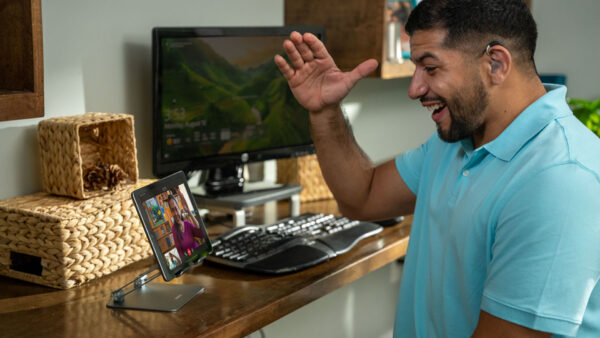
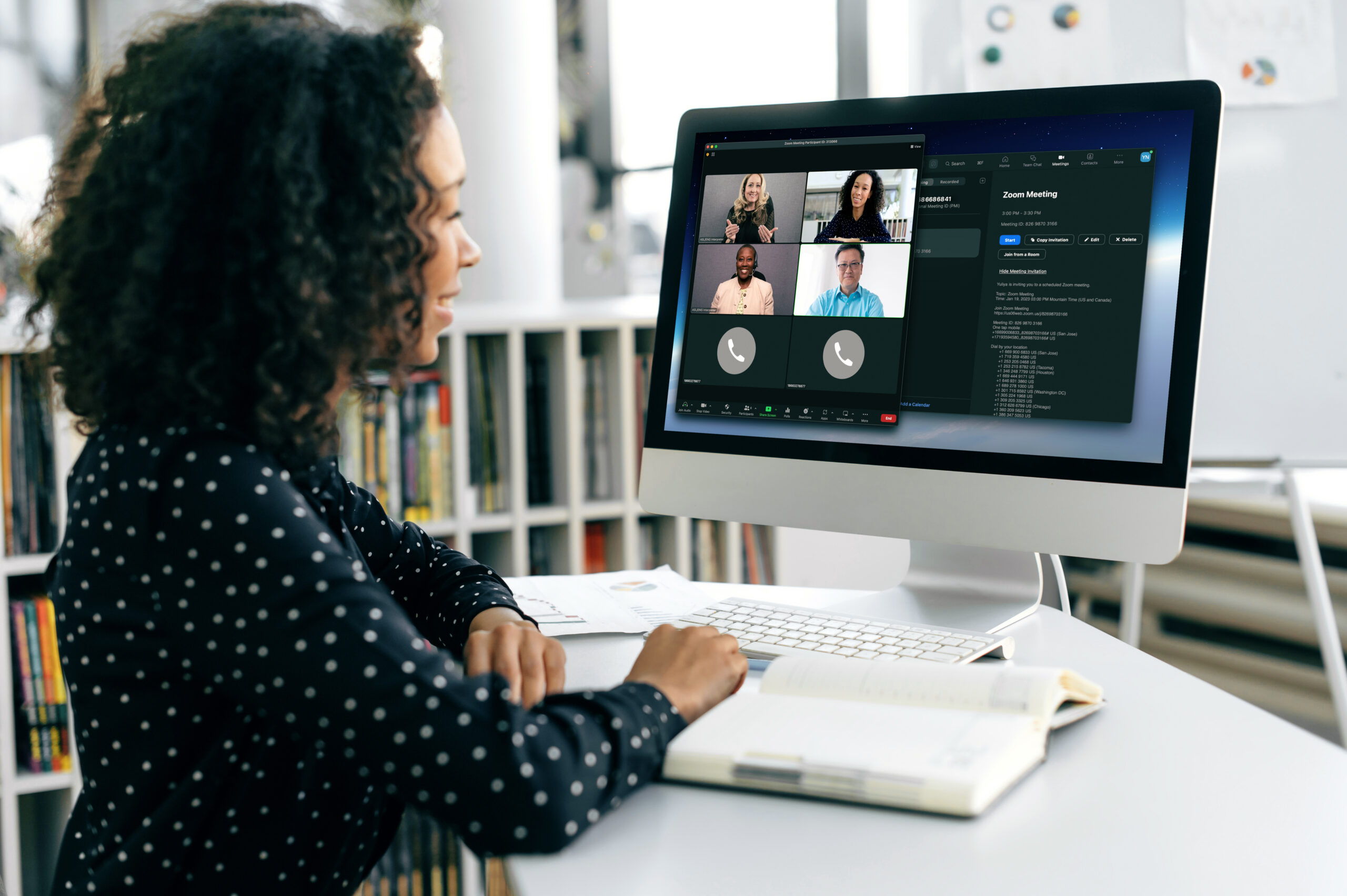
Woman on Zoom call with multiple live virtual sign language interpreters.

DISABILITY, SOCIAL ISSUES, TEAMS & LEADERS

by Kenya McPheeters

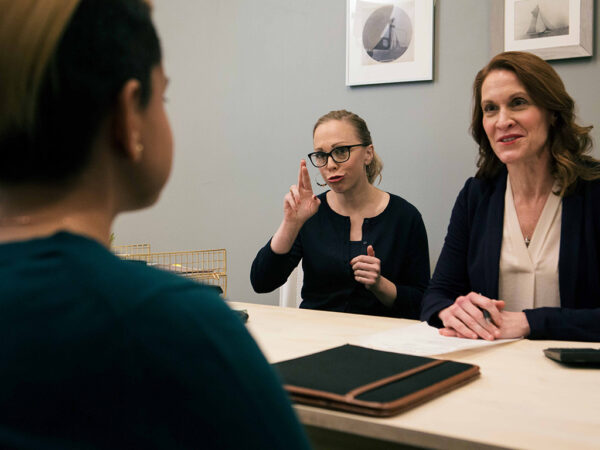
The ability to communicate is essential to inclusion in professional, learning, or social settings. A Deaf employee, for example, can’t fully contribute to a business unless they can participate in impromptu meetings or hallway chats with colleagues. If English is a second language for a medical student, they need detailed and accurate notes to retain critical information. For a senior aging into hearing loss, losing the ability to connect with family members by phone can be devastatingly isolating. I know of this situation all too well — in my work as a sign language interpreter I’ve seen how connections can be lost when communication isn’t available or readily accessible

In all of these instances, inclusive communication facilitates involvement, acceptance, and belonging. Today, innovative technology is creating new opportunities for people of different backgrounds, experiences, and linguistic modes to seamlessly share information, collaborate, and engage. Three examples are outlined below.

On-demand access to ASL interpreters

American Sign Language (ASL) interpreters can allow a Deaf person to understand as well as converse with hearing counterparts. For most Deaf people, moreover, ASL is a native or primary language; as such, ASL interpretation provides linguistic equality by supporting a Deaf person’s ability to articulate ideas and thoughts fluently.

The challenge is accessibility. Bringing an interpreter onsite to a business or an event poses logistical, scheduling and supply and demand issues. While video conferencing simplifies things, interpreters have traditionally had to be scheduled in advance. For a business, that means Deaf employees can actively participate in live or virtual meetings that are pre-arranged, but they are largely excluded from informal discussions or urgent matters that arise.

Artificial intelligence and data analytics

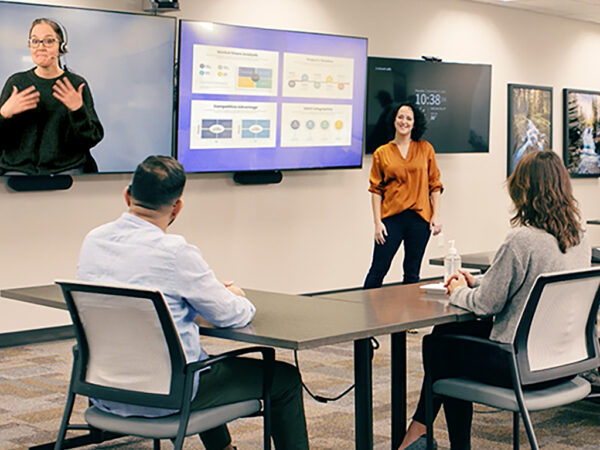
Today, new services are emerging that allow Deaf users to virtually access an ASL interpreter on demand, via a Zoom call or other platform. This functionality is a potential game-changer for human resources and DEI strategies aimed at facilitating ongoing, real-time collaboration, and engagement. Similar services are being developed to enhance customer experiences for the Deaf. In a retail setting that provides such a solution, for example, Deaf shoppers can have on-demand access to ASL interpreters as soon as they enter a store, giving them the option to ask questions and engage with store personnel. Retail staff, meanwhile, can help Deaf customers find products, inquire about needs and preferences, recommend new offerings, and engage on a personal level. Here again, on-demand availability has a significant impact on communication, inclusion, and engagement.

To enable this capability, providers are leveraging Artificial Intelligence (AI) and data analytics to develop platforms that — similarly to ride-sharing systems — constantly monitor and match the supply and skill sets of available interpreters against demand for services from Deaf users. The intelligent tools also predict demand curves, identify potential trouble spots, offer work shifts and measure and monitor quality.

Real-time transcription

Communication Access Real-Time Translation (CART) services transcribe words into text or captions as they are spoken during a classroom lecture, business meeting, or public speech. For people who are Deaf or hard-of-hearing, who aren’t fluent in English, or who have auditory processing disorders, CART services support understanding and participation, particularly in higher education. CART also provides written documentation of an event in real time, and, when combined with signing interpretation, can reinforce learning and information retention for Deaf people (and, for that matter, anyone whose mind wanders during a lecture).

As with ASL interpreters, access to CART services has traditionally been limited. In addition to typing up to 260 words per minute, CART stenographers have required training in the specialized medical, legal, or scientific terminology used in university lectures. This has resulted in high costs, hard-to-find skill sets, and limited availability.

Smart tools plus smart people

Today, AI-enabled Automated Speech Recognition (ASR) computer software is becoming increasingly adept at replicating the stenographer’s role of transcribing text. Specifically, the software is getting better at understanding accents and jargon, and at analyzing word clusters to contextualize a discussion and accurately predict the words a speaker will use. Despite this progress, smart tools still can’t deliver CART services with the accuracy and understanding that many environments — such as a medical school lecture hall — require.

By complementing AI-enabled ASR with human intervention, providers are leveraging the respective strengths and capabilities of intelligent tools and human knowledge. Specifically, ASR applies processing speed and contextual analysis to do the bulk of the transcription, while human agents address nuances, ensure the accuracy of technical terminology, and correct errors. This greatly reduces the level of specialized training a CART captioning agent requires, which can significantly expand the availability of CART services to a wider audience. Easier access to CART services, meanwhile, creates new opportunities to improve communication and enhance inclusion for people with unique learning styles.

Speech-to-text transcription

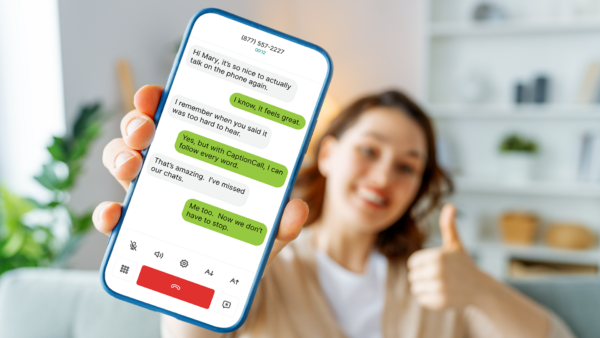
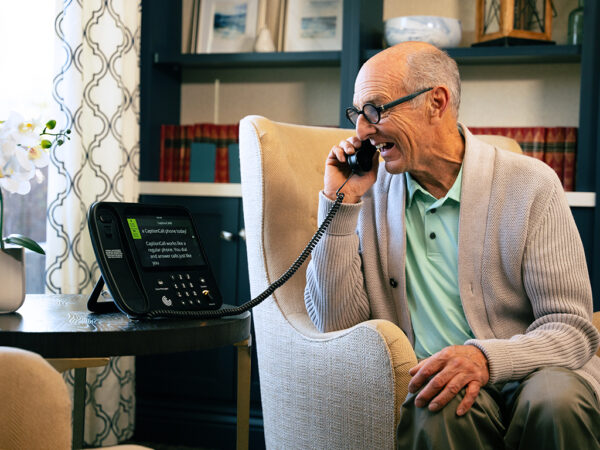
CART services — which involve specialized terminology and require rigorous accuracy — rely on human intervention. Speech-to-text applications for smartphones, meanwhile, are entirely AI-driven, and are another example of how ASR can enhance linguistic inclusion. These easily downloadable apps convert speech to text in real time. During a cell phone call, one user’s spoken words are converted into text that appears on the other user’s smart phone screen, allowing one or both users to read along with the conversation. Speech-to-text transcription can be especially helpful for individuals with hearing loss because telephones don’t transmit the full range of frequencies used in human speech, so turning up the volume simply creates louder garbled sound. Text also helps those who have difficulty understanding certain accents or voices, or who may miss parts of the conversation due to background noise.

As with CART services, advances in AI technology and ASR algorithms are key. Today’s speech-to-text apps deliver real-time transcription with increasing accuracy, without the longstanding latency issues that, until recently, produced choppy text blocks and disrupted conversational flow. The applications’ ease of use is another important consideration, particularly for seniors aging into hearing loss who are often resistant to change and who struggle with learning to use new devices.

Inclusivity and accessibility comprise a wide range of criteria and characteristics. These include racial, gender, and ethnic identities, as well as belief systems and physical abilities. As public and private institutions, organizations, and businesses define new strategies to create more accepting cultures and environments, linguistic inclusion should be part of the conversation.

Kenya McPheeters

Kenya McPheeters is Director of Workplace Inclusion and Impact at Sorenson, a provider of language services for people who are Deaf, hard-of-hearing, or neurodiverse. She has a B.A. degree in Sociology from the U. of Louisville and is an accomplished leader and operations strategist. Kenya has managed cross-functional teams, consistently guided business growth, provided strategic counsel to senior executives, and restructured and realigned business processes. She has built a full-service ASL (American Sign Language) business from scratch, assuming responsibility for strategic planning, business development, P&L, marketing, advertising, budgeting, key account relations, and customer service.

Guidelines for Using an ASL Interpreter for Video Remote Interpreting

Group of coworkers hold meeting in conference room, with computer screen at one end of table showing live virtual sign language interpreter.

If you haven’t worked with a sign language interpreter before, it will take some getting used to, and the guidelines for using an interpreter may not be intuitive. Even if you’ve worked with an interpreter before, you may need to adjust when you use interpreter services in a new way — such as on-site interpreting vs video remote interpreting (VRI) vs video relay service (VRS).

While Deaf individuals who use sign language may have more opportunities to work with an ASL interpreter than hearing people, the skills it takes to work well with an interpreter aren’t automatic. Deaf people who have the best interpreting experiences developed those skills with practice. You can too.

Guidelines for using a sign language interpreter

Guidelines for interpreted communication are a little different than same language conversations. Even people who have some experience using an interpreter may benefit from learning the best practices.

Guidelines for interpreter use will vary slightly depending on what type of service you’re using.

We’ve put together a guide to getting the best experience with an ASL interpreter for video remote interpreting (VRI) with tips for each step along the way:

Being thoughtful about each step in the process will improve your experience working with a sign language interpreter.

Sorenson’s interpreting expertise

Sorenson employs the largest private sign language interpreter workforce in the world, with a team of more than 6,000 interpreters globally. The company designed and operates the most comprehensive internal and external sign language interpreting training program on earth to develop top interpreter talent for its own team and other public and private entities for an exceptional customer experience.

Our American Sign Language interpreting services include VRS, on-site interpreting, and video remote interpreting (VRI). Those services cover virtually any interpreting need: from medical settings to work meetings, in-person and online classes, conferences and conventions, closing on a home or booking a contractor for the renovations. Eligible Deaf individuals are welcome to sign up for VRS to request any of our video relay products. Deaf or hearing businesses and individuals interested in on-site or video remote interpreting can contact our team to discuss options and pricing or help you schedule service.

Sorenson is also one of the largest employers of Deaf people in the U.S. Our employees use VRI and on-site interpreting daily for meetings between Deaf and hearing employees. Experts have vetted these guidelines for effective use of sign language interpreters.

That’s why Amazon Web Services (AWS) is working with Sorenson to optimize its virtual training programs, implementing insights about making virtual learning accessible for Deaf and low-vision participants not only through content, but through effective use of VRI services for virtual classrooms.

Choosing the right interpreter services

There are multiple factors to consider to determine whether video remote interpreting (VRI), on-site interpreting, or video relay service (VRS) is the best fit for your needs.

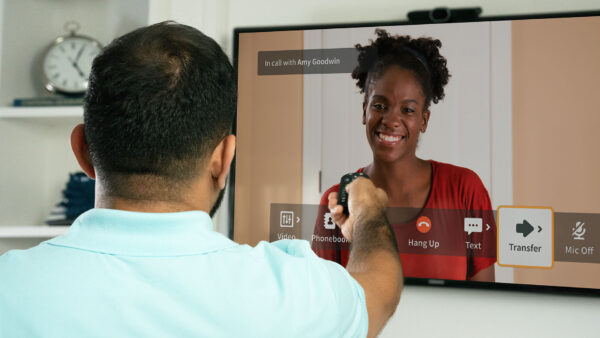
Woman at desk uses remote to operate webcam during video call with sign language interpreter.

Video relay services (VRS) is a convenient option for everyday conversations for phone and video calls when Deaf and hearing people are in different locations. It’s a federally funded service, with the FCC covering the costs of VRS calls so users don’t pay out of pocket, but that also means there are strict regulations on its use:

  • Only Deaf individuals who communicate using sign language can have VRS accounts.
  • Deaf and hearing people can only use VRS to communicate from separate locations; they can’t be in the same room/place.
  • Interpreters must verify that an eligible Deaf individual is on the line for the entire VRS call, so the user can’t turn off their camera. That makes webinars ineligible for the service.
If you want to know more about VRS, you can read it here: What is VRS?

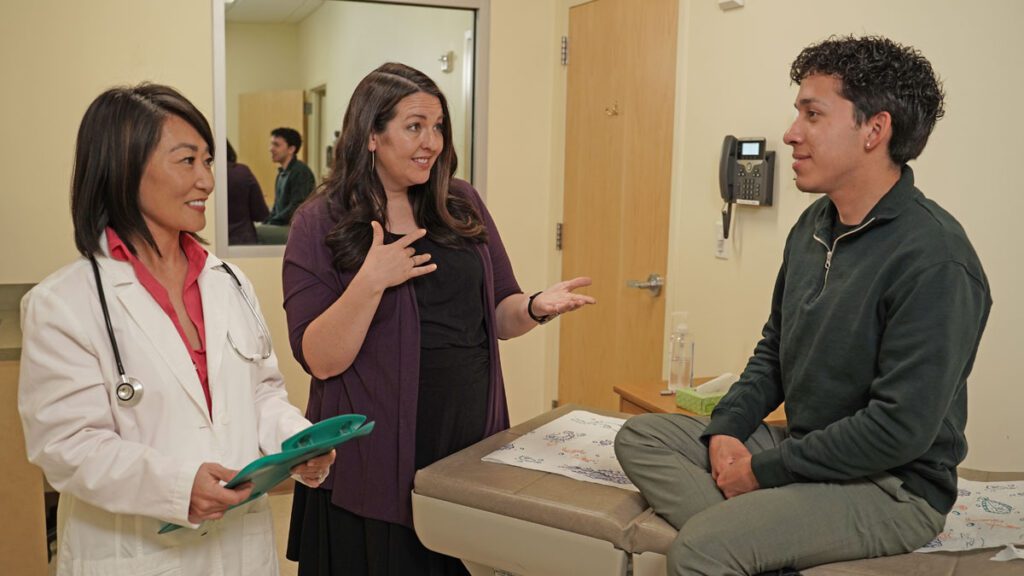
In person sign language interpreter and doctor speak with patient in exam room.

On-site interpreting is where it all started; before video calls and high-speed internet, ASL interpreting services meant a sign language interpreter showed up in person to relay communication between signed and spoken languages.

  • In-person interpreting offers optimal interaction for face-to-face events, but also requires the most advance notice.
  • Scheduling on-site interpreter services involves consideration for travel time and costs. Because of this, there may be a minimum session length for scheduling on-site services.
  • On-site sign language interpreting is a fee-based service. Costs vary by provider.
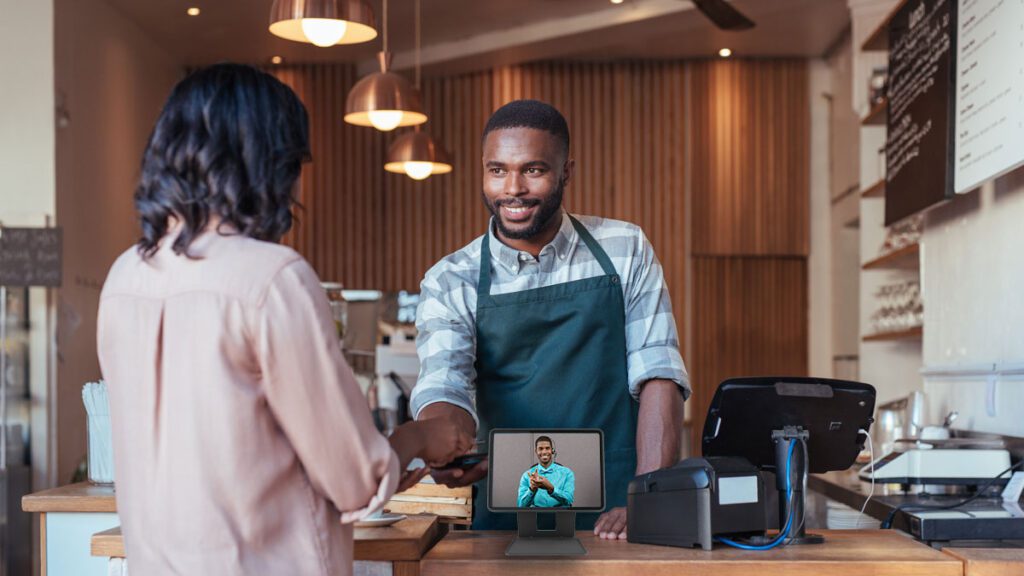
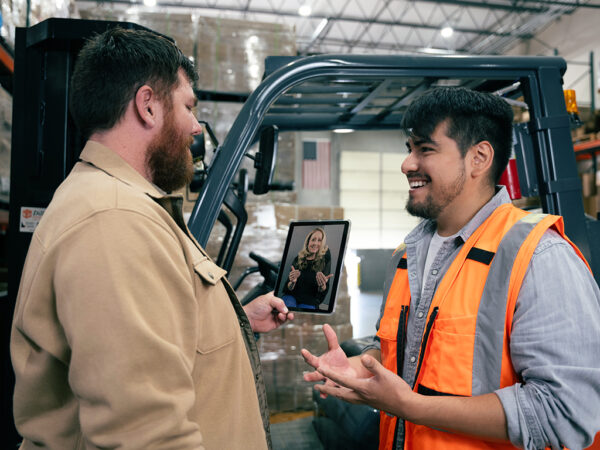
Customer pays barista as live virtual sign language interpreter on counter-mounted tablet signs "thank you."

Video remote interpreting (VRI) combines the convenience of VRS and the flexibility of interpreting for remote or face-to-face conversations:

  • An ASL interpreter relays communication between signed and spoken languages over video through a high-speed internet connection.
  • The Deaf and hearing individuals can be in the same location with a video screen or in different locations using videoconferencing software.
  • VRI is a fee-based service, with costs varying by provider for scheduled or on-demand service options.

If VRS isn’t right for your situation and you’re torn between on-site interpreting or VRI, our interpreting services comparison sheet may help you choose the best fit for your needs.

You can also ask the other person(s) about their preference. Deaf individuals in particular may have more experience with the different options for using a sign language interpreter and have valuable insight into which is the best choice for effective communication at your meeting or event.

Preparing for interaction with an ASL interpreter using VRI

  1. Give your interpreting service provider information to suitably staff and plan for your session.
  2. Make arrangements for mutual visibility and audibility for everyone in your conversation and the sign language interpreter.

Part 1: providing information

When you schedule video remote interpreting service, your provider will review the details of your request to assign the right interpreter(s) to your session.

For example, depending on the length of your session and/or the number of participants, you may need a team of interpreters. Interpreter teams improve the flow of conversation, with two or more interpreters simultaneously voicing and signing for Deaf and hearing participants to reduce delays. They also allow pairing interpreters who bring different skills to the table. For example:

  • A team can facilitate multilingual interpreting for conversations that include ASL, English, and Spanish users.
  • A Deaf/hearing interpreter team pairs a hearing interpreter making the conversion between spoken language and ASL with a Deaf interpreter relaying messages as a native ASL user. This can provide more accurate interpreting for cultural nuance between Deaf and hearing communities. That may be especially important in high stakes conversations, like health or legal settings.

When scheduling Sorenson VRI in advance, you have the option to select for specialized interpreting services, including: legal interpreting certification, certified medical and mental health interpreters, Certified Deaf Interpreters, interpreters with additional training in Deafblind or low-vision interpreting, or industry-specific knowledge which may be particularly helpful in STEM fields.

Not only can you select for interpreter expertise/background when you schedule VRI, you can provide your interpreter with information to prepare for your session; that prep will help them effectively relay your statements in spoken and signed languages. For best results, include:

  • The topic(s) and agenda of your conversation, meeting, or event;
  • Unfamiliar names of key people, places, brands or products likely to come up in your session; and niche terminology for your company or industry pertinent to the topic(s) of conversation

Part 2: logistical arrangements

Because VRI relies on videoconferencing software over a high-speed internet connection, it’s critical that you verify the reliability of your internet service and your conferencing platform before your session. This applies to use cases in person with participants using a shared screen to access interpreting services and to virtual meetings with participants joining from separate locations. A few minutes before your meeting or event is not the right time to test your connection, video, and audio for the first time.

Whether you’re meeting virtually or only the interpreter is connecting to your meeting over video conferencing software, we recommend you open that connection about 10 minutes before your meeting or event begins. That will allow you time to test video and audio, coordinate with your interpreter, and figure out how to pin or spotlight your interpreter(s).

For in-person meetings or events in particular, the physical setup of your video screen and speakers is important. Ideally, everyone should be able to see and hear the interpreter and, likewise, be visible and audible on the camera and microphone.

Full visibility and audibility may be difficult for large spaces and large groups. In those situations, consider multiple screens for interpreter visibility throughout the space and multiple microphones and speakers for hearing participants and the interpreter.

In any VRI setup, you should always put thought into:

  • Lighting: adequate lighting for participants so the interpreter can see them clearly on camera (including avoiding backlighting from windows) and minimizing glare on the screen so participants can clearly see the interpreter.
  • Positioning the video screen, speaker, and microphone to avoid obstruction, discomfort, or distraction.

Learning and using interpreter etiquette

Etiquette for using a sign language interpreter is not necessarily intuitive. That goes for Deaf and hearing users alike. Learning the dos and don’ts for working with an ASL interpreter will make your interactions smoother and more effective for everyone involved.

  • Show your face: This may not be feasible throughout a meeting or event with a lot of participants, but when you’re taking a turn, it’s helpful for the interpreter and the others in the meeting to see you—for identification and unspoken context.Your facial expressions and body language convey more than your words alone for better understanding of your tone and meaning. So if you’re on a conference call, turn on your camera; if you’re in an in-person meeting, stand up or raise your hand.
  • Take turns: Because your interpreter is relaying what everyone is saying, multiple people can’t “talk” at the same time.Wait for the interpreter to finish signing or voicing what the last person said before you jump in with your comments or questions so everyone has a chance to take in the previous statement. It also prevents the interpreter having to process your comment while still relaying the last one. Hand-raising (either physically if you’re in person or have your camera on or using the feature on your video conferencing software if your camera is off) will come in handy to take turns contributing.
  • Identify yourself: Especially in a large group, identifying yourself by name allows the interpreter to share whose comments they’re relaying, which provides helpful context for those who cannot see or hear you.
  • Slow down: It’s not a race. You’ll need to adjust to more pauses, not only for the interpreter to finish relaying your statements, but also for participants to switch between referencing visual materials (like shared screens, media, or handouts) and the interpreter.While many Deaf individuals are adept at processing complex visuals, they can’t watch the interpreter and read your spreadsheet at the same time, just like hearing people can’t actively listen to music and a phone call at the same time.When you’re presenting slides or media, allow additional time for everyone to look it over and ask questions, and confirm they’re ready before moving on. If you’re in a virtual meeting and want to share your screen, pause for Deaf participants and interpreters to pop out video boxes so they can see each other during your screen share, and ask them to confirm readiness before you proceed.
  • Address the person you’re talking to: Look at and talk to the people in your conversation, not the interpreter. Of course, Deaf individuals need to watch the interpreter to receive spoken comments in ASL, but will face the person/people they’re addressing when making their own statements. Eye contact is essential in ASL. Looking at someone — whether you’re talking or listening to them — indicates they have your attention.The role of the sign language interpreter is to be a resource in your communication rather than an active participant. You aren’t hurting their feelings by focusing on the other person/people in your conversation rather than them. It’s polite to greet them at the beginning of the session and thank them at the end, but otherwise focus on the people in your meeting.
  • Don’t say things you don’t want interpreted: You should expect everything you say — whether spoken or signed — to be for everyone. Your sign language interpreter is professionally bound to relay all comments.Using language services — and interpreting services in particular, here — is a way to communicate more equitably and inclusively, so avoid excluding people from parts of the conversation.

You now know the basic guidelines for using an interpreter for VRI

Congratulations on making it this far. You’re now poised to successfully use video remote interpreting for better communication, collaboration, and connection in Deaf and hearing conversations.

Some of these guidelines may take practice to become comfortable — even second nature — but we promise you, using a highly trained, professional sign language interpreter can be as fluid and effective as same-language communication.

How to Easily Make Zoom Meetings Deaf-Inclusive: Two Ways to Get Zoom Interpreter Service

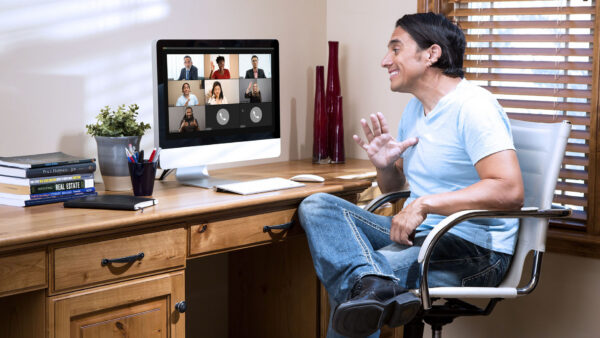
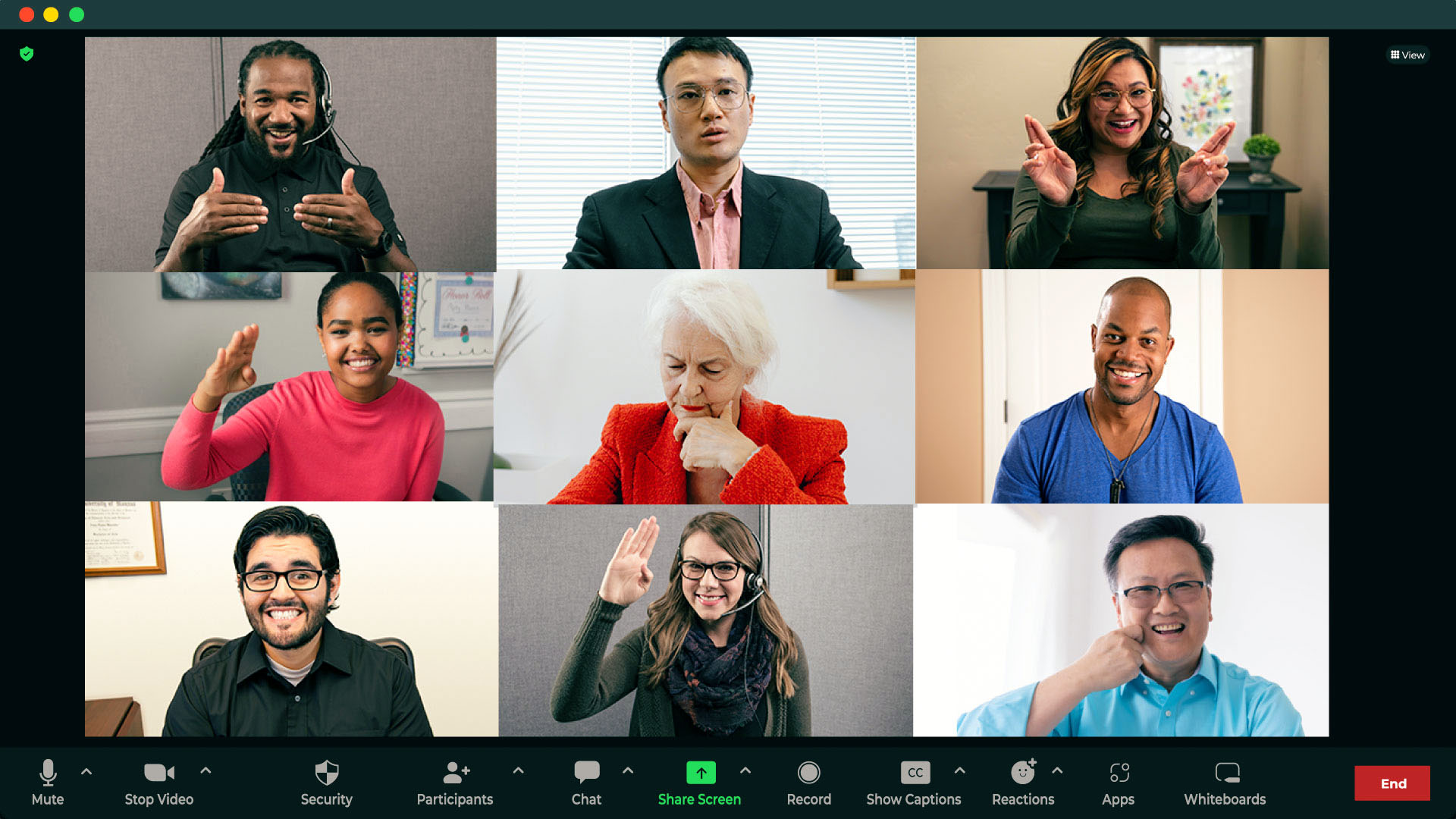
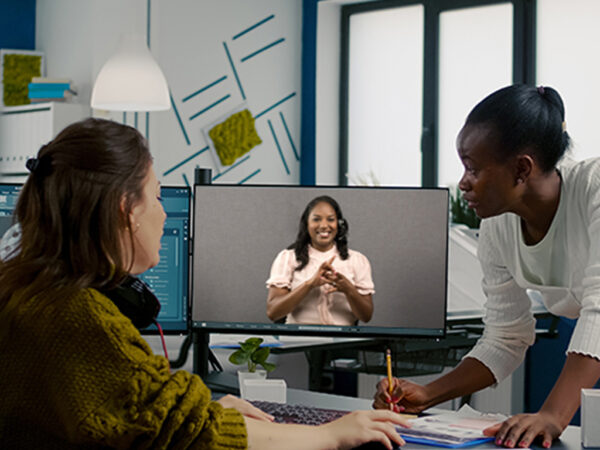
Computer screen showing Zoom video call with multiple live sign language interpreters.

The COVID-19 pandemic fueled a rapid rise in the use of tech in daily communication. And with a 55% share of the videoconferencing software market, Zoom® — from Zoom Video Communications, Inc. — is the go-to for many businesses having virtual meetings. But using video relay service (VRS) to make Zoom usable for deaf participants has lagged behind Zoom’s popularity — until now.

The history of Zoom for deaf participants: expanding access to interpreters and captions

Zoom has a history of making accessibility a priority for users. 

2013: The Zoom application became publicly available. 

2020: Zoom added features for deaf individuals who use American Sign Language (ASL) to more conveniently take part in Zoom meetings with non-ASL-fluent participants: the ability to pin more than one person’s video to the screen and rearranging attendees on the screen to give deaf participants better visibility of an interpreter. 

2021: Auto-generated Zoom captions for deaf and hearing participants became available to any Zoom user. Captions had previously been only for paid accounts and required the host to add on and pay for a third-party artificial intelligence (AI)-powered transcription service. 
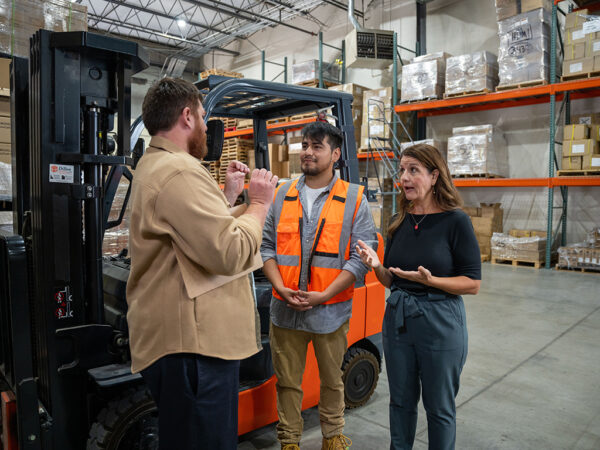
2022: Zoom added a Sign Language Interpretation view for paid accounts using the desktop client. 

In the past few years, Zoom has made great strides in making meetings more deaf-inclusive, but newer features and updates have  restrictions and added steps for those wishing to use an ASL (American Sign Language) interpreter on Zoom. 

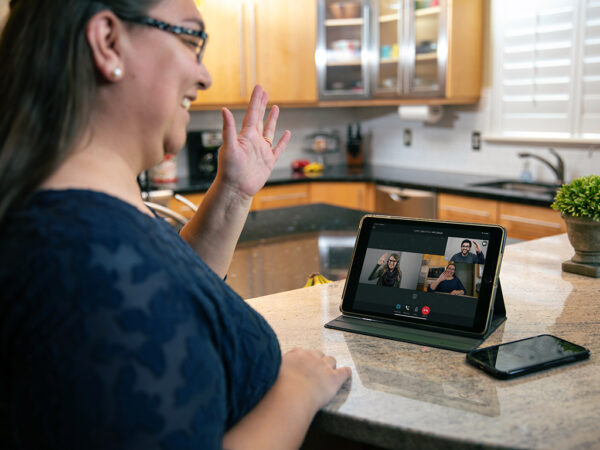
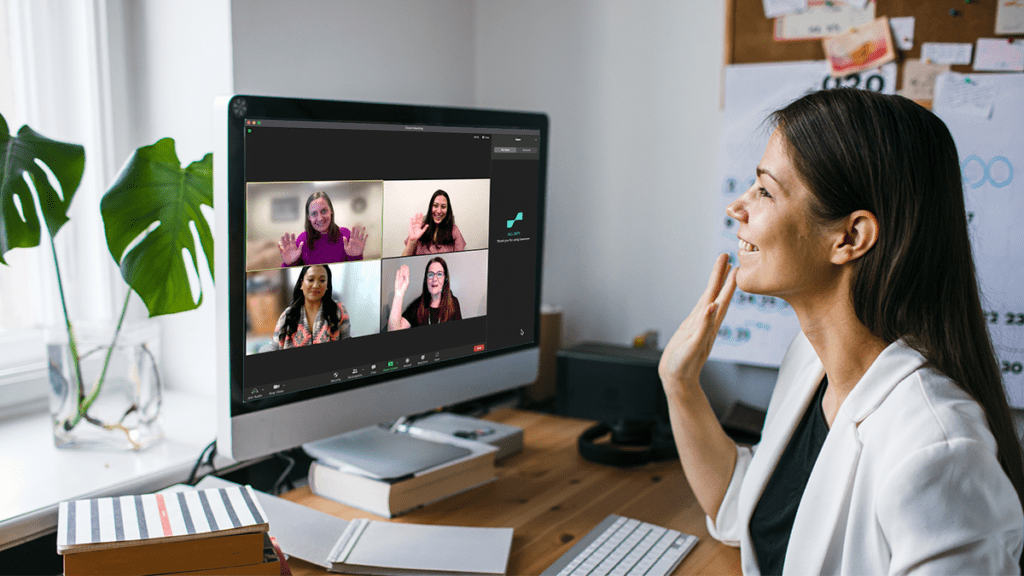
Woman in home office waves greeting to Zoom call with multiple sign language interpreters.

Using VRS with Zoom for sign language interpreting

In most cases, Zoom meetings with deaf and hearing participants haven’t had interpreters present. Instead, many deaf individuals have used video relay service (VRS) to get interpreting for those calls. 

VRS is a no-cost interpreting service for deaf people who use American Sign Language (ASL) to communicate through video calls on videophones, smart phones, tablets, or computers.  

In Zoom meetings without an interpreter, deaf participants have used VRS as a workaround. They call the meeting’s dial-in number on their VRS videophone or app, so the interpreter can connect to only the audio of the Zoom meeting. 

Deaf individuals have used their VRS accounts this way for years for Zoom, but it’s not user- or deaf-friendly: 

  • Deaf participants have to look back and forth between the screen with the interpreter and the separate screen with the Zoom meeting: This means they can potentially miss words, expressions, and shared screens. And it can be exhausting!  
  • The interpreter can only hear the audio of the meeting: They can’t see the video side of the conversation. Without the visual and emotional cues essential to sign language, both the interpreter and deaf participant can’t get the full context of the meeting. 
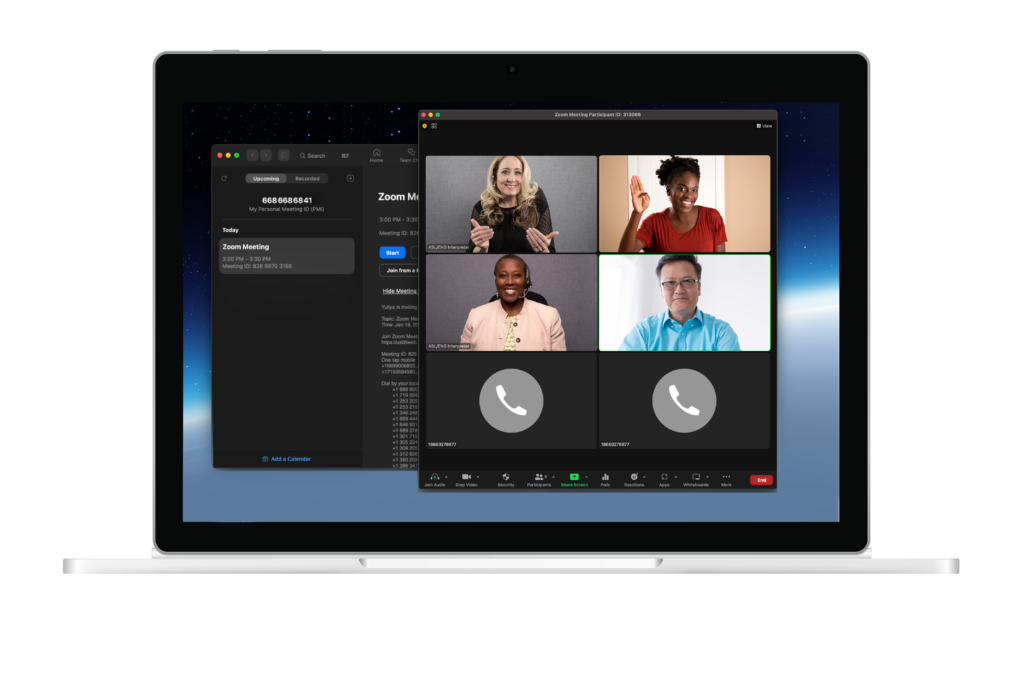
  • Laptop screen showing Zoom meeting featuring multiple live virtual sign language interpreters.

Integrated, on-demand interpreting through Zoom

Finally, an end to the frustration came in 2023. Zoom users received a groundbreaking solution that solved for on-demand sign language interpreting in Zoom meetings. The update allows you to use a third-party app to pull an interpreter directly into your Zoom meeting as a participant with a couple clicks for a more convenient and inclusive experience. Everyone can see each other, the interpreter, and shared screens on one device in one window. Since hearing participants also see the interpreter, they can allow time for the interpreter to sign and see when a deaf participant has something to add. 

The interpreter can also see everyone on the call and access all Zoom features, including seeing a shared screen and speakers’ names. This helps them to easily identify speakers and convey unspoken context. 

The two options for accessing this integrated, on-demand interpreting both connect users to expert interpreters for English to ASL or Spanish to ASL interpretation: 

Sorenson VRS for Zoom is an option for deaf individuals to use their personal VRS accounts for school, business calls, or calling friends and family. 

Sorenson Express app for Zoom is an enterprise solution to access on-demand video remote interpreting (VRI) for impromptu meetings and last-minute interpreting needs. 

VRS and VRI both connect calls over a high-speed internet connection via a video conferencing platform, but they serve different purposes and users. You can read more about the differences here:  What is Video Relay Service (VRS) 

Sorenson VRS for Zoom: a simpler way to use an ASL interpreter on Zoom

In March 2023, Sorenson — the leading provider of VRS  — released two better ways of using Zoom with VRS: a web app and an integrated Zoom app. Sorenson is the first to deliver VRS-based solutions that remove the need for a cumbersome workaround for deaf and hearing attendees to communicate in Zoom meetings.

As long as the meeting host has a paid Zoom account, anyone who has a Sorenson Video Relay account — whether they are the host or a participant — can use the Sorenson Express web app for Zoom to add an on-demand ASL interpreter to their Zoom meeting. A meeting host can also add an interpreter during meetings with the integrated Zoom plug-in. Everyone can then see the interpreter right in the meeting with everyone else. There’s no need to use two devices for a single meeting.

If you’re a deaf business owner, Sorenson for Zoom is even available for calling your clients or taking appointments. However, this integration isn’t suitable for all workplace scenarios:

  • VRS isn’t available for webinars because of the need for deaf users to remain on camera.
  • It’s not ideal for meetings with multiple deaf attendees because if the person using their VRS account must leave the meeting, everyone loses the interpreter.

Sorenson Express app for Zoom: on-demand interpreting for businesses

Video Remote Interpreting (VRI) is a well-established interpreting solution for virtual and in person conversations. Scheduled VRI is an ideal solution when you know you’ll need an interpreter ahead of time because it allows for interpreter assignment to meet your specific needs. It’s not, however, appropriate for impromptu communication.

The introduction of Sorenson Express in May 2023 introduced flexible, on-demand VRI that gives account-holders access to a mobile device-based interpreting option for face-to-face interaction and videoconferencing app integrations for unplanned meetings.

Sorenson Express app for Zoom is a VRI integration that offers a business or organization on-demand, seamless communication between deaf and hearing employees or clients in virtual meetings.  Businesses with a Sorenson Express account can access interpreting through the Zoom integration as well as on a tablet for in-person conversations.

Users can access Sorenson Express app for Zoom through a built-in app from the Zoom marketplace or Sorenson’s web app.

When to choose the Zoom app vs the web app to request a Zoom interpreter

Whether using Sorenson’s VRS or VRI solutions for Zoom ASL interpretation, users can invite an interpreter from an app in Zoom or a web-based Sorenson app. Your situation and preferences will determine which to choose.

Sorenson VRS for Zoom

You can use the web app:

  • If you are a Zoom meeting host or an attendee.
  • If the meeting host has a paid Zoom license.
  • If you are eligible and registered for Sorenson VRS.
  • Without downloading anything to your device.

You can use the Zoom app in the Zoom marketplace if you:

  • Are the Zoom meeting host.
  • Have a paid Zoom license.
  • Use a Mac or PC and have permission to download and install apps.

Sorenson Express for Zoom on-demand VRI

You can use the web app:

  • If you are the Zoom meeting host or an attendee.
  • If you are registered for Sorenson VRI.
  • Without downloading anything to your device.

You can use the Zoom app in the Zoom marketplace if you:

  • Are the Zoom meeting host.
  • Are registered for Sorenson VRI.
  • Use a Mac or PC and have permission to download and install apps.

Try Sorenson solutions for multilingual communication and workplace inclusion on Zoom meetings

Effective communication and deaf accommodations in the workplace and beyond don’t need to be difficult. When you need an ASL interpreter on Zoom, Sorenson’s integrations for businesses and deaf individuals empower inclusive meetings for work, school, and everyday interaction. For true workplace inclusion, the range of accessible communication services available from Sorenson.  

Sources

  1. Videoconferencing software market share 2024 | Statista
  2. Zoom Communications

How to Create an Accessible and Inclusive Work Environment: a Guide to Workplace Engagement

Woman in wheelchair and man with service dog sit at desk in conference room with two other coworkers in office conference room.

Creating an inclusive culture isn’t about checking boxes to cover different backgrounds and disabilities. It’s about broadening your company’s range of perspectives, experiences, and opinions. Diverse populations help you understand and respond better as a business. In fact, research shows that the relationship between variety in executive teams and the likelihood of financial outperformance has strengthened over time. More importantly, creating a culture of belonging demonstrates the important values that both current and prospective employees can identify with. Here’s how you can start cultivating an inclusive space at work.

Communicate company-wide about culture

To develop an inclusive workplace, your workforce needs to understand what that means. Rather than positioning an inclusive workforce as a challenge to meet, celebrate the perspective each person brings to your organization. Regularly communicate how everyone contributes to and benefits from different perspectives in the workplace.

Listen to underrepresented groups for an inclusive workplace

Surveys provide a safe way to gauge employee sentiments. However, consider taking that a step further and encourage Employee Resource Groups (ERGs). These groups are voluntary, employee-led outlets aiming to foster a sense of belonging at work. ERGs bring together employees who usually share a characteristic — such as gender, ethnicity, religious affiliation, lifestyle, or interest — with allies for personal or professional support.

Although ERGs are voluntary, employee-run organizations, they do need institutional support. Their creation requires buy-in from leaders at various levels. They are found in approximately 90% of Fortune 500 companies and address a range of employee concerns within an organization. They can help with:

  • Assisting marginalized groups and remote workers to connect through a common cause or interest
  • Facilitating conversations in a safe space where employees feel comfortable sharing experiences
  • Addressing specific topics or challenges with leaders to keep them informed about what’s top of mind for the group members
  • Improving physical work environments, like advocating for gender-neutral restrooms or physical, visual, or auditory accessibility in individual workspaces and communal areas
  • Identifying and developing emerging talent that might otherwise go overlooked due to unconscious bias

While ERGs can unify and amplify underrepresented groups within your business, they also give leaders insight into their thoughts about an inclusive workplace. Including them in company decisions and hiring processes will reinforce inclusive culture at work.

Offer plenty of resources

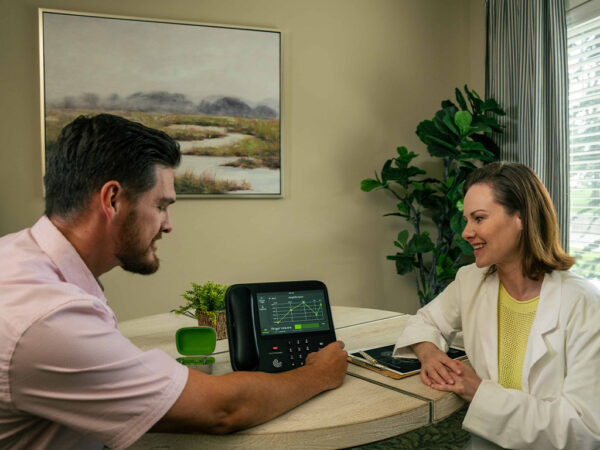
Woman smiles and signs thumbs up to open laptop.In addition to ERGs, there are multiple ways to engage employees in an inclusive workplace. For instance, your company newsletter can distribute DEIA educational. Additionally, your Employee Experience or HR team can host DEIA educational events or facilitate mentorship programs. Your company could also offer talent development programs for underrepresented employees or even individuals outside the company to cultivate diverse, emerging talent that may otherwise be difficult to reach. Think outside the box to promote diversity and inclusion in the workplace and in your community.

Create inclusive applications and interviews

Did you know Black and most other minority students are less likely to graduate with a college degree than white students? According to an article from InStride, of those over the age of 25, 68% of white Americans meet common educational job requirements compared to 39% of Hispanic Americans and 55% of Black Americans. To address this disparity, you might consider whether a bachelor’s degree is essential to an open position on your team. Removing unnecessary degree requirements is one way you can open the door to more diverse applicants. Focusing on hard and soft skills instead of education will widen your pool of job candidates to those who have had disproportionate access and means for higher education.

Finding a broad variety of people to fill open roles demands job descriptions that invite all qualified job-seekers. As clearly as possible, define job roles, responsibilities, and key competencies. Then, get outside feedback, ideally from an underrepresented group, before you post (this is a wonderful time to consult your ERGs!). Others might notice company jargon or implicit bias that would limit a potential candidate’s understanding or interest in the job.

Moreover, hiding all personal information from applications in your screening — including name, schools dates, and locations — removes potential sources of bias for your talent acquisition team. Then, managers and other decision-makers can short-list candidates for interview based on skills and experience alone.

Overall, consider what the application and interview process looks like for candidates with varying perspectives. What are potential obstacles? What would make prospective employees feel a sense of belonging? Do they need any accommodations? For example, making online applications accessible to someone who is Blind or low vision demonstrates a commitment to encouraging them as a candidate. Before interviews, remember to be open and ask about a candidate’s needs.

Another example of inclusive hiring practices would be asking about communication preferences and arranging for an interpreter for a Deaf candidate’s interview. These accommodations create an application and interview environment that allows candidates to present their best selves.

Get creative with diversity and inclusion in talent searches

Instead of giving up if it seems that people from diverse groups don’t apply to open roles, focus on how you might reach out to diverse populations more effectively. Besides recruitment websites, networking sites, and traditional publications, look at new and targeted ways you can advertise job openings.

  • Consider options like social media channels or specialty job fairs and boot camps.
  • Try networking at various schools and universities or membership associations.
  • Even stepping out into new geographical locations can yield a more diverse candidate crowd.

Foster an inclusive workplace through internal processes

For both new hires and long-time employees, it’s important to have a clear channel for expressing issues, suggestions, and requests. As we mentioned above, ERGs are an excellent resource for communicating employee needs, especially at a group level. However, for individual needs, each employee should know who they can go to for guidance and support.If an employee needs a wheelchair ramp to access the building, where do they take that request? If captioning would help a hard-of-hearing employee in meetings, who can they ask to provide that service? If a team member experiences a micro-aggression, do they speak to their direct supervisor or HR first? It can already be hard for an individual to speak up about their needs. It is even more difficult when they don’t know who to go to. Outlining a chain of communication during onboarding, in your employee handbook, and on your company intranet will empower your team and make them feel supported.

Getting more inclusive at work

Creating an inclusive workplace isn’t a one-person initiative. Remember to involve others and get diverse perspectives. Look beyond Human Resources. Convening with people from different departments brings more ideas and greater insight as a result. As your business grows and develops, keep accessibility at the forefront of decisions. Sorenson has a variety of resources to help you make your workplace more inclusive to Deaf and hard-of-hearing individuals.

Captioning in Education: Benefits of Next Generation Captioning Solutions in Learning Environments

Diverse group of students around study table in library variously sharing notes and reading.
Captioning is a workhorse in education, creating a more accessible learning environment for a broad swath of students, faculty, and community; that’s why many colleges and universities have offered students closed captioning and real-time captioning for years. Today’s captioning options expand on the capabilities of earlier tools to enhance access to educational content for students with a variety of needs — including linguistically diverse, Deaf, hard-of-hearing, and neurodivergent students, and those with learning disabilities.

Accessibility and inclusion in higher education

College enrollment is on the rise again after dwindling numbers for more than a decade. Undergraduate enrollment rose in both semesters of the 2023–2024 academic year, increasing by 2.5% in spring 2024.1 And researchers expect that trend to continue through the end of the decade, at least, projecting an overall eight percent increase in postsecondary enrollment from 2020 to 2030.2

The shift in enrollment is not uniform across demographics:

  • International student enrollment in the U.S. surpassed 1.1 million in the 2023–2024 academic year — the highest number in history. International students comprised nearly six percent of total enrollment, another record high.3 Six percent of international students (about 68-thousand) were in an Intensive English Program (IEP) in 2023 to sharpen their English language skills before beginning their academic studies.4
  • Hispanic students made up 18% of U.S. undergrads in fall of 2023 — an 87% increase in their numbers from 2000 — and the National Center for Education Statistics projects a 21% increase in Hispanic college enrollment from 2020 to 2030.2,5,6
  • The National Center for Education Statistics (NCES) indicates that approximately 21% of undergraduates reported a disability for the 2019–2020 academic year, up from just 6% in 1995–1996.7,8 And those numbers may be an underestimate because roughly two thirds of undergraduate students with disabilities say they do not inform their school of their disability.9
  • About one in five college students (19%) now has some degree of hearing loss that can affect their ability to catch important information in class and may impact their comprehension and memory.10
  • Diagnosis and identification of neurodiversity has risen significantly, affecting both students and faculty. In a 2022 American College Health Association survey, 15% of students reported having ADD or ADHD, another three percent were autistic, and five percent said they had a learning disability.11

These changes present benefits to institutions in tuition income as well as building a strong learning environment if schools embrace the shift. The makeup of today’s higher education population underscores the urgent need for institutions to prioritize accessibility for a wide range of students with varying needs.

Language accessibility solutions can address educational challenges for diverse student needs. Captioning, to a large degree, has leveled the playing field for a variety of students with different learning styles and preferences.

Benefits of captioning in education

Communication access needs overlap across diverse student groups, and captioning is a solution that’s proven to be an asset for a wide range of users.

Traditionally, captions have been an assistive tool for Deaf and hard-of-hearing communities, but nowadays they’re a mainstay people have come to expect. A highly cited 2019 study by Verizon Media and Publicis Media found 80% of people who prefer using captions are not Deaf or hard-of-hearing; they like them for convenience and the impact on how they process content.
Here’s how captioning benefits translate in education:

  • Comprehension: Captions can significantly improve comprehension of material for non-native English speakers, Deaf and hard-of-hearing students, and visual learners — with tangible results. In a study comparing university students with and without use of captions for the same presentation, those using captions scored more than 16% higher on a listening comprehension test.12 Researchers repeatedly find improvements in comprehension for English language learners in particular with the use of captioning.13
  • Retention and Focus: In an Oregon State University study, 63% of students said captions help them retain information, and 14.6% reported improved retention from captioned video when studying.14 This mirrors other studies that show use of captions improves short- and long-term retention of information and counteracted distractions in noisy environments.15 Among students who used captions, 65% said it helped them focus.
  • Performance:Using captions in classes and the transcripts for studying has noticeable impacts on academic achievement. The improvements in focus, comprehension, and retention — combined with using captioning transcripts to study — show up in test scores. In a study at the University of South Florida St. Petersburg, students who used captioning averaged seven percent higher scores than students without captions for the same course.16

In addition to collecting quantitative data, that University of South Florida study asked students for feedback on using captioning for class. Their responses, in summary, were that captioning improved attention, language processing, reinforcement of previous knowledge, and deeper understanding of the material.

Captioning technology advancements

Captioning has come a long way from its mainstream origins. It’s been more than half a century since the first nationally broadcast open captioned show in the U.S. (The French Chef on PBS in 1972), followed by closed captioning for television in the early 1980s. This laid the foundation for its spread into entertainment and educational media.

Technological advancements in captioning over the past several decades have made captioning in higher education more flexible, more accessible, and more affordable.

When Communication Access Realtime Translation (CART) expanded from court captioning services to include Deaf and hard-of-hearing individuals in various public spaces (including education), CART became pivotal for Deaf and hard-of-hearing communities due to its high accuracy in real-time translation. Traditional CART requires a professional captioning agent and specialized equipment to produce live captions.

Then came Automatic Speech Recognition (ASR) technology, which produces quick and affordable real-time captioning, but with lower accuracy rates. Its deep learning algorithms process and recognize speech in real time that enables immediate transcription and responses.

With the introduction of multilingual ASR, capable of supporting a variety of spoken languages and dialects, instantaneous captioning became accessible to linguistically diverse audiences.

Recent breakthroughs in AI are improving language technology and multilingual translation at a lower cost than CART. It’s making ASR more accurate, faster, and able to simultaneously translate captioning into dozens of languages. The result is Sorenson Forum, an AI speech translation and captioning service that provides real-time translation in 25 languages and 45 dialects for in-person, virtual, or hybrid use.

The next generation in live captioning

We’ve established that captions can make a world of difference in comprehension and retention of information. Now consider the impact of linguistically diverse audiences being able to get real-time captioning in their preferred languages: for students, for the public attending events on campus, for faculty participating in international engagements.

The rising number of international students in U.S. institutions presents an obvious use case for Sorenson Forum’s real-time translation and captioning capabilities.

While non-native English-speaking students likely have adequate English proficiency to read, write, and casually converse in English, they may miss critical words in fast-paced lectures. Research shows even English captions help significantly, and now students can choose their primary language to immediately improve comprehension.

Imagine a non-native English speaker from China listening to a fast-talking, English-speaking computer science professor rattling off information about algorithms and data structure. They may understand the concepts, but their brain has to work twice as hard to process the language at the same time. Using Sorenson Forum, they can caption the lecture — in English, Mandarin, or Cantonese — and even opt for audio output through ear pods in their chosen language. The service also provides a shareable transcript in every language users selected during the session.

Sorenson Forum's audio output adds another layer of accessibility for linguistically diverse audience members who are Blind or low-vision. And unlike many other ASR solutions, Sorenson Forum includes two-way functionality, so audience members and presenters can interact in their preferred languages.

Traditional captioning and translation services require special equipment, but Sorenson Forum offers a user-friendly, app-based experience, allowing each student to access personalized language support on their own device — a smartphone, laptop, or tablet. It simplifies logistics and lowers costs to make everyday captioning and translation convenient and accessible.

Innovative language solutions: an educational differentiator

Even as enrollment numbers tick back up at colleges and universities across the U.S., institutions are still competing for those students and the tuition dollars that allow schools to preserve and enhance academic programs. Innovative technologies that improve the student experience and increase accessibility are a selling point, particularly for fast-growing demographics in higher education: international students, Hispanic students, neurodiverse students, and students with disabilities.

Captioning is a proven asset in higher education, with study after study showing the benefits of captioning in comprehension and retention of information.

Now, with the addition of real-time translation, audio output, two-way functionality, and the speed and improved accuracy of advanced AI processing, colleges and universities can combine accessibility — for linguistically diverse, Deaf and hard-of-hearing, and neurodiverse students — with better overall student performance to increase enrollment and expand opportunities for students, faculty, and the community, all while spending less than it costs to provide traditional CART services.

Our team would be happy to discuss how Sorenson Forum fits into your accessibility strategy.

Sources

  1. Current Term Enrollment Estimates: Fall 2024
  2. Projections of Education Statistics to 2030
  3. Enrollment Trends
  4. IEP Student Enrollment Trend
  5. College Enrollment Trends and Statistics: 2024-2025
  6. Hispanic enrollment reaches new high at four-year colleges in the U.S., but affordability remains an obstacle
  7. Students with disabilities
  8. Students With Disabilities in Postsecondary Education: A Profile of Preparation, Participation, and Outcomes
  9. Use of Supports Among Students With Disabilities and Special Needs in College
  10. Prevalence of hearing loss in college students: a meta-analysis
  11. Students With Disabilities in Higher Education: Facts and Statistics
  12. The impact of keyword and full video captioning on listening comprehension
  13. The impact of captioning and playback speed on listening comprehension of multilingual English learners at varying proficiency levels
  14. A Rising Tide: How Closed Captions Can Benefit All Students
  15. Text Captioning Buffers Against the Effects of Background Noise and Hearing Loss on Memory for Speech
  16. Closed Captioning Matters: Examining the Value of Closed Captions for All Students