
























Recent Searches

Language Accessibility: The Customer Experience Multi-Tool for Financial Services

Would you trust your money with a bank that didn’t serve you in your language?

Language accessibility is always important to customer experience, but it is even more critical for financial institutions. While your customers may be comfortable buying a bottle of water at a store where clerks don’t speak their language, it’s another matter to trust their mortgage or retirement savings to a company they can’t communicate with effectively.

Providing language accessibility to customers builds trust and confidence in your services, but the impacts can also quietly spread to multiple aspects of your operations. A well-executed accessibility strategy can address high-priority concerns across multiple areas of your organization:

  • Compliance: risk reduction
  • CX: improved customer experience
  • HR: expanded workplace inclusion
  • IT: secure enterprise solutions

When you implement accessibility holistically — as part of your ideology rather than a box to check — the impact reflects more than good intentions; it’s smart business.

Compliance: reduce risk with measurable accessibility enhancements

If communication accessibility mandates are what got the ball rolling for your institution, there’s no shame in that. Regulatory requirements, including those in the Americans with Disabilities Act (ADA), are a standard starting point for many accessibility plans.

While no one accessibility solution is a silver bullet, every step to increase accessibility for protected groups can help to bolster your compliance strategy.

In the case of Deaf and hard-of-hearing customers, effectively implementing accessibility measures often depends on how they communicate:

  • Hard-of-hearing individuals who speak but don’t hear well may prefer real-time captioning and written communication.
  • On-demand ASL interpreting can provide equal communication access to Deaf customers who primarily use sign language.

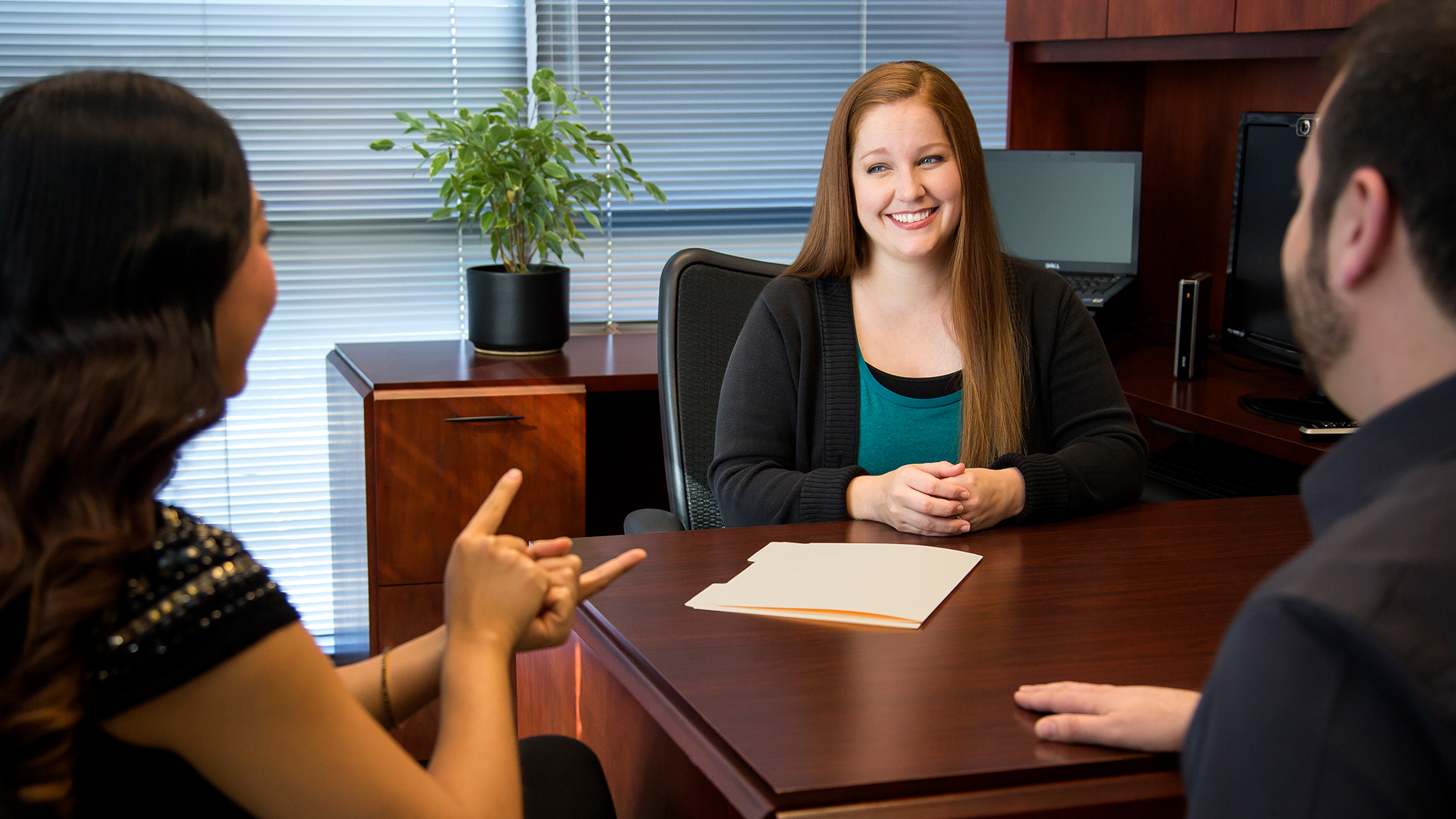
A common practice for communicating with Deaf and hard-of-hearing customers is writing back and forth, either with pen and paper or via text. While it’s a cheap and impromptu workaround for hearing and Deaf people to communicate basic information, there are some notable drawbacks:

  • It’s slow. Written notes significantly delay communication compared with using an ASL interpreter, since handwriting is far slower than natural language exchange and ASL enables real time conversation. While staff are writing notes back and forth, other customers may be left waiting for service.
  • It’s limiting. An Institute of Education Sciences study found the median literacy rates of Deaf American high-school students to be around a fourth-grade level, which limits how effectively employees and customers can communicate about complex topics by simply passing notes.
  • It’s invisible. Note-writing is not a solution you would proactively market to attract Deaf and hard-of-hearing individuals as customers.

Financial services providers that invest in more sophisticated integrated language solutions can establish a standardized, auditable approach to providing communication access. Increasing public visibility also invites new and existing customers to engage on their terms.

CX: improve customer experience with language access

Customer experience is an often-overlooked aspect of offering accessibility. For decades, businesses doing the bare minimum to comply with accessibility mandates have missed out on the benefit of providing service that leaves their customers feeling valued.

Great service is part of building trust. Trust breeds loyalty. Loyal customers stay with you, and they recommend you to people they know (and strangers on the internet; Reddit, Quora, even LinkedIn are full of people asking for recommendations and people serving up their tried-and-true suggestions).

When consumers have many options for financial services, optimizing customer service is not merely a nice-to-have:

While customer experience is important to all customers, it’s especially influential for commonly underserved groups — like Deaf and linguistic minorities. The majority of customers who use languages other than English say they heavily weigh recommendations from friends and family in choosing who they bank with. And customers aren’t shy about sharing those recommendations if they feel your service warrants it; nearly 3 out of 4 will tell others about a positive experience.

What makes for a positive customer experience

All the little things add up to create a great customer experience, but Americans overwhelmingly agree about which elements matter most: speed, convenience, knowledgeable help, and friendly service. These key aspects of the customer experience scream language accessibility. They also all boil down to demonstrating to customers that you value them and prioritize giving them excellent service.

Now that personalization is standard practice for top-tier customer service, the public expects that businesses will use all that data they’re collecting to tailor marketing and maintenance to customers’ individual needs and preferences…including language. In fact, that’s a dealbreaker for many consumers; two out of five say they don’t give their money to companies that won’t accommodate their primary language.

Improving customer experience with inclusive language solutions

Language accessibility has exploded with the expansion of broadband internet and, more recently, artificial intelligence. While providing access in the past typically required scheduling and specialized equipment, now you can access inclusive language solutions for everyday use — no need to plan ahead or manage clunky tech.

For example, AI-powered speech translation and captioning, like Sorenson Forum, combines the real-time captioning functionality of Communication Access Realtime Translation CART for hard-of-hearing accessibility with instant translation into dozens of languages simultaneously.

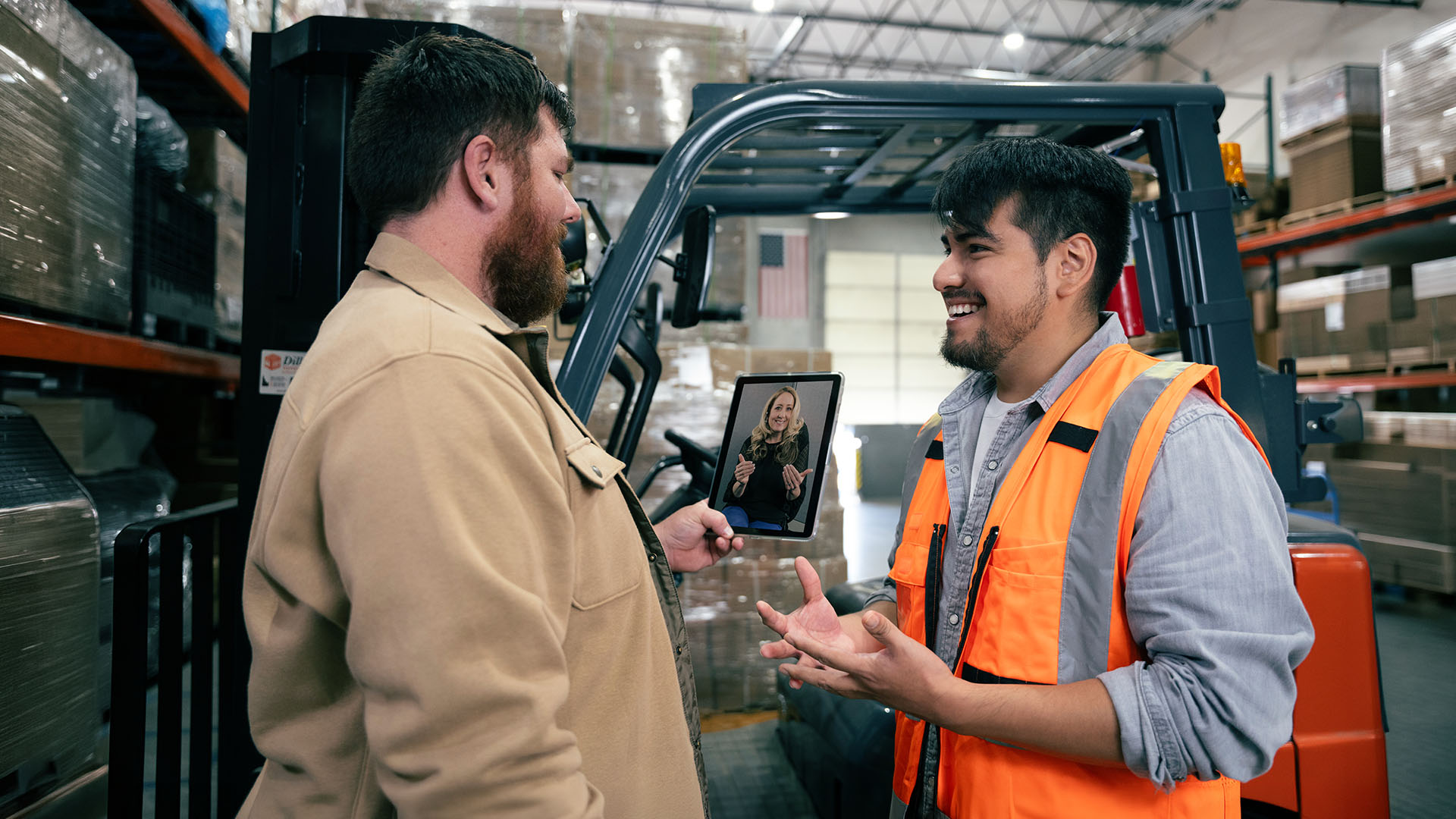
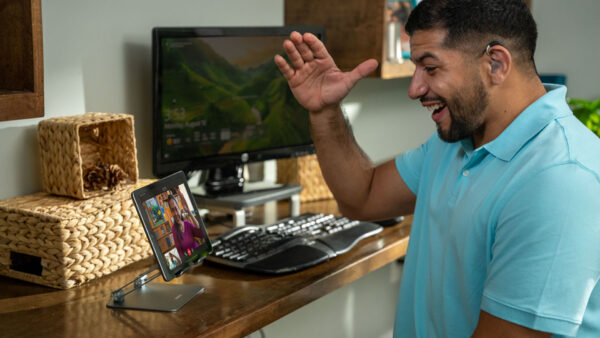
For communicating with Deaf customers who primarily use American Sign Language (ASL), captioning isn’t an ideal solution — but on-demand ASL interpreting can be. Sorenson Express is an app- and browser-based solution you can use to get an ASL interpreter on-the-fly to serve customers quickly and effectively — welcome them warmly, ask and answer questions, educate them about services — in their language and yours.

Customer experience as a business development driver

While financial services are essential for most people and can provide value to the public, it’s still a business with a need to attract and retain customers. It’s no stretch to make the connection between inclusive customer service and retention. However, institutions may overlook the power of accessibility as a magnet for new business.

It’s common knowledge that referrals are one of the most valuable ways any business acquires new customers, and statistics make it abundantly clear why:

  • 9 out of 10 consumers trust recommendations from friends or family more than any type of marketing. And in fact, half of consumers rely on those recommendations when choosing a business.
  • Referrals are 5x more likely to become customers than other lead sources.
  • Customers from referrals average 16% higher lifetime value than other customers.

The data for consumers as a whole is persuasive, but referrals count for even more among Deaf consumers and foreign language speakers. For example — compared to overall consumer reliance on recommendations — customers who don’t speak English are 10% more likely to choose a financial institution based on the input of family and friends.

An accessible customer experience that supports the language needs of your community — be it local or global — is a competitive differentiator that gives your financial institution an edge in customer referrals, particularly for linguistic minorities who put extra weight in recommendations from the people around them.

The appeal of banking with an organization that prioritizes accessibility doesn’t end with the consumers who benefit directly from those considerations; their family members, friends, and advocates are also inclined to take their money to businesses that care about being accessible.

More than 90% of Deaf consumers come from hearing families — parents, siblings, aunts and uncles, even children — who also need a financial services provider also need a financial services provider.

HR: expand workplace inclusion and enrich company culture

HR teams play a critical role in building inclusive workplaces. That work goes beyond hiring. It includes ensuring employees with disabilities can succeed and that company values show up in customer-facing experiences.

Actively promoting accessibility boosts customer experience and builds a more inclusive workplace. Meeting a variety of language and culture needs at your institution shows everyone is valued, raising morale and lowering turnover. This helps employees from all backgrounds feel respected and included.

Training front-line staff on best practices for interacting with Deaf or multilingual customers, and on when and how to use ASL interpreting or translation services, equips employees to respond confidently and efficiently. The result: less uncertainty, faster service, and a more inclusive experience for all.

IT: integrate secure enterprise solutions for low-lift, seamless operations

Security and privacy are elements of customer experience. That may not be obvious when your IT operations are running like a well-oiled machine, but it becomes apparent the moment you have an outage or a breach.

Secure and seamless communication solutions

For IT departments, the challenge lies in implementing robust, secure, and user-friendly technology that supports accessibility initiatives without compromising data integrity or system performance.

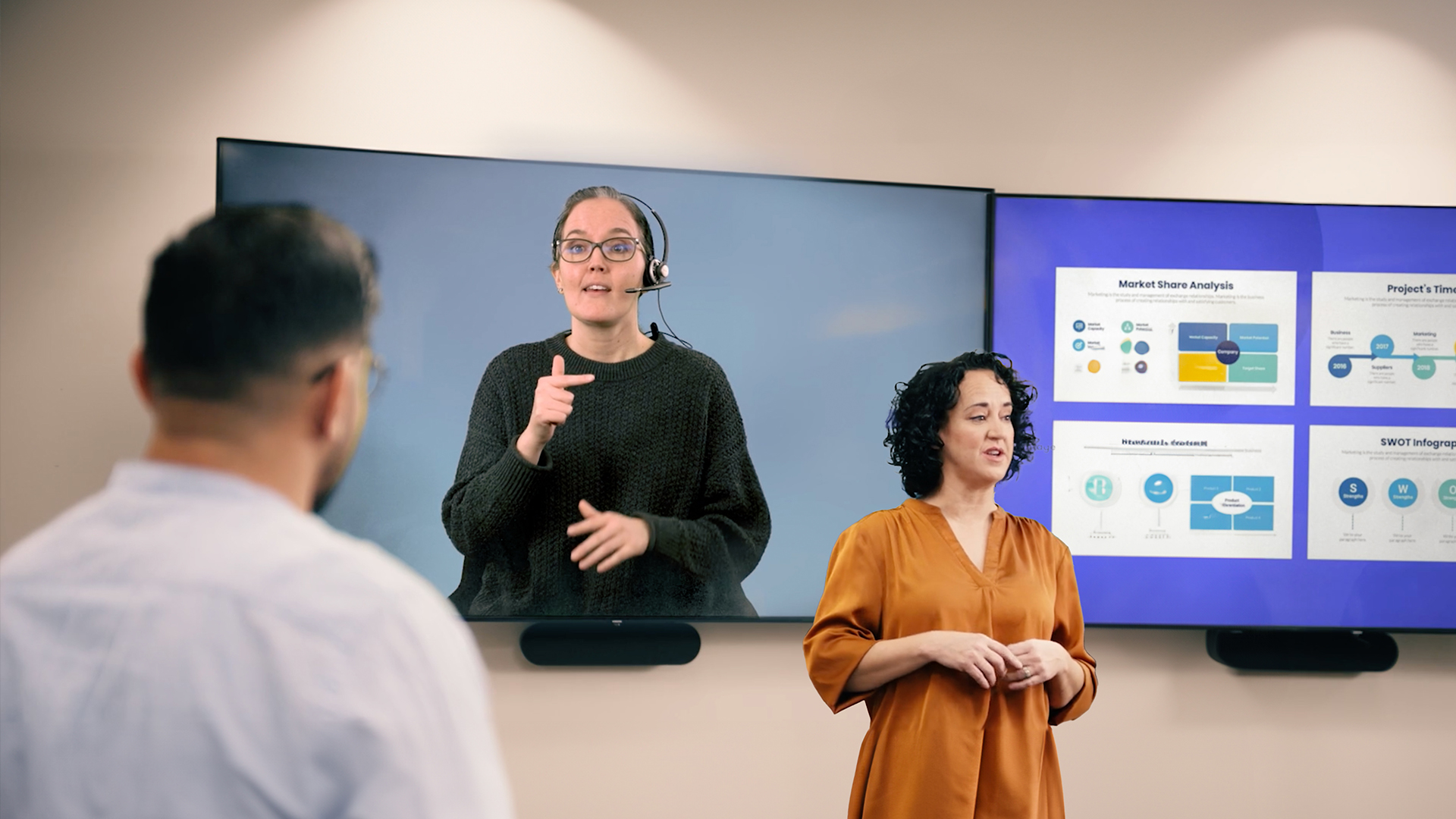
Integrating ASL interpreting services, especially remote video interpreting (VRI), requires careful consideration of bandwidth needs, platform compatibility, and data security. However, the right technology solution can provide a flexible and efficient way to offer interpreting services across multiple branches or even for virtual meetings. We partner with financial institutions to implement VRI solutions that integrate seamlessly with your existing infrastructure, ensuring compliance with your data privacy and security programs while providing high-quality video and audio for interpreting sessions.

The bottom line: accessibility as a growth driver

Investing in language accessibility, particularly ASL interpreting, is more than just fulfilling a social responsibility. It's a strategic investment that can:

  • Expand your customer base: Tap into the significant market of Deaf and Hard-of-Hearing individuals.
  • Enhance your brand reputation: Position your institution as inclusive, forward-thinking, and customer-centric.
  • Reduce legal risks: Help to comply with applicable accessibility mandates.

Boost employee confidence and satisfaction: Empower your team to serve all customers effectively.

At Sorenson Communications, we are committed to helping financial services providers unlock the full potential of accessibility. Let's work together to bridge communication gaps and build a more inclusive financial future for everyone.

Ready to discuss how ASL interpreting can transform your customer experience and meet your compliance goals? Contact us today for a consultation!

Best Practices for On-Site ASL Interpreting

On-site ASL interpreting supports face-to-face communication during in-person meetings or events that last from a few hours to multiple days. It is especially effective when participants are moving around, when the setting is outdoors, or when reliable internet access is not available. This guide outlines best practices for preparing for and working effectively with an on-site ASL interpreter.

When to use on-site ASL interpreting

On-site interpreting is ideal for:
  • In-person meetings or events lasting several hours or multiple days
  • Situations involving movement or changing locations
  • Outdoor settings or locations without reliable internet access
  • Conversations where relationship-building or nuance is especially important
Due to limited availability in particular locations, on-site interpreters may be harder to secure—especially on short notice. Consider Video Remote Interpreting (VRI) as an alternative.

Prepare for an on-site interpreting assignment

  • Schedule as far in advance as possible: Request on-site interpreting at least 48 hours in advance whenever possible. Earlier scheduling increases the likelihood of securing preferred interpreters.
  • Ask about interpreter preferences: If appropriate, ask Deaf participants whether they have preferences related to interpreter style or familiarity with certain terminology. Maintain a list of preferred interpreters familiar with your company’s language and staff name signs. If an interpreter isn’t a good fit, request that they not be assigned again.
  • Share logistical and contextual details: Provide the interpreter with agendas, key names, specialized terminology, a point of contact, and relevant logistical details such as parking and building access.
  • Plan for contingencies: If an on-site interpreter is not confirmed 72 hours prior to the assignment, contact the Deaf participant to discuss alternatives, such as scheduled Video Remote Interpreting (VRI), while respecting preferences for in-person services.

On-site interpreting etiquette

  • Look at and speak directly to the Deaf or hard-of-hearing person
  • Take turns and avoid speaking over others
  • Pause to allow the interpreter to finish signing before responses
  • Identify yourself when speaking in larger groups
  • Consult with interpreters and Deaf participants about optimal interpreter placement
  • Don't block the interpreter’s visibility when presenting
  • Be mindful of side conversations—interpreters are professionally obligated to interpret everything they hear.

Compare interpreting options

On-site interpreting is one of several ways to support accessible communication. To compare on-site interpreting with scheduled Video Remote Interpreting (VRI) and on-demand ASL interpreting, review our interpreting solutions comparison guide.

Learn more about ASL interpreting etiquette

For general guidance on respectful and effective communication with ASL interpreters across all settings, see our full guide: Have questions or need help choosing the right interpreting solution? Contact us at [email protected] or visit https://sorenson.com/enterprise/

Frequently asked questions about on-site ASL interpreting

  • How far in advance should I request an on-site ASL interpreter? At least 48 hours in advance is recommended, though earlier requests improve availability—especially for multi-day or specialized assignments.
  • What happens if an on-site interpreter is unavailable? If an on-site interpreter cannot be confirmed, scheduled Video Remote Interpreting (VRI) may be offered as an alternative, depending on the situation and participant preferences.
  • Is on-site interpreting required for all in-person meetings? Not always. Many in-person meetings can be effectively supported through VRI when participants are stationary and internet access is reliable.

The Business Benefits of Language Services for Neurodivergent Employees and People with Aphasia

Group of young processionals collaborate over laptops, tablets, and papers in creative office environment. Communication drives performance. When employees clearly understand information, contribute ideas, and participate fully in meetings, organizations can make better decisions and move faster. But for many people — including neurodivergent employees and people with aphasia — typical workplace communication often creates confusion instead of clarity. Fast-paced meetings, dense language, and audio-only discussions can limit comprehension, participation, and confidence. When organizations rely solely on baseline accessibility features, these barriers persist. Language services can help address these barriers.When implemented thoughtfully, they don’t just support individuals — they can improve engagement, productivity, and inclusion across the entire organization.

Why language accessibility matters at work

Neurodivergent individuals represent an estimated 15–20% of the population, and more than two million Americans live with aphasia, a language disorder often resulting from strokes or brain injuries. Many employees — diagnosed or not — benefit from communication tools that reduce cognitive load and improve understanding. When organizations fail to address these needs, the impact shows quickly: misalignment, disengagement, and missed contributions. When they do address them, the benefits extend far beyond compliance. Clear,  accessible communication improves how teams collaborate, learn, and perform. Accessibility, in other words, is no longer just an accommodation. It can be a competitive advantage that unlocks innovative ideas and groundbreaking business insights.

How Language Services Support Neurodivergent Employees and People with Aphasia

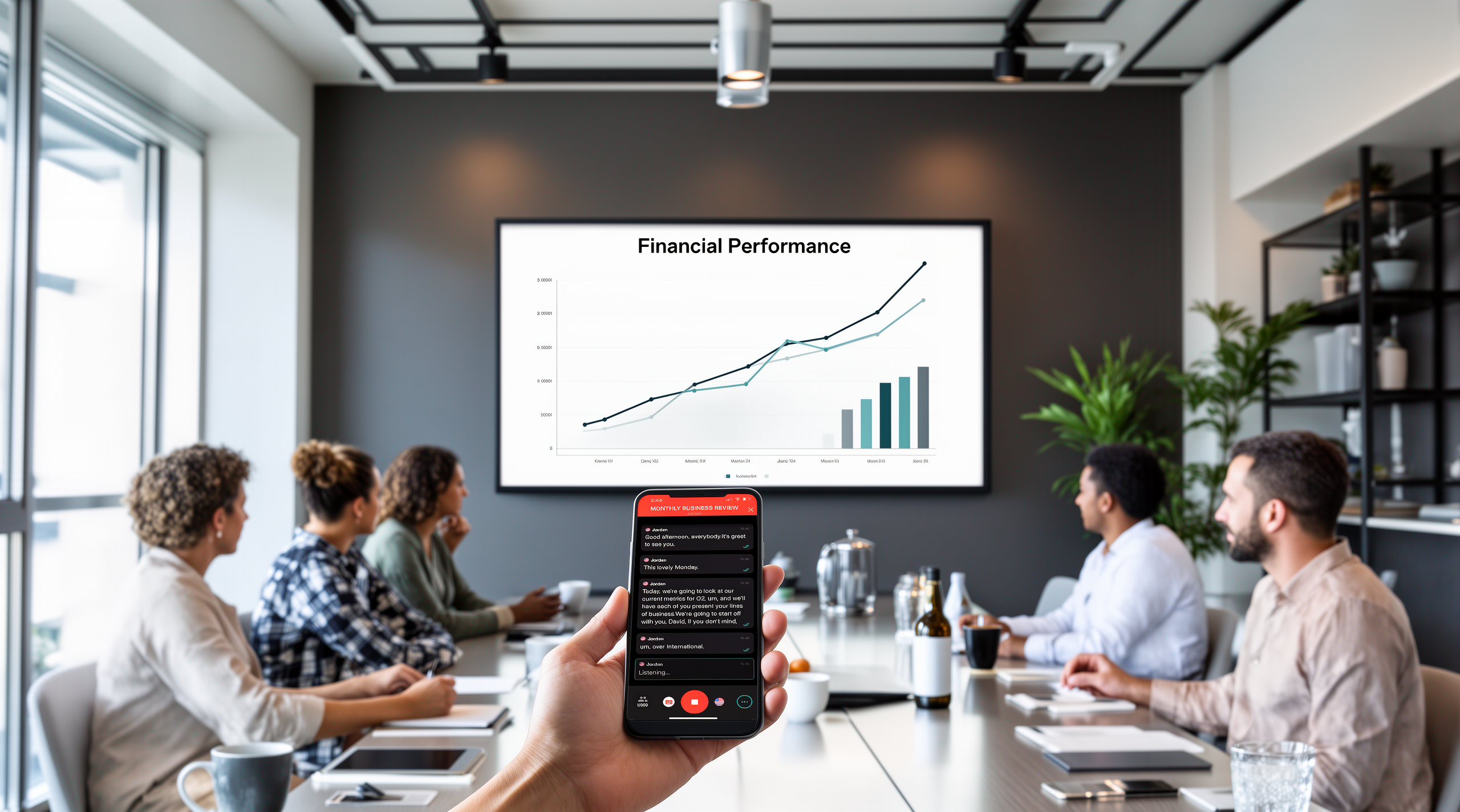
Neurodivergent employees, including individuals with autism, ADHD, or dyslexia, and people with aphasia can encounter communication barriers in typical workplace settings. Fast-paced meetings, dense language, and audio-only discussions can make spoken information harder to process in real time, which may limit understanding, participation, and confidence. Language services can help address these challenges by reinforcing spoken communication with visual and flexible alternatives. Real-time captions allow participants to read along as information is shared, making it easier to follow discussions, clarify meaning, and stay oriented as conversations move quickly. For individuals who benefit from visual support or structured text, captions reduce reliance on memory and support clearer comprehension. Post-session transcripts extend this support beyond the live meeting. They allow employees to review key points, revisit complex information, and confirm action items at their own pace, without needing to absorb everything in the moment. For multilingual employees or global teams, language translation expands access by allowing participants to read captions or listen to content in their preferred language. This helps ensure that language differences do not become barriers to understanding or contribution. By offering multiple ways to access the same information, language services support clearer communication and help more employees participate fully and share their expertise.

Reducing cognitive overload for everyone

While these challenges may be more pronounced for some employees, cognitive overload is common in the workplace. Meetings packed with dense information, overlapping speakers, and unclear action items make it harder to absorb and retain key messages. Language services can help to reduce this strain by:
  • Reinforcing spoken information with readable and accurate text
  • Allowing participants to process content at their own pace
  • Providing transcripts employees can revisit after meetings
For example, real-time captioning and transcription enable participants to stay focused on discussion rather than scrambling to take notes.  Clearer understanding the first time can reduce follow-up questions, repeated meetings, and decision fatigue, helping teams stay aligned and productive.

Why built-in captions aren’t enough

Most meeting platforms now offer live captions or basic transcription. These features are a helpful starting point—but they were designed for convenience and to check a box on a list of features, not inclusive outcomes. Built-in captions can struggle with accuracy, technical vocabulary, accents, or multiple speakers. They typically offer limited customization and little support for multilingual audiences, making it difficult to scale across large meetings, trainings, or live events. Purpose built language services address these gaps. Platforms like Sorenson Forum are designed specifically for comprehension and participation at scale. Forum provides real-time captioning and multilingual speech translation, allowing participants to read captions or listen to translated audio in their preferred language, on their own devices. Forum works alongside existing meeting tools like Zoom or Microsoft Teams, extending accessibility without disrupting established workflows. Built-in captioning is a baseline. Inclusive communication requires tools built for real understanding—across languages, learning styles, and environments. Man sitting at desk looking at computer monitor.

Accessibility drives inclusion—and performance

Inclusive communication is increasingly recognized as an important part of how organizations support employee participation, collaboration, and alignment. Research from Deloitte and McKinsey has consistently found an association between inclusive workplace practices and positive business outcomes, including higher levels of employee engagement, innovation, and organizational effectiveness. While inclusion alone does not guarantee performance gains, organizations that prioritize inclusive practices can create environments where more employees can contribute fully and effectively. Language accessibility is one practical component of this broader effort. Tools such as real-time captioning and multilingual support can help make meetings, trainings, and live events easier to follow, particularly in fast-paced or information-dense environments. By reducing communication friction and cognitive strain, accessible communication tools can support clearer understanding and more consistent participation across teams, especially in hybrid and global workplaces. Older man sitting at conference table shows woman standing by him something on his laptop screen. Beyond internal benefits, businesses that prioritize accessibility strengthen their brand reputation and build lasting customer loyalty.  An  Accenture study found that 62% of shoppers prefer businesses known for ethical practices, underscoring the value of inclusion in today’s marketplace. By committing to accessibility, companies signal they are forward-thinking and inclusive. That commitment helps attract top talent, deepen customer trust, and drive sustainable growth — creating meaningful impact for both business and society.

Practical Steps to Improve Language Accessibility at Work

Improving language accessibility doesn’t require a complete overhaul. Small, intentional changes make a measurable difference.
  • Simplify communication: Use plain language in emails, instructions, and presentations.
  • Leverage purpose-built tools: Go beyond baseline captions with real-time transcription and multilingual translation designed for enterprise use.
  • Offer multiple formats: Provide written, visual, and audio formats to match different communication needs.
  • Train teams: Help employees understand how to communicate clearly and inclusively across different needs and styles.

Ready to build a more inclusive workplace?

Language services do more than improve accessibility. They unlock participation, strengthen collaboration, and help organizations operate at their best. By investing in inclusive communication tools, businesses create environments where more employees can contribute fully — and where better ideas rise to the surface. Learn how Sorenson Forum supports real-time comprehension, multilingual participation, and inclusive communication at scale.

FAQ:

  • What is real-time captioning for meetings?
    • Real-time captioning displays spoken words as on-screen text during live meetings or events. It allows participants to read along as conversations happen, improving comprehension and focus.
  • How does AI captioning support neurodivergent employees?
    • AI captioning reinforces spoken communication with text, making information easier to process, retain, and revisit. This can help to reduce cognitive overload and can support different learning and communication styles.
  • How is Sorenson Forum different from built-in Zoom or Teams captions?
    • Sorenson Forum is a purpose-built accessibility and language-access platform designed for accuracy, comprehension, and scale. It supports real-time captioning and speech translation simultaneously in 25 core languages and 45 dialects.
    • Participants can view captions in their preferred language on their own devices.
  • What are the business benefits of multilingual translation at events?
    • Multilingual translation allows organizations to engage attendees who speak different languages without requiring separate events or sessions. This allows organizations to reach more people with the same event investment.
  • What tools support inclusive communication in hybrid workplaces?

Best Practices for On-Demand ASL Interpreting (Sorenson Express)

On-demand ASL interpreting provides fast, app- or browser-based access to an interpreter for short, impromptu conversations. Sorenson Express is designed for speed and ease of use, making it ideal when conversations can’t be scheduled in advance.

This guide explains when to use on-demand interpreting and how to ensure a smooth experience.

When to use on-demand ASL interpreting

On-demand video remote interpreting (VRI) is best suited for:

  • Short, one-on-one or small group conversations
  • Last-minute or spontaneous interactions
  • Quick check-ins with customers, colleagues, or visitors

It is not recommended for:

  • Long or complex meetings
  • Large group conversations
  • Sensitive, legal, or specialized discussions that require scheduled interpreters

Scheduled VRI may be a better option for large, long or specialized discussions.

Prepare for an on-demand Video Remote Interpreting session

Because on-demand interpreting is designed for speed, basic preparation helps avoid delays.

  • Check your technology: Ensure your internet connection, camera, and microphone are working. Accept any browser or app prompts that allow access to audio and video.
  • Position the device correctly: For in-person conversations, position the screen so the Deaf or hard-of-hearing participant has a clear view. Hearing participants should stay close to the microphone or use a connected audio device.
  • Make access visible: For physical locations, post signage or QR codes so users can easily access on-demand interpreting when needed.

On-demand interpreting etiquette

Even in quick conversations, ASL interpreting etiquette still applies.

  • Speak directly to the Deaf or hard-of-hearing person
  • Take turns and avoid overlapping speech
  • Identify yourself when multiple people are present
  • Allow pauses for the interpreter to finish signing, and Deaf participants to respond
  • Remember that interpreters must interpret everything they hear, including side conversations

Tips for in-person conversations

  • Prioritize the Deaf individual’s view of the screen
  • Ask the Deaf or hard-of-hearing participant to adjust volume if needed rather than touching their device
  • Move to a quieter or more private area if audio quality is an issue

Tips for virtual conversations

  • Pin the interpreter’s video (or enable pinning) in meetings with multiple participants
  • Keep cameras on so facial expressions are visible
  • Pause when sharing screens or referencing visuals to confirm all can see
  • Avoid repeatedly turning cameras on and off, which can cause the interpreter’s video to move
  • Use the hand raise feature to signal your desire to speak and leave it up until you’re done speaking

Compare interpreting options

Not sure whether on-demand, scheduled VRI, or on-site interpreting is the best fit for your situation?

Use our interpreting solutions comparison guide to compare session length, availability, and ideal use cases across options.

Learn more about ASL interpreting etiquette

For broader guidance on working respectfully and effectively with ASL interpreters in any setting, see our full guide:

Have questions or need help choosing the right interpreting solution?

Contact us at [email protected] or visit sorenson.com

Frequently asked questions about on-demand ASL interpreting

  • When should I use on-demand ASL interpreting instead of scheduled services?
    On-demand video remote interpreting is best for short, spontaneous conversations that cannot be scheduled in advance. For longer or more complex discussions, scheduled VRI or on-site interpreting is recommended.
  • Is on-demand ASL interpreting appropriate for large meetings?
    No. On-demand interpreting is designed for one-on-one or small group conversations. Large or formal meetings should use scheduled interpreting services.
  • Can on-demand ASL interpreting be used for virtual meetings?
    Yes. On-demand interpreting can be used within supported virtual meeting platforms for short, unplanned conversations.
  • Can on-demand VRI be used for in-person meetings?
    Yes. VRI can support in-person meetings when participants have access to a screen, camera, microphone, and reliable internet connection.
  • When is Video Remote Interpreting (VRI) better than on-site interpreting?
    VRI is often a better option when on-site interpreters are unavailable due to location or interpreter availability, when meetings are virtual or hybrid, or when there is a shorter turnaround time. Because VRI allows interpreters to join remotely, it can offer greater flexibility and faster access while still supporting effective communication.

Best Practices for Video Remote Interpreting (VRI)

Video Remote Interpreting (VRI) is a flexible solution for in-person, virtual, or hybrid meetings when an on-site interpreter is not available. When used correctly, scheduled VRI enables effective, respectful communication for Deaf and hard-of-hearing participants across a wide range of scenarios.

This guide outlines when to use VRI and the best practices that help interpreted conversations run smoothly.

When to use video remote interpreting

Video Remote Interpreting is best suited for:

  • Scheduled meetings, trainings, or events
  • Longer or more complex conversations
  • Situations where preparation and context improve accuracy
  • In-person, virtual, or hybrid environments with reliable internet

For short, spontaneous conversations that require immediate access, on-demand interpreting may be a better option.

Prepare for a successful VRI session 

Preparation is one of the most important factors in a successful VRI experience.

  • Schedule in advance: Whenever possible, request VRI ahead of time to ensure interpreter availability and readiness.
  • Ask about interpreter preferences: If appropriate, ask Deaf participants whether they have preferences related to communication style or familiarity with certain terminology.
  • Share meeting details early: Provide the interpreter with an agenda, participant names, specialized terminology, and a point of contact in case of technical issues.
  • Test your technology: Before the meeting, confirm that your internet connection, camera, microphone, and audio are working properly.
    Make sure:
    • Deaf participants can clearly see the screen and interpreter
    • Hearing participants are close to the microphone or using a headset or Bluetooth device
  • Plan for interpreter visibility: In virtual meetings, ensure the interpreter’s video can be pinned or spotlighted so it remains visible throughout the session.

VRI etiquette during the conversation

Following basic ASL interpreting etiquette helps conversations feel natural and inclusive.

  • Speak directly to the Deaf or hard-of-hearing person, not the interpreter
  • Take turns and avoid speaking over others
  • Pause to allow the interpreter to finish signing before responses
  • Identify yourself when speaking in group settings
  • Keep cameras on so facial expressions and visual cues are visible
  • If you reference slides or documents, pause briefly so everyone—including the interpreter—can review them

Tips for virtual and hybrid VRI meetings

  • Pin or spotlight the interpreter’s video
  • Avoid repeatedly turning cameras on and off, which can cause video windows to shift
  • Use the hand-raise feature to manage turn-taking
  • If sharing your screen, confirm the interpreter can still see Deaf participants before continuing

Learn more about ASL interpreting etiquette

For general guidance on how to work respectfully and effectively with ASL interpreters in any setting, see our full guide:

Have questions or need help choosing the right interpreting solution?

Contact us at [email protected] or visit https://sorenson.com/enterprise/

Frequently asked questions about video remote interpreting

  • When is Video Remote Interpreting better than on-site interpreting?
    VRI is often preferable when on-site interpreters are unavailable, when meetings are virtual or hybrid, or when interpreting is needed quickly due to shorter turnaround times.
  • Do I need to schedule VRI in advance?
    It’s best to schedule VRI in advance for known or recurring meetings and events. Advance scheduling allows interpreters to prepare and helps ensure availability, especially for longer or more complex conversations. For impromptu or last-minute needs, having access to on-demand VRI through a subscription can help ensure interpreting support is available when conversations arise unexpectedly.
  • Can VRI be used for in-person meetings?
    Yes. VRI can support in-person meetings when participants have access to a screen, camera, microphone, and reliable internet connection.
  • How does VRI compare to on-demand interpreting?
    VRI is better suited for longer or more structured meetings, while on-demand interpreting is designed for quick, impromptu conversations.

The Case for Multilingual Business Translation

Imagine you’re hosting a global team meeting where several attendees have limited English proficiency. How productive will that meeting be? Now imagine trying to sell your products or service to someone who isn’t fully comfortable communicating in English. How likely are they to move forward?

When employees or customers can’t fully understand your message, engagement drops and problems arise.

Today, most organizations operate across regions, cultures, and languages. Multilingual communication isn’t a nice-to-have anymore — it’s a strategic lever for productivity, engagement, and growth.

With real-time multilingual business translation and interpretation, Sorenson Forum helps teams and customers understand each other clearly, no matter the language.

The true cost of language barriers

Friction in business communication isn’t just inconvenient — it can be expensive. Here are some of the ways inefficient communication and language barriers can harm your bottom line:

Lost productivity — Slow or inefficient translation can have a compounding effect. Even a relatively minor miscommunication can quickly spiral into hours of explanation and rework. Workflows get disrupted as employees ask for clarification.

Multilingual meetings and presentations powered by Sorenson Forum minimize confusion and ensure everyone’s on the same page — even if they’re not all speaking the same language.  

Lost business opportunities — In many industries, competitive growth is fueled by international deals — the kind that 64% of businesses say they’ve missed due to a lack of multilingual employees.  

With real-time translation from Sorenson Forum, in-person and virtual meetings can easily cross language barriers, setting your organization up for greater international success.

Lost employee participation — When language barriers within a company go unaddressed, a surge in employee turnover is often soon to follow. Employees who don’t feel heard or understood give minimal effort or just leave entirely. Happy and engaged employees are more productive and often identify new and useful solutions or processes.  

Sorenson Forum doesn’t just help those employees feel heard; it can help their ideas and input reach the decision makers who can enact them.

Missed customers — By only communicating in one language, businesses voluntarily cut themselves off from huge pools of potential customers.

Real-time translation and interpretation enable you to tell new customers about your business while demonstrating your commitment to customer service and clear communication.

Breakdowns in communication are clearly a risk to any business. Fortunately, real-time translation, interpretation, and captioning can help you mitigate those risks, foster greater collaboration and connection, and avoid some of those negative outcomes.

Getting started with live multilingual translation

Every company and organization has unique needs when it comes to multilingual translation.  

  • Perform a communication audit. Review your internal communication policies and practices, as well as key external touchpoints. This Communication Accessibility Checklist can help you identify where communication is working effectively, where it can be improved, and where potential major breakdowns might happen.
  • Download A Modern Guide to Multilingual Communication at Scale. This comprehensive guide covers why multilingual communication matters, how live translation compares to other solutions, and what to look for in a translation tool.
  • Identify high-impact areas for translation and captioning. Many organizations choose to implement new technologies in phases. Based on your audit, where will multilingual translation have the biggest or most immediate impact on your business? For example, your company might field a lot of customer service calls from diverse communities, or you may be expanding into a new region with a heavily bilingual community.
  • Get internal buy-in. The points made in this article and in the Guide should help you make your case to internal decision-makers. Once you have selected a solution, be sure that all team members are properly trained and comfortable using it, to promote quick adoption and get the best results.

The language of success

In today’s world, multilingual communication is not just the right thing to do — it’s a business necessity. The ability to reach more potential customers and avoid costly miscommunications is a strategic advantage growth-minded businesses can’t afford to pass up.

Learn more about real-time multilingual translation tools by downloading the guide:

Language Barriers in Breast Cancer Awareness & Care: What Healthcare Providers Need to Know

How communication gaps harm diagnosis and treatment—and practical steps administrators can take to improve equity, patient safety, and outcomes.

What’s scarier than a cancer diagnosis?

No diagnosis — or one that comes too late — because accessible healthcare was out of reach. That’s a preventable risk for millions in the U.S.

Breast cancer is the most common cancer among U.S. women, and early detection saves lives. But for millions of patients who are Deaf, hard-of-hearing, or who speak a language other than English, early detection often depends on something far more basic than technology: communication access.

When patients can’t understand their provider — or their provider can’t understand them — screenings get delayed, symptoms go unreported, and treatment plans aren’t followed. These communication gaps are preventable and improving them can lead directly to better outcomes.

Language disparities in healthcare

Language accessibility has life-and-death implications in breast cancer diagnoses, treatment, and outcomes — especially for non-English-speaking and Deaf and hard-of-hearing (DHH) patients.

Language barriers affect every step of the healthcare system, from scheduling appointments to understanding diagnoses and treatment plans.

Studies show:

  • Language barriers delay access to screenings and disrupt treatment for immigrant patients (BMC Health Services Research).
  • Adults aged 18-64 who speak a language other than English are 2.5x more likely not to have a primary care provider and more likely to miss routine preventative screenings (Journal of General Internal Medicine).
  • Deaf ASL users’ understanding of English medical terminology is comparable to that of non-English-speaking immigrants (Preventing Chronic Disease).
  • Linguistically varied patients have longer hospital stays, more surgery delays, and higher readmission rates due to due to misunderstanding their care (The Joint Commission).
  • Deaf and hard-of-hearing patients often lack access to appropriate communication, such as sign language interpreters or captioning, which increases the risk of misunderstandings and delayed treatment (PubMed Central).
  • Breast health knowledge gaps are significant among deaf women — in one study, only 64% could correctly explain a mammogram (PubMed Central).
  • Health literacy is low nationwide: only 12% of U.S. adults have proficient health literacy (U.S. Department of HHS).
  • Deaf ASL users are seven times more likely to have inadequate health literacy compared to hearing peers, even when information is translated into ASL (PubMed Central).

Combined, these barriers limit patients’ ability to understand breast health information, ask informed questions, follow instructions, and receive timely care.

Why healthcare administrators should care

Language needs for healthcare access  

When you speak the dominant language in your country or region, it’s easy to take for granted how smoothly communication flows throughout the healthcare process. But for linguistically varied and DHH patients, language barriers can appear at each stage:

  • Scheduling and check-in: Difficulty communicating with front-office staff.
  • History and symptoms: Incomplete or inaccurate documentation due to misunderstandings.
  • Testing and procedures: Limited ability to ask questions or understand preparation instructions.
  • Diagnosis and treatment planning: High risk of miscommunication around medical terminology, options, risks, and follow-up care.

Common challenges include:

  • Ineffective patient-physician communication: Without a shared language or appropriate language services, patients can misunderstand instructions — and providers miss essential context.
  • Professional language services:
    • Interpreting: Patients may rely on family members or untrained staff, leading to inaccuracies (Joint Commission).
    • Translation: Missing or incomplete translated materials cause confusion around diagnoses and treatment (PLOS One).
    • Captioning: Without accurate real-time captioning, DHH patients may miss critical details during complex appointments.
  • Limited access to accessible health information: Few materials are available in ASL or non-English languages, limiting patient education and informed consent.

Addressing these communication gaps — through interpreters, translation, captioning, and culturally appropriate information — may improve patient safety, satisfaction, and outcomes.

Real patient stories: The human impact

Early detection depends on understanding the why

A hearing patient who spoke English went in for regular mammograms — and one of those screenings caught her breast cancer early enough to treat effectively.

But imagine if she hadn’t understood why mammograms were necessary or how often to get them. Many patients who are non-English-speaking or culturally underserved miss screenings simply because the information wasn’t communicated in their language.

For her, understanding the guidance changed her outcome. For others, lack of access delays care until the cancer is more advanced.

Access is more than “providing an interpreter”

A different patient, who is Deaf, went in for a routine mammogram. That turned into repeat scans, ultrasounds, and eventually a breast cancer diagnosis.

The law in her state required the hospital to provide an interpreter — but that didn’t guarantee clear communication. Different interpreters used different signs. Some didn’t know the specialized medical terminology. And masked providers made lip-reading impossible during the pandemic.

She wanted to understand her diagnosis and take an active role in her care. Her first step was to request the same interpreter for each appointment whenever possible. This consistency helped them build a shared vocabulary of medical signs. Once signs became familiar, she could follow what her care team was saying.

However, interpreters can only translate what clinicians say — they can’t teach the medical concepts behind the terms. So, she began researching at home. Her doctors supported her by giving her copies of all her reports and letting her read visit summaries.

Her story illustrates a key point: compliance with interpreter laws is not the same as meaningful access. Providers must ensure the communication itself is accurate, consistent, and patient-centered.

Without a professional interpreter, patients get left behind

A third patient, a Spanish-speaking patient in California, was unaware that she was entitled to a qualified interpreter and her full cancer care team did not speak Spanish. Her relative chose to step in and interpret, as he said he did not want her to worry needlessly about her health.

As a result, some information was withheld, softened, or mistranslated. Family members cannot ethically — or effectively — replace trained medical interpreters. Misunderstandings can lead to missed screenings, late diagnoses, or failure to follow treatment plans.

According to the California Health Care Foundation’s (CHCF) California Health Interview Survey (CHIS), 2.7 million adults in California are linguistically varied. Twenty-nine percent of these adults reported getting help from a family member or friend to understand their doctor, and 23% were not aware of their right to an interpreter.

How healthcare providers can solve language barriers

Improving language accessibility is achievable, and the strategies below can significantly improve outcomes for linguistically varied, Deaf, and hard-of-hearing patients.

1. Know and follow the legal standards

  • Certain federal and state laws require language access for limited English proficient (LEP) patients.
  • Similarly, certain federal laws require effective communication for Deaf and hard-of-hearing patients.
  • Relying on family or staff to interpret is not compliant.

Action: Establish a formal process for requesting, scheduling, and documenting qualified interpreters.

2. Provide multilingual and multi-format patient materials

Patients need accessible information in the format they use:

  • Written materials translated into key community languages
  • ASL videos for Deaf patients
  • Visual, plain-language summaries of treatment plans
  • Digital portals with captioning and translation options

Action: Audit commonly used patient education materials and prioritize those related to cancer prevention and follow-up care.

3. Trainstaff on communication best practices

Most access problems occur before a patient ever sees the physician.

Training should cover:

  • How to identify language access needs
  • How to request an interpreter
  • How to work effectively with interpreters
  • How to communicate with Deaf/linguistically varied patients using interpreters, captioning, or visual tools
  • How to confirm patient understanding without relying on yes/no responses

Action: Include language access protocols in onboarding and annual training.

4. Use technology to close gaps

Many health systems already have language accessibility tools they’re not fully using.

Examples include:

  • Video Remote Interpreting (VRI)
  • Captioning for telehealth
  • Patient portals with translated summaries
  • Automated translation for nonclinical information
  • AI-supported sign language avatars for patient education (emerging)

Action: Standardize when and how teams should use these. Gather patient feedback and analyze patient outcomes to identify areas for improvement.

5. Partner with community organizations

Local Deaf groups, Latino health advocates, and multicultural organizations can help providers:

  • Understand cultural differences in breast cancer awareness
  • Co-create communication materials
  • Improve outreach for mammogram scheduling and follow-up

Action: Establish at least one community partnership annually focused on preventive care.

These strategies can help healthcare providers improve language accessibility and patient outcomes, contributing to a more equitable healthcare system.

Moreover, expanding language services to eliminate language barriers makes patients more likely to get preventative and follow-up treatment, reducing hospitalizations. Being able to effectively communicate also leads to greater patient satisfaction, reduced risk for errors, and lower chances of problems with medication.

Conclusion: Language access helps save lives

Language access isn’t just about preventing delayed diagnoses — it’s essential at every stage of breast cancer care. When patients can’t fully understand screening recommendations, test results, treatment options, or follow-up instructions, the risk of complications rises and trust erodes.

Professional interpreters, clear multilingual materials, captioning, and culturally responsive communication help ensure patients can participate fully in their care — from early detection to treatment decisions to long-term recovery.

By strengthening language accessibility for Deaf, Hard-of-Hearing, and multilingual communities, healthcare systems can improve cancer screening rates, improve patient satisfaction, and create a more equitable experience for every patient.

Language barriers should never stand in the way of quality healthcare. If you’re ready to build a more accessible and compliant patient journey, our team can help.

Let’s design the right language access strategy for your organization.

How to Work with an ASL Interpreter: Etiquette Tips for Better Conversations

Working with an ASL interpreter helps ensure effective Deaf and hard-of-hearing communication in meetings, events, and everyday conversations. When everyone understands a few basic best practices, conversations become smoother, more natural, and more respectful for all involved.

This guide covers essential ASL interpreter etiquette and explains how to choose the right interpreting option — whether on-demand Video Remote Interpreting (VRI), scheduled VRI, or on-site interpreting.

ASL interpreter etiquette checklist (quick reference)

  • Speak directly to the Deaf or hard-of-hearing person, not the interpreter
  • Take turns and avoid speaking over others
  • Pause to allow the interpreter to finish signing before responses
  • Turn on your camera and ensure faces are visible
  • Identify yourself when speaking in group settings
  • Remember: interpreters must interpret everything, including side conversations

Choosing the right interpreting option

Different conversations call for different interpreting solutions. Choosing the right option helps balance accessibility, availability, and experience quality.

  • On-demand ASL interpreting: Designed for short, spontaneous conversations that require immediate access, such as last-minute check-ins or unplanned interactions.
  • Scheduled Video Remote Interpreting (VRI): Best for in-person, virtual, or hybrid meetings of any length where participants remain mostly stationary and have access to reliable internet, a camera, and a microphone. Scheduled VRI offers broader availability and preparation flexibility.
  • On-site ASL interpreting: Ideal for in-person meetings or events lasting several hours or multiple days — especially when participants are moving around, the setting is outdoors, or internet access is unreliable. On-site interpreting can be particularly effective for high-stakes or relationship-driven conversations.

Before the conversation: how to prepare to work with an ASL interpreter

Preparation plays a key role in a successful interpreted conversation.

  • Request interpreting services in advance: Whenever possible, schedule interpreting ahead of time — especially for longer or more complex meetings.
  • Ask about interpreter preferences: If appropriate, ask Deaf participants whether they have preferences related to communication style or familiarity with certain terminology.
  • Share context with the interpreter: Provide agendas, participant names, specialized terms, and relevant background information so interpreters can prepare.
  • Test your technology: Confirm that your internet connection, camera, and microphone are working properly if using VRI. Ensure Deaf participants can clearly see the screen and interpreter, and hearing participants are close to the microphone or using a headset or Bluetooth device.

Preparation may differ depending on whether you are using scheduled interpreting or on-demand services.

ASL interpreter etiquette during the conversation

Following basic ASL interpreting etiquette helps conversations flow naturally.

  • Speak directly to the Deaf or hard-of-hearing person
  • Maintain eye contact with the person, not the interpreter
  • Take turns and avoid overlapping speech
  • Pause to allow the interpreter to finish signing before responses
  • Identify yourself when speaking in group settings
  • Use clear facial expressions and body language

If referencing slides, handouts, or visuals, pause so everyone — including the interpreter — can review them.

ASL interpreting etiquette for virtual and hybrid meetings

Virtual and hybrid environments introduce additional considerations.

  • Keep cameras on so facial expressions are visible
  • Pin or spotlight the interpreter’s video or allow pinning in the meeting settings
  • Avoid repeatedly turning cameras on and off, which can cause video windows to shift
  • Use the hand-raise feature to manage turn-taking
  • If sharing your screen, confirm the interpreter can still see Deaf participants before continuing

Final thought

ASL interpreters are there to support communication — not to lead it. By following these etiquette best practices and selecting the right interpreting solution for each situation, you help create conversations where Deaf and hard-of-hearing participants can engage fully, confidently, and comfortably.

Frequently asked questions about ASL interpreter etiquette

  • What is the proper etiquette when working with an ASL interpreter
    Speak directly to the Deaf or hard-of-hearing person, take turns, avoid side conversations, and allow time for interpretation. Interpreters facilitate communication but do not participate in the conversation.
  • Should I talk to the interpreter or the Deaf person?
    Always speak directly to the Deaf or hard-of-hearing person and maintain eye contact with them, not the interpreter.
  • How fast should I speak when using an ASL interpreter?
    Speak at a natural pace and pause between thoughts to allow accurate interpretation and responses.
  • Do interpreters interpret side conversations?
    Yes. Interpreters are professionally and ethically obligated to interpret everything they hear.
  • What should I do differently in virtual meetings with an ASL interpreter?
    Keep your camera on, pin the interpreter’s video, identify yourself when speaking, and pause when sharing visuals.
  • When should I use on-demand video remote interpreting (VRI), scheduled VRI, or on-site interpreting?
    On-demand interpreting is best for short, spontaneous conversations. Scheduled VRI works well for most in-person, virtual, or hybrid meetings. On-site interpreting is ideal for long, in-person or high-movement situations.

Communication Accessibility Checklist for Your Business

Business accessibility elements

Ensuring your company provides an inclusive and accessible environment for employees and customers can be a challenge — but well worth it! Communication accessibility can help you reach more potential customers, help to keep you compliant with applicable laws and regulations, and even lead to higher employee and customer satisfaction.

So, where do you start? Before making any big changes or investing in new solutions, it helps to know where you stand right now. These quick tips will help you build a more inclusive, accessible experience for employees and customers.

Woman at table in office smiles and signs "yes" to her open laptop.

Workplace communication

  • Physical accessibility: Add flashing-light sensors to your smoke detectors, fire alarms, and doorbells. Ensure that important signage includes braille. Be sure that customers and employees can easily find information about what accessibility services your business has available, such as ASL interpreters or screen readers.
  • Clear communication guidelines: Set easy-to-follow guidelines for how your team communicates. Have speakers introduce themselves so interpreter users can follow along, and use plain language in written messages, particularly when meeting remotely.
  • Assistive technologies: Invest in screen readers, speech-to-text software, visual interpreting, and sign language interpreting services to support employees and customers who are blind, low-vision, Deaf, or hard-of-hearing. You can also take advantage of no-cost Video Relay Service (VRS) and call captioning service for employees’ phone calls. Ensure remote meetings, presentations, and events are captioned and translated, and share transcripts afterward to support comprehension and engagement with participants who are neurodiverse, limited English proficient (LEP), Deaf, or hard-of-hearing.
  • Training programs: Conduct regular training on accessible content and communication practices. Research1 from the Society for Human Resource Management (SHRM) indicates that companies with disability-inclusive cultures are more likely to outperform their peers financially.
  • Captioning multimedia content: Caption all multimedia content to ensure accessibility for neurodiverse, LEP, Deaf, and hard-of-hearing participants.
  • Accessible presentation materials: Share slides and documents before the meeting. Provide them in accessible formats — such as large print, tagged PDFs, or screen-reader–friendly files — so everyone can review and engage at their own pace.
  • Physical meeting accessibility: Choose meeting rooms with step-free access, wide pathways, accessible restrooms, and seating options for mobility devices. Confirm the space meets ADA requirements and remove any barriers before the meeting begins.
  • Inclusive participation: Make participation easy for everyone: use turn-taking, prompt quieter participants, and allow written or anonymous feedback. Assign an accessibility lead to watch for barriers and support participants during the meeting.

Woman in office meeting room holds tablet.

Customer experience

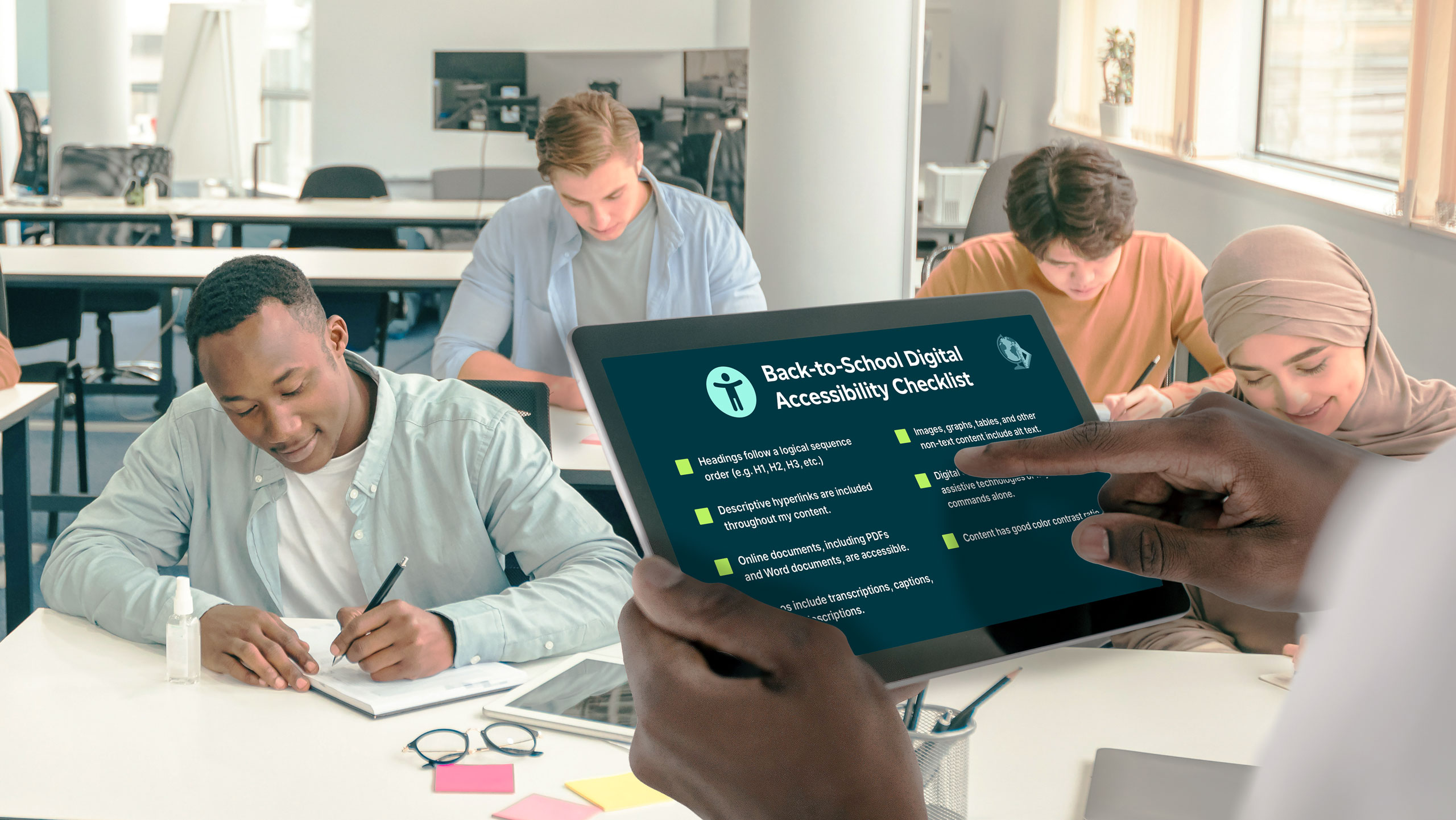
  • Website accessibility: Ensure your company website and digital content are accessible to individuals with disabilities by following Web Content Accessibility Guidelines (WCAG).
  • Proper HTML markup: Use proper HTML markup and provide alternative text for images to enhance accessibility for screen readers and other assistive technologies.
  • Accessible digital documents: Design digital documents with accessibility in mind, including proper headings, formatting, and descriptive links.
  • Testing for accessibility: Test digital communication platforms for accessibility and usability, ensuring they meet the needs of all users.
  • Training on digital accessibility: Provide your employees with training on how to create accessible digital content.
  • Physical accessibility: Ensure your business space is equipped with wheelchair ramps, automatic doors, braille signage, and other features that ensure everyone has access.
  • Customer service for all: If your organization provides customer service through a call center, consider using tools like call captioning or video relay service (VRS) to enable hard of hearing or Deaf individuals to call in.

Tabletop where group of people collaborate on design elements of a website. Their hands are visible, arranging cutout elements and post-it notes.

Feedback and collaboration

  • Open feedback environment: Make it easy for people to speak up about accessibility. Send regular polls, offer anonymous feedback channels, and share updates so everyone sees progress.
  • Collaborative problem-solving: Promote collaboration among employees to identify barriers to communication and implement effective solutions.
  • Leadership commitment: Lead by example. Prioritize accessibility in all communications and decision-making processes, demonstrating organizational values and fostering a culture of inclusivity.
  • Policy integration: Incorporate accessibility considerations into company policies and procedures, ensuring alignment with legal requirements and industry best practices.
  • Regular review and update: Regularly review and update accessibility practices to ensure ongoing improvement and compliance with evolving standards and technologies.

Are you ready to start creating a more inclusive and accessible business? Sorenson is committed to providing a suite of solutions to ensure your business is as inclusive and accessible as possible. Speak with our accessibility consultants about how to improve your accessibility strategy.

Inclusive Faith in Action: Elevation Church Adopts Sorenson VRI

How one church transformed worship accessibility with Sorenson’s Video Remote Interpreting service. 

Client overview

Organization: Elevation Church Ministries
Location: Scottsburg, Indiana
Audience: 500–600 members, both in-person and online
Accessibility focus: American Sign Language (ASL) video remote interpreting (VRI) for Deaf members


The challenge

Elevation Church Ministries exists to share the Word of God with everyone — yet, even in a place built on inclusion, one member’s experience revealed a barrier that couldn’t be ignored.

During a Sunday service, DJ Nocera and the pastoral team at Elevation, noticed a Deaf congregant attending faithfully week after week — participating in worship and even getting baptized, all without being able to understand the sermon.

“Seeing him there, with such faith, but without full understanding — it hit us hard,” DJ recalled. “He was showing up every week, and we realized we weren’t fully reaching him. Plus, when you walk around our church and you can’t understand the language, you don’t feel like you belong.”


Pain points

  • Limited access to the message: Deaf members could see and feel the energy of worship but couldn’t fully understand spoken sermons or teachings.
  • Interpreter shortage: In rural Indiana, finding qualified in-person ASL interpreters for weekly services was nearly impossible.
  • Budget challenges: As a mid-sized church, cost was a major consideration. Elevation needed an affordable, sustainable way to provide interpreting.
  • Lack of awareness: Before connecting with the Deaf community, church leaders didn’t realize captions alone weren’t sufficient for full language access.

“We learned that captions aren’t enough for the Deaf community as their primary language is most often ASL — not English,” DJ said.


The solution

To ensure every message was accessible, Elevation Church partnered with Sorenson, using its Video Remote Interpreting (VRI) service to connect Deaf and hearing members in real time.


How It Worked

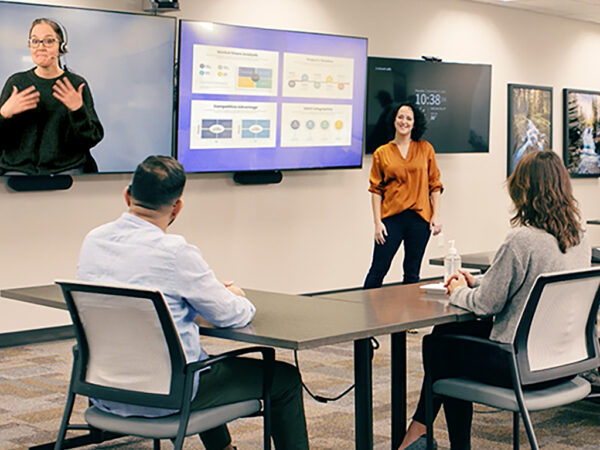
  • Seamless integration: The church’s IT team connected a laptop to an existing TV display, instantly adding a live interpreter feed viewable to the congregation.
  • Consistent access: Deaf members could now understand every message, prayer and song — experiencing full participation in worship for the first time.
  • Reliable, easy setup: VRI worked flawlessly every week. “Our IT guy has never had a single complaint,” DJ shared.
  • Extending inclusivity online: Encouraged by their success in person, Elevation is now working to bring the same inclusivity to their online congregation.

“It brings so much joy to see all members understand the message. We’re also excited to extend the same inclusivity to our online congregation.” 
— DJ, Elevation Church Ministries


The results

  • A transformed worship experience: For the first time, Deaf members could access every word of the message — deepening their faith and connection to the church community.
  • Growing inclusion and awareness: The area near the interpreter screen soon filled with both Deaf and hearing congregants eager to worship together. Hearing members are also now learning ASL greetings like “good morning” and “God bless you,” to greet Deaf members and build genuine community connection.

“When we added the interpreter, the area around the screen filled up — hearing people wanted to sit there too. Everyone wanted to see and be part of it.” 
— DJ, Elevation Church Ministries 

  • Faith in action: “What Jesus represents is leaving the 99 for the 1,” DJ said. “You’re not investing in a piece of technology — you’re investing in a person.”
  • Simple and reliable for small team: The Sorenson VRI setup is fast, dependable, and affordable — making it possible for Elevation to offer consistent accessibility without straining resources.
  • Expanding the vision: Elevation hopes to eventually add a Deaf-led service and invite more members of the Deaf community to join, ensuring that everyone can worship fully.

"Sorenson makes the spoken Word accessible to Deaf and hard-of-hearing people. As a pastor, if you even suspect you have a Deaf member, you need to understand that the Bible isn’t easily available to them — English is typically not their first language. Sorenson provides a perfect way to share God’s Word with someone who has never been able to access it before." 
— DJ, Elevation Church Ministries


Why choose Sorenson VRI for Ministries

  • Accessible for any congregation: Connects Deaf members with interpreters through video — no travel required.
  • Simple setup: Works with your existing equipment and Wi-Fi.
  • Affordable and scalable: Designed for churches of any size or budget.
  • Truly inclusive worship: Bring every member into the message, both in person and online.

Ready to make your services more inclusive?

This site is registered on wpml.org as a development site. Switch to a production site key to remove this banner.