Recent Searches

Best Practices for Video Remote Interpreting (VRI)

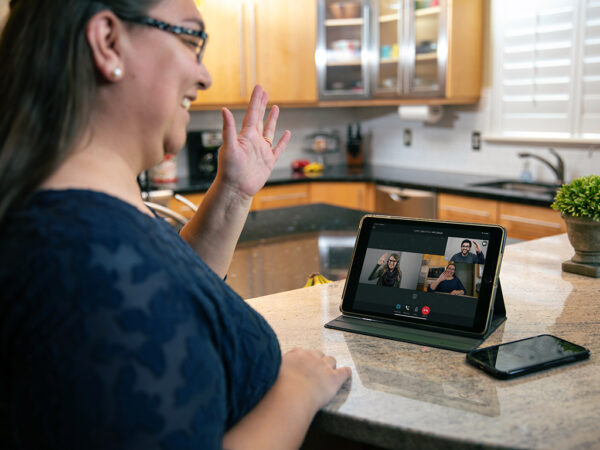
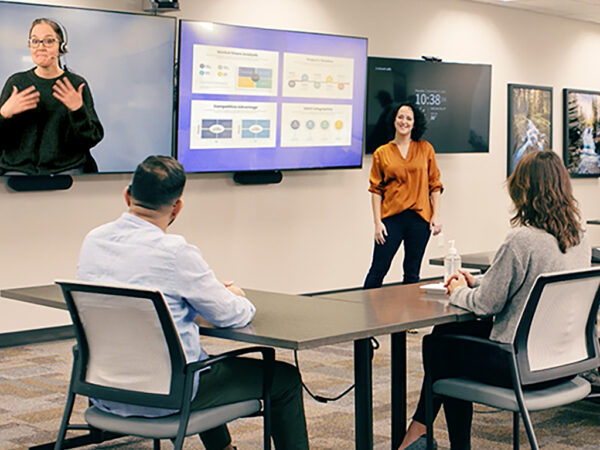
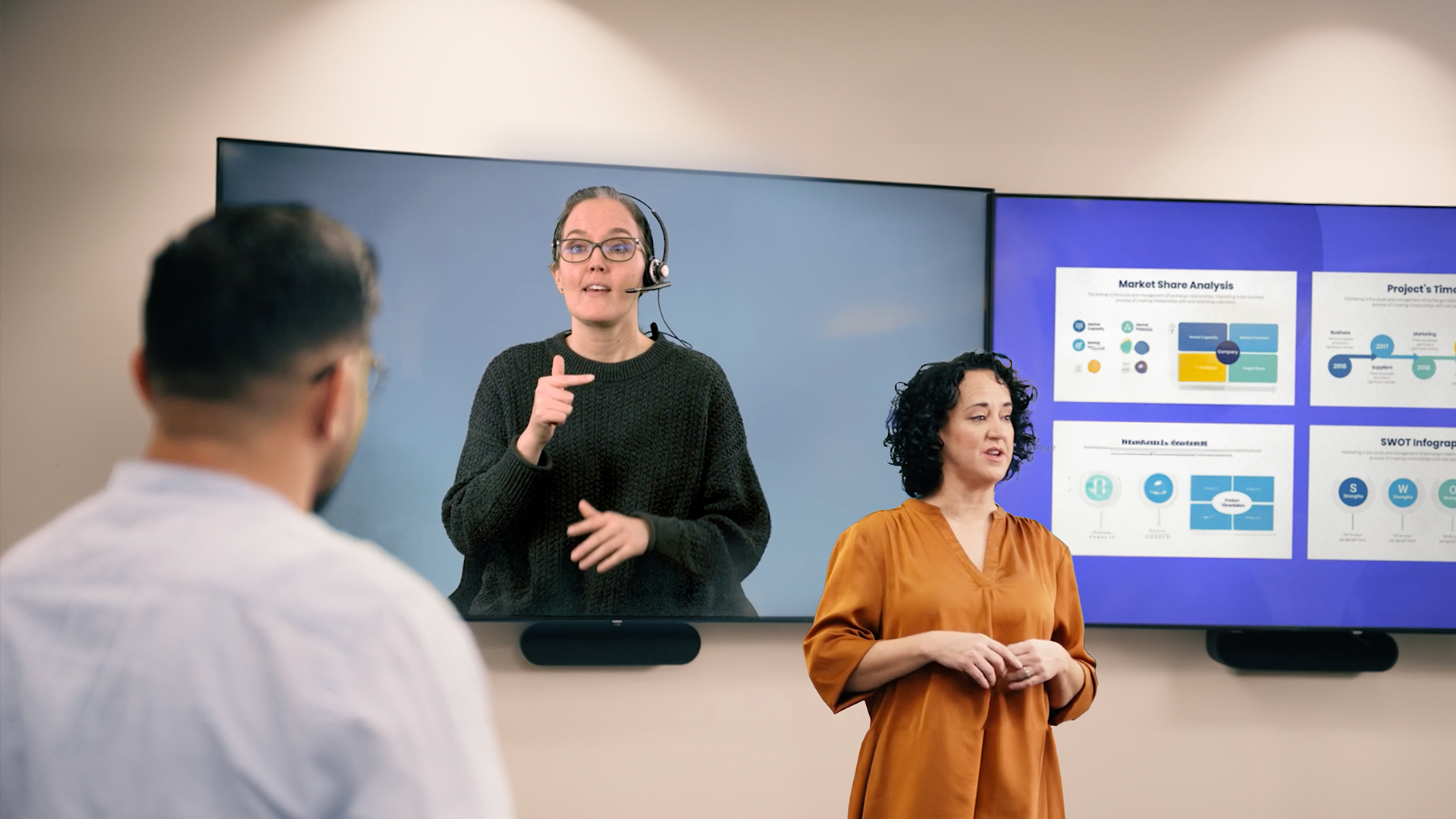
Video Remote Interpreting (VRI) is a flexible solution for in-person, virtual, or hybrid meetings when an on-site interpreter is not available. When used correctly, scheduled VRI enables effective, respectful communication for Deaf and hard-of-hearing participants across a wide range of scenarios. This guide outlines when to use VRI and the best practices that help interpreted conversations run smoothly.

When to use video remote interpreting

Video Remote Interpreting is best suited for:
  • Scheduled meetings, trainings, or events
  • Longer or more complex conversations
  • Situations where preparation and context improve accuracy
  • In-person, virtual, or hybrid environments with reliable internet
For short, spontaneous conversations that require immediate access, on-demand interpreting may be a better option.

Prepare for a successful VRI session 

Preparation is one of the most important factors in a successful VRI experience.
  • Schedule in advance: Whenever possible, request VRI ahead of time to ensure interpreter availability and readiness.
  • Ask about interpreter preferences: If appropriate, ask Deaf participants whether they have preferences related to communication style or familiarity with certain terminology.
  • Share meeting details early: Provide the interpreter with an agenda, participant names, specialized terminology, and a point of contact in case of technical issues.
  • Test your technology: Before the meeting, confirm that your internet connection, camera, microphone, and audio are working properly. Make sure:
    • Deaf participants can clearly see the screen and interpreter
    • Hearing participants are close to the microphone or using a headset or Bluetooth device
  • Plan for interpreter visibility: In virtual meetings, ensure the interpreter’s video can be pinned or spotlighted so it remains visible throughout the session.

VRI etiquette during the conversation

Following basic ASL interpreting etiquette helps conversations feel natural and inclusive.
  • Speak directly to the Deaf or hard-of-hearing person, not the interpreter
  • Take turns and avoid speaking over others
  • Pause to allow the interpreter to finish signing before responses
  • Identify yourself when speaking in group settings
  • Keep cameras on so facial expressions and visual cues are visible
  • If you reference slides or documents, pause briefly so everyone—including the interpreter—can review them

Tips for virtual and hybrid VRI meetings

  • Pin or spotlight the interpreter’s video
  • Avoid repeatedly turning cameras on and off, which can cause video windows to shift
  • Use the hand-raise feature to manage turn-taking
  • If sharing your screen, confirm the interpreter can still see Deaf participants before continuing

Learn more about ASL interpreting etiquette

For general guidance on how to work respectfully and effectively with ASL interpreters in any setting, see our full guide: Have questions or need help choosing the right interpreting solution? Contact us at [email protected] or visit https://sorenson.com/enterprise/

Frequently asked questions about video remote interpreting

  • When is Video Remote Interpreting better than on-site interpreting? VRI is often preferable when on-site interpreters are unavailable, when meetings are virtual or hybrid, or when interpreting is needed quickly due to shorter turnaround times.
  • Do I need to schedule VRI in advance? It’s best to schedule VRI in advance for known or recurring meetings and events. Advance scheduling allows interpreters to prepare and helps ensure availability, especially for longer or more complex conversations. For impromptu or last-minute needs, having access to on-demand VRI through a subscription can help ensure interpreting support is available when conversations arise unexpectedly.
  • Can VRI be used for in-person meetings? Yes. VRI can support in-person meetings when participants have access to a screen, camera, microphone, and reliable internet connection.
  • How does VRI compare to on-demand interpreting? VRI is better suited for longer or more structured meetings, while on-demand interpreting is designed for quick, impromptu conversations.

The Case for Multilingual Business Translation

Imagine you’re hosting a global team meeting where several attendees have limited English proficiency. How productive will that meeting be? Now imagine trying to sell your products or service to someone who isn’t fully comfortable communicating in English. How likely are they to move forward?

When employees or customers can’t fully understand your message, engagement drops and problems arise.

Today, most organizations operate across regions, cultures, and languages. Multilingual communication isn’t a nice-to-have anymore — it’s a strategic lever for productivity, engagement, and growth.

With real-time multilingual business translation and interpretation, Sorenson Forum helps teams and customers understand each other clearly, no matter the language.

The true cost of language barriers

Friction in business communication isn’t just inconvenient — it can be expensive. Here are some of the ways inefficient communication and language barriers can harm your bottom line:

Lost productivity — Slow or inefficient translation can have a compounding effect. Even a relatively minor miscommunication can quickly spiral into hours of explanation and rework. Workflows get disrupted as employees ask for clarification.

Multilingual meetings and presentations powered by Sorenson Forum minimize confusion and ensure everyone’s on the same page — even if they’re not all speaking the same language.  

Lost business opportunities — In many industries, competitive growth is fueled by international deals — the kind that 64% of businesses say they’ve missed due to a lack of multilingual employees.  

With real-time translation from Sorenson Forum, in-person and virtual meetings can easily cross language barriers, setting your organization up for greater international success.

Lost employee participation — When language barriers within a company go unaddressed, a surge in employee turnover is often soon to follow. Employees who don’t feel heard or understood give minimal effort or just leave entirely. Happy and engaged employees are more productive and often identify new and useful solutions or processes.  

Sorenson Forum doesn’t just help those employees feel heard; it can help their ideas and input reach the decision makers who can enact them.

Missed customers — By only communicating in one language, businesses voluntarily cut themselves off from huge pools of potential customers.

Real-time translation and interpretation enable you to tell new customers about your business while demonstrating your commitment to customer service and clear communication.

Breakdowns in communication are clearly a risk to any business. Fortunately, real-time translation, interpretation, and captioning can help you mitigate those risks, foster greater collaboration and connection, and avoid some of those negative outcomes.

Getting started with live multilingual translation

Every company and organization has unique needs when it comes to multilingual translation.  

  • Perform a communication audit. Review your internal communication policies and practices, as well as key external touchpoints. This Communication Accessibility Checklist can help you identify where communication is working effectively, where it can be improved, and where potential major breakdowns might happen.
  • Download A Modern Guide to Multilingual Communication at Scale. This comprehensive guide covers why multilingual communication matters, how live translation compares to other solutions, and what to look for in a translation tool.
  • Identify high-impact areas for translation and captioning. Many organizations choose to implement new technologies in phases. Based on your audit, where will multilingual translation have the biggest or most immediate impact on your business? For example, your company might field a lot of customer service calls from diverse communities, or you may be expanding into a new region with a heavily bilingual community.
  • Get internal buy-in. The points made in this article and in the Guide should help you make your case to internal decision-makers. Once you have selected a solution, be sure that all team members are properly trained and comfortable using it, to promote quick adoption and get the best results.

The language of success

In today’s world, multilingual communication is not just the right thing to do — it’s a business necessity. The ability to reach more potential customers and avoid costly miscommunications is a strategic advantage growth-minded businesses can’t afford to pass up.

Learn more about real-time multilingual translation tools by downloading the guide:

Language Barriers in Breast Cancer Awareness & Care: What Healthcare Providers Need to Know

How communication gaps harm diagnosis and treatment—and practical steps administrators can take to improve equity, patient safety, and outcomes.

What’s scarier than a cancer diagnosis?

No diagnosis — or one that comes too late — because accessible healthcare was out of reach. That’s a preventable risk for millions in the U.S.

Breast cancer is the most common cancer among U.S. women, and early detection saves lives. But for millions of patients who are Deaf, hard-of-hearing, or who speak a language other than English, early detection often depends on something far more basic than technology: communication access.

When patients can’t understand their provider — or their provider can’t understand them — screenings get delayed, symptoms go unreported, and treatment plans aren’t followed. These communication gaps are preventable and improving them can lead directly to better outcomes.

Language disparities in healthcare

Language accessibility has life-and-death implications in breast cancer diagnoses, treatment, and outcomes — especially for non-English-speaking and Deaf and hard-of-hearing (DHH) patients.

Language barriers affect every step of the healthcare system, from scheduling appointments to understanding diagnoses and treatment plans.

Studies show:

  • Language barriers delay access to screenings and disrupt treatment for immigrant patients (BMC Health Services Research).
  • Adults aged 18-64 who speak a language other than English are 2.5x more likely not to have a primary care provider and more likely to miss routine preventative screenings (Journal of General Internal Medicine).
  • Deaf ASL users’ understanding of English medical terminology is comparable to that of non-English-speaking immigrants (Preventing Chronic Disease).
  • Linguistically varied patients have longer hospital stays, more surgery delays, and higher readmission rates due to due to misunderstanding their care (The Joint Commission).
  • Deaf and hard-of-hearing patients often lack access to appropriate communication, such as sign language interpreters or captioning, which increases the risk of misunderstandings and delayed treatment (PubMed Central).
  • Breast health knowledge gaps are significant among deaf women — in one study, only 64% could correctly explain a mammogram (PubMed Central).
  • Health literacy is low nationwide: only 12% of U.S. adults have proficient health literacy (U.S. Department of HHS).
  • Deaf ASL users are seven times more likely to have inadequate health literacy compared to hearing peers, even when information is translated into ASL (PubMed Central).

Combined, these barriers limit patients’ ability to understand breast health information, ask informed questions, follow instructions, and receive timely care.

Why healthcare administrators should care

Language needs for healthcare access  

When you speak the dominant language in your country or region, it’s easy to take for granted how smoothly communication flows throughout the healthcare process. But for linguistically varied and DHH patients, language barriers can appear at each stage:

  • Scheduling and check-in: Difficulty communicating with front-office staff.
  • History and symptoms: Incomplete or inaccurate documentation due to misunderstandings.
  • Testing and procedures: Limited ability to ask questions or understand preparation instructions.
  • Diagnosis and treatment planning: High risk of miscommunication around medical terminology, options, risks, and follow-up care.

Common challenges include:

  • Ineffective patient-physician communication: Without a shared language or appropriate language services, patients can misunderstand instructions — and providers miss essential context.
  • Professional language services:
    • Interpreting: Patients may rely on family members or untrained staff, leading to inaccuracies (Joint Commission).
    • Translation: Missing or incomplete translated materials cause confusion around diagnoses and treatment (PLOS One).
    • Captioning: Without accurate real-time captioning, DHH patients may miss critical details during complex appointments.
  • Limited access to accessible health information: Few materials are available in ASL or non-English languages, limiting patient education and informed consent.

Addressing these communication gaps — through interpreters, translation, captioning, and culturally appropriate information — may improve patient safety, satisfaction, and outcomes.

Real patient stories: The human impact

Early detection depends on understanding the why

A hearing patient who spoke English went in for regular mammograms — and one of those screenings caught her breast cancer early enough to treat effectively.

But imagine if she hadn’t understood why mammograms were necessary or how often to get them. Many patients who are non-English-speaking or culturally underserved miss screenings simply because the information wasn’t communicated in their language.

For her, understanding the guidance changed her outcome. For others, lack of access delays care until the cancer is more advanced.

Access is more than “providing an interpreter”

A different patient, who is Deaf, went in for a routine mammogram. That turned into repeat scans, ultrasounds, and eventually a breast cancer diagnosis.

The law in her state required the hospital to provide an interpreter — but that didn’t guarantee clear communication. Different interpreters used different signs. Some didn’t know the specialized medical terminology. And masked providers made lip-reading impossible during the pandemic.

She wanted to understand her diagnosis and take an active role in her care. Her first step was to request the same interpreter for each appointment whenever possible. This consistency helped them build a shared vocabulary of medical signs. Once signs became familiar, she could follow what her care team was saying.

However, interpreters can only translate what clinicians say — they can’t teach the medical concepts behind the terms. So, she began researching at home. Her doctors supported her by giving her copies of all her reports and letting her read visit summaries.

Her story illustrates a key point: compliance with interpreter laws is not the same as meaningful access. Providers must ensure the communication itself is accurate, consistent, and patient-centered.

Without a professional interpreter, patients get left behind

A third patient, a Spanish-speaking patient in California, was unaware that she was entitled to a qualified interpreter and her full cancer care team did not speak Spanish. Her relative chose to step in and interpret, as he said he did not want her to worry needlessly about her health.

As a result, some information was withheld, softened, or mistranslated. Family members cannot ethically — or effectively — replace trained medical interpreters. Misunderstandings can lead to missed screenings, late diagnoses, or failure to follow treatment plans.

According to the California Health Care Foundation’s (CHCF) California Health Interview Survey (CHIS), 2.7 million adults in California are linguistically varied. Twenty-nine percent of these adults reported getting help from a family member or friend to understand their doctor, and 23% were not aware of their right to an interpreter.

How healthcare providers can solve language barriers

Improving language accessibility is achievable, and the strategies below can significantly improve outcomes for linguistically varied, Deaf, and hard-of-hearing patients.

1. Know and follow the legal standards

  • Certain federal and state laws require language access for limited English proficient (LEP) patients.
  • Similarly, certain federal laws require effective communication for Deaf and hard-of-hearing patients.
  • Relying on family or staff to interpret is not compliant.

Action: Establish a formal process for requesting, scheduling, and documenting qualified interpreters.

2. Provide multilingual and multi-format patient materials

Patients need accessible information in the format they use:

  • Written materials translated into key community languages
  • ASL videos for Deaf patients
  • Visual, plain-language summaries of treatment plans
  • Digital portals with captioning and translation options

Action: Audit commonly used patient education materials and prioritize those related to cancer prevention and follow-up care.

3. Trainstaff on communication best practices

Most access problems occur before a patient ever sees the physician.

Training should cover:

  • How to identify language access needs
  • How to request an interpreter
  • How to work effectively with interpreters
  • How to communicate with Deaf/linguistically varied patients using interpreters, captioning, or visual tools
  • How to confirm patient understanding without relying on yes/no responses

Action: Include language access protocols in onboarding and annual training.

4. Use technology to close gaps

Many health systems already have language accessibility tools they’re not fully using.

Examples include:

  • Video Remote Interpreting (VRI)
  • Captioning for telehealth
  • Patient portals with translated summaries
  • Automated translation for nonclinical information
  • AI-supported sign language avatars for patient education (emerging)

Action: Standardize when and how teams should use these. Gather patient feedback and analyze patient outcomes to identify areas for improvement.

5. Partner with community organizations

Local Deaf groups, Latino health advocates, and multicultural organizations can help providers:

  • Understand cultural differences in breast cancer awareness
  • Co-create communication materials
  • Improve outreach for mammogram scheduling and follow-up

Action: Establish at least one community partnership annually focused on preventive care.

These strategies can help healthcare providers improve language accessibility and patient outcomes, contributing to a more equitable healthcare system.

Moreover, expanding language services to eliminate language barriers makes patients more likely to get preventative and follow-up treatment, reducing hospitalizations. Being able to effectively communicate also leads to greater patient satisfaction, reduced risk for errors, and lower chances of problems with medication.

Conclusion: Language access helps save lives

Language access isn’t just about preventing delayed diagnoses — it’s essential at every stage of breast cancer care. When patients can’t fully understand screening recommendations, test results, treatment options, or follow-up instructions, the risk of complications rises and trust erodes.

Professional interpreters, clear multilingual materials, captioning, and culturally responsive communication help ensure patients can participate fully in their care — from early detection to treatment decisions to long-term recovery.

By strengthening language accessibility for Deaf, Hard-of-Hearing, and multilingual communities, healthcare systems can improve cancer screening rates, improve patient satisfaction, and create a more equitable experience for every patient.

Language barriers should never stand in the way of quality healthcare. If you’re ready to build a more accessible and compliant patient journey, our team can help.

Let’s design the right language access strategy for your organization.

How to Work with an ASL Interpreter: Etiquette Tips for Better Conversations

Working with an ASL interpreter helps ensure effective Deaf and hard-of-hearing communication in meetings, events, and everyday conversations. When everyone understands a few basic best practices, conversations become smoother, more natural, and more respectful for all involved.

This guide covers essential ASL interpreter etiquette and explains how to choose the right interpreting option — whether on-demand Video Remote Interpreting (VRI), scheduled VRI, or on-site interpreting.

ASL interpreter etiquette checklist (quick reference)

  • Speak directly to the Deaf or hard-of-hearing person, not the interpreter
  • Take turns and avoid speaking over others
  • Pause to allow the interpreter to finish signing before responses
  • Turn on your camera and ensure faces are visible
  • Identify yourself when speaking in group settings
  • Remember: interpreters must interpret everything, including side conversations

Choosing the right interpreting option

Different conversations call for different interpreting solutions. Choosing the right option helps balance accessibility, availability, and experience quality.

  • On-demand ASL interpreting: Designed for short, spontaneous conversations that require immediate access, such as last-minute check-ins or unplanned interactions.
  • Scheduled Video Remote Interpreting (VRI): Best for in-person, virtual, or hybrid meetings of any length where participants remain mostly stationary and have access to reliable internet, a camera, and a microphone. Scheduled VRI offers broader availability and preparation flexibility.
  • On-site ASL interpreting: Ideal for in-person meetings or events lasting several hours or multiple days — especially when participants are moving around, the setting is outdoors, or internet access is unreliable. On-site interpreting can be particularly effective for high-stakes or relationship-driven conversations.

Before the conversation: how to prepare to work with an ASL interpreter

Preparation plays a key role in a successful interpreted conversation.

  • Request interpreting services in advance: Whenever possible, schedule interpreting ahead of time — especially for longer or more complex meetings.
  • Ask about interpreter preferences: If appropriate, ask Deaf participants whether they have preferences related to communication style or familiarity with certain terminology.
  • Share context with the interpreter: Provide agendas, participant names, specialized terms, and relevant background information so interpreters can prepare.
  • Test your technology: Confirm that your internet connection, camera, and microphone are working properly if using VRI. Ensure Deaf participants can clearly see the screen and interpreter, and hearing participants are close to the microphone or using a headset or Bluetooth device.

Preparation may differ depending on whether you are using scheduled interpreting or on-demand services.

ASL interpreter etiquette during the conversation

Following basic ASL interpreting etiquette helps conversations flow naturally.

  • Speak directly to the Deaf or hard-of-hearing person
  • Maintain eye contact with the person, not the interpreter
  • Take turns and avoid overlapping speech
  • Pause to allow the interpreter to finish signing before responses
  • Identify yourself when speaking in group settings
  • Use clear facial expressions and body language

If referencing slides, handouts, or visuals, pause so everyone — including the interpreter — can review them.

ASL interpreting etiquette for virtual and hybrid meetings

Virtual and hybrid environments introduce additional considerations.

  • Keep cameras on so facial expressions are visible
  • Pin or spotlight the interpreter’s video or allow pinning in the meeting settings
  • Avoid repeatedly turning cameras on and off, which can cause video windows to shift
  • Use the hand-raise feature to manage turn-taking
  • If sharing your screen, confirm the interpreter can still see Deaf participants before continuing

Final thought

ASL interpreters are there to support communication — not to lead it. By following these etiquette best practices and selecting the right interpreting solution for each situation, you help create conversations where Deaf and hard-of-hearing participants can engage fully, confidently, and comfortably.

Frequently asked questions about ASL interpreter etiquette

  • What is the proper etiquette when working with an ASL interpreter
    Speak directly to the Deaf or hard-of-hearing person, take turns, avoid side conversations, and allow time for interpretation. Interpreters facilitate communication but do not participate in the conversation.
  • Should I talk to the interpreter or the Deaf person?
    Always speak directly to the Deaf or hard-of-hearing person and maintain eye contact with them, not the interpreter.
  • How fast should I speak when using an ASL interpreter?
    Speak at a natural pace and pause between thoughts to allow accurate interpretation and responses.
  • Do interpreters interpret side conversations?
    Yes. Interpreters are professionally and ethically obligated to interpret everything they hear.
  • What should I do differently in virtual meetings with an ASL interpreter?
    Keep your camera on, pin the interpreter’s video, identify yourself when speaking, and pause when sharing visuals.
  • When should I use on-demand video remote interpreting (VRI), scheduled VRI, or on-site interpreting?
    On-demand interpreting is best for short, spontaneous conversations. Scheduled VRI works well for most in-person, virtual, or hybrid meetings. On-site interpreting is ideal for long, in-person or high-movement situations.

Communication Accessibility Checklist for Your Business

Business accessibility elements

Ensuring your company provides an inclusive and accessible environment for employees and customers can be a challenge — but well worth it! Communication accessibility can help you reach more potential customers, help to keep you compliant with applicable laws and regulations, and even lead to higher employee and customer satisfaction.

So, where do you start? Before making any big changes or investing in new solutions, it helps to know where you stand right now. These quick tips will help you build a more inclusive, accessible experience for employees and customers.

Woman at table in office smiles and signs "yes" to her open laptop.

Workplace communication

  • Physical accessibility: Add flashing-light sensors to your smoke detectors, fire alarms, and doorbells. Ensure that important signage includes braille. Be sure that customers and employees can easily find information about what accessibility services your business has available, such as ASL interpreters or screen readers.
  • Clear communication guidelines: Set easy-to-follow guidelines for how your team communicates. Have speakers introduce themselves so interpreter users can follow along, and use plain language in written messages, particularly when meeting remotely.
  • Assistive technologies: Invest in screen readers, speech-to-text software, visual interpreting, and sign language interpreting services to support employees and customers who are blind, low-vision, Deaf, or hard-of-hearing. You can also take advantage of no-cost Video Relay Service (VRS) and call captioning service for employees’ phone calls. Ensure remote meetings, presentations, and events are captioned and translated, and share transcripts afterward to support comprehension and engagement with participants who are neurodiverse, limited English proficient (LEP), Deaf, or hard-of-hearing.
  • Training programs: Conduct regular training on accessible content and communication practices. Research1 from the Society for Human Resource Management (SHRM) indicates that companies with disability-inclusive cultures are more likely to outperform their peers financially.
  • Captioning multimedia content: Caption all multimedia content to ensure accessibility for neurodiverse, LEP, Deaf, and hard-of-hearing participants.
  • Accessible presentation materials: Share slides and documents before the meeting. Provide them in accessible formats — such as large print, tagged PDFs, or screen-reader–friendly files — so everyone can review and engage at their own pace.
  • Physical meeting accessibility: Choose meeting rooms with step-free access, wide pathways, accessible restrooms, and seating options for mobility devices. Confirm the space meets ADA requirements and remove any barriers before the meeting begins.
  • Inclusive participation: Make participation easy for everyone: use turn-taking, prompt quieter participants, and allow written or anonymous feedback. Assign an accessibility lead to watch for barriers and support participants during the meeting.

Woman in office meeting room holds tablet.

Customer experience

  • Website accessibility: Ensure your company website and digital content are accessible to individuals with disabilities by following Web Content Accessibility Guidelines (WCAG).
  • Proper HTML markup: Use proper HTML markup and provide alternative text for images to enhance accessibility for screen readers and other assistive technologies.
  • Accessible digital documents: Design digital documents with accessibility in mind, including proper headings, formatting, and descriptive links.
  • Testing for accessibility: Test digital communication platforms for accessibility and usability, ensuring they meet the needs of all users.
  • Training on digital accessibility: Provide your employees with training on how to create accessible digital content.
  • Physical accessibility: Ensure your business space is equipped with wheelchair ramps, automatic doors, braille signage, and other features that ensure everyone has access.
  • Customer service for all: If your organization provides customer service through a call center, consider using tools like call captioning or video relay service (VRS) to enable hard of hearing or Deaf individuals to call in.

Tabletop where group of people collaborate on design elements of a website. Their hands are visible, arranging cutout elements and post-it notes.

Feedback and collaboration

  • Open feedback environment: Make it easy for people to speak up about accessibility. Send regular polls, offer anonymous feedback channels, and share updates so everyone sees progress.
  • Collaborative problem-solving: Promote collaboration among employees to identify barriers to communication and implement effective solutions.
  • Leadership commitment: Lead by example. Prioritize accessibility in all communications and decision-making processes, demonstrating organizational values and fostering a culture of inclusivity.
  • Policy integration: Incorporate accessibility considerations into company policies and procedures, ensuring alignment with legal requirements and industry best practices.
  • Regular review and update: Regularly review and update accessibility practices to ensure ongoing improvement and compliance with evolving standards and technologies.

Are you ready to start creating a more inclusive and accessible business? Sorenson is committed to providing a suite of solutions to ensure your business is as inclusive and accessible as possible. Speak with our accessibility consultants about how to improve your accessibility strategy.

Inclusive Faith in Action: Elevation Church Adopts Sorenson VRI

How one church transformed worship accessibility with Sorenson’s Video Remote Interpreting service. 

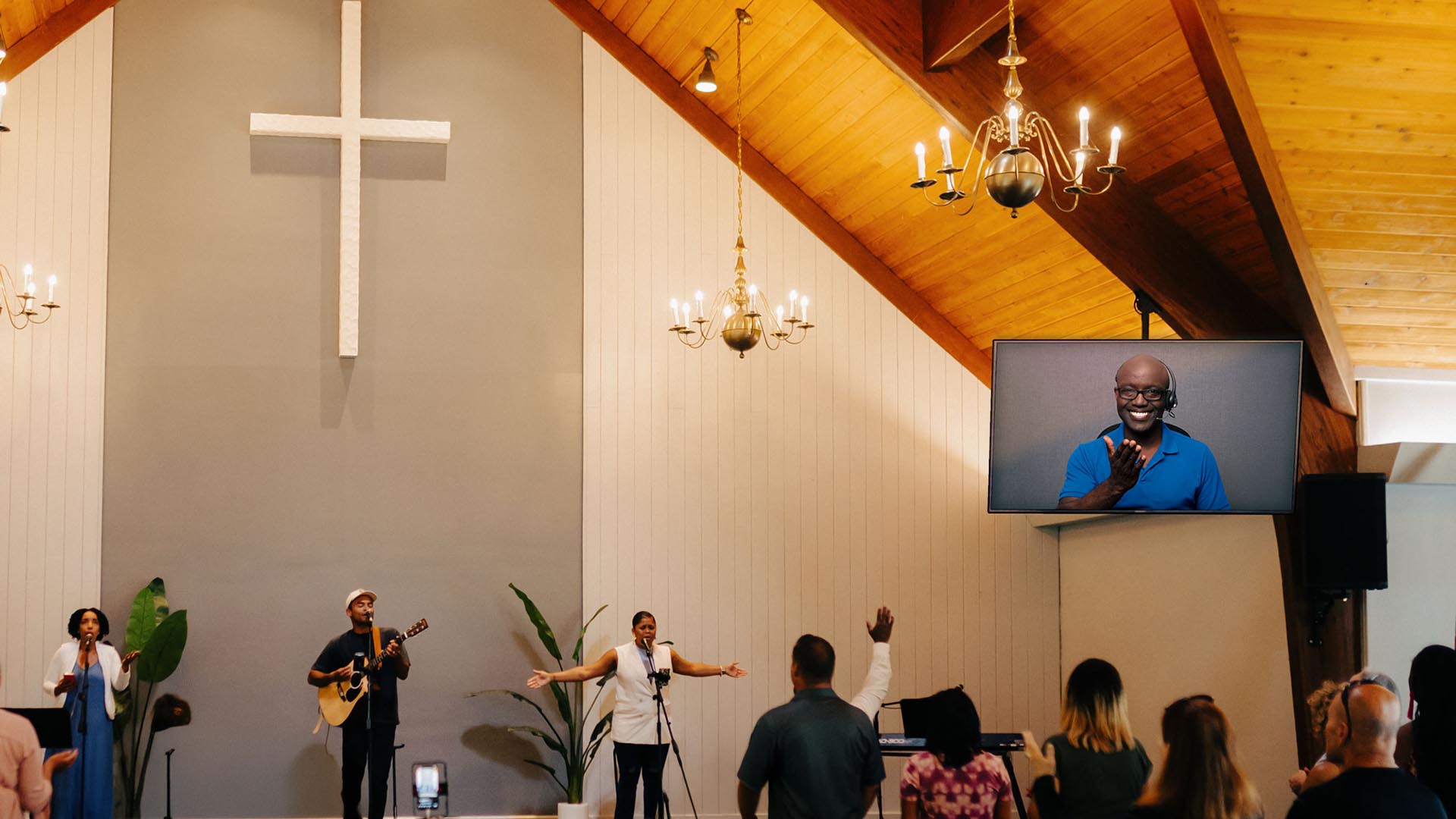
Church worship service with live music and congregation, featuring a large cross and a video screen showing a remote speaker, highlighting accessible communication in a religious setting.

Client overview

Organization: Elevation Church Ministries
Location: Scottsburg, Indiana
Audience: 500–600 members, both in-person and online
Accessibility focus: American Sign Language (ASL) video remote interpreting (VRI) for Deaf members


The challenge

Elevation Church Ministries exists to share the Word of God with everyone — yet, even in a place built on inclusion, one member’s experience revealed a barrier that couldn’t be ignored.

During a Sunday service, DJ Nocera and the pastoral team at Elevation, noticed a Deaf congregant attending faithfully week after week — participating in worship and even getting baptized, all without being able to understand the sermon.

“Seeing him there, with such faith, but without full understanding — it hit us hard,” DJ recalled. “He was showing up every week, and we realized we weren’t fully reaching him. Plus, when you walk around our church and you can’t understand the language, you don’t feel like you belong.”


Pain points

  • Limited access to the message: Deaf members could see and feel the energy of worship but couldn’t fully understand spoken sermons or teachings.
  • Interpreter shortage: In rural Indiana, finding qualified in-person ASL interpreters for weekly services was nearly impossible.
  • Budget challenges: As a mid-sized church, cost was a major consideration. Elevation needed an affordable, sustainable way to provide interpreting.
  • Lack of awareness: Before connecting with the Deaf community, church leaders didn’t realize captions alone weren’t sufficient for full language access.

“We learned that captions aren’t enough for the Deaf community as their primary language is most often ASL — not English,” DJ said.


The solution

To ensure every message was accessible, Elevation Church partnered with Sorenson, using its Video Remote Interpreting (VRI) service to connect Deaf and hearing members in real time.


How It Worked

  • Seamless integration: The church’s IT team connected a laptop to an existing TV display, instantly adding a live interpreter feed viewable to the congregation.
  • Consistent access: Deaf members could now understand every message, prayer and song — experiencing full participation in worship for the first time.
  • Reliable, easy setup: VRI worked flawlessly every week. “Our IT guy has never had a single complaint,” DJ shared.
  • Extending inclusivity online: Encouraged by their success in person, Elevation is now working to bring the same inclusivity to their online congregation.

“It brings so much joy to see all members understand the message. We’re also excited to extend the same inclusivity to our online congregation.” 
— DJ, Elevation Church Ministries


The results

  • A transformed worship experience: For the first time, Deaf members could access every word of the message — deepening their faith and connection to the church community.
  • Growing inclusion and awareness: The area near the interpreter screen soon filled with both Deaf and hearing congregants eager to worship together. Hearing members are also now learning ASL greetings like “good morning” and “God bless you,” to greet Deaf members and build genuine community connection.

“When we added the interpreter, the area around the screen filled up — hearing people wanted to sit there too. Everyone wanted to see and be part of it.” 
— DJ, Elevation Church Ministries 

  • Faith in action: “What Jesus represents is leaving the 99 for the 1,” DJ said. “You’re not investing in a piece of technology — you’re investing in a person.”
  • Simple and reliable for small team: The Sorenson VRI setup is fast, dependable, and affordable — making it possible for Elevation to offer consistent accessibility without straining resources.
  • Expanding the vision: Elevation hopes to eventually add a Deaf-led service and invite more members of the Deaf community to join, ensuring that everyone can worship fully.

"Sorenson makes the spoken Word accessible to Deaf and hard-of-hearing people. As a pastor, if you even suspect you have a Deaf member, you need to understand that the Bible isn’t easily available to them — English is typically not their first language. Sorenson provides a perfect way to share God’s Word with someone who has never been able to access it before." 
— DJ, Elevation Church Ministries


Why choose Sorenson VRI for Ministries

  • Accessible for any congregation: Connects Deaf members with interpreters through video — no travel required.
  • Simple setup: Works with your existing equipment and Wi-Fi.
  • Affordable and scalable: Designed for churches of any size or budget.
  • Truly inclusive worship: Bring every member into the message, both in person and online.

Ready to make your services more inclusive?

A Practical Checklist for Inclusive Communication in Schools and Colleges

As campuses and schools grow, student success and community involvement both depend on clear, accessible, and inclusive communication. Whether you’re in higher education or K–12, language barriers and accessibility gaps can impact learning, family involvement, and regulatory compliance.

Use this checklist to assess your current strategies and plan for a more inclusive semester. 

1. Language representation

  • Which languages are spoken by students, families, faculty, and staff? Use enrollment and HR data or surveys to identify all relevant languages. 
  • For which departments, classrooms, or programs will multilingual communication be most critical?

2. Communication challenges

  • Are there known gaps due to language differences? 
  • Have any classes, teams, or events been affected by communication challenges? 
  • Have you received feedback or concerns tied to language access or clarity?

3. Current language support

  • What tools or services are in place (interpreters, translated materials, real-time captioning, AI tools, etc.)? 
  • Do these meet your needs for accuracy, timeliness, and scale? 
  • What are the weaknesses of your current solutions — cost, staffing, or inconsistency?

4. Accessibility

  • Do you offer formats like captioning or sign language interpretation? 
  • Have you conducted an accessibility audit or formal review?

5. Technology and tools

  • Which communication platforms do you use (video conferencing, learning management systems, parent portals)? 
  • Do they support multilingual features or real-time translation? 
  • Are you using any AI-powered tools to scale language access?

6. Faculty and staff feedback

  • Have faculty and staff shared input on how communication could be improved? 
  • Are they using unauthorized tools for language access? 
  • Do they feel comfortable using their preferred language at work? 
  • Does your campus or school culture support inclusion across language backgrounds?

7. Student and family experience

  • How satisfied are students and families with your current communication approach? 
  • Do you provide multilingual support and resources for families? 
  • Have you gathered feedback about language accessibility?

8. Future needs

  • Do you plan to expand programs or serve new communities? 
  • Will the language needs of your students or their families change in the next 1–3 years? 
  • Are your current systems and strategies built to adapt? 

Next steps 

  • Review your answers to identify communication gaps and opportunities. 
  • Explore scalable, inclusive solutions like Sorenson Forum for live speech translation and multilingual access. 
  • Align your communication strategy with the real needs of your students, families, faculty, and staff. 
  • Provide faculty, students, and families training and support for any new tools or processes. 
  • Regularly evaluate and evolve your communication approach. 

How Grayslake School District Uses Sorenson Forum to Support Multilingual Classrooms

College student in lecture hall with laptop open to Sorenson Forum app. Student reads along with lecture and takes notes.

Client overview

Organization: Grayslake Community High School District 127
Industry: Education
Audience: 2,700 students across 2 high schools
Languages needed: Spanish, Ukrainian, Gujarati, Tagalog, and others

Grayslake Community High School District 127 logo

The challenge

Grayslake District 127 had a growing population of multilingual learners—students who spoke little or no English and struggled to follow classroom instruction. The district had limited access to bilingual teaching assistants and faced logistical, staffing, and equity challenges.


Pain points

Unavailable human support

Teachers previously relied on human interpreters sitting beside students in class. But staffing those roles at scale was “nearly impossible,” especially with more than 200 multilingual learners projected to rise to 270 next year.

Classroom disruption

Even when available, in-person interpreters altered the learning environment. “It’s understandably obtrusive to have an adult sitting next to a kid translating out loud,” said Christopher Thieme, Director of IT at Grayslake District 127.

Lost instructional time

Students often had to first develop English language skills before meaningfully engaging with the curriculum—especially in subjects like math and science where immediate understanding was critical.

Patchwork solutions

Translation tools were fragmented. Staff used Google Translate on tablets for documents and Pocketalk for one-on-one conversations, but there was no cohesive solution for live, ongoing instruction.


The solution

Grayslake turned to Sorenson Forum to provide real-time, low-disruption translations and captions directly in the classroom.


How it worked

Flexible language access

Students selected their preferred language on a Chromebook or phone and followed live translations of classroom instruction in audio and captions—starting on day one of enrollment.

Device agnostic

Students used their school-issued Chromebooks or personal mobile devices. Phones often handled the translation stream, freeing Chromebooks for schoolwork.

Scalable across classes

Forum supports simultaneous use by multiple students in the same classroom and across multiple classrooms at once—for example, Grayslake has run sessions with seven students in one class while other classes used it at the same time, without extra staff or hardware.

Quick setup

With minimal training, teachers and staff created sessions supporting 45 languages and dialects in just minutes, replacing hours of interpreter scheduling.


The results

Immediate access to learning

Students no longer had to wait to learn English before joining academic instruction. Forum provided an instant on-ramp to comprehension and engagement.

Improved teaching flexibility

Teachers controlled when to launch sessions and whether to capture transcripts, helping them adapt Forum to their lesson plans.

Stronger inclusion

Multilingual Coordinators reported high trust in Forum, citing its ability to serve students who otherwise had “nothing.” As Christopher Thieme put it:

“This is a resource that allows us to give kids who have nothing a chance at immediately engaging in learning.”

Roadmap for expansion

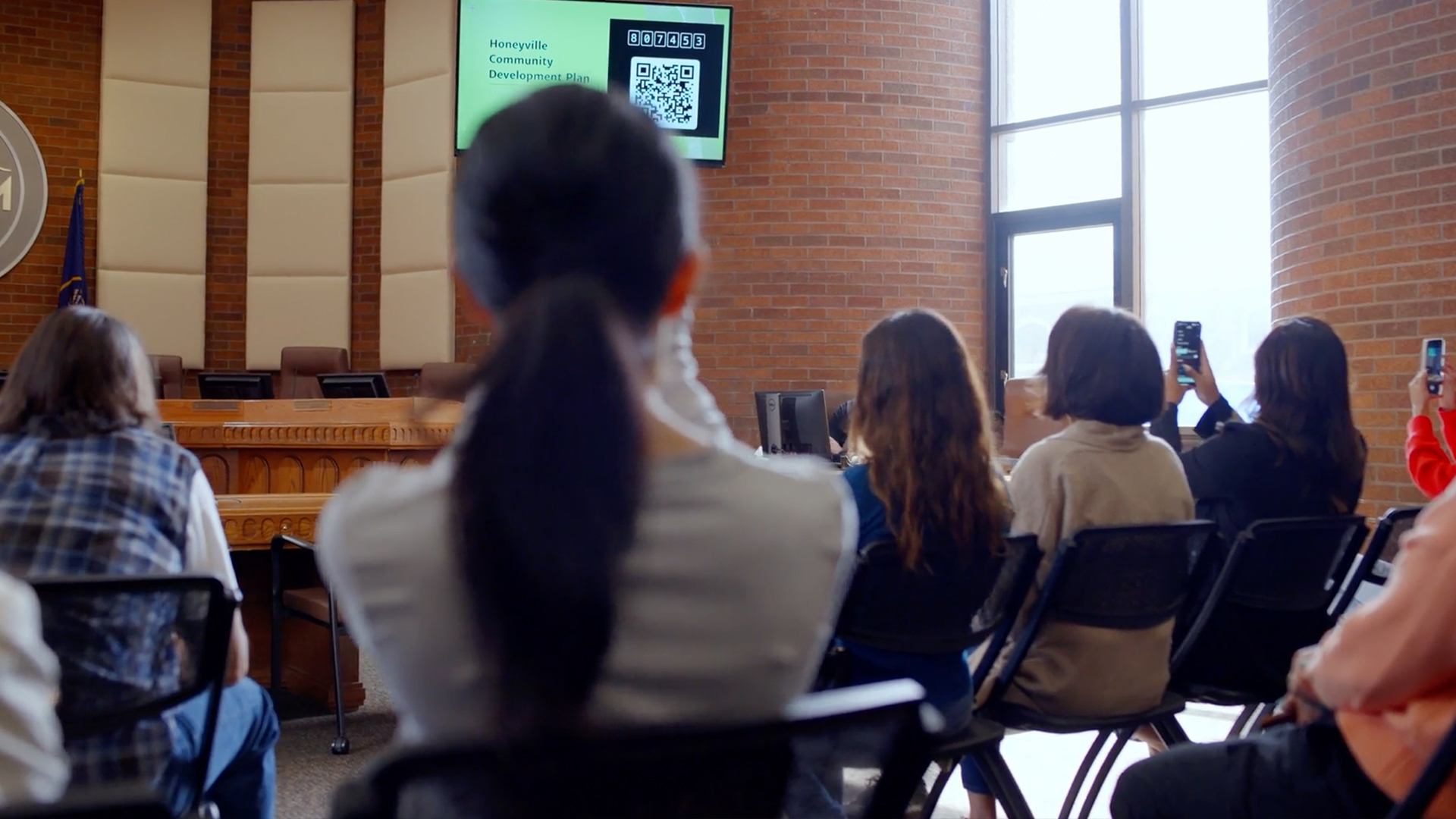
Next up: using Forum in large gatherings like parent events and assemblies. Administrators plan to offer QR codes so families can hear district leaders in their own languages.

“Forum didn’t just reduce translation gaps—it changed what was possible. For the first time, we have a scalable, respectful, and accessible solution that fits the classroom.”
Christopher Thieme, Director of IT


Why choose Sorenson Forum?

  • Scalable for classrooms: Works for 1:1 instruction, full-group lessons, or school events
  • Easy to use: No training required—just share a link and start.
  • Minimizes classroom disruption: Students follow instruction quietly on their own devices
  • Day-one access: Supports learning from the start in 45 languages/dialects—no wait for fluency or interpreters

Ready to bring inclusive, real-time translation to your school or district?

Multilingual Events Accessibility for Better Attendance, Engagement, and Audience Experience

Multilingual events accessibility makes meetings, conferences, presentations, and conventions welcoming to global and multicultural audiences, with full access to information in their language preference. This is the definition of communication accessibility—delivering information in an accessible way. However, communication gaps remain for mixed audiences (including Deaf and hard-of-hearing individuals) at public events such as:
  • Conferences
  • Conventions
  • Seminars
  • Open houses
  • Townhall meetings
  • Orientations
  • Performances and festivals
Today, more than ever before, we need multilingual communication accessibility to ensure that we can effectively communicate with audiences, regardless of their language preference, as our communities and workplaces reflect a range of backgrounds.

Why communication accessibility must include a multilingual focus

More than 1 in 5 people living in the U.S. speak a language other than English.1 As you might expect, Spanish is the most common of those languages, making up 62% of those households. However, the other 38% speak a variety of foreign languages, demonstrating that merely presenting information in only English and Spanish is not adequate for full event accessibility2. By embracing and welcoming, multilingual audiences at events, you promote equality, respect, and a sense of belonging for everyone regardless of language preference and ability.

Multilingual event accessibility benefits

The benefits of accessible multilingual events are manifold:
  • Increased participation: With language accessibility, attendees can grasp information faster and actively engage.
  • Revenue growth: Broad accessibility can increase attendance, leading to higher ticket sales and sponsorships. Attracting a more expansive audience can also lead to a positive brand reputation.
  • Better communication: Attendees with access to effective communication can start a conversation with anyone and build relationships.
  • Improved user experience: real-time captioning and audio for all attendees in their preferred spoken language ensures equitable access to information.
While the benefits of real-time speech translation are obvious for participants whose primary language differs from the speaker, even same language captioning can be immensely helpful to your audience. Roughly 14% of Americans have some degree of hearing loss and can use captions to avoid missing statements they don’t hear.3 Neurodivergent individuals — including people with autism, ADHD, and dyslexia — may also benefit from captioning. To better meet the language needs of event audiences, Sorenson offers Sorenson Forum.

Multilingual events accessibility real-time solutions

Multilingual communication accessibility can transform the event experience, allowing full participation and enjoyment by people of diverse backgrounds and languages. By using technology to bridge the language gap, you offer attendees a satisfying experience and access to all aspects of an event without obstacles. The technology now available includes multilingual interpreting, real-time translation, and live captioning.

Sorenson Forum

Sorenson Forum is an AI speech translation service that provides real-time captioning in 25 languages and 45 dialects to facilitate communication during events. Each person in the audience can access captions and audio in their preferred language on their own laptop or mobile device. It’s ideal for enabling effective communication with groups for meetings, classes, speeches, and presentations. Sorenson Forum provides solutions for event planners before problems have a chance to arise:
  • Attendance and engagement: Instant access to a language they know encourages a wider audience and allows participants to understand and engage.
  • Budget-minded accessibility: Provide accessibility for dozens of languages at a fraction of what it would cost to staff multiple qualified interpreters.
  • Streamlined to avoid technical difficulties: No need for special equipment, and users access translations and captions on their own devices — they don’t even have to download anything.
  • Single solution compatible with in-person, remote, and hybrid events: Give guests the same great experience however and wherever they’re joining.
Unlike traditional captioning and translation services with few language choices and cumbersome equipment requirements, Sorenson Forum is a next-generation Communication Access Realtime Translation (CART) solution that delivers instant access to captioning in 25+ languages and two-way communication for a personalized experience.

ASL Interpreting for Inclusive Access

In addition to real-time captions and spoken-language translation, providing American Sign Language (ASL) interpreting is essential for ensuring full access for Deaf and hard-of-hearing participants. Depending on your event format and audience needs, ASL interpreting can be delivered either onsite or via video remote interpreting (VRI). ASL interpreters enable real-time visual communication, allowing Deaf attendees to fully engage with presentations, discussions, and Q&A sessions. Whether you're hosting a virtual town hall, hybrid conference, or in-person seminar, integrating ASL interpreting into your accessibility plan demonstrates a commitment to equity and inclusion—and helps meet ADA compliance standards.

How to integrate multilingual communication accessibility into your event planning

To provide a fully accessible event experience for multilingual guests, consider a variety of accommodations from registration through post-event follow-up.

Before the event

  • Include a question about accessibility needs in event sign-up forms. Support multilingual registration with an event website allowing registrants to select their preferred language. Gathering this information in advance allows time to prepare event materials and line up appropriate services.
  • Provide pre-event materials and instructions in attendees’ preferred language, including the accessibility services they can anticipate prior to the event.
  • Provide details on where to go on the day of the event and how to access interpreting, translation, and captioning.
If you’re providing on-site interpreters or Video Remote Interpreting services for your event, consult your interpreting provider well in advance to secure adequate staffing.

Training and support

Prepare any technology you will use to deliver accessibility services, including microphones, monitors or projectors for displaying media, and setting up accounts and apps. Do test runs for all equipment to detect potential technical problems.

Multilingual events accessibility best practices

To provide a seamless experience for your multilingual guests, provide information before and during the event:
  • Promote accessibility options on the event webpage and program book.
  • Use visual signage on the event grounds to help everyone find their way even before they take advantage of accessibility services.
  • Use visual aids and gestures to guide guests to where they need to go and to draw attention to interpreting, translation, or captioning availability.
If you’ve scheduled interpreters, prepare them with all related event information and subject matter details. Well-prepared interpreters can most efficiently deliver the presenter’s message and enhance the experience for attendees.

Take the next step today

To learn more about how multilingual accessibility services can elevate your events, reach out to our team to discuss your communication needs and the most fitting solutions to help you create an inclusive and engaging environment.

Sources

  1. American Community Survey
  2. What Languages Do We Speak in the United States? (census.gov)
  3. Hearing loss statistics and demographics

How to Use AI for Good: Everyday Connection through Real-Time AI Speech Translation

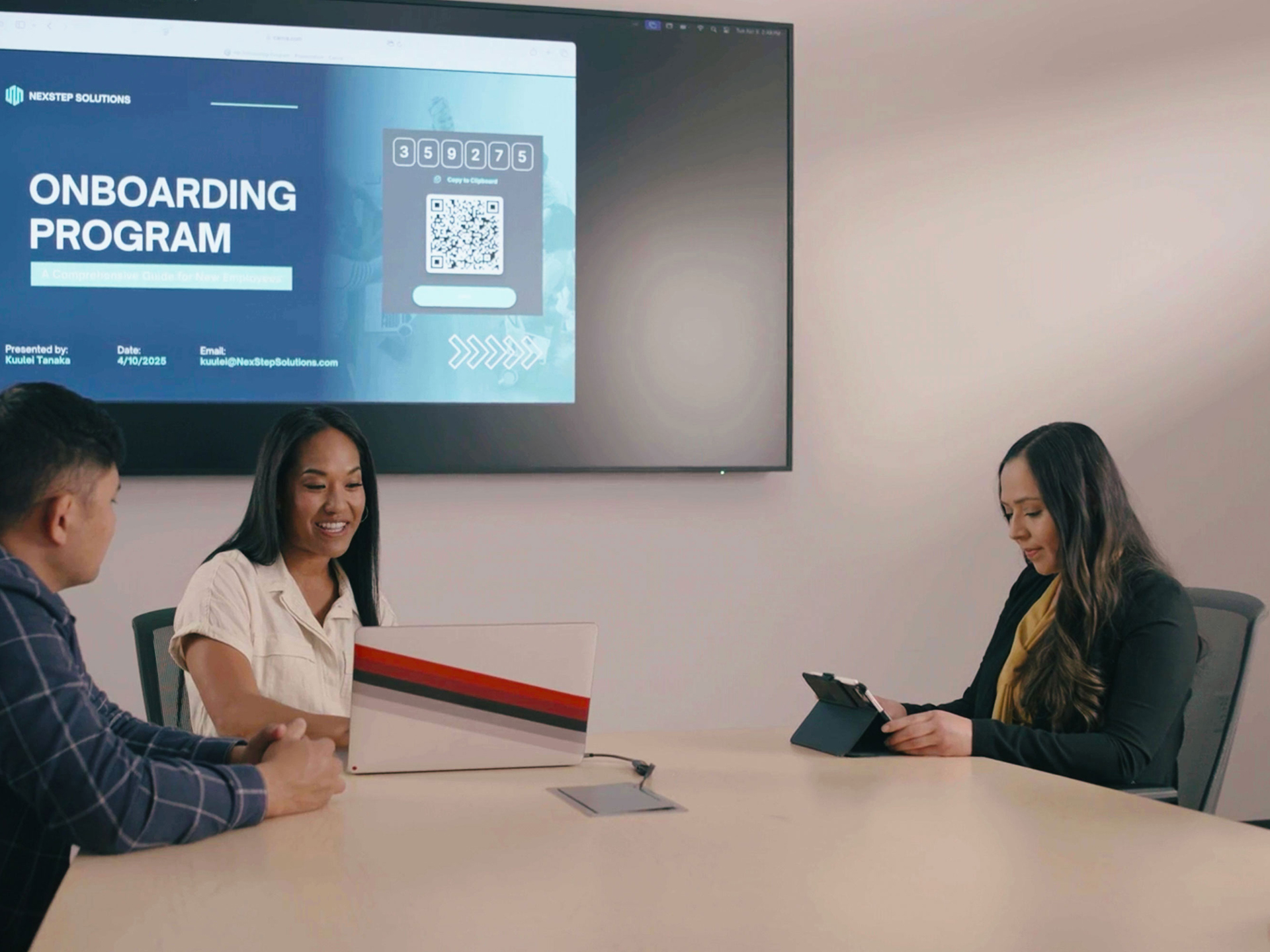
Three people in office conference room with meeting presentation on large screen behind them. Current slide shows QR code for live speech translation.

Any way you look at it, the rapid integration of artificial intelligence (AI) technology is transforming daily life. Whether you’ve leaned into AI tools to do your grunt work — from processing data and writing emails to generating your grocery list — or you’re skeptical about allowing machines to do your thinking, there’s no denying the world has flexed its creative muscles over the past few years in finding inventive ways for how to use AI.

An ethical AI use case

One of the most wholesome ideas for how to use AI stems from its ability to learn languages. Machine learning — a category of AI — taps into computers’ ability to quickly process and organize vast amounts of linguistic data. 

That capacity to master vocabulary, pronunciation, and language structure enables AI to convert speech-to-text or text-to-speech in practically any language instantaneously…and simultaneously: a multilingual human translator may be able to convert Japanese to English and English to Spanish, but AI can do both at the same time, making everyday connection across languages possible without planning or expertise.

We’re going to discuss how — and when — you can effectively leverage that power to generate connection, engagement, and understanding with all kinds of people:

Why you need interpreting, translation, and captioning

The need for fast and reliable language services is no longer a niche demand. Economic and social shifts that drive globalization and multiculturalism have made interpreting and translation services an essential part of doing business and serving the public:

  • More than 90% of the world’s population uses languages other than English as a primary language.1
  • Countries that are largely English-speaking also have sizeable numbers of people with different primary languages.
  • In the U.S., more than 20% of the population uses a language other than English at home.2
  • Roughly 8% of people in the U.K. say their main language is not English.3
  • Only about 57% of Canadians list English as their first language. About 20% speak French primarily. The remaining 23% use other languages at home.4

Even if you share the same language as the people you’re talking to, captioning is now a mainstream need. Worldwide, 20% of people are Deaf or hard-of-hearing and 15–20% are neurodivergent;5,6 captions can help them access and process information. Among hearing and neurotypical people, too, numerous studies support the benefits of captioning for comprehension and retention.

The benefits of providing services like interpreting, translation, and captioning come into focus when we view language access as more than transactional. Making it easy for customers, employees, and communities to communicate effectively signals to them that you value their perspectives and engagement.

When the people you work with and serve feel welcome, valued, and respected because you prioritize their access and inclusion, the impact snowballs:

  • Productivity and efficiency rise when all parties can communicate quickly and effectively.
  • It feeds a culture of belonging that spurs organic engagement.
  • Word of mouth generates referrals and positive brand reputation.

Use cases for real-time translation and captioning

The need for captioning and translation services reaches into every sector, easing friction points on both sides of the equation when solutions put people on even footing:
Business: Companies that provide adequate service to linguistically varied and hard-of-hearing populations can tap into a double-digit boost to their customer base. For industries like financial services, retail, and hospitality that cast a wide net, expanding their reach to even half of those people makes an enormous impact.

  • Customer support: Instead of hiring multilingual support staff, businesses can integrate real-time captioning and translation into their customer service to support hard-of-hearing and linguistically varied customers.

Beyond customers, supporting employees with captioning and translation expands your talent pool for recruiting and sets teams up for greater productivity.

  • Multilingual meetings: It’s not far-fetched, or even unusual, nowadays for an enterprise to collaborate in multinational teams. Employees working together may speak English, Spanish, and Mandarin. Real-time translation makes it possible for companies to pair top talent across borders and cultures, ensuring everyone understands and contributes effectively.
  • Training and onboarding employees: Companies with global workforces can use AI translation to provide training materials and live instruction in multiple languages, ensuring consistent knowledge transfer.

Education: In primary and secondary education settings, it’s critical to communicate effectively not only with students but also their families. For post-secondary educational institutions, the overlap of linguistically varied and hard-of-hearing students makes captioning and translation service an indispensable educational tool.

  • Supporting international students: Real-time captioning in their primary language can dramatically improve international students’ ability to comprehend and engage with lectures, class discussions, and communicate with professors.
  • Providing language access for parents and families: Translate and caption orientations and open houses, parent–teacher conferences, and community events and graduation ceremonies with parents and grandparents.
  • Encouraging global collaboration: Open doors to international research partnerships, guest speakers, and prestigious global opportunities for faculty and students.

For a deeper dive, read our blog specifically about the benefits of multilingual captioning in education.

Healthcare: Patients and healthcare providers alike know the frustrations of trying to communicate symptoms, diagnoses, and treatment when they don’t know what each other is saying, not to mention administrative challenges. Captioning in their preferred language can help with some of those challenges, allowing patients and staff to communicate more quickly and accurately for better outcomes.

  • Patient consultations and diagnoses: Translation and captioning allows doctors and nurses to communicate more effectively with patients who are hard-of-hearing and/or speak different languages, supporting accurate diagnoses and treatment.
  • Communicating medical records and instructions: Hospital and clinic staff using translation and captioning are better equipped to accurately communicate about medical history, patient instructions, and follow-up.

Find more details on the impact of communication accessibility in healthcare in our blog post, Language Accessibility in Breast Cancer Awareness and Treatment.

Event planning: The success of an event rides wholly on participant experience. By providing — and promoting — real-time captioning and translation services for events, organizers can create an inviting experience starting at registration. Event planners can attract more participants by offering accessible communication solutions and follow through with conditions that allow multilingual and hard-of-hearing attendees to fully engage.

  • Presentations and panel discussions: Give audiences full access to speeches and discussions by thought leaders with simultaneous translation and captions. Even participants with basic command of the speaker’s language benefit from subtitles for technical or niche subject matter.
  • Q&A sessions: Give and take improves events for both attendees and presenters. With simultaneous translation and captioning, your audience can feel more comfortable actively participating and asking questions.

There’s no limit to the examples of everyday communication that can benefit from real-time translation. However, the delivery of translation services must reflect the circumstances for a satisfactory experience; knowing when to use human interpreters versus AI translation makes all the difference in effective communication.

Choosing the right multilingual solution: when to use AI speech translation vs human interpreters

For years, real-time multilingual communication required scheduling an in-person spoken language interpreter. High-speed internet made it possible to receive remote interpreting service via audio/video streaming. Further technological advancement gave rise to the newest option on the scene: AI speech translation. Each of these is a valuable tool when you know how and when to use them.

Interpreter vs translator: what’s the difference?
Real quick, let’s address this common area of confusion. The difference between an interpreter and a translator — or the difference between translation and interpreting — is that

  • an interpreter converts one spoken or signed language directly to another spoken or signed language.
  • a translator works with written language, converting one written language to another or going from a spoken/signed language to written language (or vice versa).

You might use a human translator for document translation. When you want real-time language support for a conversation, you probably want an interpreter…or the new option, AI speech translation.

When to use an interpreter

Professional interpreters are an irreplaceable communication resource, able to bridge language and culture so people of different backgrounds can connect and understand each other. Sorenson is a global leader in sign language interpreting with more than 20 years of experience providing these services, so we will always advocate the benefits of using qualified interpreters.

Highly skilled interpreters come with an appropriate price tag. When you hire an interpreter, you’re paying for bilingual (or even multilingual) fluency, cultural competence, extensive training, and professional conduct — confidentiality, ethics standards, and reliability.

Some communication warrants, even demands, the cost of interpreting service:

  • High stakes communication, including sensitive legal and medical situations
  • Technical or jargon-heavy discussions where details are critical
  • Emotional interactions
  • Performances with verbal elements

The unique ability of professional interpreters to convey nuance — in the form of tone, context, emotion, body language, etc. — and their complex understanding of language gives their service a level of accuracy beyond word-for-word translation that technology cannot imitate.

That human element is most potent in person, and thus the tendency to prioritize onsite interpreting for important conversations: doctor appointments and legal proceedings, for example.

However, remote interpreting — via internet or phone connection — can provide a similar level of nuance with the flexibility and lower cost of virtual access. For example, Sorenson’s scheduled and on-demand sign language Video Remote Interpreting (VRI) services work for face-to-face, virtual, and hybrid conversations and require less planning ahead than onsite interpreting services.

When to use AI speech translation

AI speech translation services, like Sorenson Forum, elevate convenience and affordability to make multilingual communication accessibility an everyday solution rather than an occasional one.

How well can AI translate languages? Well, language processing is one of the areas where AI’s speed and consistency shine.

  • AI can learn an entire language in a day, compared to the years it takes humans to become fluent.
  • A single AI speech translation product can instantaneously translate dozens of languages, reducing costs and streamlining logistics.
  • An AI language translator doesn’t sleep, expect weekends off, or observe holidays; it’s available 24 hours a day, 365 days a year with no need to schedule service.

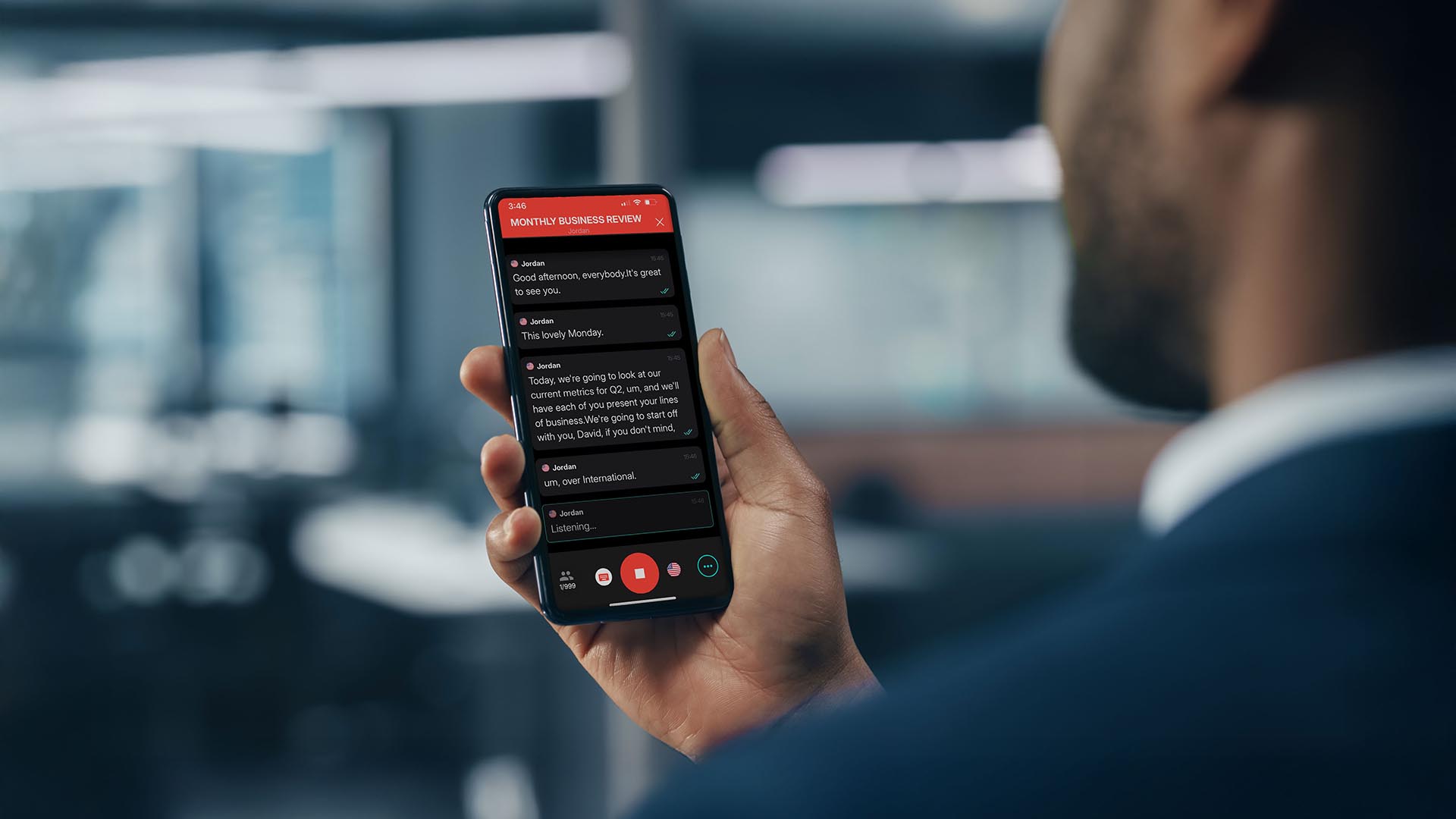
Sorenson Forum is an AI translation service that is making multilingual accessibility affordable and scalable. It uses the most advanced speech recognition software and AI language models to convert speech to text and translate languages in real time, displaying captions in dozens of languages — even simultaneously. With AI text-to-speech functionality, users can listen to the translation as well as read the captions. Bonus: the transcript is available for distribution afterward in every language users used during the session.

The benefits of AI translation services make it possible for businesses and organizations to connect with people regardless of their language at a fraction of the cost of using human interpreters. That makes it practical and affordable to be accessible not only for critical communications, but the everyday interactions that build community and affinity. However, the technology isn’t an ideal fit for every situation.

AI language translators lack the human touch: the ability to convey nuance like tone, inflection, emphasis, emotion, body language — the elements of communication that add context to what we say. That requires a qualified interpreter.

Still, there are many applications for real-time AI speech translation that lean into the technology’s strengths to amplify engagement and inclusion at a fraction of the cost of interpreting services:

  • Conferences and events
  • Meetings
  • Classes, training, and information sessions

An AI language translator will provide the best user experience when the value is in what you’re saying rather than how you’re saying it.

Interpreting vs AI translation use case comparison

Now that we’ve reviewed the strengths and ideal uses of professional interpreters and AI speech translation, let’s look at examples of how and when each might be useful across different settings.

Business 

Invest in interpreting for:

  • formal presentations to key decision-makers
  • negotiating terms of contracts and agreements
  • communication with Deaf clients or colleagues who use sign language

Leverage AI speech translation for:

  • team meetings and planning sessions
  • routine customer service
  • public announcements

Education

Invest in interpreting for:

  • serious disciplinary discussions
  • Individual Education Program (IEP) conferences
  • communication with Deaf students or parents who use sign language

Leverage AI speech translation for:

  • classes and lectures, including transcripts
  • assemblies and community events
  • routine parent–teacher conferences

Healthcare 

Invest in interpreting for:

  • patient exams and consultations
  • discussing diagnoses and treatment
  • communication with Deaf patients who use sign language

Leverage AI speech translation for:

  • administrative communication
  • educating patients or the public about preventative health measures

Event planning 

Invest in interpreting for:

  • emotional presentations or performances
  • communication with Deaf participants who use sign language

Leverage AI speech translation for:

  • opening/closing remarks and orientation
  • informational presentations and panel discussions
  • Q&A sessions

Why to use interpreters with Deaf people who use sign language 

We always recommend offering sign language interpreting to communicate with Deaf individuals who are native sign language users. While some deaf people can get by with captioning — and some deaf people do not use sign language at all and may prefer captioning — for native sign language users, those captions are in a second language rather than their preferred one.

American Sign Language (ASL), for example, has an entirely different linguistic structure than English. Providing an equitable experience for ASL users requires offering communication in ASL, which real-time speech translation does not accommodate…yet.

Sorenson is the global leader in sign language interpreting services and can provide scheduled or on-demand ASL interpreters anywhere in the U.S.

Now that you know how to use AI for language access, are you ready to try it?

If you’ve made it this far, chances are you see the potential to leverage real-time AI speech translation to transform how you engage with your community — locally and globally — without breaking the bank or adding logistical challenges. And that’s the idea: language accessibility that’s seamless and affordable.

If you’re ready to give Sorenson Forum a try, you can sign up for a free trial or dive right into a premium package with all the bells and whistles.

Sources

  1. Exclusion of the non-English-speaking world from the scientific literature: Recommendations for change for addiction journals and publishers
  2. 2023 American Community Survey
  3. Language in England and Wales
  4. Statistics on official languages in Canada
  5. World Report on Hearing
  6. Embracing Neurodiversity at Work: Unleashing America’s Largest Untapped Talent Pool
This site is registered on wpml.org as a development site. Switch to a production site key to remove this banner.