














































-
VRS

-
CaptionCall
-
Enterprise
-
Provider
-
Resources
-
Company


Sorenson Uses Cookies
Cookies are small text files websites send to your browser to remember information about your visit. They make our site work properly and help with security. When you allow cookies, you will have the best experience on our site — you can use tools such as chatbot for support and access other relevant products and services.

Understanding Autocorrect, Predictive Text, and AI

No Value (acf:field_669fe7fdb55ef)
These days, technology is making practically every part of our lives easier. But is it possible that technology designed to make everyday life a little bit easier can go too far?
The conversation around texting and word processing features like autocorrect and predictive text presents a good example. Let’s explore these two common tech tools, as well as their younger, more powerful sibling, generative AI.
What is autocorrect?
If you’ve ever misspelled a word and had your computer or phone automatically correct the spelling — or tried to curse only for the text to revert to a more PG word — you’ve encountered autocorrect.
Autocorrect is a feature on text-based programs, and it can function a little differently depending on which you’re using. In some cases, it will actually replace words it recognizes as incorrect. In others, it just highlights or underlines them, usually accompanied by a drop-down menu of suggested alternatives.
What is predictive text?
Predictive text is a similar feature to autocorrect, though it takes an even more direct approach, suggesting possible words or even full sentences as you type.
On smartphones, this usually appears as three words above the keyboard. You can select one of those words, open a drop-down menu to see more suggestions, or keep typing normally on the keyboard. On computers, it’s usually light grey text ahead of your cursor, which you can choose to accept by hitting Tab.
Predictive text in augmentative and alternative communication
When sending a text or typing in a web search, there’s little harm in using predictive text. However, as these types of tools are implemented in more spaces, there is occasional pushback. One area is augmentative and alternative communication (AAC), an umbrella term covering most ways someone might communicate apart from standard speech.
While some have raised concerns that predictive text might limit creativity or even alter a communicator’s intention, most have embraced the technology and how it can help individuals who rely on AAC.
Benefits
Both autocorrect and predictive text exist to make digital communication faster and easier. Autocorrect can limit the amount of time it takes to edit what you’ve written. Predictive text can help you write faster or even keep your thoughts going when you get stuck, in some cases.
How AI fits in
Artificial Intelligence, or AI, has been a buzzword for the past couple of years. Most of the time, especially lately, this term refers to generative AI trained on large language models like ChatGPT.
These generative AI tools work the same way predictive text does. Most predictive text programs "learn” your voice and writing habits over time. Your phone or word processor on your computer may get better at guessing which word you’ll type next as it has more examples of your writing.
Popular AI tools don’t just learn from how you write — developers “train” them on enormous libraries of material. Not only do they have considerably more raw data to work with, they’re also much more powerful and capable of identifying more complex patterns. That’s how they’re able to produce such convincing responses to users’ queries.
Potential drawbacks
As with any technology, some people are ringing alarm bells. Initially, the concern was that widespread use of autocorrect, and predictive text is making users, particularly children, worse at spelling and writing. While this concern comes up a lot, there is little research on the topic, and academics are divided.
However, as generative AI has come into the mainstream, those alarm bells are getting much louder:
- One major flashpoint in the national and even global conversation about AI is the fact that many college students are using these tools to cheat their way to a degree. The technology is already so ubiquitous, and there are so many different tools and applications, that colleges and universities are having trouble enacting policies that keep up.
- Detractors argue that generative AI steals from human writers and artists. Creators don’t receive compensation when AI companies use their original work to train their AI tools.
- Another big concern is misinformation. There are plenty of funny examples — and concerning examples — of an AI chatbot getting some basic facts wrong. The question then becomes, 'what else is it getting wrong?' Because of how AI learns and distributes data, these tools can make it easier for bad actors to spread malicious misinformation.
- There’s also some evidence that some AI tools may have implicit biases based on the data sets they trained on.
How to use AI and predictive tech effectively
In comparison to generative AI, the concerns about things like spellcheck, autocorrect, and predictive text seem almost quaint. However, there are still some best practices to keep in mind to use all of these assistive technologies effectively.
Autocorrect: Don’t just assume that autocorrect is always right. While useful for correcting typos and fixing misspellings or grammatical errors, spellcheck and autocorrect are limited in their ability to understand the meaning of a word or sentence.
Pay attention while you write. Consider the suggestions and make sure the revised sentence makes sense before making any changes.
Predictive text: Most predictive text tools will passively learn from you, but you can also actively add words or phrases that you frequently use for an even more personalized experience. Search for the specific app you’re using (ex: the iPhone Notes App or Microsoft Word) for more detailed instructions on how to add or remove words to its library of suggestions.
Generative AI: This is still a new technology, so it’s best to be cautious until you have a clear understanding of how it works and what to expect from it. Never give an AI chatbot any personal, private, or proprietary information, as it can store any inputs/prompts and use them as data training sets.
Avoid overreliance on AI. It’s a great tool for getting started on a tricky project, kickstarting a brainstorm, or breaking through stubborn writer’s block, but it can be a slippery slope to letting AI completely take the wheel. Always review the information AI provides and verify it yourself for accuracy.
The communication tools of today are more powerful and useful than ever before. If used correctly, they can make writing anything from a text message to your grandkids, a letter to your elected official, op-ed for the local paper, or even a last will and testament (though you should definitely have a lawyer review that one) much easier. But it’s important to understand how they work, how to use them, and most importantly, when not to use them for best results.
AI in CaptionCall
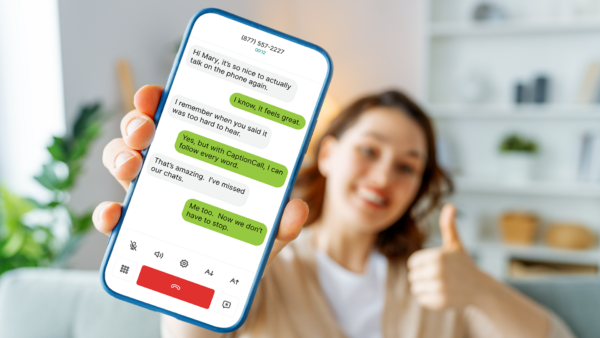
CaptionCall’s captioning service makes limited use of automation, particularly in generating captions for customers using the mobile app. We use automated speech recognition (ASR) software to ensure our captions are both fast and highly accurate.
This type of automation differs from the ones discussed above in a few key ways. Most notably, it is not making suggestions about what you could or should say. It simply translates audio to text without adding or altering any content in the transcript, as generative AI or predictive text might.
Whether you use a landline phone or the mobile app, the CaptionCall service never stores any of your personal information or transcripts. You may choose to save conversations to review them later, but those files are stored locally on your device, and we do not access them.
Related articles
Deaf Community
News
News and updates about Sorenson VRS products and features and the Deaf community
Hearing Health Providers News
Hearing loss news and trends for hearing health professionals
Hard-of-Hearing
News
News and updates about living well with hearing loss and getting the most out of CaptionCall and CaptionCall Mobile

No Value (acf:field_67911dacbb423)
No Value (acf:field_67911d8bbb421)
